

The best content workflow software for SEO agencies helps teams move content smoothly from research and briefs to drafting, approval, optimization, and publishing.
SEO agencies rarely lose most of their time writing. The bigger problem is often scattered briefs, missing approvals, duplicate edits, and disconnected tools that slow down delivery.
The right content workflow software gives writers, editors, SEOs, and project managers one clear process while keeping ownership, deadlines, and optimization requirements visible.
This guide compares content workflow tools based on SEO capabilities, integrations, approvals, pricing, scalability, and how well they support real agency workflows.
Core questions: why use dedicated content workflow software?
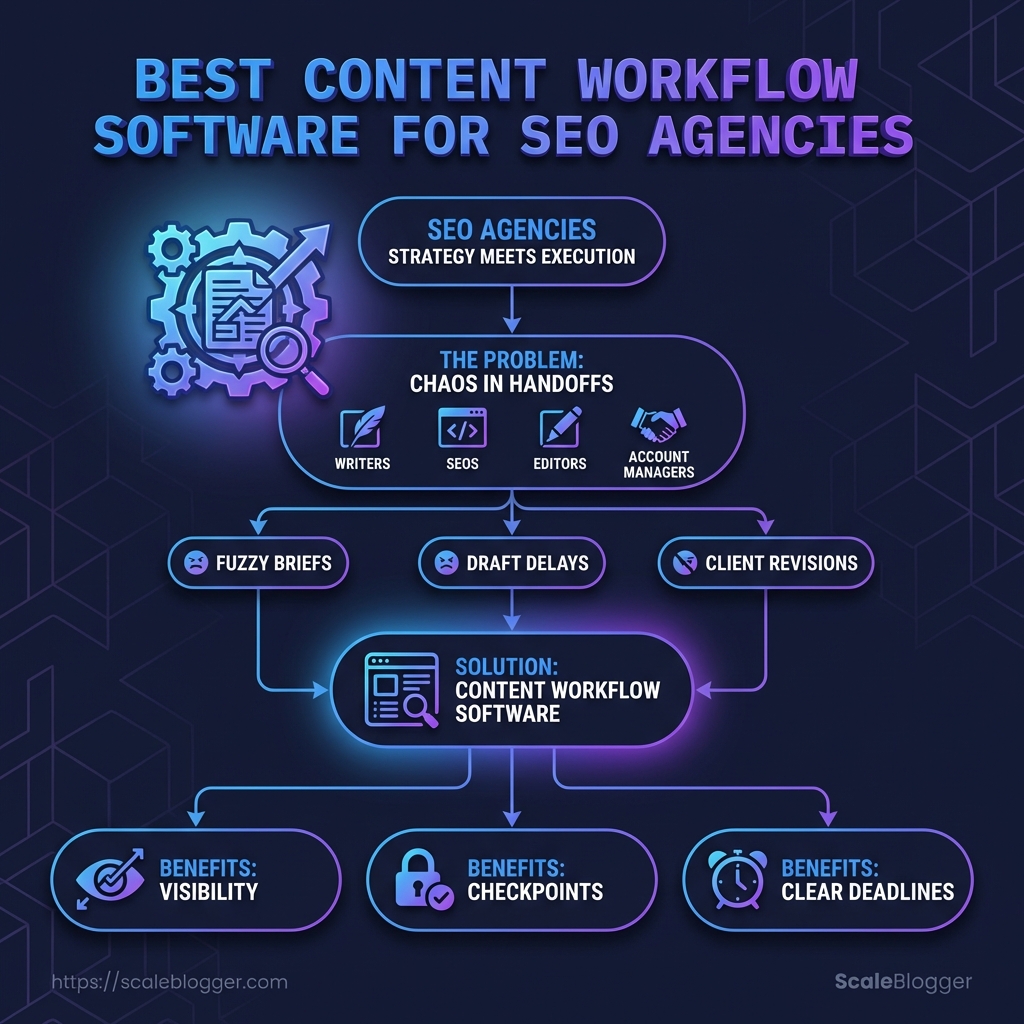
SEO agencies usually feel the pain long before they buy software.
A spreadsheet works fine for five articles, then suddenly briefs go missing, edits pile up, and nobody agrees on what “done” actually means.
That is where dedicated workflow software earns its place.
It gives content teams a shared path from brief to draft to edit to client review to publish, so work stops living in random docs and Slack threads.
The strongest reason to move away from ad hoc processes is consistency.
Tools like Asana, ClickUp, Airtable, and Notion are often used to assign owners, track due dates, store SOPs, and keep every article tied to the same checklist.
For the writing side, products such as Semrush, Frase, SurferSEO, Clearscope, and MarketMuse help turn SERP research into clearer briefs and better on-page structure before the draft even starts.
- Workflow gaps disappear: Missing approvals, unclear handoffs, and duplicate edits become easier to spot.
- Writers get stronger briefs: Search intent, headings, and coverage points are defined before drafting begins.
- Editors spend less time chasing: Review stages, comments, and version control stay in one place.
- SEOs keep standards intact: Topic coverage, keyword targets, and internal linking do not get lost between handoffs.
- Project managers see bottlenecks fast: Delays show up in the pipeline instead of hiding in email.
The move usually makes sense when the agency has repeatable content packages, multiple writers, or more than one client with different review rules.
It also becomes urgent when revisions keep circling because the brief was vague, or when publication dates slip even though the writing itself is solid.
The payoff is simple.
Quality rises because the process is clearer, and time to publish drops because fewer decisions happen twice.
A good workflow system does not just keep people busy.
It keeps the right work moving, in the right order, with fewer surprises along the way.
Platform selection: which tools fit an SEO agency?
A good SEO agency stack usually has three layers: content research, workflow control, and publishing discipline.
When one tool tries to do all three, it often does none of them brilliantly.
The better question is not “which platform is best?” It is “which layer is the agency missing right now?” For teams that want drafting, publishing, and repurposing in one place, Scaleblogger sits in the end-to-end automation lane, while most agencies still pair a research tool with a separate operations layer.
Vendor maturity matters just as much as features.
Mature platforms usually show it through stable permissions, clean exports, clear release notes, and AI features that do not change the workflow every quarter.
Which platforms fit different SEO workflows?
| Platform | Best for | Core workflow features | AI content features | SEO integrations (examples) | Typical pricing tier |
|---|---|---|---|---|---|
| Contentful | Large sites with structured, headless publishing needs | Content modeling, roles, APIs, webhooks, editorial governance | Limited native AI; stronger through integrations and ecosystem tools | Search Console via connected tooling, analytics, CMS delivery to SEO-friendly front ends | Enterprise/custom |
| Contentstack | Enterprise teams managing omnichannel content | Approval flows, role-based access, structured content, release management | AI assistance and automation depend on package and setup | CMS delivery, analytics stacks, webhook-based connections | Enterprise/custom |
| SurferSEO | SERP-driven drafting and on-page optimization | Content Editor, keyword guidance, heading recommendations, content scoring | Guided drafting and iterative optimization based on SERP context | Google Docs, WordPress, CMS publishing workflows | Self-serve to team |
| MarketMuse | Topic strategy and coverage planning | Topic inventory, content briefs, cluster planning, coverage analysis | AI-driven topic planning and brief support | Export to editorial systems, CMS workflows, search-data inputs | Mid-market/enterprise |
| Clearscope | Briefs and on-page term coverage | Brief generation, term guidance, topic coverage support | Optimization guidance for terms and sections | Google Docs, CMS workflows, search-data inputs | Mid-market |
| Frase | SERP briefs and outline-first content creation | Brief generation, outline building, research-to-draft workflow | AI-assisted drafting and outline generation | Docs workflows, CMS handoff, search-data inputs | Self-serve/team |
| Asana | Editorial pipelines and approvals | Tasks, assignments, due dates, templates, review stages | Light AI or assistant features, depending on plan | Zapier, Google Drive, Slack, CMS handoffs | Self-serve/mid-market |
| Airtable | Content calendars with relational data | Databases, linked records, automations, permissions | AI fields and summaries, depending on rollout and plan | Zapier, webhooks, CMS connections, reporting layers | Self-serve/mid-market |
| Notion | SOPs, briefs, and shared knowledge bases | Pages, databases, templates, internal documentation | Notion AI for drafting, summaries, and knowledge work | Embeds, integrations, connected docs, workflow handoff | Self-serve/team |
| Jasper | AI-first drafting for teams | Brand voice, reusable workflows, collaborative drafting | Strong AI drafting and content generation | Docs-based workflows, browser tools, API or integration layer | Team/enterprise |
| Writer | Enterprise AI writing with governance | Style guides, approvals, controlled generation, team workflows | Enterprise-grade AI writing and guardrails | API, enterprise integrations, content governance tools | Enterprise |
Agencies that publish a lot usually land on a two-tool pattern.
One platform handles the SEO brief and on-page guidance, while another keeps the editorial machine from drifting into chaos.
The vendor check is pretty simple.
Ask whether the roadmap improves control, or just adds more AI buttons.
Then look for proof that briefs, approvals, and exports still work cleanly when three people touch the same article.
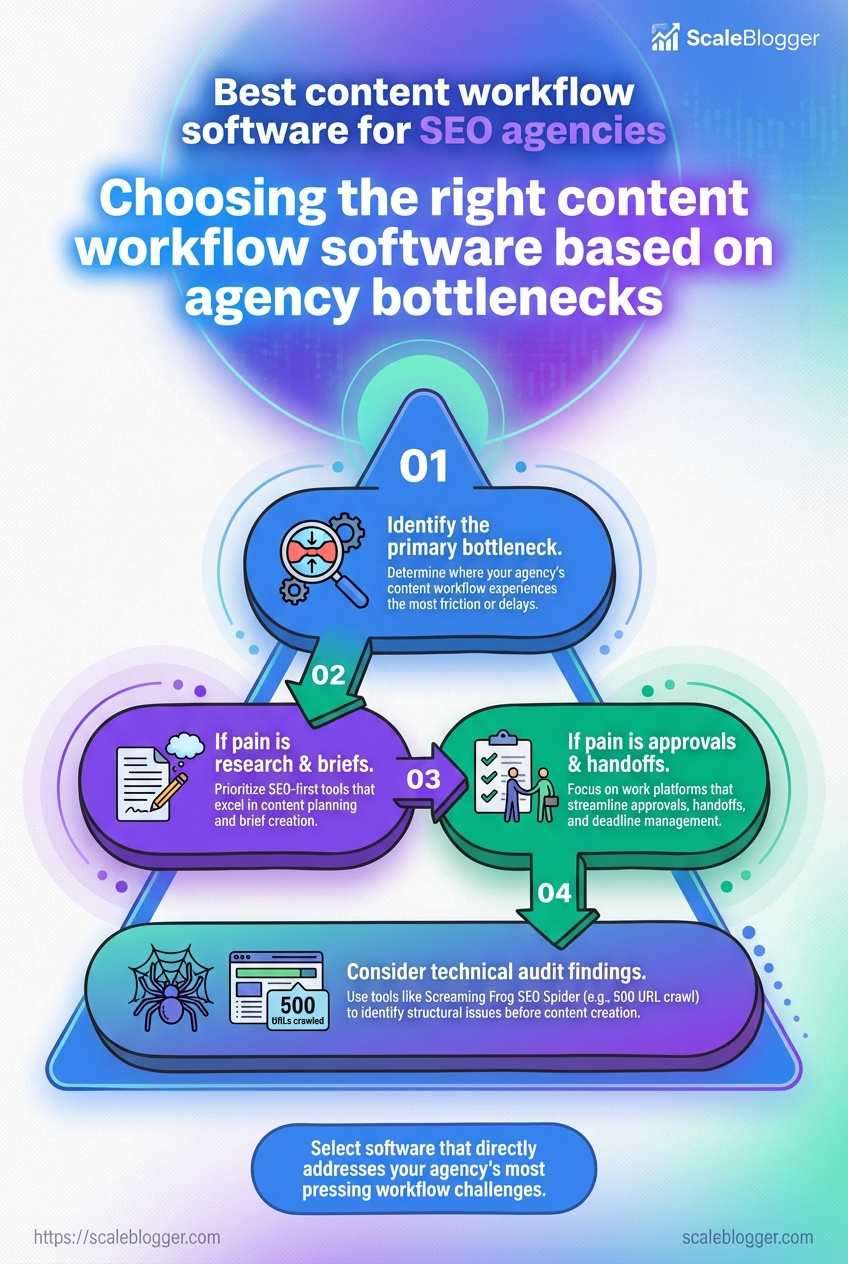
The most dependable stack is the one that matches the agency’s real bottleneck.
If research is weak, start with a SERP-driven content tool.
If delivery is messy, the workflow layer deserves the money first.
Integration and technical fit
An SEO agency can have the best briefs in the world and still lose time in the handoff.
The real test is whether research, approvals, publishing, and access control move cleanly from one system to the next.
That usually means thinking in layers.
SEO tools like Google Search Console, Ahrefs, and Semrush feed the planning side.
Workflow tools like Asana, ClickUp, Airtable, or Notion handle assignments and review stages.
Then the CMS or static site builder takes over for publishing.
The diagram should sit with the workflow platform in the middle, then show links to SEO data sources, task management, publishing endpoints, and reporting.
That layout makes the weak spots obvious, especially where teams still rely on exports and copy-paste.
A clean integration stack usually starts with the data side.
Google Search Console is useful for query and page performance, Ahrefs for backlink and keyword research, and Semrush for topic research plus content guidance.
When a platform can pull in those inputs, teams spend less time reconciling spreadsheets and more time editing the page that actually ships.
- API coverage: Check whether the product offers a
REST API, rate limits, and support for read and write actions. Read-only is fine for dashboards, but publishing workflows need write access somewhere in the chain.
- Webhook support: Look for events like draft ready, approval granted, or publish complete. Without webhooks, teams end up polling or manually nudging status changes.
- SSO and permissions:
SAMLorOAuth-based single sign-on matters once clients, editors, and contractors share the same workspace. Role-based access should be tight enough to separate writers from approvers and publishing admins.
Publishing is where the technical fit gets real.
A workflow platform should hand off cleanly to WordPress, Ghost, or a static site setup without breaking metadata, slugs, or scheduling rules.
Tools such as ScaleBlogger are useful examples of this kind of end-to-end pipeline, because the content moves from draft to scheduled publication without extra manual hops.
Security deserves the same scrutiny as speed.
Ask where content data is stored, whether the vendor supports regional hosting or data residency controls, and how they handle client permissions and audit logs.
For agencies with regulated clients, compliance paperwork should be boring, specific, and easy to verify.
The best setup feels almost dull in the best way.
Research enters one end, approval moves through the middle, and publishing happens without a rescue mission from someone on the team.
Commercials, licensing, and procurement FAQs
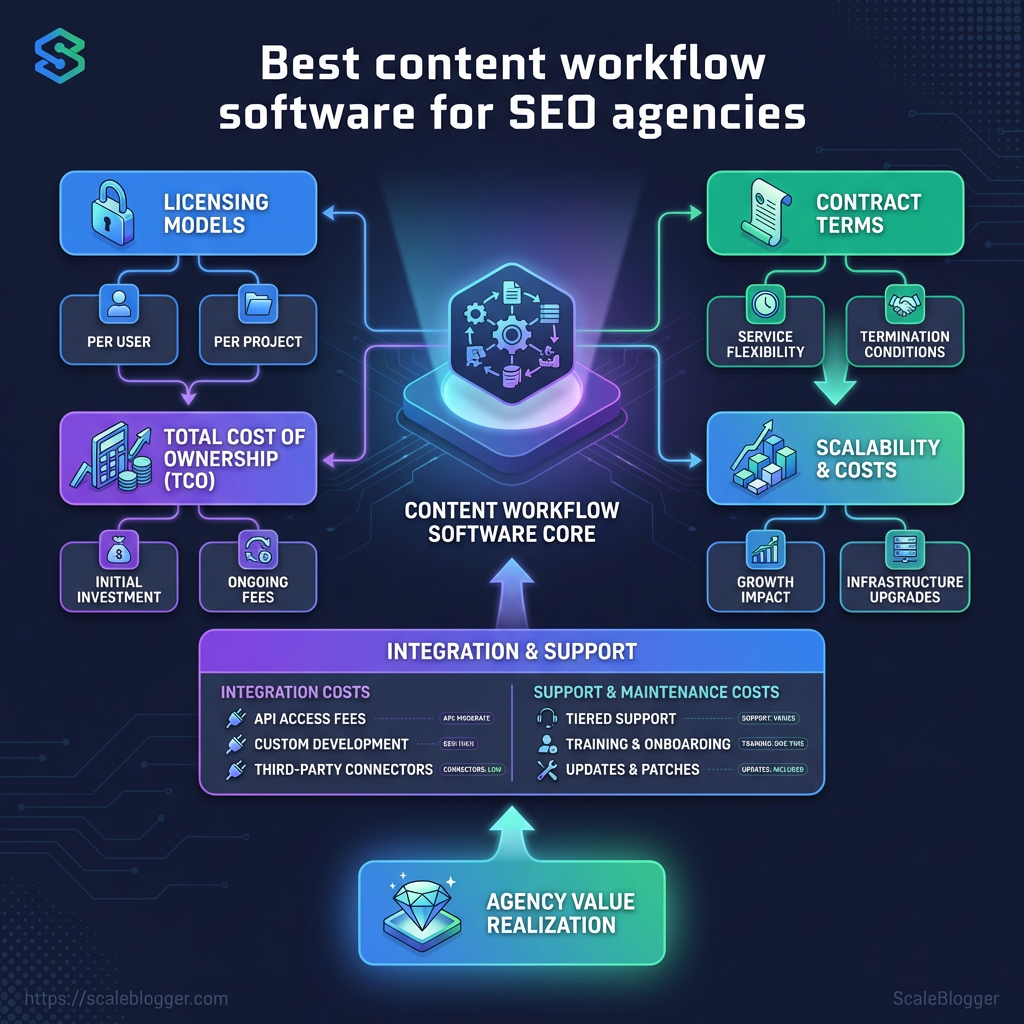
Procurement gets messy fast when a tool looks simple on the surface but the contract reads like a trap.
Most agencies run into the same three questions: what it costs, who owns the work, and how hard it will be to leave later.
Pricing is usually less about the sticker number and more about the billing shape.
A platform that looks cheap per seat can become expensive once usage caps, extra workspaces, or admin seats kick in.
Pricing models agencies usually see
| Pricing model | What it usually covers | Pros for agencies | Common gotchas | Typical monthly cost (ballpark) |
|---|---|---|---|---|
| Per-user subscription | Named seats, core workflow features, basic support | Easy to forecast for small teams | Costs rise quickly with editors, clients, and freelancers | $20–$150 per user |
| Seat + consumption | Seats plus AI calls, API requests, exports, or credits | Good for teams with uneven usage | Usage bills can spike during busy months | $50–$500 base, plus usage |
| Enterprise license | Flat annual or monthly fee, admin controls, security reviews, onboarding | Better for large teams and procurement checks | Often comes with minimum terms and paid services | $2,000–$15,000+ per month |
| Per-content or per-project | Charged by article, brief, campaign, or workflow package | Useful when volume is seasonal | Hard to compare against seat-based pricing | $100–$1,000+ per item |
| Marketplace or credit system | Buy credits for actions, templates, or AI tasks | Flexible for mixed usage | Credits can disappear into small tasks fast | $25–$300 in monthly credits |
The pattern is familiar in tools like Asana, ClickUp, and Airtable on the workflow side, while content planning tools such as Frase, SurferSEO, MarketMuse, and Clearscope often sit in the research and briefing layer.
Agencies usually pay more for control, reporting, and approvals than for the base writing feature itself.
That pricing structure matters because the hidden cost is usually process friction, not software.
If briefs, edits, and approvals live in different systems, the team pays twice: once in software fees and again in wasted time.
Contract terms deserve the same attention as price. SLAs should spell out uptime, response times, and support windows, especially if the platform sits in the publishing path. Data ownership should say, plainly, that your briefs, drafts, comments, and exported assets remain yours. Exit clauses should cover export format, retention windows, and what happens to shared workspaces after termination.
A few negotiations tend to pay off:
- Ask for export proof: Request a sample export of briefs, tasks, and metadata before signing.
- Pin down retention: Get the deletion timeline in writing, including backups and logs.
- Define service credits carefully: Credits are nice, but they rarely fix an interrupted campaign.
- Keep a parallel archive: Store final briefs and published URLs outside the vendor.
Vendor lock-in gets softer when the process is portable from day one.
Use templates that can live in your own docs, keep content IDs outside the platform, and avoid letting one tool become the only place where the client record exists.
A clean procurement setup saves headaches later.
A messy one turns every renewal into a rescue mission.
Implementation, measurement, and scaling
A six-week pilot usually beats a six-month debate.
Pick one content lane, one team, and one workflow path, then measure how much friction disappears.
The fastest pilots stay narrow.
Agencies do better when they test a single article type end to end, instead of trying to redesign the whole operation on day one.
That also makes the metrics cleaner.
Track time per article, publication rate, and traffic from the first live pieces, then compare them with your old process.
Fast pilot path for a workflow platform
| Phase | Key activities | Milestone | Owner | Suggested KPI | Typical duration |
|---|---|---|---|---|---|
| Discovery & tooling selection | Map the current content path, define the article type, set success metrics, and choose one workflow platform | Pilot scope signed off | SEO lead | Baseline cycle time captured | 1 week |
| Integration & sample workflow setup | Build one simple workflow, set statuses, add briefs, and test handoffs with a sample article | First workflow runs cleanly | Content ops manager | Handoff errors reduced | 1–2 weeks |
| Training & content migration | Train writers and editors, move one content queue, and document the new process | Team can complete tasks without help | Editor | Training completion rate | 1 week |
| Pilot execution (small campaign) | Produce a small batch, publish on schedule, and log every delay or revision | First live content set published | Project owner | Publication rate, time per article | 2–4 weeks |
| Evaluation & go/no-go | Review output quality, speed, and traffic signals; decide whether to expand | Scale, adjust, or stop decision made | Agency lead | Traffic, revisions per article, on-time delivery | 1 week |
A/B tests work best after publish, not before.
Swap one variable at a time, such as the title, intro angle, or CTA, then watch which version earns better clicks or longer engagement on the same page.
The common mistake is turning a pilot into a science fair.
Teams add too many tools, too many article types, and too many people, then blame the platform when the process gets messy.
Another trap is measuring only traffic.
That misses the real win, which is often faster production, fewer rewrites, and more consistent publishing.
The cleanest rollout treats measurement like a habit.
Compare weekly throughput, average production time, and post-publish performance side by side, and the right scaling decision becomes obvious.
The Workflow Is the Moat
The agencies that win usually do not write faster; they move cleaner.
The real advantage comes from cutting the slack between brief, draft, edit, approval, and publish until the whole process feels almost boring.
That is why the best example from earlier matters so much: the team that replaced scattered comments and endless status pings with one shared path got time back without lowering quality.
Once the handoffs tighten up, the rest gets easier too.
Technical fit, pricing, and reporting stop being separate headaches and start looking like parts of one system that either works or drains everyone.
That is also where tools like ScaleBlogger can be useful, especially when the goal is to move from planning to publishing without losing the thread.
Today, map one article from brief to live page and mark every delay. Then remove one bottleneck, whether that is approval chasing, manual scheduling, or reformatting for different channels.
The agencies that build that habit now will have a much easier time scaling later, because they are fixing the process, not just feeding it more content.
