

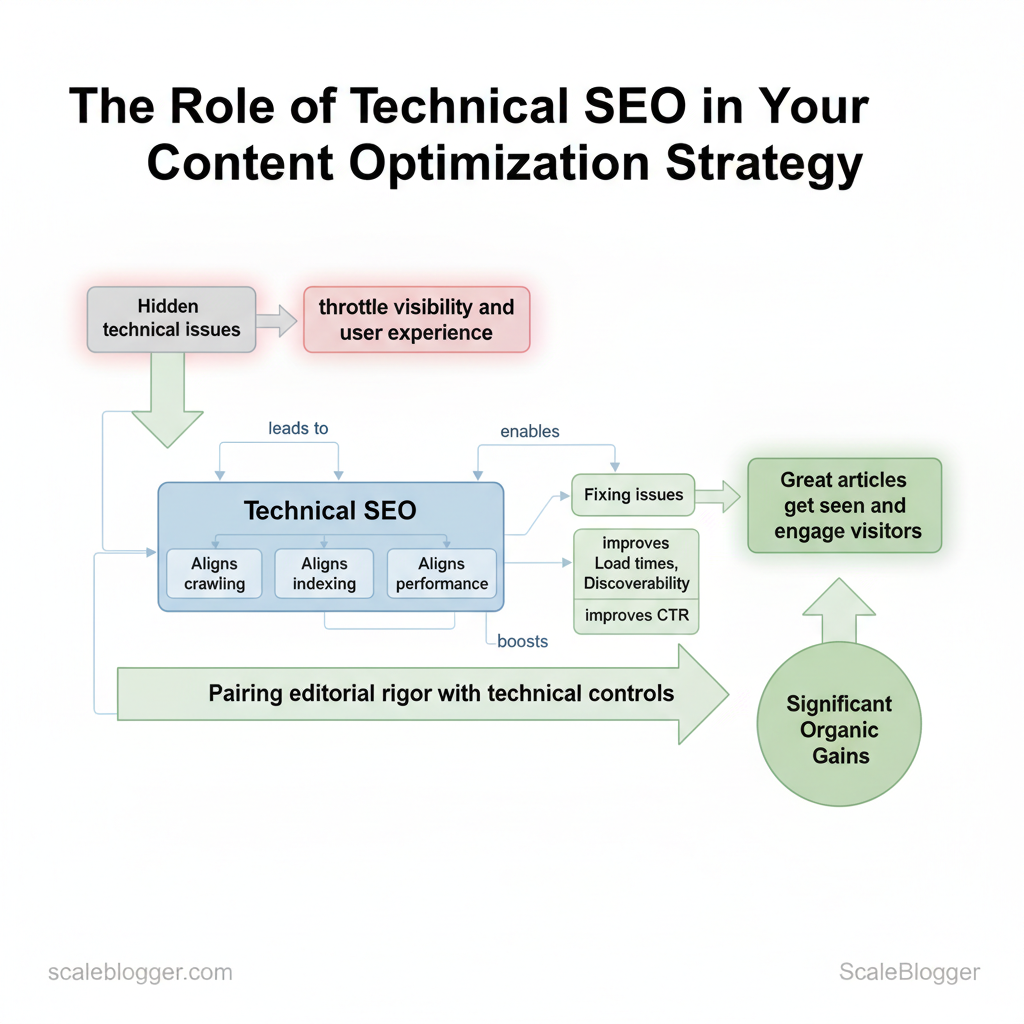
Websites lose organic momentum not because of weak ideas but because hidden technical issues throttle visibility and user experience. Technical SEO is the lever that aligns crawling, indexing, and performance with your content strategy, so great articles actually get seen and engage visitors. When page speed spikes, duplicate content confuses search engines, or structured data is missing, content optimization efforts deliver far less ROI.
Addressing these issues changes metrics that matter: faster load times improve conversions, clear indexing increases discoverability, and reliable metadata boosts click-through rates. Picture a content team that doubles organic traffic simply by fixing crawl budget waste and implementing `canonical` tags across a sprawling blog network. That sort of gain comes from pairing editorial rigor with the right technical controls.
This piece explores how to prioritize technical fixes alongside editorial work, measure their impact on website performance, and scale the process without blocking content velocity. Practical steps follow that fit into weekly workflows and enterprise roadmaps, with time estimates and troubleshooting cues for common pitfalls.
- How to audit crawlability and prioritize fixes for maximum traffic impact
- Performance improvements that directly raise engagement and conversions
- Practical `robots.txt` and indexation rules that protect content authority
- Integrating structured data into editorial processes for better SERP presence
What is Technical SEO and Why It Matters for Content
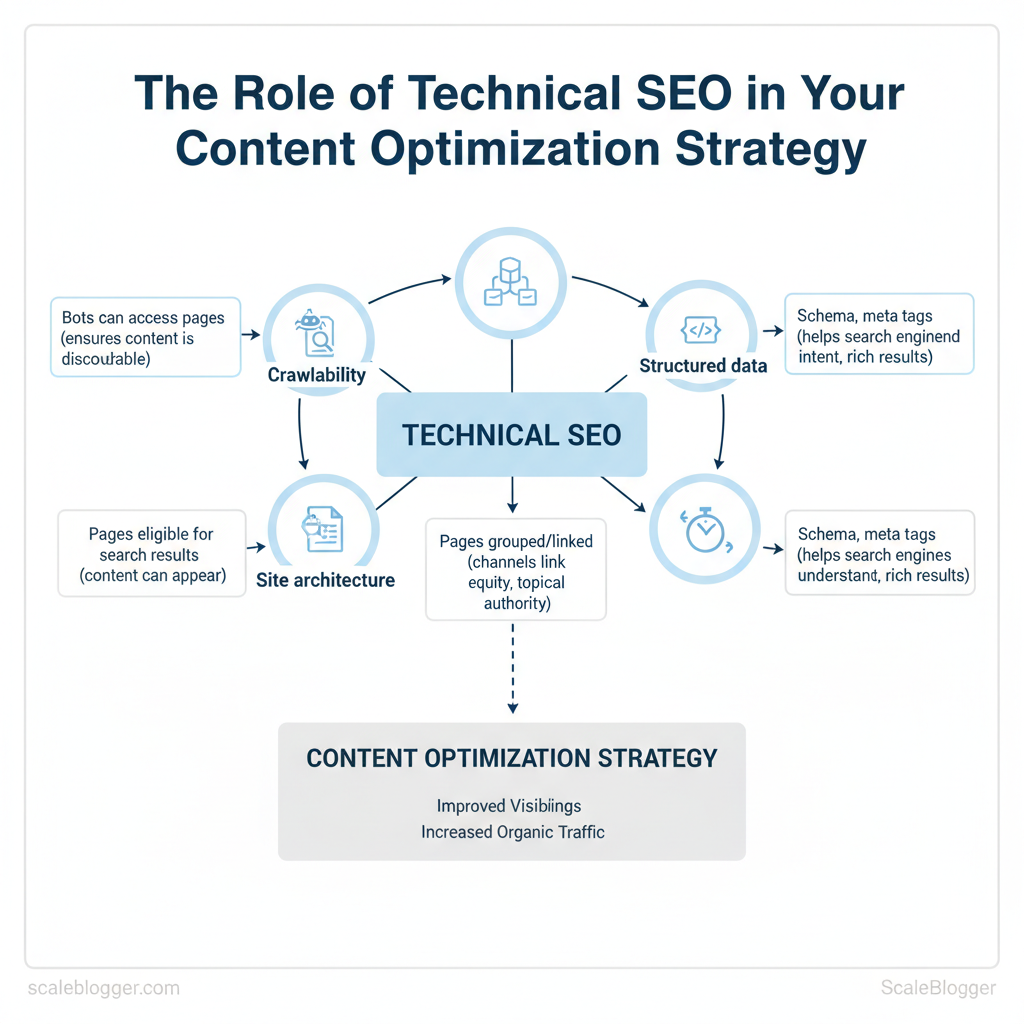
Technical SEO is the engineering layer that makes content discoverable, interpretable, and performant for both search engines and users. At its core it ensures search engines can `crawl` and `index` pages, that site architecture funnels link equity to priority content, and that pages load fast and render correctly across devices. Without these foundations, even excellent content won’t rank because bots can’t reach it, or users leave before it renders.
Technical SEO breaks down into a few predictable domains that directly affect content performance:
- Crawlability — whether crawlers can access pages and follow links; blocked or orphaned pages never surface in search.
- Indexability — whether crawled pages are eligible to appear in search results; mistakes in `noindex` rules or canonical tags hide content.
- Site architecture and internal linking — how pages are grouped and linked affects topical authority and how crawl budget is spent.
- Performance and Core Web Vitals — perceived speed, interactivity, and layout stability influence engagement metrics that correlate with rankings.
- Structured data and meta directives — schema and meta tags help search engines understand content intent and enable rich results.
When to prioritize technical fixes versus content edits:
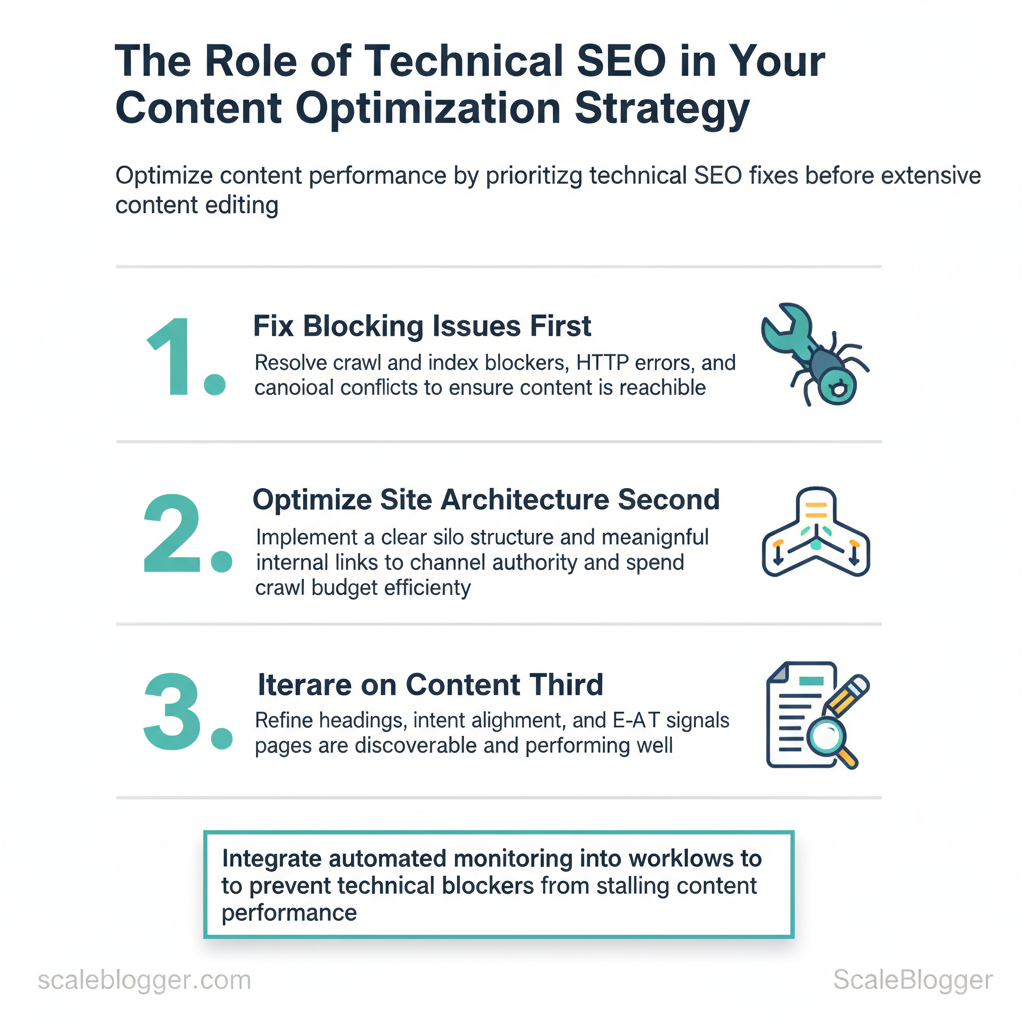
Practical automation fits here: use automated crawls and monitoring to alert on regressions, and connect content pipelines to diagnostic outputs so writers see indexing or speed problems before publishing. Scaleblogger.com’s AI content automation can integrate diagnostic signals into publishing workflows to prevent technical blockers from stalling content performance.
Understanding these principles helps teams move faster without sacrificing quality. When technical SEO is baked into the publishing process, creators spend time improving substance rather than chasing visibility problems.
| Technical Component | Why it matters for content | Quick fixes | Diagnostic tools |
|---|---|---|---|
| Crawlability | Ensures bots can reach pages so content is discoverable | Fix robots.txt, resolve 4xx/5xx, expose sitemap | Google Search Console, Screaming Frog, Bing Webmaster |
| Indexability | Determines whether content can appear in results | Remove stray `noindex`, correct rel=canonical, fix meta robots | Google Search Console (Coverage), Ahrefs, Moz |
| Site architecture | Directs link equity and topic signals to priority pages | Implement silos, add contextual internal links, canonicalize duplicates | Screaming Frog, DeepCrawl, Sitebulb |
| Page speed | Affects engagement and Core Web Vitals metrics for ranking | Compress images, enable caching, defer JS, use CDN | Lighthouse, PageSpeed Insights, WebPageTest |
| Structured data | Enables rich results and clearer intent signals | Add JSON-LD schema for articles, FAQ, breadcrumbs | Rich Results Test, Schema.org validators, Search Console |
Site Architecture, Crawlability & Indexing
A crawlable, well-structured site is the foundation that lets content rank — so fix architecture before chasing keywords. Start by ensuring search engines can discover and prioritize the pages that matter, then remove or de-prioritize low-value paths that waste crawl budget. Practical work splits into three parallel tracks: surface-level access (sitemaps + robots), URL hygiene (consistent, descriptive patterns), and in-page directives (redirects + canonicals) to avoid duplicate-content traps.
Prerequisites
- Access needed: Google Search Console and Bing Webmaster Tools verified properties.
- Tools: Screaming Frog or Sitebulb for crawls, a plain-text editor, and your CMS redirect manager.
- Time estimate: 3–8 hours for audit and fixes on a medium site (100–1,000 pages).
URL structure, redirects and canonicals — concrete rules
- Keep URLs short and descriptive: `/category/product-name/` not `/p?id=12345`.
- 301 vs 302: Use `301` for permanent moves and source-of-truth URL consolidation; use `302` only for temporary redirects where the original will return.
- Canonical tags: Apply `` on duplicates; ensure canonical points to accessible, indexable pages and avoid circular canonical chains.
- Common misconfigurations: Canonical pointing to 302, canonical to non-indexable page, or self-referencing canonicals with incorrect trailing slash variations.
- Robots.txt snippet:
- XML sitemap entry:
| Element | Recommended configuration | Common mistakes | Validation tool |
|---|---|---|---|
| XML sitemap | Include canonical URLs, split large sitemaps, submit to GSC | Listing non-canonical/404 URLs | Google Search Console, Screaming Frog |
| Robots.txt | Root-level file, minimal rules, reference sitemap | Overly broad Disallow, syntax errors | Google Search Console robots tester |
| Noindex/nofollow use | Noindex low-value pages, use `noindex,follow` for discoverability | Noindex canonical pages or entire sections | Crawlers + GSC Coverage report |
| Pagination and canonicalization | Use `rel=”prev/next”` where useful, canonical to main listing | Canonicalizing paginated pages to page 1 incorrectly | Sitebulb, Screaming Frog |
| Large faceted navigation | Block or parameterize heavy filters, use canonical to clean URLs | Indexing every filter combination | Bing Webmaster Tools, Screaming Frog |
Performance Optimization & Core Web Vitals
Diagnose page speed problems quickly, prioritize fixes by impact, and choose hosting that removes delivery bottlenecks. Start with a concise diagnostic run, then apply a small set of high-impact optimizations (image delivery, critical CSS, caching, and CDN) before moving to server-level improvements like TTFB tuning and HTTP/2/3 adoption.
Prerequisites and tools
- Prerequisite: Access to site code, hosting control panel, and analytics (GA4 or server logs).
- Tools needed: Lighthouse (Chrome DevTools), WebPageTest, `curl` for TTFB, an image optimizer (e.g., `sharp` or Squoosh), and a CDN account.
- Time estimate: 2–8 hours for quick wins; 1–4 weeks for full server/architecture changes.
- Expected outcome: LCP and FID improvements visible in Lighthouse and Page Experience reports within days.
Example `Cache-Control` header for static assets: “`http Cache-Control: public, max-age=31536000, immutable “`
Platform-specific tips
- WordPress: Use managed cache plugins, object cache (Redis), and an image CDN plugin.
- Headless/Static: Pre-render pages, push critical assets, and leverage edge functions.
- Large CMS: Implement fragment caching and monitor cache hit ratios.
| Hosting type | Best for | Average cost range | Performance considerations |
|---|---|---|---|
| Shared hosting | Small blogs, low traffic | $3–$15/month | Limited CPU, variable TTFB, basic caching |
| Managed WordPress | SMBs, editors | $20–$100/month | Built-in caching, PHP tuning, good support |
| VPS / Cloud | Growing sites, dev control | $10–$200+/month | Tunable TTFB, scalable, needs ops knowledge |
| Headless/Static hosting with CDN | High-performance blogs, scale | $0–$50+/month (plus CDN) | Ultra-fast edge delivery, low origin load |
| Enterprise / Dedicated | High traffic, compliance | $500–$5000+/month | Dedicated resources, advanced tuning, SLAs |
Understanding these principles helps teams move faster without sacrificing quality. When implemented correctly, the changes reduce operational overhead and let content teams focus on growth.
Indexing Controls, Metadata & Structured Data
Start by treating indexing controls, meta tags, and structured data as a single control plane for how search engines discover, evaluate, and present content. Optimize title tags and meta descriptions for click-through rate, use canonicals to prevent duplicate-content dilution, and add structured data to unlock rich results that improve visibility and perceived relevance.
Meta tags, canonicals and pagination
- Pagination: Use `rel=”prev”` / `rel=”next”` sparingly; prefer self-contained indexable pages or use canonicalization to the main view for content that’s split across pages.
Expected outcome: clearer index signals, fewer duplicate penalties, improved CTR from search results.
Implementing Structured Data (Schema)
- Choose the right schema: Article, FAQ, HowTo, Breadcrumb, and VideoObject address common content types.
- Use JSON-LD: Place script in the `` or immediately before ``.
- Test and monitor: Use automated tests and periodic crawls to catch errors and missing fields.
Practical implementation steps:
| Schema Type | Best use case | SERP benefit | Implementation complexity |
|---|---|---|---|
| Article | News, long-form posts | Rich result headline & sitelink potential | Moderate — requires author, date, image |
| FAQ | Q&A sections on pages | Expandable results with quick answers | Low — simple Q/A pairs |
| HowTo | Process or tutorial content | Step-by-step rich results with visuals | Moderate — structured steps and images |
| Breadcrumb | Multi-level site navigation | Enhanced sitelinks, clearer hierarchy | Low — URL path mapping |
| VideoObject | Pages with embedded video | Video thumbnails, rich SERP features | High — needs duration, thumbnail, uploadDate |
Understanding these principles helps teams move faster without sacrificing quality. When implemented correctly, metadata and schema reduce ambiguity for search engines and let creative teams focus on stronger content.
Monitoring, Auditing and Ongoing Maintenance
Monitoring and auditing are continuous processes, not one-off projects. Start by instrumenting the right telemetry, run automated audits on a predictable cadence, and convert findings into a prioritized backlog that feeds regular sprint cycles. This keeps technical debt visible, reduces organic traffic risk, and lets teams treat SEO health like an engineering KPI.
Use the right mix of tools Google Search Console — indexing, coverage, AMP, performance*; best for: search visibility & error alerts; cost: Free. Lighthouse / PageSpeed Insights — page performance, accessibility, best practices*; best for: front-end speed diagnostics; cost: Free. Screaming Frog SEO Spider — site crawl, broken links, meta issues, redirects*; best for: deep on-site crawling; cost: Free limited / £209/year (paid). Log File Analyzer (e.g., Screaming Frog Log File Analyser / Botify) — bot behaviour, crawl frequency, status codes*; best for: crawl budget and bot debugging; cost: Free limited / provider pricing varies. Sitebulb — visual crawl analysis, structured data testing, action lists*; best for: audit reports for teams; cost: Starts around $13/month (plans vary). Semrush (Site Audit) — site-wide issues, backlinks, health score*; best for: integrated SEO & competitive intelligence; cost: Paid tiers from ~$129.95/month. Ahrefs (Site Audit) — crawl, health score, internal link analysis*; best for: backlinks + technical combo; cost: Paid tiers from ~$99/month. New Relic / Datadog — performance monitoring, server errors, response times*; best for: infrastructure visibility; cost: Free tiers / usage-based pricing. Sentry — application errors and stack traces*; best for: catching runtime failures that affect UX; cost: Free tier / paid plans. Cloudflare (Analytics & Firewall) — edge errors, rate limits, bot mitigation*; best for: CDN-level diagnostics and protection; cost: Free tier / paid upgrades.
Automated audit cadence and checklist
Checklist items (3–7 core):
- Crawlability: robots.txt, sitemap, canonical tags.
- Index coverage: unexpected noindex, soft-404s.
- Performance: LCP, CLS, TTFB thresholds.
- Schema & structured data: presence and errors.
- Redirects & status codes: 3xx chains, 4xx/5xx spikes.
- Content quality signals: thin pages, duplicate titles.
Map fixes into sprints
Understanding these practices allows teams to keep content performant and discoverable without constant firefighting. When monitoring, auditing and maintenance are part of the workflow, teams move faster and make more confident decisions.
📥 Download: Technical SEO Optimization Checklist (PDF)
Integrating Technical SEO into Your Content Optimization Workflow
Integrate technical SEO as a built-in step rather than an afterthought: treat page health checks, performance tuning, and crawlability validation as mandatory gates from brief to publication and into steady-state monitoring. This reduces rework, speeds indexation, and protects ranking velocity when content scales.
Preconditions
- Prerequisite: Site runs a staging environment and exposes logs or a staging sitemap.
- Tools needed: `Google Search Console`, `Lighthouse` (or `PageSpeed Insights`), `Screaming Frog`, `Google Analytics/GA4`, issue tracker (Jira/Trello), and an automation layer or script runner.
- Time estimate: 30–90 minutes per article for integrated checks, less with automation.
Practical example: include a short pre-publish checklist template “`text – Confirm canonical: present and correct – Schema: Article/FAQ added & validated – LCP <= 2.5s, CLS <= 0.1, INP <= 200ms - Meta robots: index,follow - Sitemap: URL submitted to GSC ```
Measuring Impact: KPIs, ROI and Reporting
| KPI | Baseline (example) | Target | Measurement source |
|---|---|---|---|
| Organic impressions | 150,000 monthly | 180,000 monthly (+20%) | Google Search Console |
| Organic clicks | 9,000 monthly | 11,000 monthly (+22%) | Google Search Console |
| Average position | 28 | 20 | Google Search Console |
| Average session duration | 1m 45s | 2m 15s | Google Analytics (GA4) |
| Core Web Vitals (LCP/CLS/INP) | 3.2s / 0.18 / 310ms | 2.4s / 0.10 / 200ms | Lighthouse / PageSpeed Insights |
Conclusion
After working through crawlability, indexation, and on-page signals, the path to regaining organic momentum becomes concrete: find the hidden technical blockers, fix the highest-impact issues first, and monitor the results. Teams that couple a focused audit with prioritized remediation often see restored visibility within weeks; others that treat technical SEO as a recurring discipline protect gains over time. Practical next steps include running a full crawl, validating canonical and hreflang usage, and stabilizing site performance under real-user conditions.
– Run a technical SEO audit and flag critical errors for immediate fixes. – Prioritize crawlability and canonical signals before content refreshes. – Measure impact weekly and iterate on automation to prevent regressions.
If time or bandwidth is the constraint, automation changes the calculus: for teams looking to scale these workflows efficiently, platforms that automate repetitive checks and remediation workflows cut manual effort and surface regressions faster. Common questions—How quickly will rankings respond?—depend on issue severity and indexation cadence, but tracking the metrics above clarifies progress within a few weeks. To streamline execution and move from diagnosis to sustained improvement, consider this next step: Automate your content & technical SEO workflows with Scaleblogger.
