

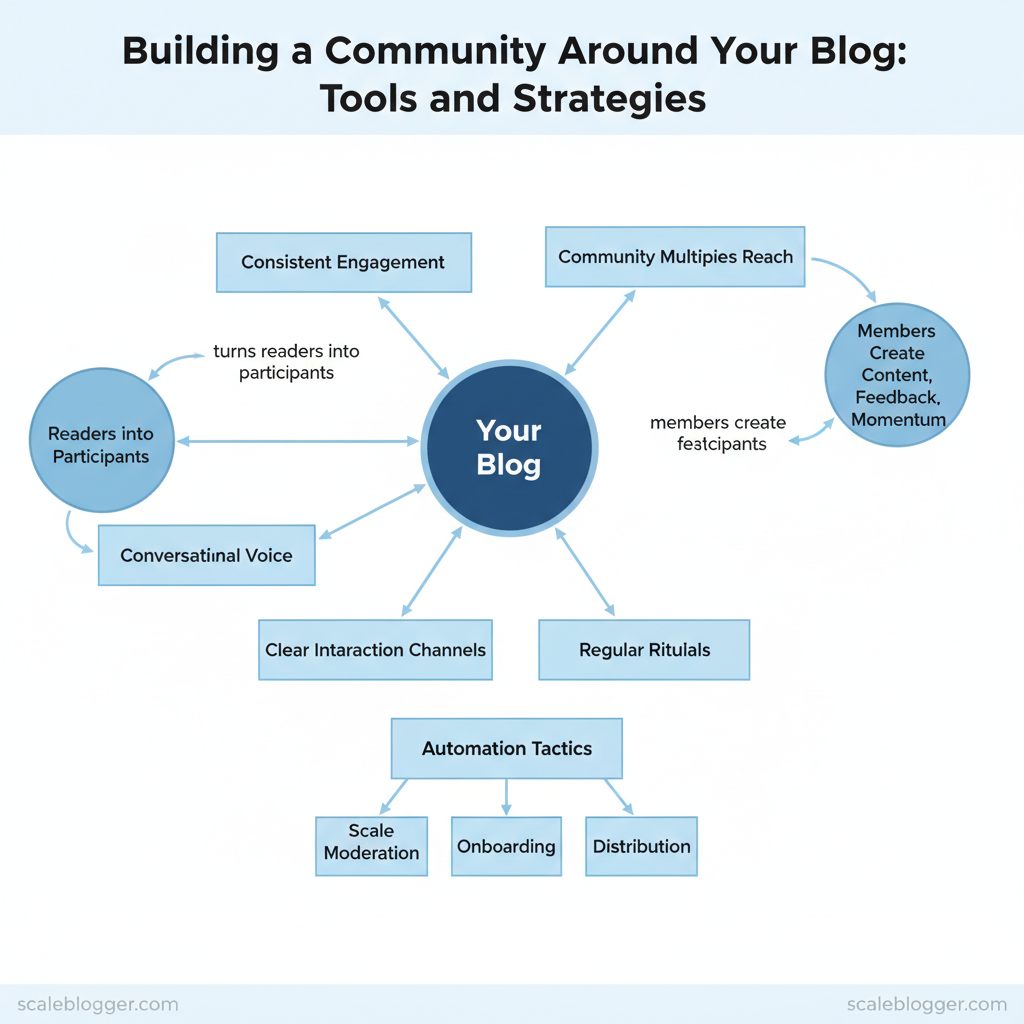
Communities grow when a blog turns readers into active participants. Build the right engagement architecture and traffic converts into repeat visitors, referrals, and profitable relationships. Experts say that using a friendly tone, having clear ways for interaction, and creating regular traditions can help build communities faster.
> Strong communities multiply a blog’s reach because members create content, feedback, and momentum that search and social alone cannot sustain.
- How to choose the right platform mix for comments, forums, and live events
- Simple rituals that encourage repeat visits and peer-to-peer interaction
- Automation tactics to scale moderation, onboarding, and content distribution
- Metrics that reveal true community health beyond pageviews
Picture a niche newsletter that turned casual readers into an active forum simply by asking one recurring question each week. Tactics like that scale when paired with reliable workflows and automation. According to ProBlogger, inviting interaction and creating dedicated community spaces are core moves high-performing blogs use.
Automate your content & community workflows with Scaleblogger: https://scaleblogger.com
> Key Takeaway: ## Define Your Community Purpose and Audience
Begin by writing one sentence that explains who your community helps and what change it brings. A clear mission hones moderation, content, and sets member expectations.
Define Your Community Purpose and Audience
Begin by writing one sentence that explains who your community helps and what change it brings. A clear mission hones moderation, content, and sets member expectations. It also reduces member drop-off by showing them why to stay involved. Build that mission before you pick a platform or schedule your first event.
- Create a Clear Community Mission
- First, use this template set to produce three candidate missions quickly:
- For [audience], we [action] to [benefit].
- For [audience segment], we [facilitate] to [outcome].
- For [stakeholder group], we [provide] to [value].
- Examples tailored to blog types:
- For a niche hobby blog (home fermentation), we host monthly recipe swaps and troubleshooting clinics to help hobbyists brew reliably and share innovations.
- For a B2B marketing blog, we curate case studies and run peer feedback sessions to accelerate campaign ROI and reduce experimentation time.
- For a SaaS product blog, we gather user-run workflows and integrations to shorten onboarding time and surface community-driven product ideas.
- Expected outcome: a 10–12 word mission statement that can be pinned in community headers and moderation guidelines (time estimate: 30–60 minutes).
Build a Simple Audience Persona
- Gather data from these channels: site analytics (
Google Analytics/GA4), newsletter segmentation, comment threads, and lightweight reader surveys. com/ways-to-build-a-community/)).
- Validate assumptions by running two quick experiments: a 5-question survey to a newsletter segment and a one-week A/B test of content format (how-to vs. long-form interview).
If open rates and time-on-page move in the expected direction, lock the persona.
Persona fields and example entries to speed up persona creation
Table: Section Content — Field, Example 1 (Niche hobby), Example 2 (B2B blog) & more
| Field | Example 1 (Niche hobby) | Example 2 (B2B blog) | Why it matters |
|---|---|---|---|
| Name / Label | Weekend Fermenter | Growth Marketer Gary | Helps teams talk about a relatable human archetype |
| Core problem | Inconsistent fermentation results | Proving channel ROI quickly | Drives content topics and moderation priorities |
| Preferred content format | Short how-to videos, recipe cards | Case studies, templates, webinars | Guides format mix and distribution timing |
| Primary motivation | Improve hobby results, share discoveries | Reduce campaign time-to-value | Informs calls-to-action and community rewards |
| Validation method | Comment sentiment, recipe downloads, GA4 time-on-page | Newsletter A/B tests, demo requests, LinkedIn polls | Shows which signals indicate a true persona fit |
Troubleshooting: if members aren’t engaging, revisit the mission—too broad missions dilute activity. If personas don’t validate, run targeted outreach to top commenters and ask three focused questions. When implemented consistently, a clear mission plus validated personas make community growth predictable and reduce wasted editorial work.
> Key Takeaway: ## Choose the Right Platform Mix
Prerequisites
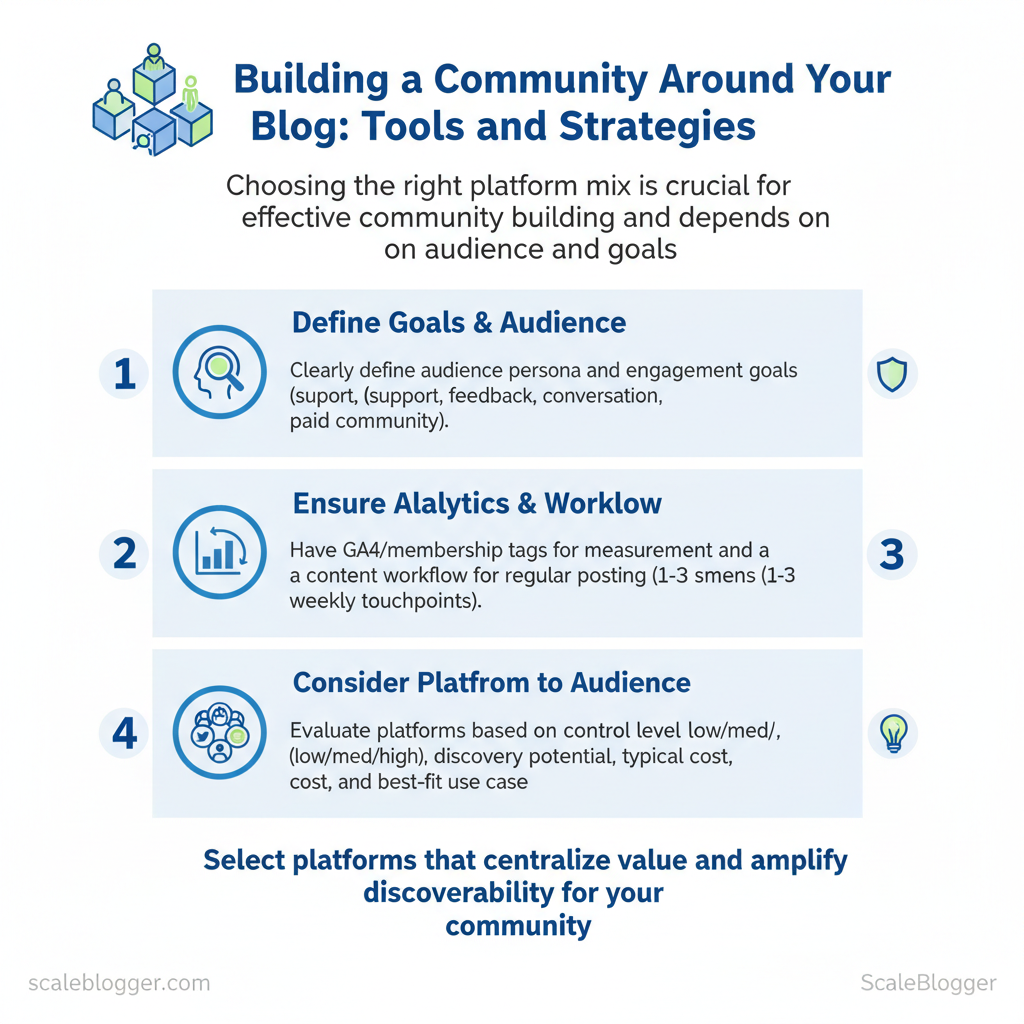
- Clear audience persona and engagement goals (support, feedback, conversation, paid community)
- Basic analytics in place (
GA4, membership tags) to measure traffic and referrals - Content workflow…
Choose the Right Platform Mix
Prerequisites
- Clear audience persona and engagement goals (support, feedback, conversation, paid community)
- Basic analytics in place (
GA4, membership tags) to measure traffic and referrals - Content workflow that can support moderation and regular posting (1–3 weekly touchpoints)
Tools / materials
- CMS with membership capability (WordPress/Netlify/CMS of choice)
- Community hosting options (listed below)
- Scheduling and automation:
Zapier/Make/ Scaleblogger’s AI content pipeline for publishing cadence
Why platform choice matters Select platforms that match where your audience already spends time and the level of control you require. Picking the wrong platforms makes it harder to communicate. The right choice brings everything together and makes it easier to find.
Side-by-side comparison of community platforms to help readers choose
Table: Section Content — Platform, Control (Low/Med/High), Discovery potential & more
| Platform | Control (Low/Med/High) | Discovery potential | Typical cost | Best for |
|---|---|---|---|---|
| Discourse (self-hosted/hosted) | High | Medium (SEO-friendly) | $0 self-hosted; hosting from $100/mo, according to the source from wplift.com. | Long-form threaded discussion, searchable knowledge |
| Talkyard | High | Medium | Free self-hosted; hosted plans available (~$20–$50/mo typical) | Developer & technical communities |
| Native comments (CMS) | Medium | Low–Medium | Free to platform | Inline discussion tied to articles, low friction |
| Disqus | Low–Med | High (social discovery) | Free; paid tiers for publishers (~$11–$99/mo) | Broad reach, easy install |
| Commento | High | Low | From $12/mo hosted; open-source self-host, according to the source from wplift.com. | Privacy-focused blogs, minimal UI |
| Discord | Low | Medium | Free; Nitro optional ($9.99/mo) | Real-time chat, events, creator communities |
| Slack | Low | Low–Medium | Free; paid from $7.25/user/mo | Professional cohorts, paid cohorts with structured channels |
| Facebook Group | Low | High (algorithmic discovery) | Free | Mainstream audiences, viral sharing |
| Patreon | High (to creator content) | Medium | Platform fees 5–12% + payment fees | Monetized creator community and gated content |
| Circle | High | Low–Medium | From $39/mo | Cohorts, memberships, course-centered communities |
When to keep community on-site vs. use existing social platforms
- Keep community on-site when ownership, SEO value, searchable archives, and membership data matter; ideal for evergreen learning and product support.
- Use social platforms when rapid discovery, low onboarding friction, and event-driven interaction matter; ideal for acquisition and time-sensitive conversations. 3.
Combine both: acquire on social, convert active members to on-site home for deeper relationships and monetization.
Starter Platform Stacks (3 options)
- Single on-site forum stack (High ownership)
- Setup checklist: Install
DiscourseorCommento; integrate SSO with CMS; set up moderation rules; add a “Join the community” CTA across top nav. - Estimated monthly cost: $0–$150
- First 30-day plan: Day 1–7 invite power users; Day 8–15 seed 10 threads; Day 16–30 host one AMA and publish highlights.
- Expected outcome: Searchable knowledge base and higher lifetime value per user.
- Troubleshooting: Low activity — cross-post evergreen Q&A from blog, add incentives for first 50 signups.
- Hybrid acquisition + home stack (Balanced)
- Setup checklist: Facebook Group + on-site Circle or Discourse landing; newsletter signups routed to member list; automation from social to CRM.
- Estimated monthly cost: $0–$80 + Circle $39 if used
- First 30-day plan: Run a promoted post, capture top commenters into email, migrate 10 most active members to on-site hub.
- Expected outcome: Fast growth with a pathway to ownership.
- Troubleshooting: Member churn — create a welcome sequence and a clear first-value action.
- Live-first community stack (Real-time engagement)
- Setup checklist: Discord + weekly livestream schedule; create channels mapped to topics; integrate bot moderation and roles.
- Estimated monthly cost: Free–$20
- First 30-day plan: Host 2 live events, recruit moderators, publish event replays on-site.
- Expected outcome: High engagement and retention for event-driven audiences.
- Troubleshooting: Fragmented content — archive key threads on-site for searchability.
Time estimates
- Initial setup: 1–2 days for social groups, 3–10 days for on-site forum configuration.
- First sustained momentum: 30–90 days with consistent seeding and events.
Troubleshooting common issues
- Low discovery: syndicate top threads to social and repurpose as newsletter content.
- High moderation load: codify rules, appoint community moderators, use automation bots.
- Fragmented conversations: create canonical threads and weekly digests linking back to on-site resources.
Understanding these tradeoffs makes it easier to prioritize where to invest developer time versus marketing spend. When organized around a single owned home supported by discovery channels, the community scales while preserving long-term value.
> Key Takeaway: ## Create Compelling Community-First Content
Prerequisites
- Clear audience persona and 2–3 topic pillars.
Create Compelling Community-First Content
Prerequisites
- Clear audience persona and 2–3 topic pillars. 2.
A hosted space for interaction (comments, Discord, Slack, or a private forum). 3. Analytics access (pageviews, time-on-page, comment counts) and a simple tracking sheet.
Tools and materials
- Content calendar (spreadsheet or project tool). Live event platform (Zoom/Discord Stage/YouTube).
Bufferor scheduling automation for distribution.
Time estimate
- Research from aicontentfy.com shows that setup takes 4–8 hours, with the first 50-day calendar creation requiring 2–3 hours and ongoing weekly execution taking 3–6 hours.
Start with formats that spark participation. Interactive, recurring content builds habits and predictable engagement; people return when they know what to expect. Use these tactical formats and quick templates to convert passive readers into active members.
Content Types That Drive Participation Table: Section Content — Content Format, Best Channel, Primary Engagement Metric & more
| Content Format | Best Channel | Primary Engagement Metric | Example CTA |
|---|---|---|---|
| Weekly challenge | Discord/Telegram + Blog | Challenge submissions / hashtag uses | “Join Day 1: upload your draft with #Week1” |
| Case study + discussion thread | Blog + Forum thread | Comments / discussion depth | “Read the case → comment how you’d change step 2” |
| Template / worksheet | Email opt-in + Notion/GDoc | Downloads / reuse instances | “Download the template and paste your version here” |
| AMA / live Q&A | Zoom/YouTube Live + Slack recap | Live attendance / replay views | “Ask one question now — we’ll answer live” |
| Member spotlight | Newsletter + Instagram/Facebook | Profile clicks / referrals | “Nominate a member (link) for next week’s spotlight” |
Quick templates and repurposing
- Turn a 1,500-word post into a
3-partthread, one tweet per major point. 2.
Extract 6 micro-prompts from a tutorial for daily story prompts. 3. Convert a case study into a 10-minute live teardown; use clips as social shorts.
- Package templates as downloadable
NotionorGoogle Docassets.
50-day content calendar (practical example)
- Days 1–7: Launch week — publish cornerstone post, host kick-off AMA (Day 3), share template (Day 5). 2.
Days 8–21: Weekly challenge (start Day 8), two micro-posts per week, one member spotlight. 3. Days 22–35: Publish a case study (Day 22), follow with dedicated discussion thread; mid-cycle survey (Day 30).
- Days 36–50: Second challenge, live roundup (Day 42), performance review post (Day 50).
Measure early signals of success: repeat attendance, downloads per user, comment-to-view ratio, and referral sign-ups. Adjust cadence if live attendance <10% of registrants — make events shorter or add incentives.
Understanding these patterns helps teams prioritize high- formats and iterate faster without adding headcount. When community content is built around predictable rituals, creators can scale engagement through smarter reuse and automation.
Onboarding, Governance, and Community Operations
Start the relationship with a crisp, human-first seven-day experience that converts visitors into active contributors. A fast, clear onboarding flow reduces confusion and sets expectations; governance and automation then keep the community healthy and scalable.
Prerequisites
- Clear value proposition for joining (exclusive content, networking, help)
- Defined channels (forum categories, Slack/Discord channels)
- Measurement tools configured (
GA4, native platform analytics, CRM tags)
- Onboarding Flow and First 7-Day Experience (time: 5–15 minutes setup per new user)
- Day 0 — Immediate welcome: send a personalized welcome message within 5 minutes. Example: “Welcome, Alex — glad you’re here. Start with the ‘Introduce Yourself’ thread and pin your expertise.” Send via email + in-app DM.
- Day 1 — Orientation checklist: highlight top 3 actions (complete profile, join 2 channels, react to 1 post).
- Day 3 — Nudge to participate: recommend relevant threads and suggest a low-effort action (answer a poll, react).
- Day 5 — Social proof: share a quick case study or top contributor spotlight to model behavior.
- Day 7 — Activation confirmation: request a micro-contribution (share a tip or ask one question) and offer a badge for completion.
First 7-day activity checklist
- Complete profile — photo, bio, tags
- Join channels — minimum two interest channels
- First interaction — react, comment, or post
- Set notification preferences — reduce noise
- Optional — sign up for weekly digest
Activation metrics and tracking
- Activation rate: % of new users completing checklist within 7 days
- Time-to-first-post: median hours to first contribution
- Retention week 1→4: % active at day 7 and day 30
- Track via CRM tags and platform events; automate milestone emails when users hit each step.
Governance, Moderation, and Automation Short, enforceable rules (post civility, no spam, respect privacy, use channels correctly). Role definitions
- Members — consume + contribute
- Moderators — enforce rules, escalate content, host AMAs
- Admins — policy, analytics, integrations
Automation that reduces manual work
- Auto-welcome bots for messaging and
profile-completionnudges - Tagging users in CRM on trigger events (first post, premium signup)
- Auto-moderation filters for profanity, links, and duplicate posts
- Escalation workflows that route reports to human moderators
For practical community building tips, see ProBlogger’s 7 Ways to Build a Community Around Your Blog. Understanding these operational patterns helps teams move faster without sacrificing quality. When governance, onboarding, and automation align, communities scale while preserving the experience that attracted members in the first place.
Moderation/automation tools and when to adopt them
| Tool | Primary Function | Ease of Setup | Best for Community Size | Estimated Cost |
|---|---|---|---|---|
| Built-in platform moderation (Facebook Groups) | Native post review, membership controls | Easy (native) | Small → Medium | Free |
| Built-in platform moderation (Discourse) | Flagging, trust levels, review queues | Moderate (hosted or self-host) | Small → Large | Self-host free / Hosted from $100/mo |
| Discord + AutoMod (Discord native) | Keyword filters, auto-mute | Easy | Small → Medium | Free |
| MEE6 (Discord bot) | Auto-welcome, leveling, moderation | Easy | Small → Large | Free / Pro $11.95/mo |
| AutoMod (Reddit) | Rule enforcement, spam control | Moderate | Small → Large | Free |
| Zapier (automation) | CRM sync, onboarding workflows | Easy | Any | Free / Paid $19.99+/mo |
| HubSpot CRM (tagging) | User tags, lifecycle events, email | Moderate | Small → Enterprise | Free CRM / Paid from $50/mo |
| Mailchimp (email + tagging) | Welcome emails, segments | Easy | Small → Medium | Free / Paid from $13/mo |
| ManyChat (chat/onboard bot) | Messenger onboarding, flows | Easy | Small → Medium | Free / Pro $15+/mo |
| ModSquad (paid moderation) | Outsourced moderation teams | Complex (onboarding) | Medium → Enterprise | Custom pricing (typically $1,000+/mo) |
| Community Sift (AI moderation) | Toxicity scoring, risk filters | Moderate | Medium → Large | Custom pricing |
| Vanilla Forums (hosted) | Community platform + moderation | Moderate | Small → Large | Hosted from $689/mo (varies) |
Grow and Activate Membership
Consider growing your membership as a challenge to share content and engage people. Attract the right readers using effective channels, then convert them with an automated onboarding process that offers value. Successful programs align high-signal content with low-friction conversion paths and a short, measurable activation window.
Prerequisites
- Defined membership value proposition — list of exclusive benefits, pricing tiers, and expected member outcomes.
- Tracking and analytics —
UTMtracking, event tags, and a CRM or membership platform to capture conversions. - Content calendar mapped to acquisition channels — ninety-day plan linking posts to campaigns.
Tools and materials
- Analytics (GA4), email platform, membership software (or
Stripe+ gated content), community hosting (Slack/Discord), and an automation tool for sequences.
Acquisition Channels That Work for Blogs
Typical acquisition channels with effort vs cost vs expected conversion
| Channel | Effort Level (Low/Med/High) | Typical Cost (per sign-up estimate) | Conversion Expectation | Best Use Case |
|---|---|---|---|---|
| Organic blog SEO | High | $0–$20 (content production amortized) | 1–3% on CTA from relevant posts | Evergreen discovery and long-term signups |
| Newsletter CTA | Medium | $0.50–$5 | Research from medium.com indicates approximately 3–10% from engaged subscribers. | Drive repeat engagement and paid upgrades |
| Social posts / groups | Medium | $0.50–$8 | Approximately 0.5–2% (organic). | Community seeding, event-driven spikes |
| Guest posts / partnerships | Medium | $1–$10 | According to the source from problogger.com, approximately 2–6% from matched audiences. | Rapid credibility and targeted growth |
| Paid ads | Low (scalable) | $5–$50 | A 2023 study by marketermagazine.co found approximately 0.2–1.5% depending on funnel. | Fast, measurable acquisition and A/B testing |
Referral and Activation Campaigns
- Set referral incentives that protect quality
- Reward structure: offer tiered rewards—$10 credit for referrer, $5 trial credit for referee, bonus for 3+ signups.
- Quality controls: limit rewards per month, require referee activation (e.g., complete profile) before reward issuance.
- Build a 14-day activation sequence (automated)
- Day 0: Welcome email with member orientation and top 3 actions.
- Day 2: Value email — exclusive resource + how to access community.
- Day 4: Social proof — showcase member wins and testimonials.
- Day 7: Action nudge — invite to a live onboarding Q&A or webinar.
- Day 10: Product tour — walkthrough of premium content and features.
- Day 13: Scarcity/offer — limited-time bonus or upgrade incentive.
- Measure and iterate
- KPIs: activation rate (30-day), referral-to-paid conversion, churn at 90 days.
- A/B tests: subject lines, CTA placement, referral rewards.
- Triggers: move users who open but don’t act into a personalized outreach stream.
Practical example: use blog posts to seed high-intent CTAs (guides → gated checklist), promote that checklist in newsletters and partner roundups, then enroll new signups into the 14-day activation flow. com/ways-to-build-a-community/)). When these pieces operate together, membership growth becomes predictable and activation accelerates retention.
Understanding how to sequence content, incentives, and automation accelerates results without increasing manual work.
📥 Download: Community Building Checklist for Your Blog (PDF)
Measure, Iterate, and Monetize the Community
Begin by tracking a compact set of meaningful signals rather than trying to measure everything. Communities in their early stages do well when leaders focus on a few key metrics, run quick tests, and quickly adjust their product and pricing. The following steps explain how to set up a lean dashboard, run ethical monetization pilots, and keep trust intact while generating revenue.
Prerequisites
- Access to platform analytics and Google Analytics or GA4
- A lightweight CRM or member list (CSV is fine)
- A short survey tool (Typeform, Google Forms)
- Basic A/B test capability (email segments or gated pages)
Tools / materials needed
- Platform analytics, Google Analytics, CRM, survey tools
- Spreadsheet or BI tool (Looker Studio, Tableau, or ScaleBlogger benchmarking if available)
- Pricing pilot templates and email copy
- Build a focused community dashboard
- Prioritize 5–7 metrics that show growth, engagement, and referral velocity.
- Instrument each metric with a single primary data source (avoid duplicate signals).
- Refresh the dashboard weekly for trends, daily for alerts.
Expected outcome: A dashboard that surfaces problems before members complain and highlights successful content or events.
- Metric implementation and early warning signs
- Track
activation rate(members completing onboarding) via platform analytics. - Measure
7-day retentionusing session or login events from GA4 or platform logs. - Monitor
posts per active userfrom platform analytics to detect declining activity. - Run quarterly
NPSsurveys via survey tools and capturereferral ratefrom CRM invites.
> “Write in a conversational voice · Invite interaction” — practical guidance from the ProBlogger community playbook (ProBlogger).
- Monetization paths without eroding trust
- Test pricing with pilot cohorts: offer limited groups early-access membership at discounted rates for feedback.
- Use transparent disclosures on monetized features and separate paid-only spaces clearly.
- Offer tiered value, not gated conversation: sample tier structure below.
Sample pricing tier structure and benefit mapping
- Free: Community access, weekly newsletter, comment privileges. 2.
Supporter ($5/month): ad-free newsletter, early access to posts. 3. Member ($15/month): monthly live Q&A, private discussion channel, resource library.
- Partner ($75/month): cohort workshops, one consult per quarter, priority support.
Troubleshooting common issues
- Low activation: simplify onboarding steps and add a
welcometask. - Declining posts per user: seed discussion prompts and spotlight contributors.
- Monetization backlash: run a closed pilot and publish results and member quotes.
This approach makes measurement practical and monetization defensible, enabling teams to iterate on what members actually value without losing credibility. When implemented properly, these practices free creators to focus on content that drives both engagement and sustainable revenue.
Define metrics, formulas, and data sources for the community dashboard
| Metric | Definition / Formula | Data Source | Target Range (early stage) |
|---|---|---|---|
| Activation rate | # members completing onboarding / # new signups |
Platform analytics, GA4 | Approximately 40–60%. |
| 7-day retention | # active users day7 / # new users day0 |
Platform analytics, GA4 | Approximately 20–35%. |
| Posts per active user | # posts in period / # active users in period |
Platform analytics | Approximately 0.3–1.0 posts/user/week. |
| NPS / satisfaction | NPS score from survey (%promoters - %detractors) |
Survey tools, CRM | Approximately +10 to +30. |
| Referral rate | # new members from invites / # members |
CRM referral tracking, platform invites | Approximately 3–8% monthly. |
Conclusion
A reliable engagement architecture turns sporadic traffic into a thriving community by combining consistent content, predictable distribution, and threaded participation opportunities. Websites that link brief prompts (like social media posts and email reminders) to a clear action on the blog get more repeat visitors. teams that automate routine publishing and moderation free capacity for strategic outreach. Expect initial setup to take 2–4 weeks, then track metrics weekly.
”—are answered by testing: start with weekly discussion prompts and a single gated resource, then double down on formats that generate comments and shares.
For a practical next step, map one repeatable workflow (publish → promote → prompt → follow up) and pilot it for 30 days. If execution or automation is the bottleneck, consider platforms that centralize content and community operations. Automate your content & community workflows with Scaleblogger provides templates, scheduling, and engagement automation to shorten the loop between publish and participation.
