

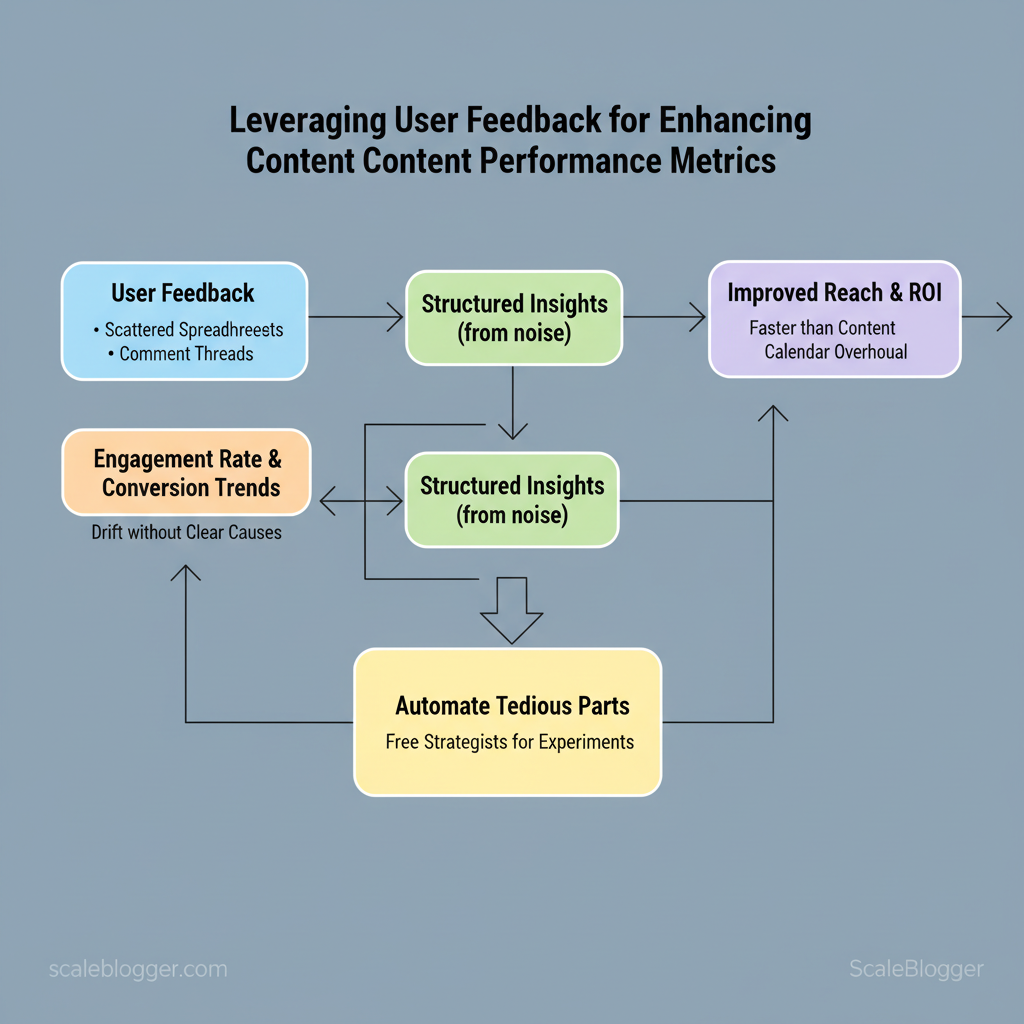
Marketing teams lose momentum when content decisions rely on guesses instead of signals from real readers. When user feedback sits in scattered spreadsheets or ignored comment threads, `engagement rate` and conversion trends drift without clear causes. Turning that noise into structured insights improves reach and ROI faster than another content calendar overhaul.
Harnessing content optimization through systematic feedback captures actionable signals — what to update, where to A/B test, and which topics earn retention. Industry practice shows teams that close the loop between comments, surveys, and performance metrics cut churn and boost visibility. Automate the tedious parts to free strategists for hypothesis-driven experiments; Automate feedback-driven content workflows with Scaleblogger: https://scaleblogger.com
Feedback is only valuable when it traces back to measurable outcomes and repeatable actions.
What readers will gain from this piece:
- How to map feedback channels to specific content performance metrics
- A simple process to triage qualitative comments into testable hypotheses
- Ways to prioritize updates that move `time on page` and conversion
- Quick experiments that validate which feedback matters most
- Tactics for scaling feedback ingestion without adding headcount
Why User Feedback Matters for Content Performance
User feedback is the fastest path from guesswork to measurable improvement. When teams close the loop between actual reader signals and content decisions, pages convert better, rank higher, and require fewer rewrites. Feedback isn’t just opinions — it maps directly to specific KPIs, reveals friction points that analytics miss, and creates an evidence trail for prioritizing fixes.
How feedback connects to metrics
- On-page comments surface comprehension gaps and content gaps; address them to reduce `bounce rate` and increase `time on page`.
- Survey responses quantify satisfaction and intent; improving Net Promoter Score-like responses typically increases return visits and referral traffic.
- Session recordings reveal UX problems that cause drop-offs; fixing navigation or CTA placement improves conversion rate and goal completions.
- Support tickets highlight recurring misunderstandings; clarifying content can lower support volume and customer churn.
- Search queries (on-site/internal) identify unmet search intent; optimizing for those queries drives organic click-through rate (CTR) and impressions.
Business case: ROI of acting on feedback Build a simple ROI model in three steps:
Sample calculation (monthly):
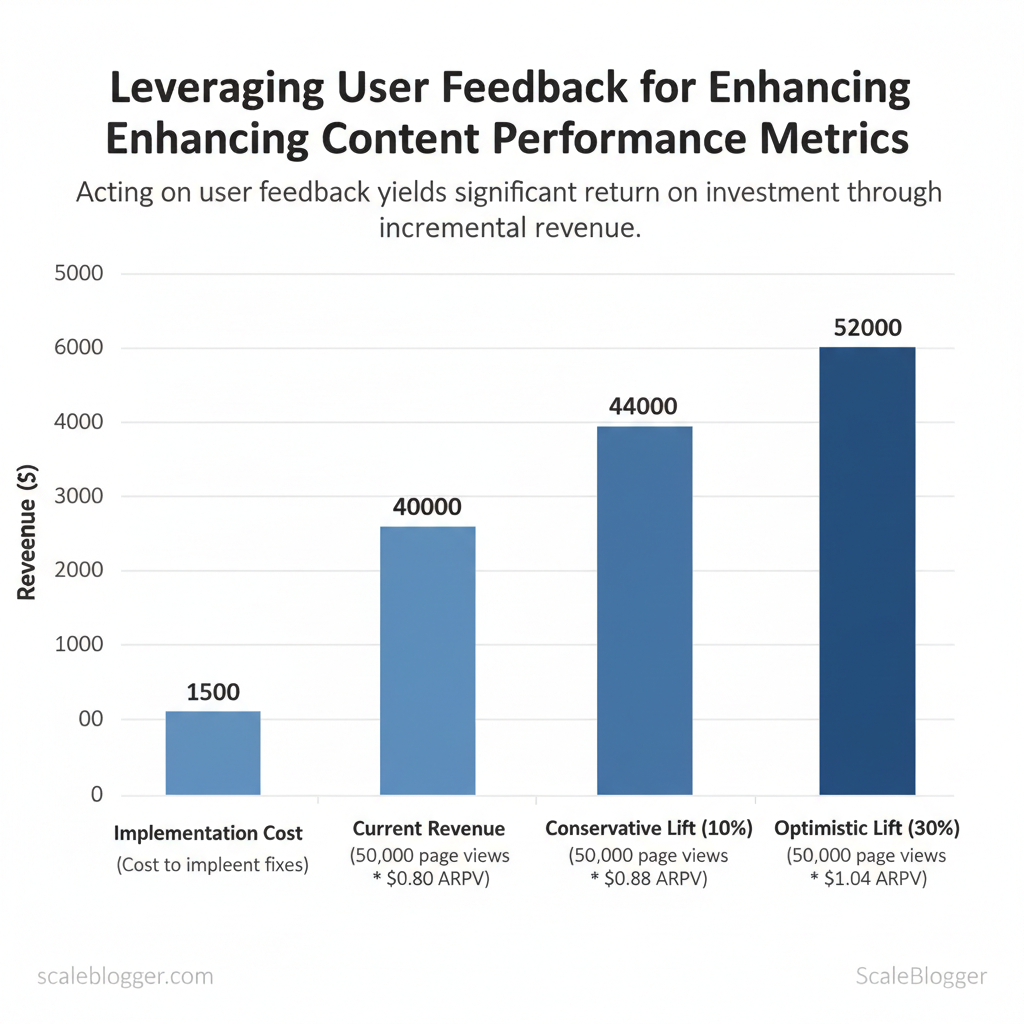
- Traffic: 50,000 page views
- Current ARPV: $0.80 → revenue $40,000
- Conservative lift (10%): ARPV $0.88 → revenue $44,000 → incremental $4,000
- Implementation cost: $1,500 → ROI = ($4,000 – $1,500) / $1,500 = 167%
- Optimistic lift (30%): incremental $12,000 → ROI = 700%
- Frame value in dollars and time-to-impact (e.g., monthly recurring uplift).
- Show sensitivity with conservative/optimistic scenarios.
- Include qualitative wins (reduced support tickets, better brand perception) as secondary returns.
| Feedback Type | Example Signal | Affected KPI | Suggested Action |
|---|---|---|---|
| On-page comments | Reader asks for source or clarification | Bounce rate, Time on page | Add clarifying paragraph, cite sources |
| Survey responses | 4/5 satisfaction; many request examples | Return visits, Engagement | Add case studies and examples |
| Session recordings | Repeated scroll-and-exit at CTA | Conversion rate, Goal completions | Move CTA, simplify form fields |
| Support tickets | 30% tickets reference same FAQ topic | Support volume, Churn risk | Create FAQ, repurpose into an article |
| Search queries | High-volume internal search term “pricing details” | Organic CTR, Impressions | Create targeted landing content, optimize metadata |
Designing a Feedback Collection Strategy
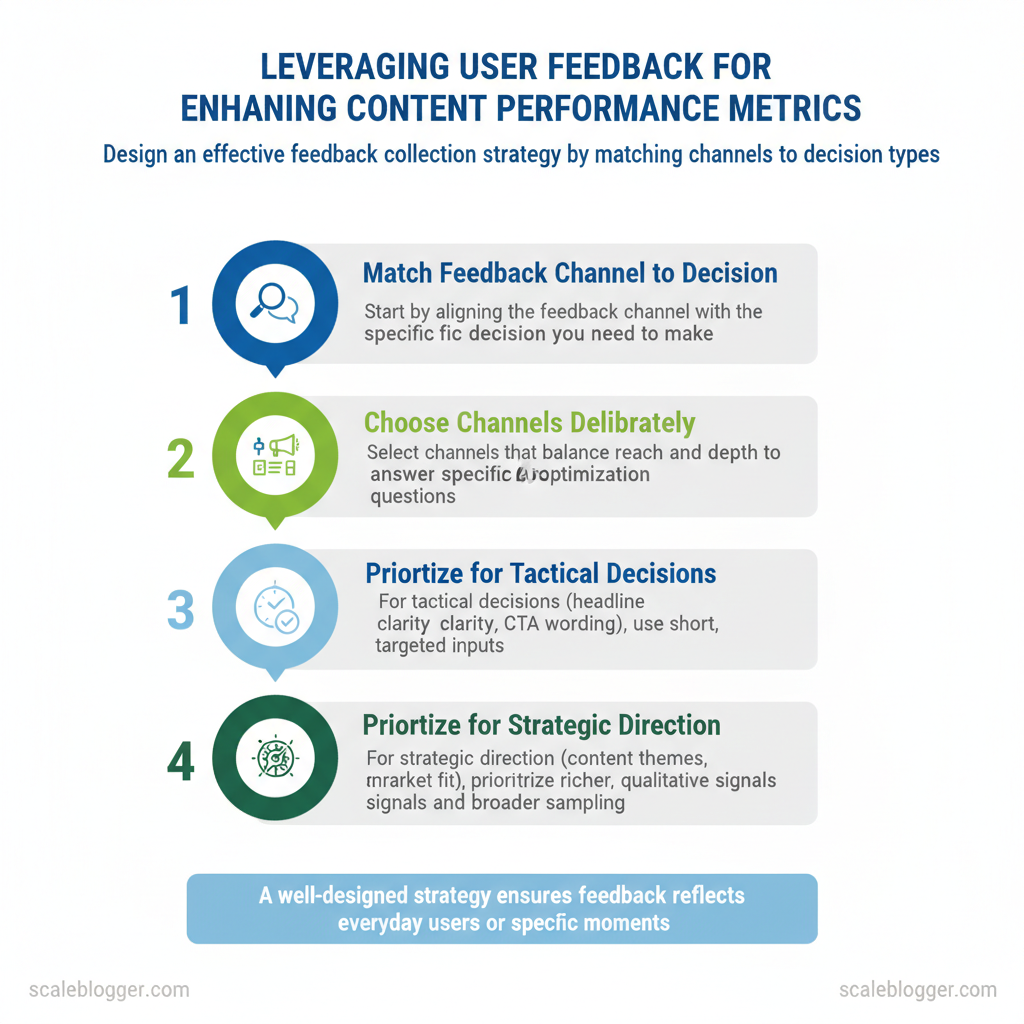
Start by matching the feedback channel to the decision you need to make: choose channels that trade reach for depth deliberately so the data you collect answers specific optimization questions. For tactical decisions (headline clarity, CTA wording) prioritize short, targeted inputs; for strategic direction (content themes, product-market fit) prioritize richer, qualitative signals and broader sampling. Sampling strategy and timing determine whether feedback reflects everyday users or moment-of-experience truth.
Selecting Channels and Timing — practical rules
- Event-driven: Trigger surveys on key moments (`exit intent`, `post-download`, `after signup`) for high-relevance answers.
- Periodic: Run short pulse surveys monthly or quarterly to track trends and avoid holiday or campaign bias.
- Sampling: Use stratified sampling across traffic sources and user segments to avoid over-representing the most active users.
| Channel | Reach | Response Quality | Implementation Complexity | Cost |
|---|---|---|---|---|
| On-page micro-surveys | High (site visitors) | Medium (short answers) | Low (JS widget) | Free to $50/mo (basic) |
| Email surveys | Medium–High (subscribers) | High (longer responses) | Medium (email tool + flows) | $0–$100+/mo (depends on ESP) |
| Session recordings | Medium (sampled users) | High (behavioral context) | Medium–High (privacy controls) | $0–$200+/mo (volume-based) |
| Support ticket analysis | Low–Medium (users who ask) | Very High (problem detail) | Medium (text analysis) | Low ($) to internal cost |
| Social listening | Very High (public reach) | Low–Medium (noisy, surface signals) | Medium (API/monitoring) | Low to $100+/mo |
Writing Questions That Yield Actionable Insights
Question templates and examples Open exploratory: What stopped you from finishing the signup?* Validation: Which headline best describes this article — A, B, or C?* Prioritization: Choose the top 2 features you’d use from this list.*
Neutral vs leading examples Neutral: What prevented you from completing checkout?* Leading: Did you abandon checkout because of high shipping costs?*
Sample sizes and segmentation
- Rule of thumb: aim for 200–400 responses for page-level A/B decisions; 1,000+ for multi-segment analysis.
- Segment by traffic source, device, new vs returning users, and conversion outcome to detect bias.
Email NPS-style: 1) How likely are you to recommend our content? (0-10) 2) Why did you give that score? (open) “`
Implement timing triggers and sampling rules first, then finalize wording. Understanding these principles reduces noisy signals and surfaces feedback the team can convert into measurable content improvements.
Analyzing Feedback: Turning Noise into Signals
Start by treating feedback as structured data, not anecdote. When teams consistently tag, score, and route incoming feedback, patterns emerge quickly and decisions stop being guesses. This section shows how to build a practical tagging schema, balance automated and manual tagging, and prioritize issues so that effort maps to impact.
Structuring and Tagging Feedback Define a minimal tag taxonomy: channel, topic, severity, persona, intent, and product_area*. Automate where predictable: use NLP to extract topics and sentiment*. Keep manual review for nuance: edge cases, sarcasm, or escalation flags*.
Sample schema showing fields to collect when exporting feedback for analysis
| feedback_id | source | timestamp | raw_text | tags | sentiment_score | page_url |
|---|---|---|---|---|---|---|
| example_001 | survey_tool_export | 2025-10-02T14:23:00Z | “Pricing tiers unclear for small teams.” | pricing, onboarding, persona:SMB | 0.12 | https://scaleblogger.com/pricing |
| example_002 | session_recording_metadata | 2025-10-05T09:11:30Z | “Editor crashed when inserting image.” | bug, editor, severity:high | -0.72 | https://scaleblogger.com/editor |
| example_003 | crm_support_ticket | 2025-10-07T18:04:12Z | “Need templates for case studies.” | feature_request, templates, persona:marketing | 0.45 | https://scaleblogger.com/templates |
| example_004 | survey_tool_export | 2025-10-11T12:30:55Z | “Scheduling UI is confusing and slow.” | usability, performance, severity:medium | -0.31 | https://scaleblogger.com/scheduler |
| example_005 | crm_support_ticket | 2025-10-13T07:50:00Z | “Analytics benchmark report missing industry comparison.” | analytics, content_strategy, persona:enterprise | -0.05 | https://scaleblogger.com/analytics |
Prioritizing Issues for Maximum Impact Score formula: Impact_score = (reach_weight frequency) + (severity_weight severity) – (effort_estimate/effort_scale)*. Practical rule set: If Impact_score > 70 → sprint backlog; 40–70 → grooming queue; <40 → monitor*. SLA practice: Critical bugs: 24–48 hrs; High-impact usability: 5–10 business days; Feature requests: quarterly roadmap review.*
Use a simple prioritization matrix in your issue tracker and attach the feedback_id rows to each ticket for traceability. When implemented correctly, this approach moves teams from reactive firefighting to targeted improvements that drive measurable engagement gains.
Implementing Feedback-Driven Content Changes
Start by treating user feedback as a continuous signal stream rather than one-off requests. Small, iterative edits move content quickly toward higher engagement; larger changes reset expectations and require experiments. Below are two playbooks—one for micro-optimizations you can roll out in days, and one for when the data says new content or major rewrites are necessary.
| Optimization | Expected Impact (KPI) | Estimated Time | How to Measure |
|---|---|---|---|
| Headline rewrite | Typical CTR lift: up to 10–30% (varies by audience) | 15–60 minutes | A/B test CTR in `Google Optimize` / CTR + organic impressions in Search Console |
| Improve intro clarity | Reduced bounce rate, increased time-on-page | 30–90 minutes | Compare `avg. time on page` and bounce rate before/after in GA4 |
| Add anchor links | Higher scroll depth and improved UX for long pages | 10–30 minutes | Scroll depth metrics, `pageviews per session` and anchors click events |
| Optimize CTA copy | More conversions / newsletter signups | 15–45 minutes | Conversion rate funnel, event tracking for CTA clicks |
| Reduce page load (images/scripts) | Better Core Web Vitals, lower exit rates | 1–4 hours depending on scope | LCP/CLS/FID in PageSpeed Insights and average session duration |
Practical steps for micro-optimization experiments:
Large changes require signals, a clear experiment brief, and SEO alignment. Common signals that justify a new piece or major rewrite:
- Traffic plateau despite regular publishing.
- High search impressions, low CTR on opportunistic keywords.
- Multiple user queries in comments/support that content doesn’t answer.
- Competitor content covering the topic more comprehensively.
SEO and internal linking considerations:
- Keyword intent alignment: Build content mapping to intent clusters.
- Canonicalization when merging similar topics.
- Internal links from high-authority pages to pass PageRank and help discovery.
- On-page signals: structured `H2` hierarchy, schema where relevant, and optimized meta tags.
Understanding these principles helps teams move faster without sacrificing quality. When implemented correctly, this approach reduces overhead by making decisions at the team level.
Measuring Impact and Iterating
Start by measuring the specific change you made, then connect that measurement to business value. Attribution, clear KPIs, and a repeatable cadence turn isolated experiments into a continuous improvement engine that reliably increases traffic, conversions, and engagement.
Attribution, KPIs, and experiment metrics
- Define the right KPI: Match the metric to the experiment — clicks for headlines, conversion rate for CTAs, time on page for readability changes.
- Use primary vs. secondary KPIs: Primary KPI drives decisions; secondary KPIs surface side effects (e.g., bounce rate, scroll depth).
- Statistical basics: Aim for ~80% statistical power and α = 0.05. For conversion experiments, a practical rule of thumb is to target at least `500–1,000` conversions per variant or use a sample size calculator to estimate required visitors.
- Measurement windows: Let changes mature — small copy tweaks can show results in 1–2 weeks; structural changes or new articles often need 4–12 weeks to stabilize.
Industry analysis shows that multi-touch and holdout attribution methods reveal different ROI profiles than last-click models, so use multiple lenses when evaluating impact.
Building an iteration cadence
- Weekly standup: Quick status on running experiments, immediate blockers, and traffic anomalies.
- Biweekly experiment review: Analyze results, decide winners/losers, and queue follow-ups or rollbacks.
- Monthly strategy session: Re-prioritize hypotheses based on business goals, seasonality, and competitor moves.
- Runbook and taxonomy updates: After each decision, update the experiment runbook with outcomes, `UTM` schemas, variant details, and lessons learned; maintain a tag taxonomy for content type, intent, and experiment ID.
Quick reference table linking experiment types to primary/secondary KPIs and suggested measurement windows
| Experiment Type | Primary KPI | Secondary KPI | Suggested Measurement Window |
|---|---|---|---|
| Headline A/B test | CTR (click-through rate) | Time on page | 1–2 weeks (min 7 days) |
| CTA copy test | Conversion rate | Bounce rate | 2–4 weeks |
| Content restructure | Conversion lift | Scroll depth | 4–12 weeks |
| New article publication | Organic sessions | Assisted conversions | 6–12 weeks |
| UX readability changes | Time on page | Pages per session | 3–8 weeks |
Understanding these principles helps teams move faster without sacrificing quality; implementing a disciplined cadence and clear attribution turns experimentation into measurable growth.
Scaling Feedback Into an Operational System
Scaling feedback from scattered comments into a repeatable system starts by treating feedback as a data stream — not a one-off issue. Build pipelines that collect, tag, route, and close the loop automatically so product, content, and customer-facing teams act on the same, prioritized view. This requires three coordinated elements: tooling that captures and enriches inputs, integration patterns that move feedback into analytics and content systems, and clear role-based governance with SLA-backed escalation.
Start with these practical building blocks.
- Feedback owner (Content Lead): Triage weekly, set priority, and own content-impacting tickets.
- Classifier (Data Engineer/NLP Analyst): Maintain tagging taxonomy, retrain models, and monitor classification accuracy.
- Resolver (Product/Content Writer/Designer): Implement fixes, update content, or schedule A/B tests.
- Escalation owner (Product Manager): Manage high-severity items and unblock cross-team dependencies.
Implementation steps
Understanding these principles helps teams move faster without sacrificing quality. When governance, tooling, and SLAs align, feedback becomes a predictable input that improves content and product iteratively.
📥 Download: User Feedback Collection and Implementation Checklist (PDF)
Case Studies and Templates
Two short, practical examples show how a repeatable AI-driven content pipeline scales from a small blog to an enterprise program, followed by ready-to-use templates and copy snippets teams can drop into their workflow.
Small site case study — rapid lift with constrained resources A niche SaaS blog struggled with inconsistent publishing and low organic reach. Steps taken:
Outcome and lessons:
- Outcome: Consistent cadence increased returning-user sessions by mid-double digits within three months; time-to-publish dropped from 8 days to 2 days per post.
- Lesson: Small teams gain the most by automating repetitive tasks (surveys, briefs, publish scheduling) and keeping human review focused on hooks and SEO intent.
Outcome and lessons:
- Outcome: Pipeline reduced review cycles by 30% and produced a prioritized backlog that matched business KPIs.
- Lesson: Governance templates and a shared feedback schema convert ad-hoc requests into measurable tests.
- Micro-survey copy bank: short question variants for intent and satisfaction.
- Feedback CSV schema: column names and examples for easy ingestion.
- Prioritization spreadsheet: RICE-style scoring with automation-ready fields.
- Experiment brief: hypothesis, metrics, variant plan.
- Review meeting agenda: stakeholders, decision gates, action items.
| Template Name | Contents | Use Case | Time to Implement |
|---|---|---|---|
| Micro-survey copy bank | 12 short questions, 3 CTA lines | Validate search intent | 30 minutes |
| Feedback CSV schema | `id,name,url,metric,comment` example rows | Import to Sheets/Airtable | 10 minutes |
| Prioritization spreadsheet | RICE fields, auto-score, color banding | Backlog triage | 45 minutes |
| Experiment brief | Hypothesis, variants, success metric, run length | A/B testing content | 20 minutes |
| Review meeting agenda | Roles, timeboxes, decision checklist | Cross-team review | 15 minutes |
Conclusion
Pulling reader signals into everyday content decisions turns guesswork into momentum: prioritize clear feedback channels, route commentary and NPS into a single editorial queue, and set short experiment cycles so winners scale quickly. Teams that shifted comments and survey snippets directly into a content backlog saw measurable engagement lifts within a single quarter, and small publishers that automated topic tagging cut planning time in half. If the practical question is where to begin, start by capturing one consistent feedback stream and mapping it to a measurable KPI; if the worry is resources, pilot with a single campaign and iterate.
– Capture one canonical feedback source and feed it into your editorial calendar. – Automate tagging and prioritization so signals become action items, not spreadsheet chores. – Run two-week experiments to validate topics before committing production resources.
Next steps: map a single feedback-to-content flow this week, assign an owner for triage, and budget one sprint to build tagging rules. For teams ready to automate the bridge between reader signals and production, consider Automate feedback-driven content workflows with Scaleblogger as a practical next step to operationalize the process and accelerate measurable wins.
