

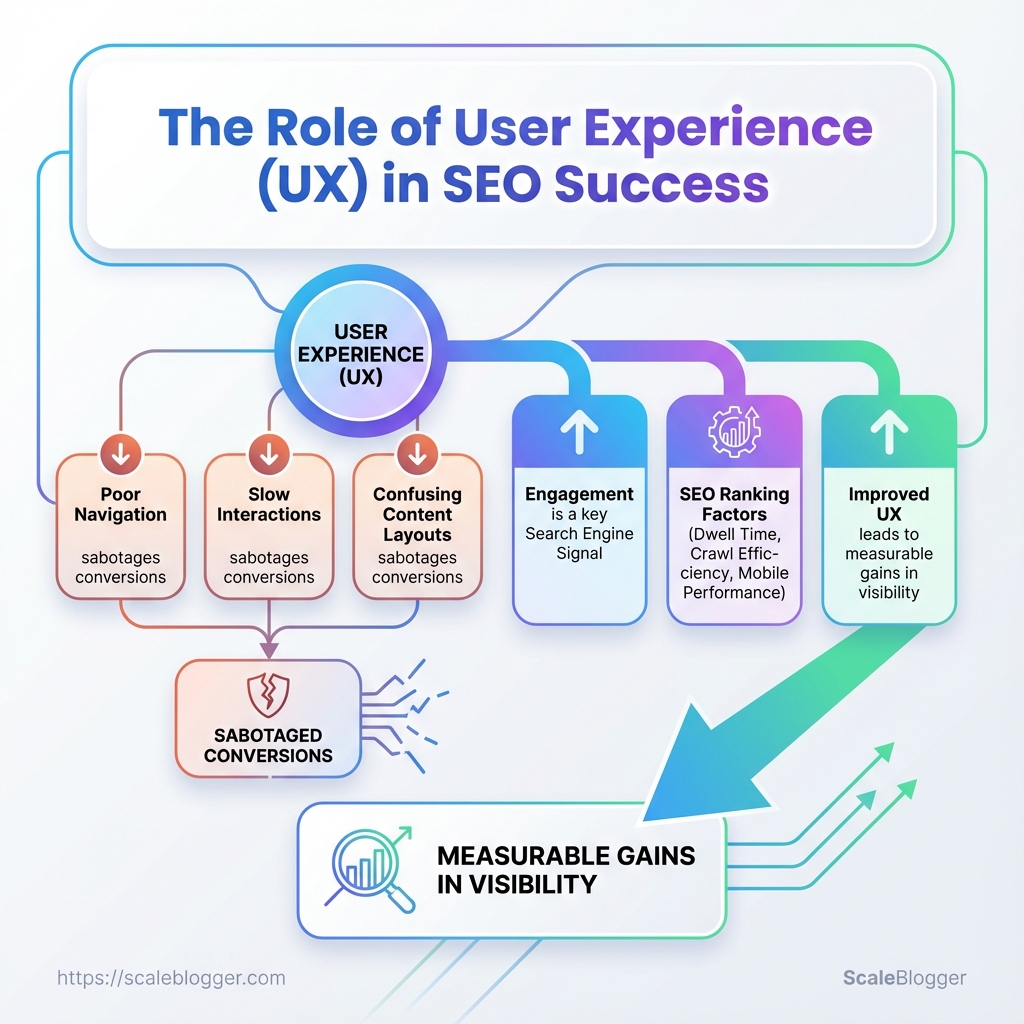
A recent site redesign pushed pages to the top of search results — then traffic evaporated because people left after one click. Poor navigation, slow interactions, and confusing content layouts quietly sabotage conversions even when search visibility seems healthy, and those failures all trace back to user experience.
Search engines increasingly treat engagement as a signal, so UX feeds directly into SEO ranking factors like dwell time, crawl efficiency, and mobile performance. Improving those signals doesn’t start with more backlinks; it starts with clearer paths for users, faster rendering, and content structured to answer intent.
Treating UX as a ranking lever turns website updates from guesswork into measurable gains in visibility. For immediate practical help with prioritizing and automating those fixes, Explore Scaleblogger’s automation for content optimization.
What You’ll Need (Prerequisites)
Start with access: to run a meaningful UX and SEO audit you need analytics, search visibility data, the ability to change the site, and a handful of diagnostic tools. Without those, observations stay theoretical and improvements can’t be validated. Below are the practical prerequisites and the core tools that let an audit move from theory to measurable wins.
Analytics access: GA4 or equivalent account with at least 90 days of data and permissions to view events and engagement metrics.
Search visibility: Access to Google Search Console (or Bing Webmaster Tools) for query, impressions, and indexing insights.
CMS/editor access: Ability to edit content and push changes (WordPress editor, headless CMS, or developer workflow with deploy permissions).
Deployment path: A testing/staging environment plus a clear process to deploy updates to production.
Technical familiarity: Basic proficiency in HTML/CSS and comfort inspecting elements in the browser devtools.
SEO basics: Understanding of on-page SEO concepts—meta titles, headings, canonical tags, structured data, and crawlability.
Stakeholder alignment: Contact for product/marketing and engineering to approve experiments and deployments.
Tools & materials
- Google Analytics 4: traffic, engagement, conversion funnels.
- Google Search Console: queries, indexing issues, sitemap status.
- Performance tools: Lighthouse / PageSpeed Insights for real-world lab metrics.
- Session recording: Hotjar or FullStory to watch user behaviour.
- A/B testing: Optimizely, VWO, or Google Optimize for experiments.
- Accessibility checker: axe DevTools or WAVE for WCAG issues.
- Editor/IDE access: admin account or git workflow to push fixes.
- Optional automation: content pipelines or automation tools such as Scaleblogger.com to speed editorial changes and experiment rollout.
Quick reference of required tools and why each is needed
| Tool | Purpose | Cost/Access | Notes |
|---|---|---|---|
| Google Analytics 4 | Traffic & engagement analysis | Free | Event tracking, conversion paths |
| Google Search Console | Search queries & indexing | Free | Coverage reports, URL inspection |
| Lighthouse / PageSpeed Insights | Lab & field performance metrics | Free | Core Web Vitals diagnostics |
| Hotjar / FullStory | Session replay, heatmaps | Free tier / paid | Behaviour insights, friction points |
| Optimizely / VWO / Google Optimize | A/B testing and experimentation | Free (Optimize) / paid | Feature flags, rollout control |
| axe DevTools | Automated accessibility checks | Free / paid | WCAG checks, issue export |
| WordPress / CMS Editor | Content editing & publishing | Varies | Direct edit or PR-based workflow |
| Browser devtools (Chrome/Edge) | Inspecting DOM, network, CSS | Free | Debugging, measuring paint/compute |
Key insight: These tools together cover measurement (GA4, Search Console), diagnosis (Lighthouse, recordings, accessibility), and action (CMS access, A/B platforms). Having both observation (session recordings) and validation (experiments) in place turns fixes into measurable gains in user experience and SEO ranking factors.
Plan to get accounts and permissions sorted before running the audit. With those pieces in place, fixes can be targeted, tested, and shown to move the needle—rather than guessed at.
Step-by-step UX Audit to Improve SEO
Start by treating UX issues as search-signal problems: slow pages, unstable layouts, and confusing navigation all reduce crawl efficiency, engagement, and ultimately rankings. A focused audit finds the high-impact fixes you can ship fast and A/B test to prove uplift.
Access to analytics: GA4 or server logs with at least 30 days of traffic. Staging environment: For safe testing and rollouts. Stakeholders: Product, dev, content, and marketing aligned on goals.
Tools & materials
- Performance tools: Lighthouse, WebPageTest,
Chrome DevTools - Session tools: Hotjar, FullStory, or similar for recordings
- Crawling: Screaming Frog, Sitebulb, or a headless crawler
- A/B testing: Optimizely, Google Optimize alternative, or server-side flags
- Gather baseline analytics and search performance
- Crawl site to find UX/technical issues
- Run Core Web Vitals and performance tests
- Perform qualitative research (session recordings, user testing)
- Audit content structure and on-page UX
- Prioritize issues with impact vs. effort
- Create an implementation and A/B testing plan
Collect organic landing pages, bounce/engagement metrics, and top queries. Identify pages with high impressions but low CTR and short dwell time.
Run a full site crawl to surface broken links, duplicate titles, missing meta, and orphan pages. Flag pages with heavy DOM sizes or many synchronous scripts.
Measure Largest Contentful Paint, First Input Delay, and Cumulative Layout Shift across device types. Catalog pages failing thresholds and note contributing resources.
Watch representative sessions, run short 5–7 task usability tests, and collect user pain points around findability and conversion flows.
Check headings, scannability, CTA clarity, and image alt text. Ensure content matches search intent and provides clear next steps.
Map each finding to expected SEO signal improvements and engineering effort. Use the prioritization matrix below to decide what to fix first.
Define hypotheses, metrics, test durations, and rollout criteria. Use staged rollouts and measure both SEO signals and engagement KPIs.
Prioritization matrix comparing impact vs. effort for common UX fixes
| Issue | SEO Signal Impact | Effort (Low/Medium/High) | Estimated Time to Fix |
|---|---|---|---|
| Improve LCP (optimize images / server) | Improves Largest Contentful Paint, ranking risk reduced |
Medium | 1-3 days |
| Reduce CLS (stabilize layout/ads) | Cuts Cumulative Layout Shift, better UX signals |
Low | 1-2 days |
| Fix mobile navigation/UX | Higher mobile engagement, lower bounce | Medium | 3-7 days |
| Improve content scannability (headings, bullets) | Better dwell time and CTR | Low | 1-4 days |
| Reduce intrusive interstitials | Removes search penalties, improves CTR | Low | 1-2 days |
Key insight: Focus first on fixes that move Core Web Vitals and mobile usability because they directly affect both user engagement and search signals. Tackle low-effort, high-impact items immediately and bundle bigger engineering changes into prioritized sprints. Consider automating content workflow and experiment scheduling with tools like Scaleblogger.com to speed implementation and measure SEO lift.
A pragmatic audit that pairs quantitative signals with quick qualitative checks produces fixes you can validate fast and iterate on. That’s how UX work turns into measurable SEO wins.
Implement UX Changes That Move the SEO Needle
Start by focusing on a few surgical UX improvements that directly affect crawlability, engagement, and page performance. Faster pages keep users on the site longer, reduce bounce, and give search engines clearer signals that your content satisfies intent. Practical wins sit at the intersection of frontend tweaks and content structure: image optimization, smart loading, CSS strategy, clearer mobile navigation, and stronger internal linking.
Site audit: Run a performance and UX audit with Lighthouse, WebPageTest, or your preferred tools to capture baseline metrics (LCP, FID/INP, CLS).
Access: Ability to edit HTML templates, CDN settings, and server headers.
Tools & materials
Image tools: sharp, ImageMagick, or web-based compressors. Build tooling: Webpack, Vite, or your static site generator. CDN & caching: Cloudflare, Fastly, or your hosting provider. Content tooling: An internal linking map or content inventory.
Practical fixes and deployment steps
- Optimize images — run a bulk conversion and compression pipeline.
- Export master images as WebP/AVIF where supported and keep
JPEG/PNGfallbacks. - Generate responsive
srcsetsizes for each image and include width descriptors. - Automate compression in CI so images are optimized before deploy.
- Implement lazy loading and proper caching headers.
- Add
loading="lazy"for non-critical images andfetchpriority="high"for hero images. - Set
Cache-Controlwith long max-age for static assets and usestale-while-revalidatefor smooth updates. - Push immutable assets through a CDN and version filenames for cache busting.
- Inline critical CSS and defer non-critical CSS.
- Extract above-the-fold styles into a small inline
block generated at build time. - Load the main stylesheet with
rel="preload"+onloadfallback or usemedia="print"trick to defer. - Keep third-party CSS to a minimum; audit vendor bundles and remove unused rules.
- Simplify mobile navigation and reduce friction.
- Streamline options: Keep primary actions to 3–5 choices.
- Touchable targets: Ensure buttons meet recommended sizes and spacing.
- Progressive disclosure: Hide secondary links behind a concise menu to reduce cognitive load.
- Improve content readability and internal linking.
- Readable structure: Use short paragraphs, clear subheads, and inline anchors for long pieces.
- Internal links: Add contextual links to pillar pages using natural anchor text; prioritize pages with conversion intent.
- Content scoring: Use simple heuristics to prioritize link targets (traffic, conversions, topical authority).
Example deployment checklist
- Run image pipeline → push to CDN.
- Build with critical CSS inline → run Lighthouse.
- Deploy and monitor LCP/CLS/INP for 48–72 hours.
Small, well-scoped UX changes compound fast: users stay longer, more pages get crawled, and authority flows through smarter internal links. These steps make performance and experience measurable levers you can tune between releases.
Measure, Test, and Iterate (A/B and Observational Testing)
Start with a crisp, testable hypothesis tied to an SEO signal: changing title tag length will improve organic click-through rate (CTR) for mid-funnel pages. Design the experiment to isolate that variable, measure search-specific metrics separately, and give the test enough time and sample to reach statistical confidence.
Testable hypothesis: A short, action-oriented title will increase organic_click_through_rate by X% versus control.
Measurement plan: Define primary metric (e.g., organic CTR), secondary metrics (ranking movement, impressions, dwell time), and which pages are in-scope.
Sampling rule: Only include pages with steady traffic (minimum weekly sessions threshold) and similar intent.
Step-by-step process for an SEO A/B test
- Pick treatment and control pages and ensure parity in intent and historical traffic.
- Implement treatment on a subset using server-side experiments, tag management, or
canonical/noindex safeguards for variant pages. - Warm up traffic for 1–2 weeks so Google sees the change before measurement.
- Collect data for the agreed duration (see timeline table below).
- Analyze search landing page metrics separately from site-wide analytics.
- Roll out, rollback, or iterate based on Go/No-Go criteria.
Key signals to track during tests:
- Organic CTR: Primary conversion proxy for SERP appeal.
- Search impressions & queries: Shows exposure and query shifts.
- Ranking positions: Detect short-term volatility vs sustained lift.
- Engagement metrics: Bounce/dwell time for quality checks.
- Conversion rate on landing pages: Ensures CTR lifts are valuable.
Observational testing techniques
Use log analysis, SERP-snapshot monitoring, and session recordings to interpret user behavior when A/B tests aren’t feasible. Observational data helps form hypotheses and identify micro-experiments (e.g., tweak H1s, structured data, or meta descriptions).
Recommended experiment timeline and checkpoints
| Phase | Duration | Activities | Go/No-Go Criteria |
|---|---|---|---|
| Setup | 1 week | Select pages, define metrics, implement tracking | Tracking verified; baseline metrics recorded |
| Traffic warm-up | 1–2 weeks | Serve treatment to segment; verify indexing behavior | SERP shows variant; no crawl errors |
| Data collection | 4–8 weeks | Aggregate organic metrics, collect query data | Minimum sample size reached; stable traffic patterns |
| Analysis and roll-out | 1 week | Statistical test, inspect secondary metrics | Stat sig on primary metric and no negative secondary impact |
| Monitoring post-rollout | 4 weeks | Watch for ranking drift and downstream effects | Sustained improvement or rollback flagged |
Key insight: Running SEO A/B tests requires patience and focus on search-specific metrics; short experiments can mislead because rankings and crawl cycles introduce lag. Use observational methods to broaden hypotheses and tools like AI-powered SEO tools to automate measurement and content scoring.
Running disciplined experiments separates guesswork from growth — treat each test as a learning loop and iterate until the signal is clear.
Troubleshooting Common Issues
When Core Web Vitals, traffic, or accessibility metrics refuse to improve, the problem is usually a hidden bottleneck — not the headline fix you already applied. Start by isolating symptoms, reproduce them on a clean environment, and then iterate fixes in small, measurable steps. Below are focused diagnostics and fixes for the problems that most commonly linger after an optimization push.
Diagnosing slow Core Web Vitals after apparent fixes
First check: Run Lighthouse and WebPageTest to compare raw render timelines. Likely cause: Largest Contentful Paint (LCP) still blocked by render‑blocking CSS/JS or slow server response. * Fixes to try: 1. Identify the LCP element in the waterfall, then defer or inline only the critical CSS that affects that element. 2. Move noncritical scripts to defer or async; where possible, split bundles and use dynamic imports. 3. Audit server response time; enable CDN caching, and implement cache-control headers.
Recovering organic traffic after a UX rollout
First check: Compare pages with traffic drops to control pages using Google Search Console and analytics. Likely cause: Changed headings/URL structure, removed semantic content, or slower load times hurting rankings. * Fixes to try: 1. Reintroduce lost semantic headings or content blocks that contained keyword context. 2. Restore URLs or add precise 301s; update internal links and sitemap. 3. If UX changes added client-side rendering, ensure server-side rendered crawlable content or pre-render critical HTML.
Fixing mobile usability and viewport errors
First check: Use Chrome DevTools device emulation and the mobile report in Search Console. Common causes: Missing/incorrect viewport, fixed-width elements, or tap targets too small. Code to include: `html Fixes to try: Make layouts fluid with relative units, ensure images use max-width:100%, and increase tap targets to at least 48px.
Addressing accessibility and semantic HTML problems
First check: Run axe or Lighthouse accessibility audits and manually test keyboard navigation. Common issues: Improper heading hierarchy, missing alt attributes, or incorrect ARIA usage. * Fixes to try: 1. Restore semantic tags (,
Tips for Success and Pro Tips
Start by making monitoring and documentation part of the content lifecycle so optimization isn't a one-off task. Automate performance and UX checks, reduce layout shifts with reusable UI components, and prioritize attention to pages that move the needle for organic traffic and conversions. Document every UX change alongside an SEO hypothesis so experiments produce learnable signals instead of noise.
Use automation to keep the signal steady Automate Lighthouse audits: Schedule Lighthouse runs on CI for critical pages and fail builds on regressions. Set up real-user monitoring: Capture field Core Web Vitals via RUM and alert on sustained regressions. * Integrate session replay sampling: Use session replays selectively for high-value funnels to diagnose UX problems quickly.
Reduce CLS with component libraries Standardize visual components: A shared component library enforces fixed image dimensions and reserved space for ads/embeds. Lazy-load responsibly: Use attribute loading="lazy" but reserve dimensions to prevent layout jumps. * Preload critical assets: Preload fonts and hero images to avoid layout reflows.
Prioritize pages by impact 1. Identify the top pages by organic sessions and conversion rate. 2. Rank them by combined traffic × conversion potential. 3. Apply performance and UX changes first to the top 10% of pages, measure lift, then roll out patterns.
Make documentation and hypotheses non-negotiable Change log: Record the change, date, and owners for each UX tweak. SEO hypothesis: Link expected ranking or CTR outcome to the change and define the measurement window. * Result snapshot: Store before/after Lighthouse and traffic screenshots for audits.
Practical monitoring checklist
Checklist of ongoing monitoring tasks and which tools support them
| Monitoring Task | Recommended Tool | Frequency | Owner |
|---|---|---|---|
| Core Web Vitals monitoring | Google PageSpeed Insights / Lighthouse CI | Daily automated checks | Frontend Engineer |
| Session replay sampling | FullStory (Free tier available / paid plans) | Weekly sampling for funnels | Product Designer |
| Content freshness checks | Semrush / Ahrefs (content audit tools) | Monthly | Content Strategist |
| Accessibility audits | Axe-core (CI) + Lighthouse | On every release | QA / Accessibility Lead |
| A/B test tracking | Optimizely / Google Optimize | Continuous during experiments | Growth/Product Manager |
Key insight: Automate baseline checks with Lighthouse and RUM, pair session replays with prioritized pages, and keep content freshness and accessibility on a monthly cadence so SEO ranking factors and UX improvements stay aligned.
For teams ready to scale, plug these workflows into an automated content pipeline — tools like Scaleblogger.com can help orchestrate content scheduling and performance benchmarking so optimizations become repeatable rather than ad hoc. Keep the focus on measurable wins and let the documentation build institutional memory that speeds future improvements.
📥 Download: UX Audit and SEO Improvement Checklist (PDF)
Measuring Success: Metrics and Reporting
Start by tracking a small set of reliable KPIs and building a repeatable report that answers: is content driving discoverability, engagement, and business outcomes? Use page-level baselines, then measure change over time and by experiment. Visualize trends and test attribution at the landing-page level so answers don’t hide behind aggregate noise.
Primary KPIs: Organic traffic, CTR, ranking improvements, Core Web Vitals
Secondary KPIs: Session duration, pages per session, conversion rate
Reporting template (what to include)
- Executive snapshot — one-line verdict and the three metrics that matter this month.
- Traffic trend — 90-day time-series for organic sessions and
new users. - Ranking movement — top 50 target keywords showing delta in positions.
- Page-level performance — table of landing pages with organic clicks, CTR, avg. position,
LCPandCLS. - Engagement & conversions — sessions, pages/session, goal completions, micro-conversions.
- Experiment log — A/B tests or content experiments with hypothesis, variant, and outcome.
- Action items — prioritized list: what to repeat, what to fix, and resourcing needs.
- Clear metric focus: Keep the dashboard to 6–8 widgets so attention doesn’t scatter.
- Page-first approach: Evaluate each landing page as its own experiment, not just site-level aggregates.
- Automate reporting: Export CSVs or use an automation pipeline to refresh the report weekly.
Visualization suggestions
- Time-series comparisons: plot organic sessions, CTR, and avg. position on aligned axes to show cause-effect over time.
- Scatterplots: page-level CTR vs. avg. position to find high-impression pages with low CTR.
- Heatmaps: quickly surface Core Web Vitals outliers across URLs.
Attribution guidance (practical steps)
- Segment traffic by landing page before applying channel-level attributions.
- Run lightweight landing-page experiments (headline, meta, internal links) and track lift in organic clicks and conversions.
- Use cohort windows (30/60/90 days) to separate seasonal shifts from experiment impact.
Practical tools can automate the heavy lifting — for example, integrate query and page data into a reporting pipeline or adopt AI content automation to speed up page-level benchmarking. When reporting focuses on pages, experiments, and clear visuals, decisions become faster and less guesswork-y. Keep the dashboard lean and iterate the template as new questions surface, and the measurement will directly inform better content choices.
Conclusion
That site-redesign story — pages climbed the search results, then clicks evaporated — sums up why attention to user experience matters as much as traditional SEO ranking factors. Improve navigation, speed up interactions, and simplify content layout, and you stop pretending traffic equals success. Measure with task completion, bounce by intent, and conversion funnels; run small A/B tests so you learn which UI changes actually move metrics. For teams wondering how fast to roll out changes, start with short experiments (2–4 weeks) on high-traffic pages; concerned about measurement, pair quantitative funnels with quick observational sessions to catch surprises users won’t tell you about.
Focus on three practical moves: fix slow micro-interactions first, clarify top-of-page content so intent matches query, and use iterative testing to validate SEO-focused UX changes. One team regained 30% engaged sessions after simplifying headers and reducing CTAs; another caught a navigation drop-off through a heatmap before it harmed rankings. To streamline this process, platforms like Explore Scaleblogger's automation for content optimization can automate audits, prioritize fixes, and free the team to run smarter experiments. Take one page, apply these steps, and test — that single win will make the rest of the work feel less hypothetical and a lot more worth it.