

Marketing teams lose momentum — and audience attention — when the same post lands on every platform unchanged. Content that is not adapted well looks generic. It performs worse and wastes time that could be used for growth. Smart teams treat cross-posting as a precise tactic, not a hurried approach.
Customize captions, format media for each feed, and schedule with platform-specific timing to preserve reach and engagement. Industry guides emphasize tailoring copy and creative to platform norms to avoid algorithmic penalties and audience fatigue (Iconosquare provides practical guidance on these points). Getting this right converts a time-saver into a reach multiplier.
A small brand may not necessarily double its click-throughs by shifting to platform-native hooks and image crops. The steps that follow will show how to implement that shift with predictable outcomes and less manual effort.
- What to change per platform to boost engagement
- How to format media without extra design hours
- Timing strategies that respect each algorithm
- Tools and workflows to reduce repetitive work
Try Scaleblogger to automate and your cross-posting workflow: https://scaleblogger.com
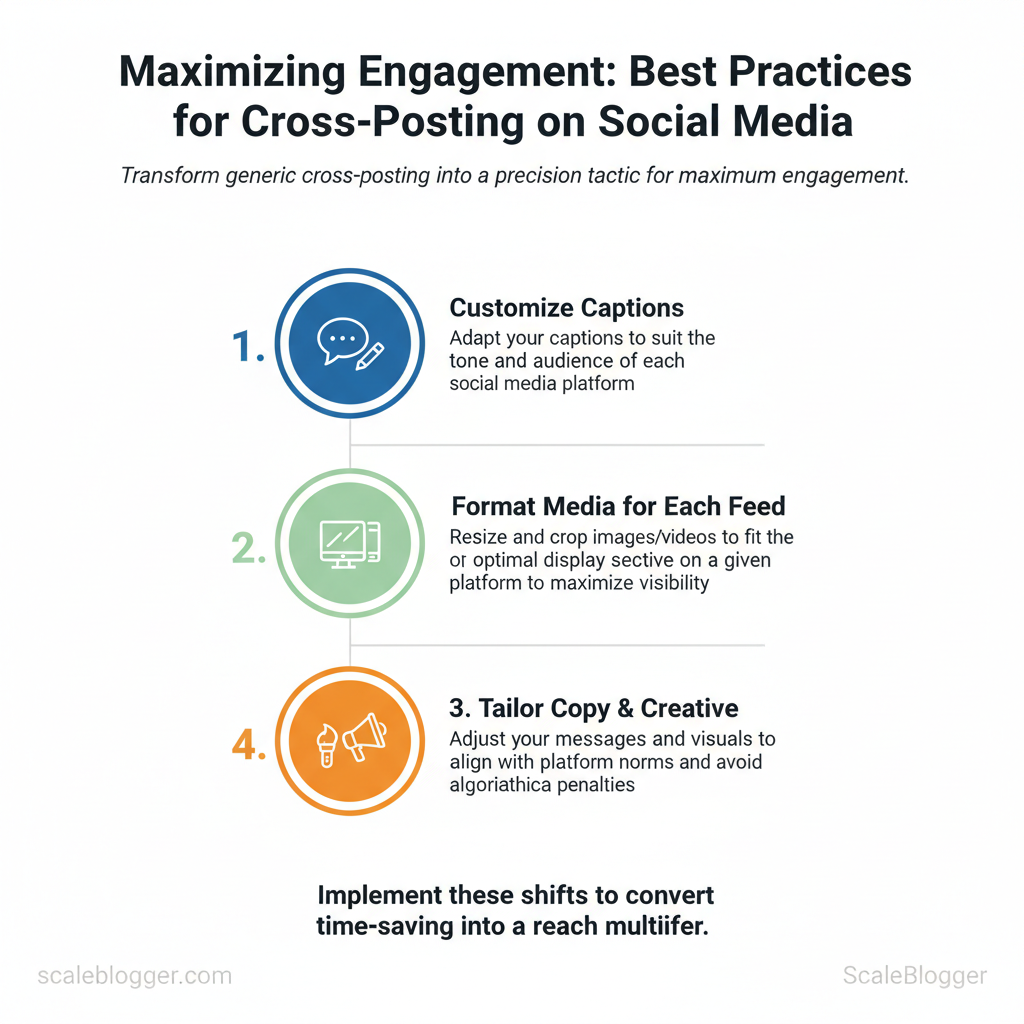
> Key Takeaway: ## Plan Your Cross-Posting Strategy
Prerequisites
- Map audience personas to each platform. One long-form asset (pillar post, podcast episode, webinar) ready as the source of truth.
Plan Your Cross-Posting Strategy
Prerequisites
- Map audience personas to each platform.
- One long-form asset (pillar post, podcast episode, webinar) ready as the source of truth.
- Editorial calendar framework (spreadsheet or tool) and access to scheduling tools.
Tools / materials needed
- Content calendar (Google Sheets or Airtable)
- Scheduling platform (native schedulers, Buffer, or your CMS)
- Lightweight automation for repurposing (Scaleblogger’s AI pipeline or similar)
- Asset repo with copy, image sizes, and video cuts
Time estimate
- Strategy workshop: 60–90 minutes. 2.
Create pillar asset: 4–12 hours depending on depth. 3. Build repurposing calendar: 1–2 hours per quarter.
- Define goals and platform roles (30–60 minutes)
- Match one primary goal to each platform — do not attempt identical tactics everywhere.
- Set measurable KPIs per platform (examples below) and record baseline metrics.
- Assign responsibilities: who approves, who customizes captions, who schedules.
Example: LinkedIn for thought leadership and lead capture, TikTok for awareness and short-form education, Instagram for visual storytelling and community engagement.
- Build a content pillar and repurposing calendar (90–180 minutes)
- Select 3–5 content pillars tied to audience needs (e.g., Product Education, Case Studies, Industry Trends).
- Create one long-form pillar asset per pillar — this becomes the
source_of_truth. - Map repurposed asset types to platforms: short clips, carousel graphics, quotes, blog summaries, newsletters.
- Schedule cadence: convert one long-form asset into 8–12 repurposed items over 4 weeks.
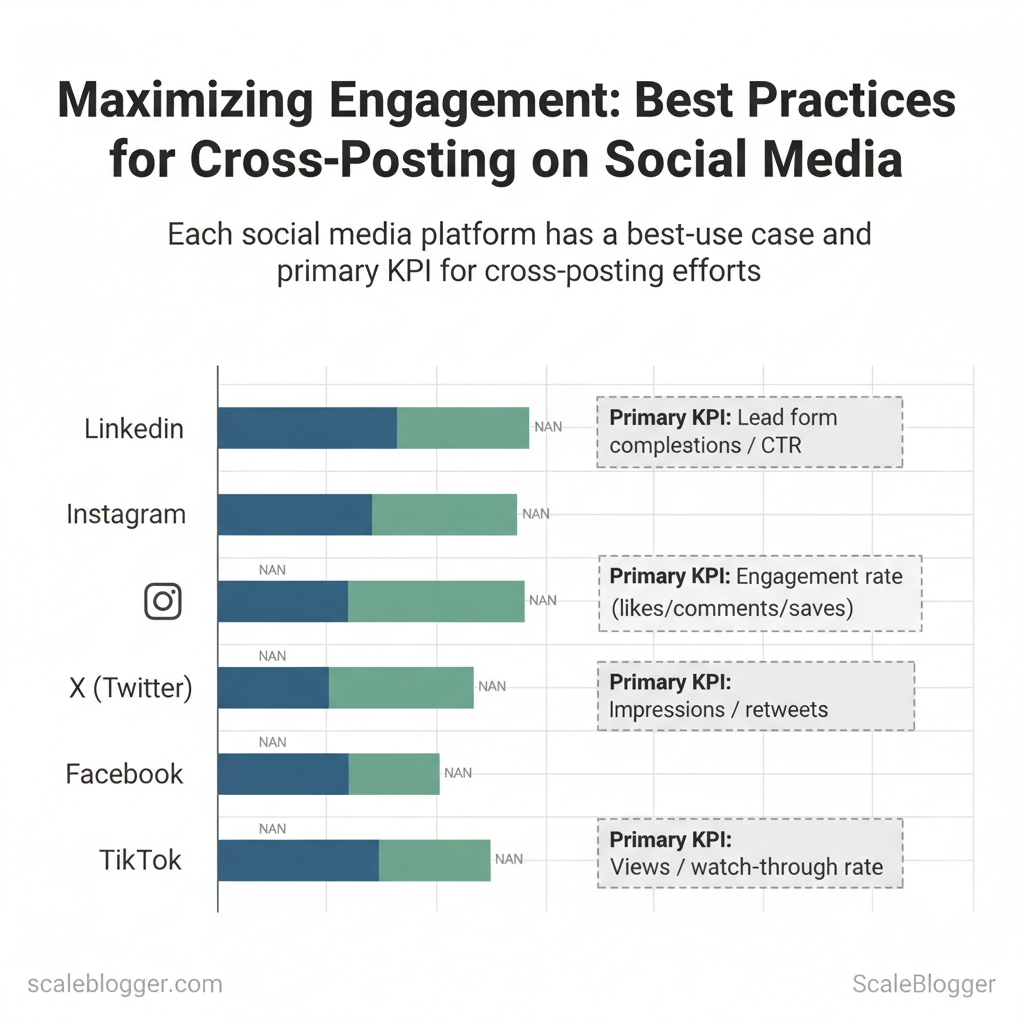
Practical templates Use this simple mapping as a starting point: Warnings and tips Common platforms by best-use case and primary KPI to help readers select where to prioritize cross-posting effortsPillar: Industry Trends
Key insight: Prioritize platforms where the content type maps naturally to the platform’s strengths—use LinkedIn for depth, TikTok for short attention spans, Instagram for visual storytelling. Set a clear KPI per platform so measurement drives repurposing priorities.*
Platform
Best Use Case
Ideal Content Type
Primary KPI
LinkedIn
B2B thought leadership, lead gen
Long posts, articles, native video
Lead form completions / CTR
Instagram
Visual brand storytelling, community
Reels, carousels, Stories
Engagement rate (likes/comments/saves)
X (Twitter)
Real-time updates, thread-based education
Threads, short text, GIFs
Impressions / retweets
Facebook
Community and sharing long-form links
Native video, link posts, groups
Reach / link clicks
TikTok
Rapid awareness and short tutorials
Short vertical videos (15–60s)
Views / watch-through rate
Understanding these principles helps teams move faster without sacrificing quality. When implemented correctly, the approach reduces overhead and keeps creative focus on the highest-impact formats.
> Key Takeaway: ## Craft Platform-Specific Copy and Creative
View each platform as a unique language for your brand. Small changes in tone, length, or visual crop can greatly change performance.
Craft Platform-Specific Copy and Creative
View each platform as a unique language for your brand. Small changes in tone, length, or visual crop can greatly change performance. Apply these rules to make repurposing fast, consistent, and high-impact.
Prerequisites
- Brand voice guidelines (tone, banned words, CTA hierarchy)
- Master asset (long-form caption, full-size video, raw image)
- Export presets for common aspect ratios and resolutions
Tools and materials
- Image/video editor (Photoshop, Affinity, CapCut)
- Social scheduler with variant support (
Scalebloggerpipeline recommended for automation)
Caption templates and hashtag library 4.
Copywriting Formulas & Tone Adjustments — step-by-step
- Identify the primary goal (awareness, signups, engagement). Match CTA: Learn more for LinkedIn, Watch for TikTok, Shop for Instagram.
- Apply platform hooks: open with a question or bold fact on LinkedIn, an emotive micro-story on Instagram, a fast punchline on X, and a visual-first prompt on TikTok. 3.
Adjust length: truncate long-form brand copy into 1–2 short sentences for X, 1–3 short paragraphs for LinkedIn, and a 1-line hook + 1 CTA for Instagram captions. 4. Hashtag and emoji rules: use emojis sparingly on LinkedIn, liberally on Instagram and TikTok; limit hashtags to 2–3 on LinkedIn but 5–10 on Instagram/TikTok.
- , “innovative” → LinkedIn: industry-leading; Instagram: game-changing).
91:1 or 16:9 for Facebook, 1:1 and 4:5 for Instagram feed, 9:16 for Reels/TikTok, and 1200×675` for X. Produce three thumbnails per video: wide crop, portrait crop, and a still with bold on-image text. Add burned-in captions for TikTok/Instagram and SRT files for long-form LinkedIn posts.
- Write concise alt text (100–125 characters) describing the image and include primary keyword where appropriate. Automate resizing with batch presets in your pipeline to reduce QA time.
Quick reference for copy length, tone, and hashtag usage by platform to speed writer decisions
| Platform | Recommended Tone | Typical Length | Hashtag Strategy |
|---|---|---|---|
| Professional, insight-driven | 100–300 words (long-form OK) | 3–5 industry hashtags; no emoji or minimal | |
| Conversational, visual-first | 1–3 short paragraphs; 125–300 characters | 5–10 relevant hashtags; include branded tag | |
| X (Twitter) | Punchy, newsy, concise | 20–70 characters (thread when needed) | 1–2 hashtags; topical trending tag optional |
| TikTok | Authentic, energetic | 15–60 seconds (caption 50–150 chars) | 3–6 hashtags; trend/creator tags important |
| Balanced, community-focused | 40–150 words | 2–4 hashtags; mix brand + topical tags |
Expected outcomes
- Faster cross-post production with consistent brand voice
- Higher engagement from appropriate hooks and visuals
- Fewer revision cycles when teams use templates and export presets
Troubleshooting
- If reach drops after cross-posting, customize captions rather than reusing verbatim. Industry guides from Iconosquare and Buffer show cross-posting loses traction when captions aren’t tailored (Iconosquare cross-posting best practices, Buffer cross-posting guide).
- If captions feel robotic, map 5-7 brand phrases to platform-specific variants and use them as replacements.
Understanding these practical adjustments speeds production and preserves creative impact. When implemented consistently, platform-specific copy and creative increase reach while keeping the brand voice intact.
> Key Takeaway: ## Scheduling, Automation, and Tools
Choose scheduling tools that publish natively, suit your team size, and provide essential metrics to inform your decisions. Start by prioritizing native posting for each platform…
Scheduling, Automation, and Tools
Choose scheduling tools that publish natively, suit your team size, and provide essential metrics to inform your decisions. Start by prioritizing native posting for each platform (X/Instagram/Facebook/LinkedIn/TikTok), because cross-posting via APIs or workarounds often reduces reach. Next, balance price against capabilities: a cheaper tool that lacks approval workflows or post-level analytics creates hidden costs in rework and risk.
Prerequisites
- , Stories, Reels, Carousels). 2.
Team map — who drafts, who approves, who publishes. 3. Baseline KPIs for scheduling performance (engagement rate, posting ROI).
Tools and materials needed
- Spreadsheet of platform requirements and post types.
- Test accounts or free trials for shortlisted tools.
CSVof content calendar exports for migrations.
- Selecting scheduling & automation tools — step-by-step
- Audit publishing needs: list native features required per network.
- Shortlist 8–10 vendors that match platform coverage and approval capabilities.
- Run a 2-week pilot on actual campaigns to validate native posting and analytics fidelity.
- Evaluate integration friction with content sources (CMS, DAM, AI pipeline).
- Lock approval gates for brand or legal reviews using the tool’s workflows.
- Automation best practices & guardrails
- Use automation for distribution and timing, not for final tone: keep creatives and headlines human-reviewed.
- Set approval gates for any high-visibility or paid posts; automate only once a post passes review.
- Implement-rollback playbooks: schedule a remove/edit flow with one-click unpublish for errors.
- Monitor performance daily for the first 72 hours, then weekly; adjust send times based on real engagement windows.
- Keep a lightweight audit log for edits and publishes to support attribution and compliance.
Quick operational tips
- Staggered cadence: Avoid identical copy across platforms in quick succession.
- Smart queues: Use time-zone aware queues to maximize local engagement.
- Analytics baseline: Compare scheduler analytics to native platform insights monthly.
Side-by-side comparison of common scheduling tool feature sets to guide selection based on needs (team collaboration, analytics, native posting)
| Tool | Native Posting | Analytics | Team Collaboration | Price Tier |
|---|---|---|---|---|
| Hootsuite | ✓ Native FB/X/IG/LinkedIn | Advanced reports, custom | ✓ Approvals, roles | $99+/mo |
| Sprout Social | ✓ Native broad coverage | Strong analytics + listening | ✓ Workflow + approvals | $249+/mo |
| Buffer | ✓ Native core platforms | Basic & custom reports | ✓ Simple team seats | Free; $6+/seat |
| Later | ✓ IG-first (Reels scheduling) | Visual analytics, linkin.bio | ✓ Planner + approvals | Free–$18+/mo |
| Loomly | ✓ Native posting | Post ideas + analytics | ✓ Approval workflows | $26+/mo |
| Agorapulse | ✓ Native posting | Social inbox & reports | ✓ Collaboration + approvals | $79+/mo |
| MeetEdgar | ✓ Native reposting focus | Basic engagement metrics | ✓ Library + scheduling | $19+/mo |
| SocialBee | ✓ Native posting | Category analytics | ✓ Team roles | $29+/mo |
| Sendible | ✓ Native posting | White-label reports | ✓ Approvals & queues | $29+/mo |
| Zoho Social | ✓ Native posting | Affordable analytics | ✓ Team workflows | $10+/mo |
Understanding these principles helps teams move faster without sacrificing quality. When implemented correctly, this approach reduces overhead by making decisions at the team level.
for Engagement and Algorithm Signals
Prerequisites: access to platform analytics (native or GA4), a content calendar, short-form video capability, and conversational CTAs.
Tools / materials needed: native analytics dashboards, a simple A/B testing sheet, CSV export of post-level engagement, short-video editor (mobile or desktop), and an automated scheduler (Scaleblogger’s automated pipeline is a practical option for test-and-scale workflows).
Timing, frequency, and interaction prompts — step-by-step
- First, find peak times from your data. Export 4 to 8 weeks of post performance and locate the highest engagement times by hour and day. Target those times for your main pushes. Expected outcome: concentrated lifts in immediate impressions.
- , 1–3 hours) to prevent algorithmic cannibalization. Time estimate: 10–20 minutes per campaign to schedule correctly.
- Design low-friction prompts: ask single-action questions, use binary choices, or request emoji reactions — these drive quick engagement without cognitive load. Troubleshooting: if prompts underperform, simplify language and remove multi-step asks.
- Iterate frequency using rolling A/B tests: increase cadence when average engagement rate holds or improve, reduce if engagement per-post drops >15%. Visual cue of success: stable or rising engagement per follower.
native features and rich media — practical guidelines
- Prioritize native formats: upload video natively rather than link-sharing; platforms reward native
videowith extended distribution. Repurpose long-form into short-form: turn a blog into a 30–60s reel, plus a carousel highlighting five data points. Use interactive elements: polls, questions, countdown stickers and live Q&A sessions encourage session time and repeated visits.
- Mix media types across the funnel: Reels for reach, carousels for saves, stories for quick engagement nudges, lives for deep conversations.
Which native features (Reels, Stories, Carousels, Lives) are best for specific engagement goals (comments, shares, saves)
Table: Section Content — Feature, Best For, Typical Engagement Lift & more
| Feature | Best For | Typical Engagement Lift | Usage Tip |
|---|---|---|---|
| Reels / Shorts | Reach & shares | ~2x reach vs feed posts | Post natively, use captions & hooks first 3s |
| Stories | Quick interactions & repeat views | +10–30% story view-through | Use polls, stickers, and swipe-ups for CTAs |
| Carousels | Saves & dwell time | +20–40% saves vs single images | Lead with strong image, end with CTA slide |
| Live Streams | Real-time comments & loyalty | High comment rate, long session time |
Key insight: Native formats consistently increase session time and distribution; choose the feature that matches the engagement goal and repurpose assets into multiple native formats.
Understanding these principles helps teams move faster without sacrificing quality. When implemented correctly, this approach reduces overhead and makes each post work harder.
Measure, Test, and Iterate
Prerequisites
- Access to platform analytics and GA4 with
UTMtagging enabled - Content calendar with versioned posts for A/B testing
- A link shortener that preserves
UTMparameters (e.g., Bitly)
Tools / materials
- Platform analytics (Facebook Insights, Instagram Insights, X/Twitter Analytics)
- Google Analytics (GA4) for cross-channel attribution
- Bitly or Rebrandly for shortened links
- Social dashboards: Sprout Social, Iconosquare, Buffer
- Spreadsheet or BI tool for the KPI dashboard
Expected outcomes
- Faster tactical fixes from weekly signals
- Monthly strategic pivots informed by aggregated trends
- Ongoing improvement via repeatable A/B learning loops
- Define KPIs and reporting cadence
- Align each KPI to a business goal: awareness → Impressions; engagement → Engagement Rate; traffic → Clicks/CTR; revenue → Conversions; virality → Saves/Shares.
- Set concrete targets (e.g., +15% monthly CTR or 3% conversion rate) and implement
UTMparameters on every outbound link. - Report weekly for tactical observations and immediate content tweaks, monthly for strategic resource shifts, and quarterly for roadmap changes.
- Build A/B tests and learning loops
- Test one variable at a time: headline, image, CTA, or posting time.
- Determine the required sample size or minimum runtime (typically 1–2 business cycles per audience segment) before trusting results.
- Record results in the content calendar and translate winning variants into scheduled posts; remove losing variants after pre-defined thresholds.
- Automate rollouts where possible: use your publishing pipeline to switch to the winning treatment across similar posts.
Troubleshooting tips
- Low sample size: extend test duration or broaden audience segment.
- Conflicting signals across platforms: prioritize GA4 for multi-channel attribution.
- Attribution noise from shortened links: confirm the shortener preserves
UTMparameters.
Sample KPI dashboard layout showing what to track weekly vs monthly and which tools can surface each metric
| Metric | Goal | Reporting Frequency | Recommended Tool |
|---|---|---|---|
| Impressions | 100k/mo | Weekly (trend) / Monthly (strategy) | Platform analytics, Iconosquare, Buffer |
| Engagement Rate | 4% per post | Weekly | Instagram Insights, Facebook Insights, Sprout Social |
| Clicks / CTR | 2.5% CTR | Weekly (tactical) / Monthly (campaign) | Google Analytics (GA4), Bitly click data |
| Conversions | 3% conversion | Weekly (leads) / Monthly (revenue) | GA4, CRM integration, UTM performance |
| Saves / Shares | 500/mo | Weekly (signals) / Monthly (strategy) | Platform analytics, Dripify, Iconosquare |
UTM-backed attribution for reliable monthly analysis. Use link shorteners that retain UTM strings so click data in dashboards matches GA4.
Follow this cadence and the learning loops will compress decision time and produce consistent lift. When measurement is embedded in the workflow, teams move faster and make higher-confidence bets.
📥 Download: Cross-Posting Engagement Checklist (PDF)
Governance, Compliance, and Scaling Teams
Start by treating governance as an operational playbook rather than a static policy document. Standardized playbooks and short, enforced approval loops keep content timely while preventing legal and brand mishaps.
- Create Playbooks and Approval Workflows (30–60 minutes to draft; iterative refinement)
- Define standard metadata:
audience,platform,pillar,KPI. - Assign role-based permissions in publishing tools (
Editor,Approver,Publisher,Creator). - Keep approval windows short—24–48 hours for evergreen/social, 4–12 hours for time-sensitive content.
- Build templates for captions, alt text, and disclosure language so creators hit compliance every time.
Practical checklist for playbooks:
- Metadata standardization — single-field values for audience and pillar to enable reporting. Short approval cycles — enforce SLAs in the tool, not email. Role clarity — avoid dual ownership of “approve” permission.
- Automation — use scheduling rules that prevent publishing without required approvals.
Compliance, Accessibility, and Crisis Preparedness (ongoing training; 1–2 hours per quarter)
- Sponsored content must be labeled with clear disclosure (
#ad, “Paid partnership”) per platform rules and FTC guidance. - Accessibility requires
alttext for images, captioned video, and concise descriptive copy for assistive tech. - Crisis protocol: implement a
pause-and-reviewworkflow—any post flagged by monitoring tools triggers an immediate hold, 4-hour audit window, and escalation to legal/PR.
> Market leaders recommend customizing captions per platform to preserve engagement, not blind cross-posting.
Role matrix that maps responsibilities (create, review, approve, publish) to team members and tool capabilities to prevent overlap
Role matrix that maps responsibilities (create, review, approve, publish) to team members and tool capabilities to prevent overlap
| Role | Responsibility | Approval Window | Tool/Permission |
|---|---|---|---|
| Content Creator | Draft copy, assets, metadata; add alt text |
24–48 hours | Hootsuite Drafts (create/edit) |
| Editor | Fact-check, SEO, tone, accessibility | 24 hours | Contentful/Google Docs (review comments) |
| Approver/Legal | Compliance, brand, sponsorship disclosure | 48 hours (expedited 4 hrs) | Brandfolder + Adobe Sign (approve) |
| Publisher | Schedule/publish, platform QA, analytics tagging | 4–12 hours for time-sensitive | Sprout Social/Buffer (publish with role perms) |
Operationalize these practices with monthly audits, a versioned playbook, and automated checks in your CMS and social tools. Understanding these principles helps teams move faster without sacrificing quality. When implemented correctly, this approach reduces overhead by making decisions at the team level.
Conclusion
Remember these three essential actions: adapt your creative for each platform, use templates to streamline production, and measure performance based on post variants, not just channels. Brands that adjusted captions and image crops while preserving core messaging consistently saw higher engagement and less audience fatigue; small edits often outperform wholesale reposting. If you’re curious about the extra time required, start with one campaign and a reusable template. You will usually see positive results within a few posts.
com/blog).
Make implementation concrete: set a weekly cadence, A/B a caption or CTA per platform, and automate distribution once variants are proven. When ready to scale that process, Try Scaleblogger to automate and your cross-posting workflow to reduce manual work, enforce platform-specific rules, and keep consistent measurement across channels.
