

A page can look polished and still feel exhausting.
When people move between text, voice, images, captions, and video in a single session, user-centric design stops being a nice phrase and becomes a survival skill.
That shift changes how content earns attention.
People do not always arrive ready to read top to bottom, so a multi-modal user experience has to meet them with the right format at the right moment.
A product demo, a short caption, and a clean paragraph can all carry the same message, but they serve very different minds.
The best teams now think less like publishers and more like editors of attention. Design thinking in content means shaping information around context, not forcing every visitor through one path.
A busy buyer skimming on a phone, a commuter listening, and a researcher comparing details all want the same clarity in different forms.
That is why the future will favor content systems that adapt without feeling mechanical.
The real challenge is not adding more formats; it is making each format feel natural, useful, and easy to trust.
Quick Answer: User-centric design in multi-modal content succeeds when teams start from user intent and deliver the same core meaning in the easiest format for the moment (search preview, short video, long-form proof, or captions). Instead of planning each channel separately, make formats adapt to context—matching information density, attention level, and device constraints—so the experience stays coherent and trustworthy across the whole session.
Why user-centric design now has to work across multiple content modes
Why does a page look strong in a CMS and still fail in the real world? Because people rarely meet content in one neat format anymore.
They jump from a search result to a short video, then to a product page, then to a saved note on their phone. Multi-modal content now means building for that messy path, not just for one article layout.
Traditional content planning still treats each format like a separate job.
That breaks fast when the same person wants a quick answer, a deeper read, and a shareable snippet in the same session.
Design thinking in content solves that by starting with intent, not channel.
Instead of asking, “What should this page say?” it asks, “What does the user need right now, and in what form will that be easiest to absorb?”
That shift matters because user-centric design is no longer about clean navigation alone.
It is about matching information density, attention span, and device context across formats.
- Search previews: People need a crisp promise and a clear next step. A dense headline can win clicks, but a vague one wastes them.
- Short-form video or social: Users want the idea fast. The message has to survive when sound is off and attention is split.
- Long-form pages: Readers need context, proof, and enough structure to trust the answer. This is where depth pays off.
- Support content and FAQs: People arriving with a task do not want brand storytelling first. They want the fastest route to resolution.
A common mistake is designing the “main” version first and treating everything else as a spin-off.
In practice, the first touchpoint often shapes whether the deeper content gets seen at all.
That is why a multi-modal user experience should be planned as one connected system.
The same idea needs different expressions, but the same intent has to stay intact.
When content teams use design thinking in content, they stop asking format-first questions and start mapping user behavior across moments.
That creates cleaner handoffs between search, social, video, and long-form reading, which is where modern content either feels seamless or falls apart.
The strongest content now behaves like a good conversation.
It meets people where they are, then keeps up as they move.
The new rules of user-centric design in multi-modal experiences
What if the real problem is not the channel at all? A page, podcast snippet, video clip, and interactive tool can all fail for the same reason: they ask people to do the wrong job.
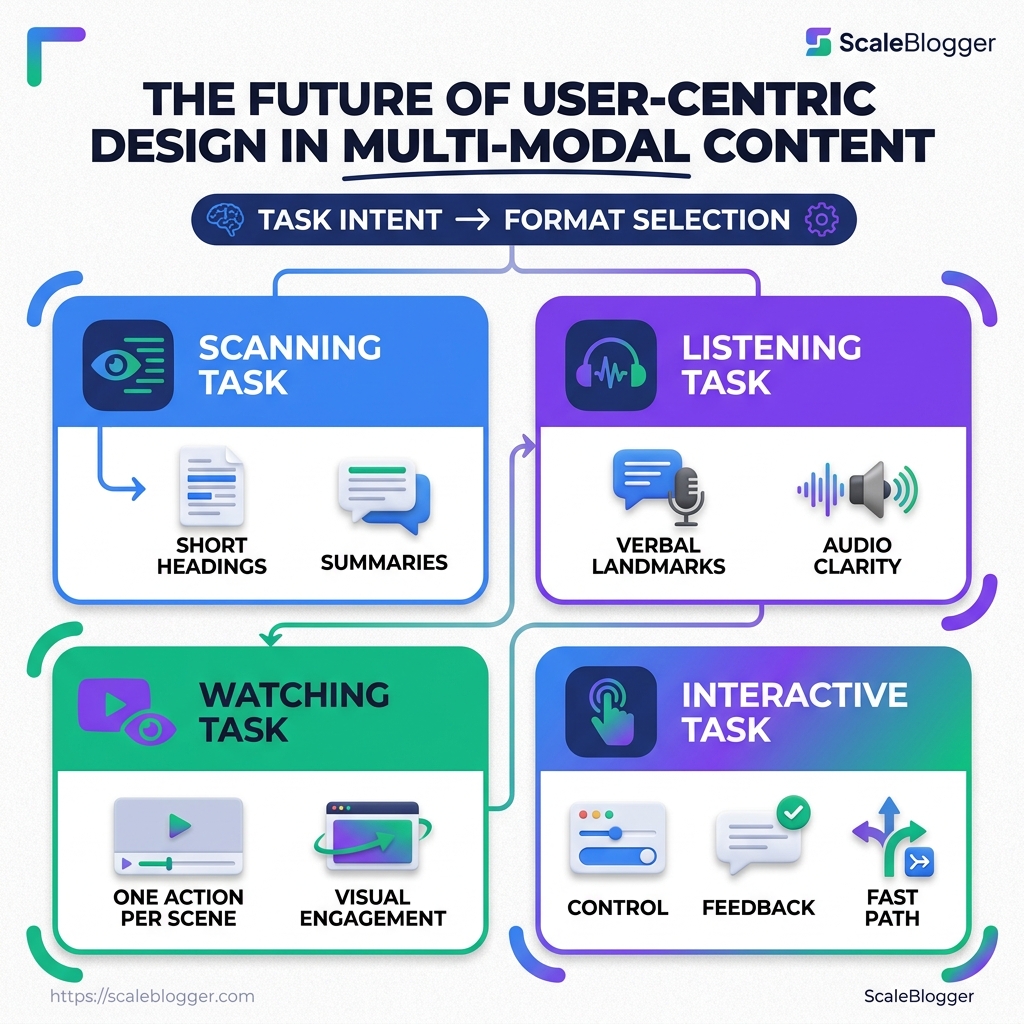
User-centric design in a multi-modal experience starts with task intent.
A person scanning for an answer wants compression and clarity.
Someone listening on a commute needs a clean narrative arc and strong signposts.
Someone using an interactive calculator wants control, feedback, and a fast path to completion.
That means design thinking in content has to move beyond “what fits the channel” and ask “what fits the moment.” The format should serve the task, not decorate it.
Match the format to the task
A good article can become a poor video if the pacing stays flat.
A strong tutorial can become unusable audio if the steps rely on visual cues or tiny details.
The rule is simple: one task, one dominant mode.
If the goal is learning, text and video chapters work well.
If the goal is comparison, tables and filters carry more weight.
If the goal is action, an interactive path should remove friction and keep choices obvious.
- Scanning task: Use short headings, strong summaries, and predictable patterns.
- Listening task: Add verbal landmarks like “first,” “next,” and “finally.”
- Watching task: Show one action per scene and avoid crowded overlays.
- Interactive task: Keep the next step visible and the state changes obvious.
Keep the information architecture stable
A user should not have to relearn the story every time the format changes.
The names of categories, the order of steps, and the meaning of labels should stay consistent across text, audio, video, and interactive layers.
This is where many multi-modal systems wobble.
A blog calls something “pricing,” a video says “plans,” and the tool says “packages.” That tiny mismatch creates drag.
Consistent language keeps trust intact and makes the experience feel deliberate.
Design for accessibility, attention, and context
Accessibility is not a side feature.
It changes the structure from the start.
- Use clear names: Labels should make sense without extra explanation.
- Protect attention: Put the main action early, before the user drifts.
- Respect context: Offer quick depth for rushed users and fuller detail for patient ones.
- Keep paths flexible: Let people resume, skip, replay, or jump ahead without losing place.
A practical test helps here: if someone hears, watches, or taps only part of the experience, can they still understand the core message? If the answer is yes, the design is working.
That is the real standard for user-centric design now.
The format can change.
The logic should not.
How AI changes the content design workflow
Planning used to mean a handful of manual choices: pick a topic, outline the page, write the draft, then fix it later.
AI changes that sequence by making planning itself a working stage, not just a thinking stage.
Now, content teams can test topic clusters, map audience questions, and draft multiple structures before a writer touches a sentence.
That matters in user-centric design, because the plan can reflect how people actually move between search results, product pages, short clips, and long-form articles.
The catch is simple.
Faster planning is useful only when someone still owns the judgment calls.
Where AI fits in the planning stage
AI is strongest before the first draft exists.
It can sort messy ideas into themes, flag repeated angles, and suggest which content mode fits a task best.
In design thinking in content, that means the early work gets less guesswork and more signal.
At Scaleblogger, we use AI to speed up topic discovery, content clustering, and draft creation, while keeping editorial control in human hands through Scaleblogger.
That balance keeps the workflow moving without turning the output into generic copy.
AI helps most with these planning jobs:
- Topic clustering: Group related queries so one article supports several related intents.
- Outline shaping: Turn a rough idea into a usable structure fast.
- Angle testing: Compare different hooks, formats, and content depths before production starts.
- Mode matching: Decide whether a topic needs a guide, a summary, a social post, or a video script.
A good example is a B2B company planning a launch around one feature.
AI can map the feature against search intent, onboarding questions, and social snippets in minutes.
Human editors then decide which version deserves the main article, which belongs in a newsletter, and which should stay out entirely.
Where the human still matters most
AI still struggles when the work depends on empathy, tradeoffs, or a lived understanding of the audience.
It can imitate tone, but it cannot truly weigh risk, brand history, or the politics around a sensitive topic.
That is why high-stakes content still needs a person asking awkward questions.
Is the advice safe? Does the wording sound respectful? Will this land differently for a beginner, a buyer, or a specialist?
Human-led, AI-assisted, fully automated, and hybrid editorial model
| Workflow approach | Best use case | Strengths | Risks | Best-fit content types |
|---|---|---|---|---|
| Human-led | Sensitive, strategic, or brand-critical work | Strong judgment, nuance, and accountability | Slower production, more manual effort | Thought leadership, crisis updates, expert commentary |
| AI-assisted | Regular publishing with editorial review | Faster research, cleaner outlines, easier scale | Can sound flat if left unchecked | Blog posts, landing pages, FAQ updates |
| Fully automated | High-volume, low-risk content streams | Speed, consistency, lower production friction | Weak nuance, possible factual drift, thin voice | Product feeds, routine summaries, internal drafts |
| Hybrid editorial model | Multi-modal user experience across channels | Fast production with human review at key points | Needs clear rules and review gates | SEO articles, repurposed social posts, campaign assets |
AI handles the repetitive work, and humans handle the parts that need taste, restraint, and audience awareness.
That is the real shift in content design workflow.
AI no longer sits at the end as a drafting shortcut; it sits earlier, where planning decisions shape everything that follows.
Design principles for building multi-modal content that feels coherent
Why do some multi-modal experiences feel stitched together, while others feel like one clear story? The difference usually starts before the first draft.
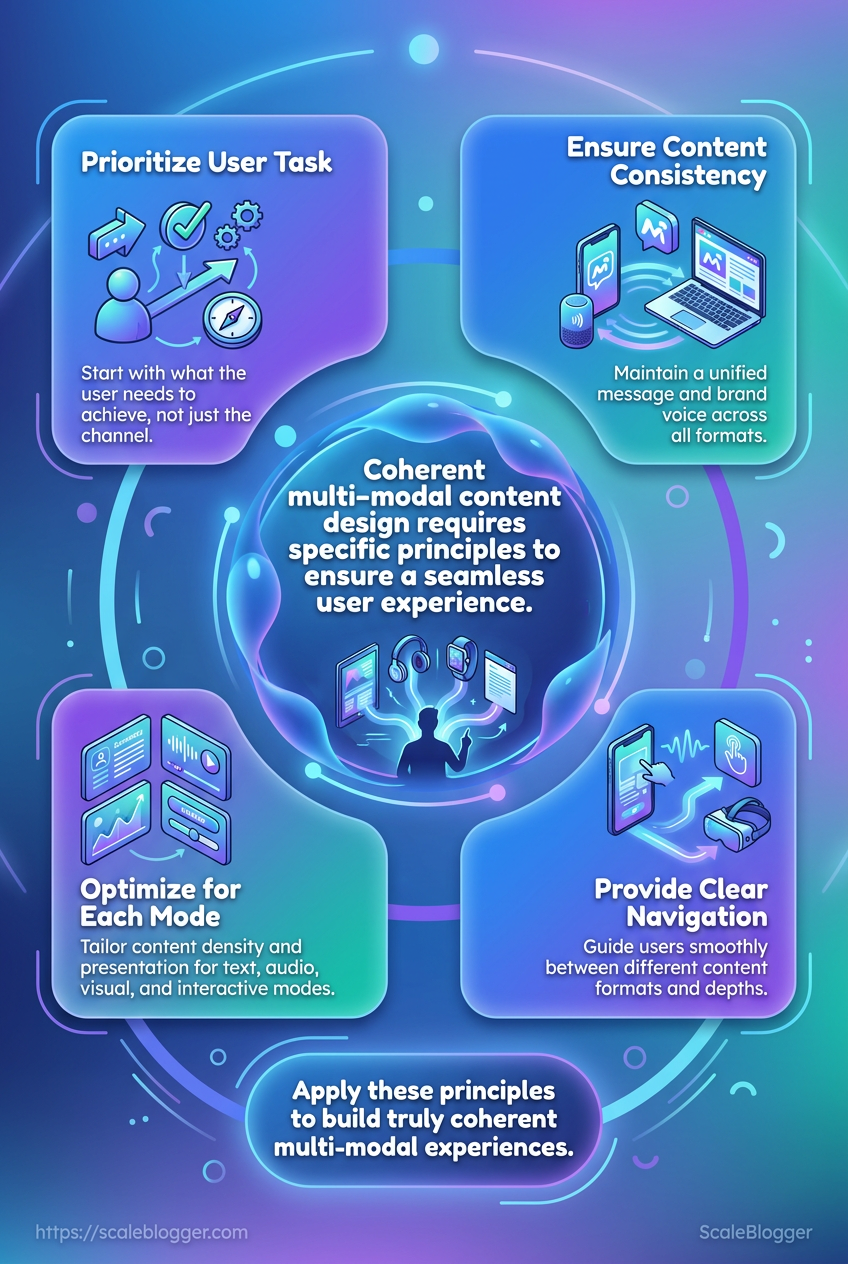
Coherence comes from a single message architecture, not from polishing each format in isolation.
A strong user-centric design approach treats every asset as a different expression of the same core idea.
If the blog post says one thing, the email teases another, and the social clip drifts into a new angle, people feel the mismatch fast.
That is where design thinking in content earns its keep.
Imagine one claim about a product benefit.
If the long-form article frames it as a practical outcome, the video script should keep that same promise, the email should echo the same wording, and the social post should keep the same proof point.
The format changes, but the meaning should not wobble.
- Use one source of truth. Build a master content brief with the main promise, audience need, core proof, and approved terminology. Every format should pull from that same document.
- Break content into modules. Write reusable blocks for the headline, problem, proof, example, and call to action. Modular pieces travel well across a multi-modal user experience because they can shrink, expand, or reorder without losing context.
- Keep tone and terms stable. If you call the audience “operators” in one place, do not switch to “leaders” somewhere else unless the meaning changes on purpose. Consistent language makes the whole system feel deliberate instead of improvised.
- Protect the proof points. Numbers, names, and claims should stay intact across formats unless a platform genuinely requires compression. A softened claim may feel safer, but it often weakens trust.
- Design for rhythm, not repetition. Each channel can use a different pace. The blog can explain, the video can show, and the social post can hook, while all three still point to the same idea.
That approach keeps repurposing from turning into remix chaos.
It also makes every asset easier to review, because the question becomes simple: does this version still sound like the same story?
How to measure whether the experience is truly user-centric
A page can look busy and still miss the point.
Ten thousand views mean very little if people abandon the video, skip the checklist, and never finish the task they came to do.
That is where user-centric design gets honest.
Instead of asking whether a page was visited, we ask whether each content mode did its job inside the multi-modal user experience.
Pageviews still have a place.
They just sit near the bottom of the list now.
Measure each mode on its own terms
A blog paragraph, a short clip, and an interactive calculator should not all be judged with the same metric.
In design thinking in content, each mode serves a different job, so each one needs a different signal.
Track the behavior that matches intent:
- Text: scroll depth, time on section, return visits, and copy reuse.
- Video: watch time, completion rate, rewind points, and drop-off moments.
- Audio: listen-through rate, skips, and whether people resume later.
- Interactive tools: starts, completions, error rate, and task success.
A product explainer with a 20% click-through rate can still be weak if viewers never finish the core message.
A guide with fewer clicks can be stronger if people complete the form, download the asset, or solve the problem faster.
Watch for outcomes, not noise
Clicks are noisy.
They often reflect curiosity, confusion, or plain mis-taps.
Retention, completion, and task success tell a cleaner story.
If users keep watching, finish reading, or complete the action without friction, the experience is probably doing its job.
> In practice, task success is often the sharpest metric because it links content directly to user intent.
That matters in real life.
A support flow, for example, should not celebrate traffic if people still open a ticket after reading it.
The better test is whether they solved the issue on their own.
Build a feedback loop around behavior
The strongest teams treat measurement as a repeating loop, not a report that sits in a dashboard.
They review where users stall, then adjust structure, format, and sequence.
- Find the drop-off point. Look for the section, clip, or step where attention falls.
- Match the fix to the mode. Shorten text, trim video, reorder steps, or split one asset into two.
- Retest the path. Compare completion and task success before and after the change.
That rhythm keeps content from drifting away from real use.
It also makes the whole system sharper over time, which is exactly what good user-centric design should do.
Turn multi-modal coherence into a repeatable system
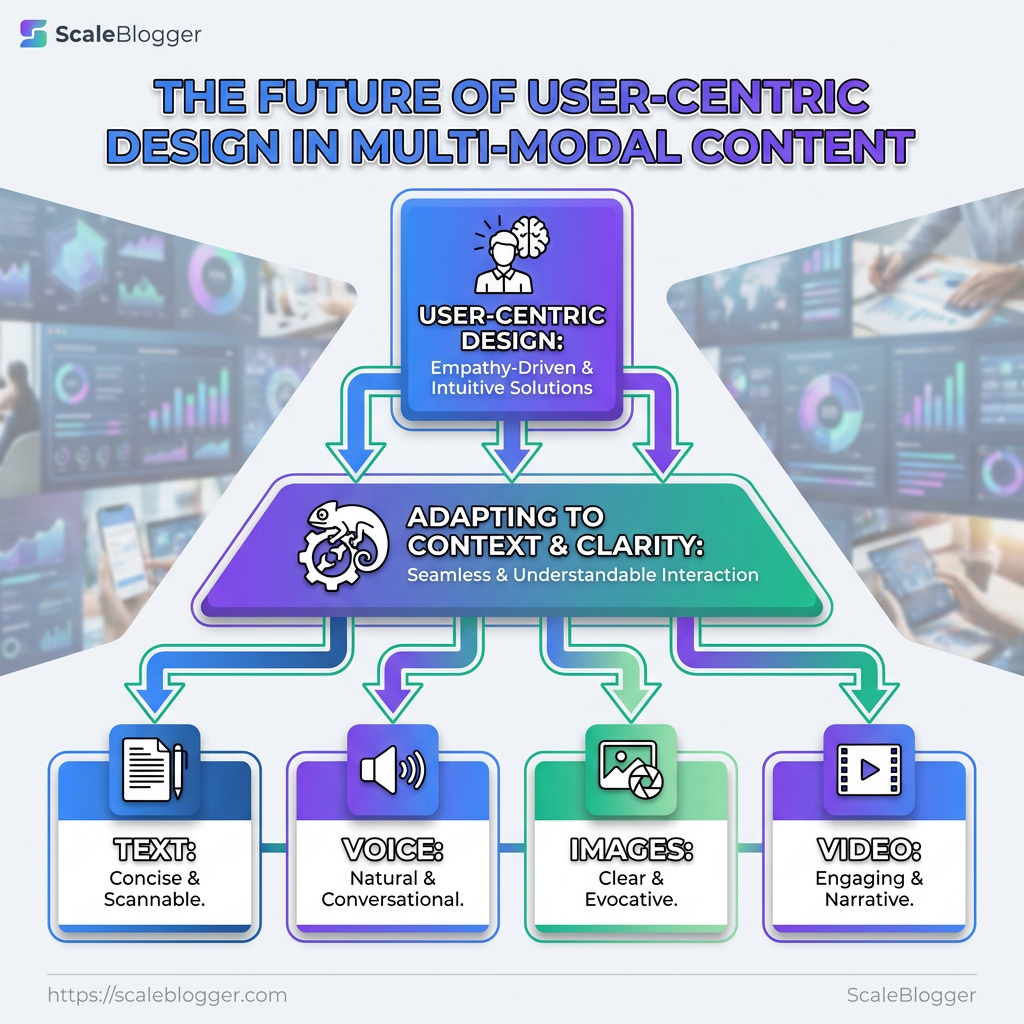
The goal isn’t to make every asset sound identical—it’s to make the experience behave predictably for the user as they move across modes in the same session.
When your team gets this right, a long-form explanation, a short clip, a caption, and an interactive step stop competing. They work like parts of one path to the user’s next decision.
A practical way to apply this today
- Define the core brief once. Capture the user need, the approved terminology, the proof points, and the intended next action.
- Map that brief to mode-specific execution. For each format, decide the dominant mode for the task (scan, learn, act, compare) and structure the content accordingly.
- Add review gates where judgment is required. Use AI for clustering/outline/first drafts, then require human checks for risk, tone, and audience nuance.
- Instrument the experience by mode and outcome. Track completion/task success (not just clicks) and iterate based on where users stall.
If scaling this consistency feels hard, treat it like workflow—not heroics. Pick one campaign or topic and run it through the brief → mode mapping → human review → measurement loop. That’s how user-centric design becomes durable across text, audio, video, and interactive formats.
