

Marketing teams and creators spend too much time combining different formats, platforms, and assets. Instead, focus on crafting ideas that engage your audience. The result: slower campaigns, duplicated effort, and content that performs well in one channel but falls flat in others. New content creation tools and multi-modal content technology can bridge these gaps.
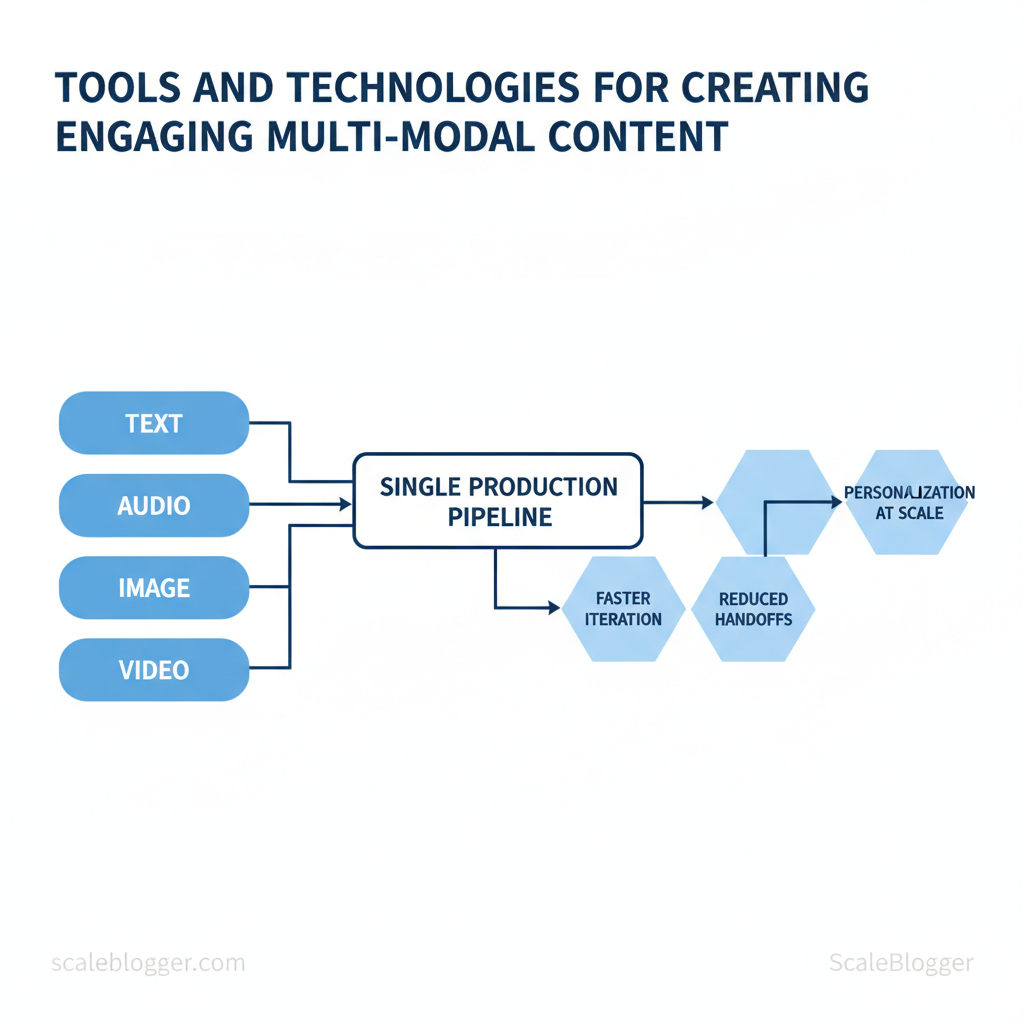
They treat text, audio, images, and video as parts of a single production process.
These tools accelerate iteration, reduce manual handoffs, and make personalization at scale achievable without bloated teams. Picture a product launch where a single source asset produces a landing page, short-form video, and social carousels with consistent messaging and optimized formats. That’s the practical payoff — faster time-to-audience and higher engagement per campaign budget.
- How to evaluate digital content tools by output quality and integration ease
- Which AI-driven workflows reduce repetitive production tasks
- Best practices for asset versioning across formats and channels
- Quick setup steps for turning a single concept into multi-format deliverables
Practical examples and vendor-neutral guidance follow, then tactical steps to implement a repeatable multi-modal workflow. Explore Scaleblogger’s AI-driven content production services to see how automation and strategy combine for scalable, high-performing content: https://scaleblogger.com
> Key Takeaway: ## What You’ll Need (Prerequisites)
Start by putting together a small, reliable toolkit and checking your skills. This ensures the content process runs smoothly from draft to publication.
What You’ll Need (Prerequisites)
Start by putting together a small, reliable toolkit and checking your skills. This ensures the content process runs smoothly from draft to publication. It will take about 30 minutes to 2 hours to set up accounts, adjust settings, and check media workflows. Difficulty ranges from Easy for a basic Google Docs → WordPress flow, to Medium when adding audio/video editors or automation connectors.
Core checklist — what to have ready before you start:
- Accounts: Sign-ups for a writing editor, image editor, CMS, and any AI assistants. Hardware: A reliable laptop (8GB+ RAM) and headset for recording. Credentials: FTP/CMS access and API keys for automation tools.
- Skill baseline: Intermediate CMS use, basic image/audio editing, familiarity with content SEO concepts. Time budget: Allocate 30–120 minutes for setup and one focused block per week for maintenance.
- Install and log into primary tools.
- Create a CMS staging site and authorize required integrations.
- Standardize file naming and a media folder structure.
- Run a sample publish to confirm end-to-end workflow.
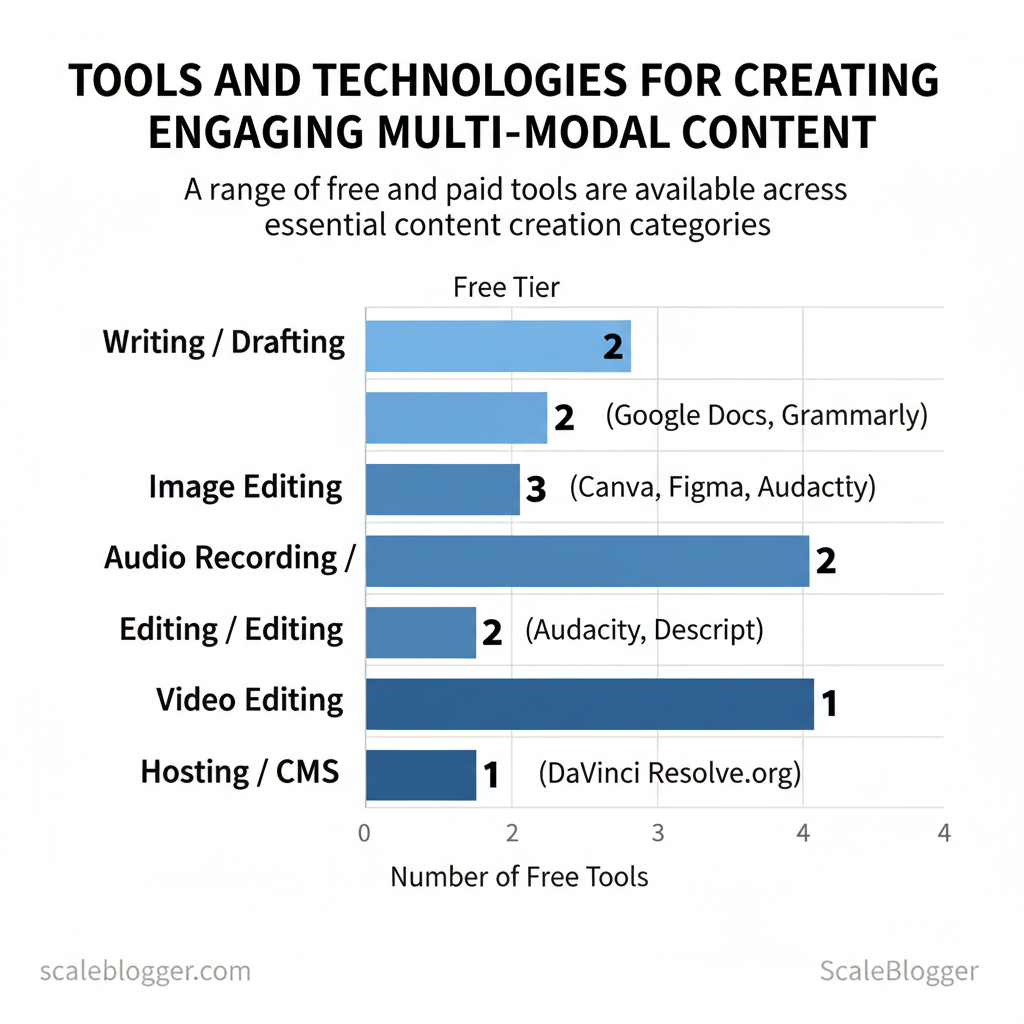
Tools and account types matter. Many platforms offer free tiers sufficient for testing; paid plans unlock collaboration, storage, or automation features. For faster scaling or production workflows, consider managed automation like the AI-powered content pipeline available at Scaleblogger.com to reduce repetitive setup work.
Required tools and acceptable alternatives (must-have vs optional) so readers can pick what to install or sign up for
Required tools and acceptable alternatives (must-have vs optional) so readers can pick what to install or sign up for
| Tool Category | Recommended Tool(s) | Why It’s Needed | Free/Paid | Skill Needed |
|---|---|---|---|---|
| Writing / Drafting | Google Docs; Microsoft Word (Microsoft 365 $6.99/mo); Notion (Free/$4/mo); Grammarly (Free/$12/mo); Jasper ($39/mo) | Collaborative drafting, grammar, AI prompts, SEO assist | Free tier / Paid tiers | Intermediate |
| Image Editing | Canva (Free/Pro $12.99/mo); Adobe Photoshop ($20.99/mo); Figma (Free/$12/mo) | Create thumbnails, resize, templates, SVG export | Free/Paid | Basic–Intermediate |
| Audio Recording / Editing | Audacity (Free); Descript (Free/$12/mo); Adobe Audition ($20.99/mo) | Record voiceovers, transcribe, multi-track edits | Free/Paid | Basic–Intermediate |
| Video Editing | DaVinci Resolve (Free/Studio $295); Adobe Premiere Pro ($20.99/mo); Final Cut Pro ($299 one-time) | Edit clips, color, export web-ready files | Free/Paid | Intermediate |
| Hosting / CMS | WordPress.org (hosting $5–15/mo); Squarespace ($16/mo); Webflow (CMS $12+/mo); Ghost (paid from $9/mo) | Publish, manage pages, plugins, SEO controls | Free software / Paid hosting | Intermediate |
Understanding these prerequisites reduces rollout friction and lets teams focus on content quality rather than tool troubleshooting. When implemented correctly, this setup accelerates production while keeping options open for future automation and scale.
> Key Takeaway: ## Step-by-Step Workflow Overview
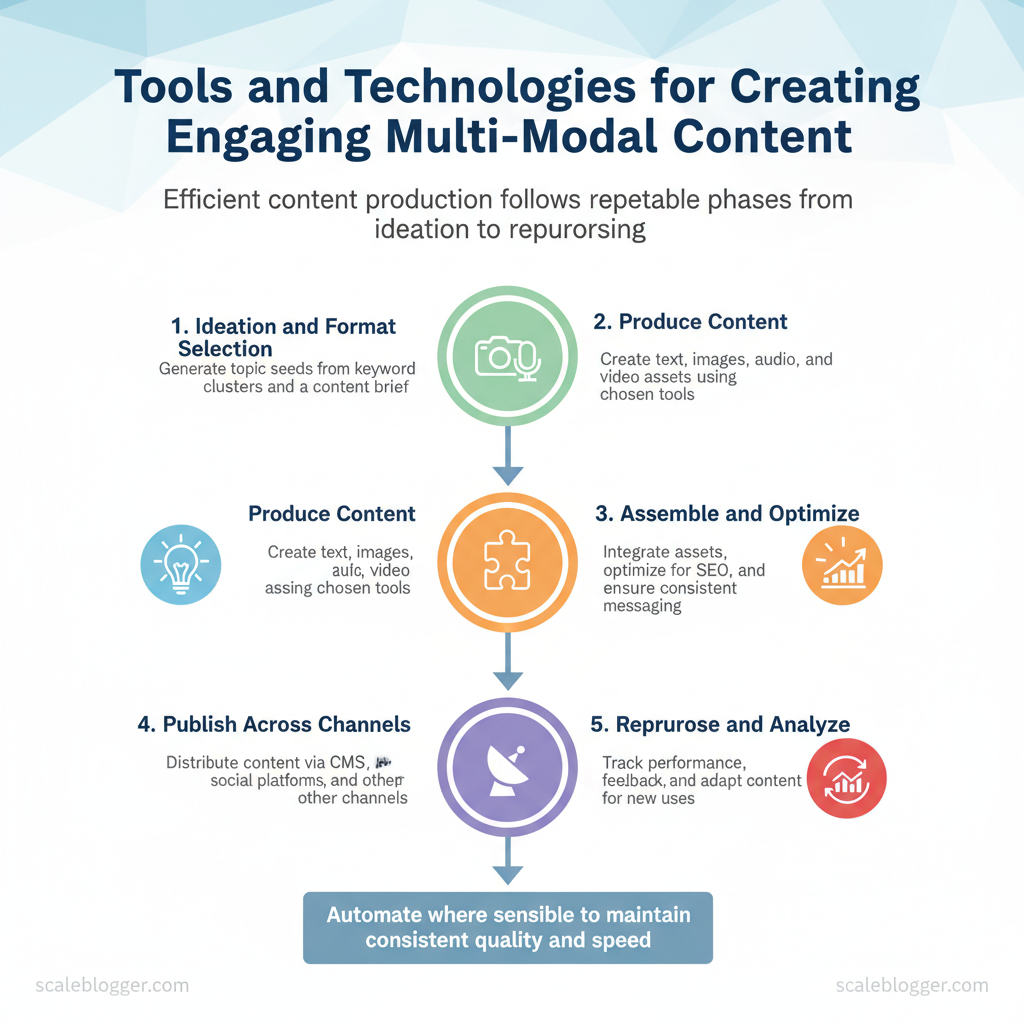
Efficient content production consists of five repeatable phases: ideate, produce, assemble, publish, and repurpose. When those phases are defined and automated where sensible, teams move faster and maintain…
Step-by-Step Workflow Overview
Efficient content production consists of five repeatable phases: ideate, produce, assemble, publish, and repurpose. When those phases are defined and automated where sensible, teams move faster and maintain consistent quality across formats.
Prerequisites
- Defined audience and intent: Document primary personas and search intent for the campaign.
- Content inventory: A spreadsheet or CMS export of existing assets to avoid duplication.
- Clear KPIs: Ranking targets, traffic goals, and engagement metrics for measurement.
Tools / materials needed
- Editorial calendar (CSV or Google Sheet)
- Content briefs template (use
title,keywords,audience,CTA) - Asset library for images/audio/video
- Publishing platform and access tokens (CMS, social APIs)
- Optional: AI content automation solution like Scaleblogger.com to scale repetitive tasks
- Ideation and format selection (30–120 minutes per topic)
- Generate topic seeds from keyword clusters and audience pain points.
- Select formats: long-form post, listicle, video short, podcast segment—match format to intent.
- Outcome: one prioritized topic with a clear format and draft headline.
- Asset creation (2–16 hours depending on format)
- Produce text, images, audio, and video in parallel where possible.
- Use
content_brief.mdto keep writers and creators aligned. - Expected outcome: edit-ready assets with filenames and metadata.
- Assembly and QA (1–4 hours)
- Combine assets into the CMS entry: headline, body, meta, CTAs, images, transcripts.
- Run quality checks: accuracy, tone, SEO fields (
title_tag,meta_desc), and accessibility. - Troubleshooting: inconsistent tone — re-run brief through the senior editor; missing metadata — use a checklist.
- Publish and distribution (15–60 minutes)
- Schedule publish time, syndicate to channels, create supporting social posts and newsletter entries.
- Track immediate errors: broken images, bad canonical tags, or failed webhooks.
- Outcome: live asset with distribution list confirmed.
- Repurpose and measure (ongoing; review at 7/30/90 days)
- Extract quotes, clips, and snippets for social; convert long posts into multiple formats.
- Measure performance against KPIs and feed results back into ideation.
- Typical result: 2–5 micro-assets per original long-form asset.
Example publishing template (YAML)
yaml title: "Target Title" format: "long-form" publish_date: "2025-01-15" primary_keyword: "semantic content optimization" distribution: ["website", "twitter", "newsletter"]Practical tip: automate repetitive checks (links, schema, metadata) and reserve human review for judgment calls. Consider integrating an AI-powered workflow provider to reduce manual handoffs and maintain a steady cadence for repurposing. Understanding these principles helps teams move faster without sacrificing quality.
> Key Takeaway: ## Numbered Steps: Create Multi-Modal Content
View multi-modal content as a single project composed of distinct micro-tasks. These include writing, creating visuals, recording audio, editing video, and publishing.
Numbered Steps: Create Multi-Modal Content
View multi-modal content as a single project composed of distinct micro-tasks. These include writing, creating visuals, recording audio, editing video, and publishing. Execute each task in sequence with clear acceptance criteria, then loop for iteration. Below are seven sequential steps with concrete micro-actions, tool recommendations (beginner → advanced), time estimates, and verification checks.
- Draft the narrative and structure (45–90 minutes)
- Micro-task: Create a content brief with headline, 3–5 subheads, and target CTAs. 2.
Tools: Beginner: Google Docs (free) — collaborative drafting; Advanced: Jasper ($39+/mo) or ChatGPT Plus (faster drafts). 3. Verification: Brief contains intent, keywords, and a one-sentence audience statement.
Accept when editorial team can outline the asset from the brief.
- Produce primary copy and variants (30–120 minutes)
- Micro-task: Generate main article, a short-form summary, and 3 social captions. 2.
Tools: Beginner: Writesonic (free tier); Advanced: OpenAI API or Jasper for conditional prompts. 3. Verification: All copy passes basic SEO checklist: title tag ≤60 chars, meta description ≤155 chars, and one internal link.
- Generate images and graphics (20–90 minutes)
- Micro-task: Create hero image, 3 supporting graphics, and social thumbnails. 2.
Tools: Beginner: Canva (free+paid); Advanced: Midjourney / Adobe Photoshop (subscription). 3. Verification: Images exported at required dimensions and accessibility alt text completed.
- Record and edit audio (optional) (30–120 minutes)
- Micro-task: Record narration or podcast segment; clean/remove noise and normalize levels. 2.
Tools: Beginner: Audacity (free); Advanced: Descript (paid) or Adobe Audition. 3. Verification: Silence below -60 dB, peaks under -1 dBTP, transcript aligned to audio.
- Assemble and edit video (60–240 minutes)
- Micro-task: Combine footage, add B-roll, lower-thirds, and color grade. 2.
Tools: Beginner: CapCut (free) or iMovie; Advanced: Adobe Premiere Pro / Final Cut Pro. 3. 264, 1080p or 4K as required; audio-video sync checked.
- for SEO and accessibility (20–60 minutes)
- Micro-task: Add schema, captions, alt text, and on-page internal links. 2.
Tools: Beginner: Yoast (WordPress plugin); Advanced: Screaming Frog + SEMrush. 3. Verification: Page scores above threshold on chosen SEO checklist and accessibility checks pass.
- Publish, schedule, and monitor (15–45 minutes)
- Micro-task: Upload to CMS, schedule cross-channel push, set tracking tags. 2.
Tools: Beginner: WordPress (hosting varies); Advanced: Webflow or HubSpot for automation. com* can automate pipeline steps and run performance benchmarks. 3.
Verification: Live URL indexed (request indexing if needed), UTM links working, and analytics events firing.
Total time estimate: 3–10 hours depending on complexity and media mix.
Recommended tools by task (writing, image, audio, video, publishing) to help readers pick based on budget and skill
| Task | Recommended Tool (Beginner) | Recommended Tool (Advanced) | Cost | Why Choose |
|---|---|---|---|---|
| Writing / Drafting | Google Docs | Jasper | Free / $39+/mo | collab editing; AI long-form |
| Writing / Drafting (alt) | ChatGPT Free | ChatGPT Plus | Free / $20/mo (Plus) | rapid ideation; API for scale |
| Image Creation / Editing | Canva | Adobe Photoshop | Free tier / $12.99+/mo | templates + quick design; advanced retouch |
| Generative Image | DALL·E (free credits) | Midjourney | Free trial / $10+/mo | fast concept art; high-quality renders |
| Audio Recording / Editing | Audacity | Descript | Free / $12+/mo | basic editing; AI transcription + overdub |
| Audio (pro) | Zoom H1 (recorder) | Adobe Audition | Device ~$100 / $20.99/mo | portable capture; professional mastering |
| Video Editing / Assembly | CapCut / iMovie | Adobe Premiere Pro | Free / $20.99/mo | quick edits; timeline control |
| Video (alternatives) | Canva Video | Final Cut Pro | Free tier / $299 (one-time) | templates; macOS optimized |
| CMS / Publishing | WordPress (hosting varies) | Webflow / HubSpot | Free core / $12+/mo hosting | flexible publishing; automation + design |
When implemented correctly, this approach reduces overhead and frees creators to focus on high-impact storytelling.
Optimizing Media for Web (Formats, Sizes, Accessibility)
Begin by exporting media in formats and settings that balance image quality and loading speed. This reduces page load times and enhances audience engagement while ensuring accessibility. For images, prefer modern formats (AVIF, WebP) with fallbacks to JPEG/PNG for legacy support. 265 where supported) and provide adaptive bitrates.
For audio, use AAC or MP3 at conversational bitrates and always include transcripts and captions.
Practical export and compression steps
- Export images
- Hero images: export master at original size, then create responsive variants at 1920w, 1365w, 1024w, 768w; save in
AVIFandWebPand a fallbackJPEG.
- Inline images: export at 2x target display size, compress for web using quality 60–75 (JPEG) or lossless WebP for graphics. 3.
Tools & commands: use ImageMagick or Squoosh for visual checks, or ffmpeg/libvips in pipelines. 2. Export video and audio 1.
265 -crf 28; target 1–3 Mbps depending on motion. 2. 5M, 3M.
- Audio/podcasts: export
AAC/MP3at 64–128 kbps; provide a fullVTTtranscript.
Responsive images and srcset guidance
- Generate variants: create 3–5 widths for each image.
- Use
srcsetandsizes: inform the browser which image to pick. - Lazy-load non-critical images: use
loading="lazy"anddecoding="async"for images below the fold.
Example srcset markup
html <img src="hero-1024.webp" srcset="hero-768.avif 768w, hero-1024.webp 1024w, hero-1920.avif 1920w" sizes="(max-width: 768px) 90vw, (max-width: 1200px) 80vw, 1200px" alt="Descriptive alt text" loading="lazy" />Caption and transcript workflow (templates)
- Caption template: [Short summary] — 1 sentence describing what the media shows; include speaker name if applicable. srt` for legacy systems. 1.
Generate auto-transcript, 2. Manual pass for accuracy, 3. txt`.
Validation and testing tools
- Performance checks: Lighthouse and PageSpeed Insights for load and Core Web Vitals.
- Accessibility checks: axe DevTools, WAVE, or Lighthouse a11y audits.
- Compression checks: compare quality with
SSIMorPSNRand visual spot-checks.
Summarize recommended file formats, typical file sizes, and target compression levels for quick reference
| Media Type | Recommended Format | Typical Target Size | Compression Tip | Accessibility Note |
|---|---|---|---|---|
| Hero Images | AVIF / WebP (fallback JPEG) | 150–350 KB | Save at quality 60–75; serve responsive widths | Include descriptive alt; short caption |
| Inline Images | WebP / JPEG | 20–80 KB | 2x export, resize to display size, quality 55–70 | alt text and aria-describedby when needed |
| Short Video Clips | MP4 (H.264/H.265) | 1–5 MB per 10s clip | CRF 22–28; two-pass for better compression | Include captions (.vtt); short descriptive text |
| Long-form Video | HLS/DASH segments (MP4 variants) | 50–200 MB per 10 min (varies by bitrate) | ABR ladder: 400k–3M; encode multiple renditions | Full captions + chaptered transcript |
| Audio Clips / Podcasts | AAC / MP3 | 0.75–1.5 MB per min (64–128 kbps) | 64–96 kbps for talk, 128kbps for music | Provide full searchable transcript (.txt, .vtt) |
Understanding these principles helps teams move faster without sacrificing accessibility or performance.
Assembly, QA, and Publishing Checklist
Start the final pass with a short, machine- and human-readable QA sequence so nothing slips through at publish time. Start by validating that the content matches intent, then confirm technical readiness, and finish by scheduling distribution. This order prevents rework and reduces the risk of indexing or UX problems after launch.
- Final editorial pass (human)
- Confirm focus: verify headline aligns with target search intent and primary keyword.
- Readability check: ensure subheads, short paragraphs, and
H1/H2hierarchy are intact. - Fact and attribution audit: check quotes, dates, and data points for accuracy.
- Technical QA (automated + human)
- Link validation: run a crawler or link-checker to find broken internal/external links.
- Accessibility checks: test alt text,
ariaattributes, and keyboard navigation. - Performance test: measure LCP and CLS in staging; images and defer non-critical JS.
- SEO and metadata checklist
- Meta title: concise, includes primary keyword, length 50–60 chars.
- Meta description: compelling summary, 120–155 chars with CTA or value prop.
- Canonical tag: present and points to the preferred URL.
- Open Graph/Twitter cards: title, description, and image set for social shares.
- Structured data:
Article,BreadcrumbList, andOrganizationwhere applicable.
Example meta template:
html <title>How to Build Topic Clusters — 7 Practical Steps</title> <meta name="description" content="Step-by-step guide to building topic clusters that drive organic growth."> <link rel="canonical" href="https://example.com/topic-clusters"> <script type="application/ld+json">{ / Article schema / }</script>- Staging and rollback best practices
- Deploy to staging first: test real CMS rendering and monetization elements.
- Automated smoke tests: run link, schema, and render checks on every deploy.
- Rollback plan: record previous release ID and keep a one-click rollback snapshot; verify DNS/edge cache TTLs to accelerate reversions.
- Publish scheduling and distribution
- Timing: publish when your audience is most active; schedule social pushes and newsletter sends within 1–2 hours of live.
- Distribution checklist: queue social snippets, add post to content calendar, and trigger analytics tags.
- Post-publish verification: check indexability, fetch as bot, and monitor for 24–72 hours for errors or crawl anomalies.
Tools and automation: integrate site-crawler, schema validators, and scheduling tools; consider an AI content pipeline like Scaleblogger.com to automate repetitive checks and distribution. Understanding these principles helps teams move faster without sacrificing quality. When publishing becomes a predictable pipeline, editors focus on value rather than firefighting.
Troubleshooting Common Issues
When a content pipeline stalls, the most useful first move is to map observable symptoms to likely root causes and run a focused verification loop. Start by listing what’s failing (deliverables, timing, traffic, quality), then test the smallest unit that should work—publish one article, run one automation job, or refresh one keyword cluster. That narrow test isolates whether the problem is systemic or localized.
Typical symptoms include missed publishes, sudden traffic drops, AI-generated low-quality drafts, or scheduling conflicts between CMS and social platforms. Common root causes are misconfigured automation rules, API rate limits, degraded model prompts, or gaps in editorial handoffs. Address each by reproducing the failure, applying a targeted fix, and confirming success with a short verification checklist.
Symptoms, probable roots, and immediate fixes
- Missed publishes: Symptom — scheduled posts not going live. Root cause — authentication token expired or webhook misrouting. Fix — refresh API token, check webhook URL, re-run job.
- Traffic drop on new posts: Symptom — impressions fall after publish. Root cause — incorrect canonical tags or robots rules. Fix — inspect page source for
rel="canonical", correct robots.txt, resubmit sitemap. - Low-quality AI drafts: Symptom — generic or off-topic content. Root cause — weak prompts or missing content constraints. Fix — tighten prompt templates, add
H2/H3outline constraints, include target keywords and intent. - Scheduler conflicts: Symptom — duplicate social posts or wrong timing. Root cause — timezone mismatch between CMS and scheduler. Fix — standardize on
UTCor site timezone and re-sync calendars.
Step-by-step diagnostic process
- Reproduce the error on one item to avoid chasing intermittent noise.
- Check logs and timestamps for API responses, job status, and CMS publish history.
- Roll back recent changes (prompts, rules, plugins) to identify regression.
- Apply the targeted fix from the list above.
- Verify with a checklist and monitor for 24–72 hours.
> Industry analysis shows many failures trace back to human–automation handoffs rather than the automation itself.
Verification checklist (copy into your runbook):
- Reproduced failure on single item ✅
- API tokens valid & not rate-limited ✅
- CMS publish logs show expected status ✅
- Page source passes SEO checks (canonical, robots) ✅
- Post visible and indexed within 24–72 hours ✅
When automation causes repeated workflow friction, consider adding an approval gate or using an AI content scoring layer. com/blog/7-key-metrics-to-benchmark-your-content-performance-in-2025-2/” class=”internal-link”>com where automated scheduling, benchmarking, and prompt libraries reduce these recurring issues. Understanding these diagnostic steps lets teams restore momentum faster and avoid repeat outages.
This approach reduces firefighting and keeps creators focused on high-impact work.
Tips for Success and Pro Tips
Begin by designing the workflow that you actually use, not the one you wish you had. That means batching repeatable tasks, standardizing outputs, automating where the ROI is clear, and closing the loop with regular measurement so each cycle gets faster and higher-quality.
Prerequisites
- Clear content goals: Define audience, primary KPI, and target search intent.
- Standard asset library: Create templates for briefs, outlines, CTAs, and meta descriptions.
- Automation basics: Access to an automation tool or scheduler and a lightweight analytics dashboard.
Efficiency hacks and scaling strategies
- Map the pipeline first (30–90 minutes). — Sketch content stages: research → brief → draft → edit → SEO pass → publish → distribution.
Identify one bottleneck to remove on the next cycle. 2. Batch like the pros (time: 1–3 hours per batch).
— Group research for 4–8 topics, then write all outlines, then write drafts. Batching reduces context switching and raises throughput. 3.
Template every repeatable output. v1` template with fields for intent, target keywords, primary link, angle, and word-count target. Templates reduce review time and keep quality consistent.
- Automate low-value handoffs. — Use task schedulers or
cronto publish at optimal times, and automate notifications to editors.
For content enrichment, apply AI content automation to generate first drafts and metadata, but always keep human review for final pass. 5. Repurpose with a checklist (3–5 minutes per post):
- Short-form social: extract 8–12 soundbites or quotes.
- Newsletters: turn the intro + top three points into a digest. Snippet library: create 5 tweet-sized lines and 3 LinkedIn post prompts. Visuals: generate 1 hero image and 3 social cards from key sentences.
- Long-form spin: expand three high-performing short posts into a pillar article.
Measurement loop and cadence
- Define KPIs (week 0): traffic, engagement, conversions by content type. 2.
Run 30-day experiments: change one variable (headline, CTA, timing). 3. Analyze weekly signals and iterate monthly on the highest-impact changes.
- md` so the next writer doesn’t relearn the same lessons.
Practical pro tips
- Use a lightweight content scoring framework to decide where to double down.
- Schedule weekly 30-minute retrospectives to remove one friction point.
- When scaling, document exceptions instead of leaving them to tribal knowledge.
Market practitioners recognize that well-documented automation and strict batching scale output without collapsing quality. When implemented correctly, these practices make the content engine predictable and easier to over time.
📥 Download: Multi-Modal Content Creation Checklist (PDF)
Measuring Success and Iteration
Start by defining a short list of measurable outcomes: traffic quality, engagement depth, conversion lift, and content velocity. For multi-modal content (text + audio + video + data visualizations), prioritize engagement per modality, assisted conversions, and time-to-value for content updates. Set realistic baselines in week 1 so every test has a clear delta to measure against.
Prerequisites
- Analytics access: GA4, server logs, and CMS analytics enabled. Event plan: a catalog of events and UTM conventions. Experiment runner: A/B testing platform or feature-flag system.
Tools and materials
- Tracking tools: GA4, Hotjar/FullStory, server-side events
- Experiment tools: Google alternative or in-house flags
- Workflows: Git for content assets, editorial calendar, sprint board
- Define KPIs (Week 1)
- Primary traffic KPI: organic sessions and assisted conversions.
- Engagement KPI: scroll depth, watch time, audio completion.
- Conversion KPI: micro-conversions (signups, downloads) + macro (purchase).
- Implement event tracking (Week 1–2)
- Map events to content elements (
video_play,chart_hover,audio_complete). - Use
dataLayerand server-side events for reliable capture. - Run experiments (Week 3+)
- Test headline variants, thumbnail images, and modular content blocks.
- Use sequential A/B then MVT for combinations that affect multiple modalities.
Common measurement pitfalls: over-tracking vanity metrics, missing assisted-conversion attribution, and inconsistent UTM usage. Fix these by enforcing a single event taxonomy and by validating events weekly.
Event-tracking example: implement content_engagement event with parameters modality: "video|audio|text", engagement_seconds, cta_clicked to permit cross-modality analysis.
90-day iteration timeline for content creation tools, multi-modal content technology
Offer a 90-day iteration timeline with milestones, tests, and success criteria
| Week | Milestone | Action | Metric to Monitor | Success Criteria |
|---|---|---|---|---|
| Week 1–2 | Baseline & Tracking | Deploy GA4, dataLayer, define events |
Event coverage %, baseline sessions | 95% event coverage; baseline established |
| Week 3–4 | Quick wins | Run headline + thumbnail A/B | CTR, bounce rate | +10% CTR or -15% bounce |
| Week 5–6 | Multi-modal test | Launch video + transcript variant | Watch time, scroll depth | +20% watch time; +10% scroll |
| Week 7–8 | Conversion lift test | Test CTA copy + placement | Micro-conversions/day | +15% micro-conversions |
| Week 9–12 | Scale & Automation | Automate top-performing templates | Time-to-publish, engagement lift |
Key insight: Run short, measurable cycles: establish baselines, test high-impact variables, then automate winners. Use event parameters to compare modalities directly and prioritize experiments that move both engagement and conversion. com for workflow automation).
Understanding these principles helps teams move faster without sacrificing quality.
Conclusion
Streamlining content workflows, focusing on repurposing, and using simple automation for repetitive tasks helps teams shift from busywork to creating ideas that engage audiences. Earlier sections showed how standardizing templates reduced review cycles, how batching asset creation accelerated campaign launches, and how rule-based automation closed the loop between CMS and social channels. Those examples illustrate a pattern: clarity in process plus automation yields faster campaigns and fewer content bottlenecks.
If you’re wondering how much to automate, start with the smallest, most repetitive task; if you’re unsure where to begin, map one content journey and eliminate manual handoffs first.
To get started, choose one workflow to standardize this week, set a measurable goal—like time saved or publication cadence—and conduct a two-week experiment to assess its impact. Document the template, assign a single owner, and measure results. For teams looking to scale beyond pilot projects, platforms and services that combine AI content production with automation can accelerate rollout without bloating headcount.
com).
