

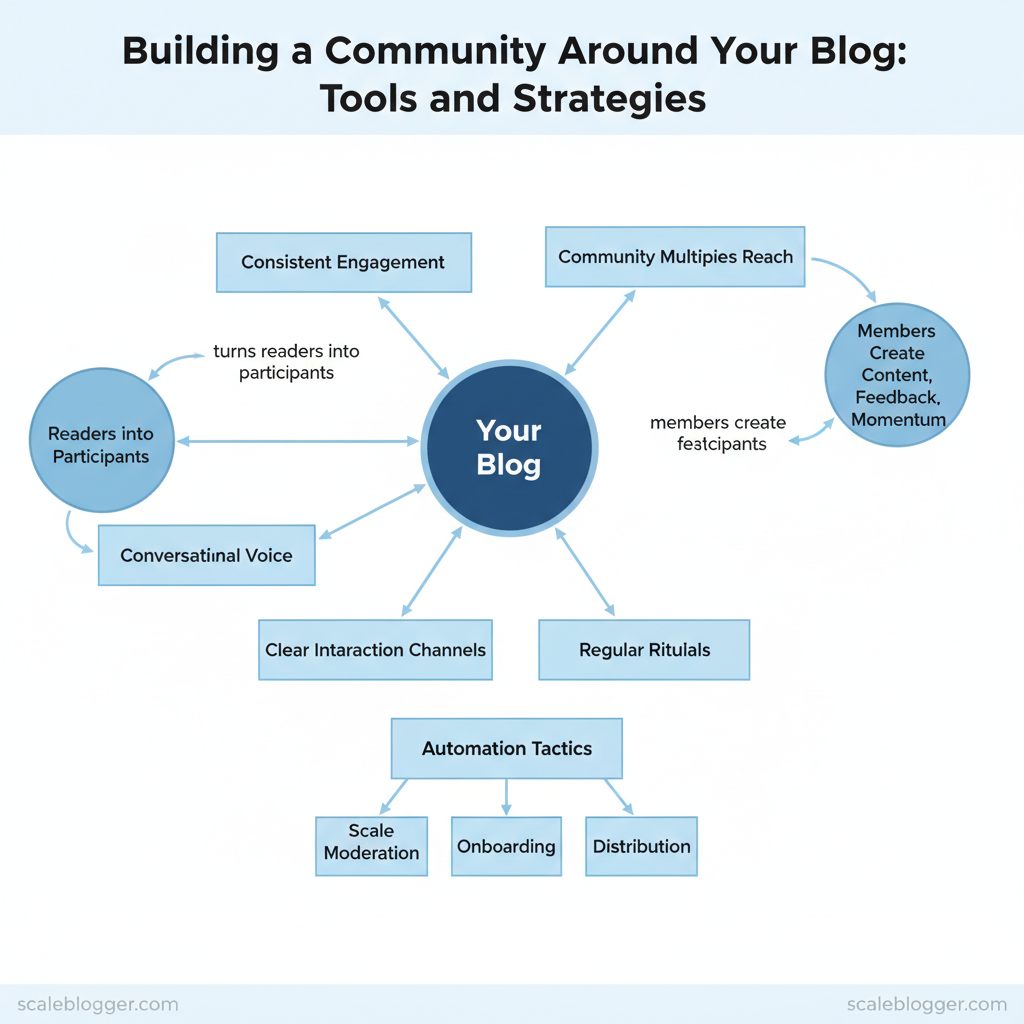
Communities don’t grow by accident; they form when a blog consistently turns readers into participants. Build the right engagement architecture and traffic converts into repeat visitors, referrals, and profitable relationships. Industry practitioners note that conversational voice, clear interaction channels, and regular rituals accelerate community formation.
Strong communities multiply a blog’s reach because members create content, feedback, and momentum that search and social alone cannot sustain.
- How to choose the right platform mix for comments, forums, and live events
- Simple rituals that encourage repeat visits and peer-to-peer interaction
- Automation tactics to scale moderation, onboarding, and content distribution
- Metrics that reveal true community health beyond pageviews
Automate your content & community workflows with Scaleblogger: https://scaleblogger.com
Define Your Community Purpose and Audience
Start by writing one sentence that answers: who this community serves and what change it delivers. A crisp mission aligns moderation, content, and member expectations, and it reduces churn by giving members a clear reason to stay engaged. Build that mission before you pick a platform or schedule your first event.
Build a Simple Audience Persona
| Field | Example 1 (Niche hobby) | Example 2 (B2B blog) | Why it matters |
|---|---|---|---|
| Name / Label | Weekend Fermenter | Growth Marketer Gary | Helps teams talk about a relatable human archetype |
| Core problem | Inconsistent fermentation results | Proving channel ROI quickly | Drives content topics and moderation priorities |
| Preferred content format | Short how-to videos, recipe cards | Case studies, templates, webinars | Guides format mix and distribution timing |
| Primary motivation | Improve hobby results, share discoveries | Reduce campaign time-to-value | Informs calls-to-action and community rewards |
| Validation method | Comment sentiment, recipe downloads, GA4 time-on-page | Newsletter A/B tests, demo requests, LinkedIn polls | Shows which signals indicate a true persona fit |
Troubleshooting: if members aren’t engaging, revisit the mission—too broad missions dilute activity. If personas don’t validate, run targeted outreach to top commenters and ask three focused questions. When implemented consistently, a clear mission plus validated personas make community growth predictable and reduce wasted editorial work.
Choose the Right Platform Mix
Prerequisites
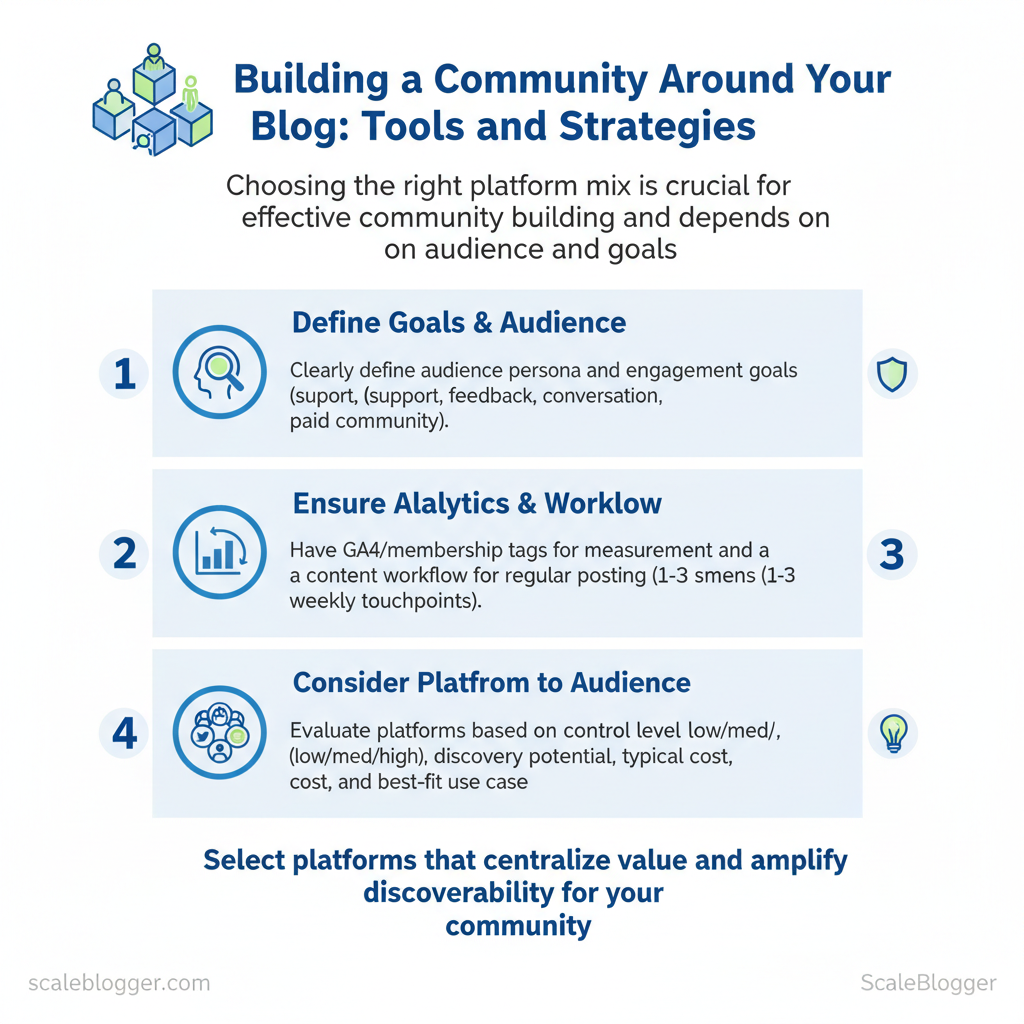
- Clear audience persona and engagement goals (support, feedback, conversation, paid community)
- Basic analytics in place (`GA4`, membership tags) to measure traffic and referrals
- Content workflow that can support moderation and regular posting (1–3 weekly touchpoints)
- CMS with membership capability (WordPress/Netlify/CMS of choice)
- Community hosting options (listed below)
- Scheduling and automation: `Zapier` / `Make` / Scaleblogger’s AI content pipeline for publishing cadence
Side-by-side comparison of community platforms to help readers choose
| Platform | Control (Low/Med/High) | Discovery potential | Typical cost | Best for |
|---|---|---|---|---|
| Discourse (self-hosted/hosted) | High | Medium (SEO-friendly) | $0 self-hosted; hosting from $100/mo | Long-form threaded discussion, searchable knowledge |
| Talkyard | High | Medium | Free self-hosted; hosted plans available (~$20–$50/mo typical) | Developer & technical communities |
| Native comments (CMS) | Medium | Low–Medium | Free to platform | Inline discussion tied to articles, low friction |
| Disqus | Low–Med | High (social discovery) | Free; paid tiers for publishers (~$11–$99/mo) | Broad reach, easy install |
| Commento | High | Low | From $12/mo hosted; open-source self-host | Privacy-focused blogs, minimal UI |
| Discord | Low | Medium | Free; Nitro optional ($9.99/mo) | Real-time chat, events, creator communities |
| Slack | Low | Low–Medium | Free; paid from $7.25/user/mo | Professional cohorts, paid cohorts with structured channels |
| Facebook Group | Low | High (algorithmic discovery) | Free | Mainstream audiences, viral sharing |
| Patreon | High (to creator content) | Medium | Platform fees 5–12% + payment fees | Monetized creator community and gated content |
| Circle | High | Low–Medium | From $39/mo | Cohorts, memberships, course-centered communities |
When to keep community on-site vs. use existing social platforms
Starter Platform Stacks (3 options)
Time estimates
- Initial setup: 1–2 days for social groups, 3–10 days for on-site forum configuration.
- First sustained momentum: 30–90 days with consistent seeding and events.
- Low discovery: syndicate top threads to social and repurpose as newsletter content.
- High moderation load: codify rules, appoint community moderators, use automation bots.
- Fragmented conversations: create canonical threads and weekly digests linking back to on-site resources.
Create Compelling Community-First Content
Prerequisites
- Content calendar (spreadsheet or project tool).
- Live event platform (Zoom/Discord Stage/YouTube).
- `Buffer` or scheduling automation for distribution.
- Setup: 4–8 hours. First 50-day calendar creation: 2–3 hours. Ongoing weekly execution: 3–6 hours.
| Content Format | Best Channel | Primary Engagement Metric | Example CTA |
|---|---|---|---|
| Weekly challenge | Discord/Telegram + Blog | Challenge submissions / hashtag uses | “Join Day 1: upload your draft with #Week1” |
| Case study + discussion thread | Blog + Forum thread | Comments / discussion depth | “Read the case → comment how you’d change step 2” |
| Template / worksheet | Email opt-in + Notion/GDoc | Downloads / reuse instances | “Download the template and paste your version here” |
| AMA / live Q&A | Zoom/YouTube Live + Slack recap | Live attendance / replay views | “Ask one question now — we’ll answer live” |
| Member spotlight | Newsletter + Instagram/Facebook | Profile clicks / referrals | “Nominate a member (link) for next week’s spotlight” |
Quick templates and repurposing
50-day content calendar (practical example)
Measure early signals of success: repeat attendance, downloads per user, comment-to-view ratio, and referral sign-ups. Adjust cadence if live attendance <10% of registrants — make events shorter or add incentives.
Understanding these patterns helps teams prioritize high-leverage formats and iterate faster without adding headcount. When community content is built around predictable rituals, creators can scale engagement through smarter reuse and automation.
Onboarding, Governance, and Community Operations
Start the relationship with a crisp, human-first seven-day experience that converts visitors into active contributors. A fast, clear onboarding flow reduces confusion and sets expectations; governance and automation then keep the community healthy and scalable.
Prerequisites Clear value proposition* for joining (exclusive content, networking, help) Defined channels* (forum categories, Slack/Discord channels)
- Measurement tools configured (`GA4`, native platform analytics, CRM tags)
- Complete profile — photo, bio, tags
- Join channels — minimum two interest channels
- First interaction — react, comment, or post
- Set notification preferences — reduce noise
- Optional — sign up for weekly digest
- Activation rate: % of new users completing checklist within 7 days
- Time-to-first-post: median hours to first contribution
- Retention week 1→4: % active at day 7 and day 30
- Track via CRM tags and platform events; automate milestone emails when users hit each step.
- Members — consume + contribute
- Moderators — enforce rules, escalate content, host AMAs
- Admins — policy, analytics, integrations
- Auto-welcome bots for messaging and `profile-completion` nudges
- Tagging users in CRM on trigger events (first post, premium signup)
- Auto-moderation filters for profanity, links, and duplicate posts
- Escalation workflows that route reports to human moderators
| Tool | Primary Function | Ease of Setup | Best for Community Size | Estimated Cost |
|---|---|---|---|---|
| Built-in platform moderation (Facebook Groups) | Native post review, membership controls | Easy (native) | Small → Medium | Free |
| Built-in platform moderation (Discourse) | Flagging, trust levels, review queues | Moderate (hosted or self-host) | Small → Large | Self-host free / Hosted from $100/mo |
| Discord + AutoMod (Discord native) | Keyword filters, auto-mute | Easy | Small → Medium | Free |
| MEE6 (Discord bot) | Auto-welcome, leveling, moderation | Easy | Small → Large | Free / Pro $11.95/mo |
| AutoMod (Reddit) | Rule enforcement, spam control | Moderate | Small → Large | Free |
| Zapier (automation) | CRM sync, onboarding workflows | Easy | Any | Free / Paid $19.99+/mo |
| HubSpot CRM (tagging) | User tags, lifecycle events, email | Moderate | Small → Enterprise | Free CRM / Paid from $50/mo |
| Mailchimp (email + tagging) | Welcome emails, segments | Easy | Small → Medium | Free / Paid from $13/mo |
| ManyChat (chat/onboard bot) | Messenger onboarding, flows | Easy | Small → Medium | Free / Pro $15+/mo |
| ModSquad (paid moderation) | Outsourced moderation teams | Complex (onboarding) | Medium → Enterprise | Custom pricing (typically $1,000+/mo) |
| Community Sift (AI moderation) | Toxicity scoring, risk filters | Moderate | Medium → Large | Custom pricing |
| Vanilla Forums (hosted) | Community platform + moderation | Moderate | Small → Large | Hosted from $689/mo (varies) |
Grow and Activate Membership
Start by treating membership growth as a content distribution and activation problem: attract the right readers with scalable channels, then convert and activate them with an automated, value-led onboarding sequence. Successful programs align high-signal content with low-friction conversion paths and a short, measurable activation window.
Prerequisites Defined membership value proposition* — list of exclusive benefits, pricing tiers, and expected member outcomes. Tracking and analytics* — `UTM` tracking, event tags, and a CRM or membership platform to capture conversions. Content calendar mapped to acquisition channels* — ninety-day plan linking posts to campaigns.
Tools and materials
- Analytics (GA4), email platform, membership software (or `Stripe` + gated content), community hosting (Slack/Discord), and an automation tool for sequences.
| Channel | Effort Level (Low/Med/High) | Typical Cost (per sign-up estimate) | Conversion Expectation | Best Use Case |
|---|---|---|---|---|
| Organic blog SEO | High | $0–$20 (content production amortized) | 1–3% on CTA from relevant posts | Evergreen discovery and long-term signups |
| Newsletter CTA | Medium | $0.50–$5 | 3–10% from engaged subscribers | Drive repeat engagement and paid upgrades |
| Social posts / groups | Medium | $0.50–$8 | 0.5–2% (organic) | Community seeding, event-driven spikes |
| Guest posts / partnerships | Medium | $1–$10 | 2–6% from matched audiences | Rapid credibility and targeted growth |
| Paid ads | Low (scalable) | $5–$50 | 0.2–1.5% depending on funnel | Fast, measurable acquisition and A/B testing |
Referral and Activation Campaigns
Practical example: use blog posts to seed high-intent CTAs (guides → gated checklist), promote that checklist in newsletters and partner roundups, then enroll new signups into the 14-day activation flow. According to community-building best practices, conversational content and dedicated community spaces increase engagement and referral velocity (ProBlogger guide to building community). When these pieces operate together, membership growth becomes predictable and activation accelerates retention. Understanding how to sequence content, incentives, and automation accelerates results without increasing manual work.
📥 Download: Community Building Checklist for Your Blog (PDF)
Measure, Iterate, and Monetize the Community
Begin by tracking a compact set of meaningful signals rather than trying to measure everything. Early-stage communities succeed when leaders instrument a few high-signal metrics, run short experiments, and iterate quickly on product and pricing. The following steps explain how to set up a lean dashboard, run ethical monetization pilots, and keep trust intact while generating revenue.
Prerequisites
- Access to platform analytics and Google Analytics or GA4
- A lightweight CRM or member list (CSV is fine)
- A short survey tool (Typeform, Google Forms)
- Basic A/B test capability (email segments or gated pages)
Tools / materials needed
- Platform analytics, Google Analytics, CRM, survey tools
- Spreadsheet or BI tool (Looker Studio, Tableau, or ScaleBlogger benchmarking if available)
- Pricing pilot templates and email copy
“Write in a conversational voice · Invite interaction” — practical guidance from the ProBlogger community playbook (ProBlogger).
Sample pricing tier structure and benefit mapping
Troubleshooting common issues
- Low activation: simplify onboarding steps and add a `welcome` task.
- Declining posts per user: seed discussion prompts and spotlight contributors.
- Monetization backlash: run a closed pilot and publish results and member quotes.
| Metric | Definition / Formula | Data Source | Target Range (early stage) |
|---|---|---|---|
| Activation rate | `# members completing onboarding / # new signups` | Platform analytics, GA4 | 40–60% |
| 7-day retention | `# active users day7 / # new users day0` | Platform analytics, GA4 | 20–35% |
| Posts per active user | `# posts in period / # active users in period` | Platform analytics | 0.3–1.0 posts/user/week |
| NPS / satisfaction | `NPS score` from survey (`%promoters – %detractors`) | Survey tools, CRM | +10 to +30 |
| Referral rate | `# new members from invites / # members` | CRM referral tracking, platform invites | 3–8% monthly |
Conclusion
A reliable engagement architecture turns sporadic traffic into a thriving community by combining consistent content, predictable distribution, and threaded participation opportunities. Sites that pair short-form triggers (social posts, email prompts) with a clear next step on the blog see higher repeat visits; teams that automate routine publishing and moderation free capacity for strategic outreach. Expect initial setup to take 2–4 weeks, then track metrics weekly. Common questions—“How fast will members respond?” and “What content formats work best?”—are answered by testing: start with weekly discussion prompts and a single gated resource, then double down on formats that generate comments and shares.
For a practical next step, map one repeatable workflow (publish → promote → prompt → follow up) and pilot it for 30 days. If execution or automation is the bottleneck, consider platforms that centralize content and community operations. Automate your content & community workflows with Scaleblogger provides templates, scheduling, and engagement automation to shorten the loop between publish and participation.
