

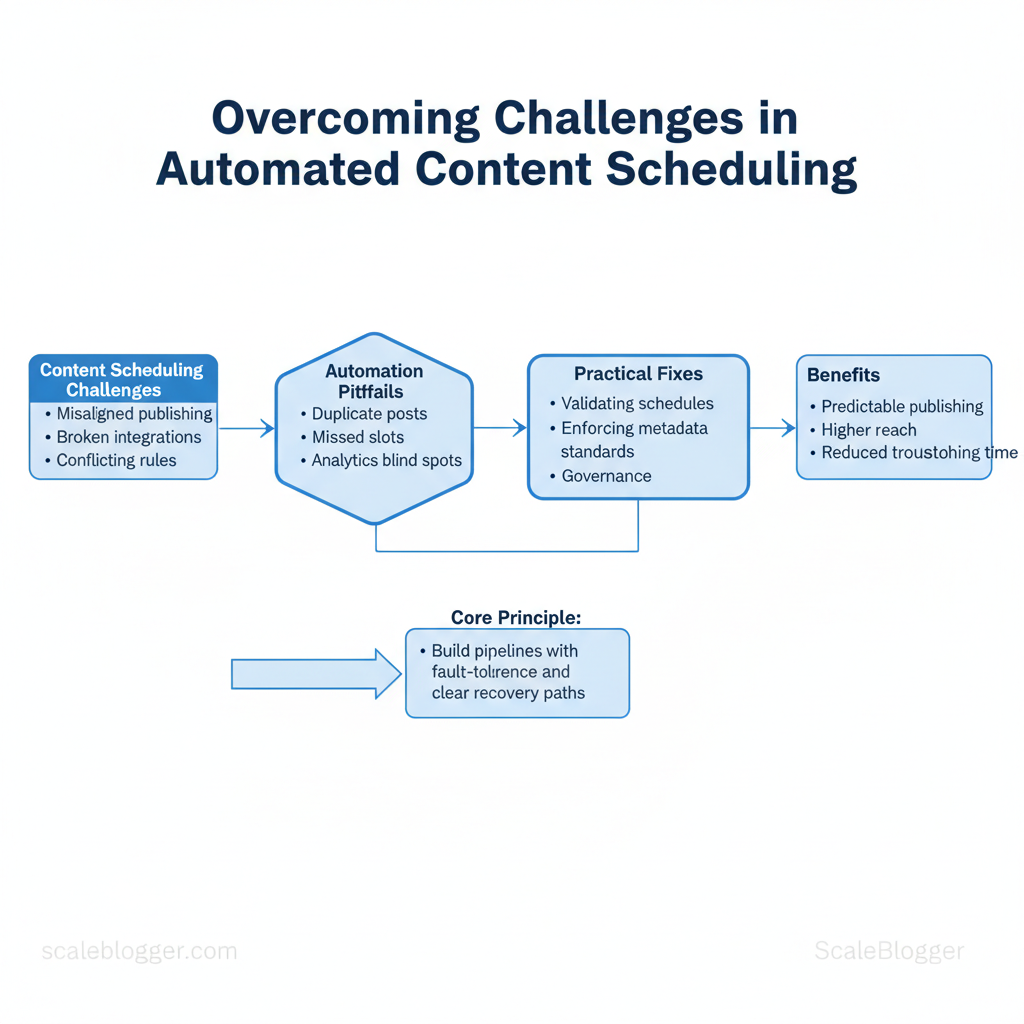
Marketing calendars fail not due to a lack of creativity, but because content scheduling challenges grow unnoticed. These include misaligned publishing times, broken integrations, and conflicting platform rules. Those issues turn automation from a time-saver into a maintenance headache, eroding trust in systems designed to scale.
Automation can still enable consistent publishing and greater reach, but only if pipelines are designed to withstand faults and have clear recovery steps. Practical fixes start with small, repeatable checks — from validating cron-style schedules to enforcing content metadata standards — and extend to governance that limits who can change routing rules. That mindset prevents common automation pitfalls such as duplicate posts, missed slots, and analytics blind spots.
Picture a content team that frees eight hours weekly by enforcing a single source of truth for assets, automated preflight checks, and a rollback rule for failed publishes. Troubleshooting then becomes routine instead of urgent, and performance gains compound.
- How to diagnose recurring scheduling failures quickly
- Configuration steps that prevent duplicate or missed publishes
- Recovery patterns for failed automated posts and rate-limit errors
- Governance rules to reduce human-induced automation breakage
Explore Scaleblogger’s content automation services: https://scaleblogger.com
Next, a step-by-step approach will show how to audit existing workflows and implement resilient scheduling patterns.
> Key Takeaway: ## What You’ll Need (Prerequisites)
Begin with the accounts, permissions, and basic skills needed to ensure smooth implementation. Get these items ready What You’ll Need (Prerequisites)
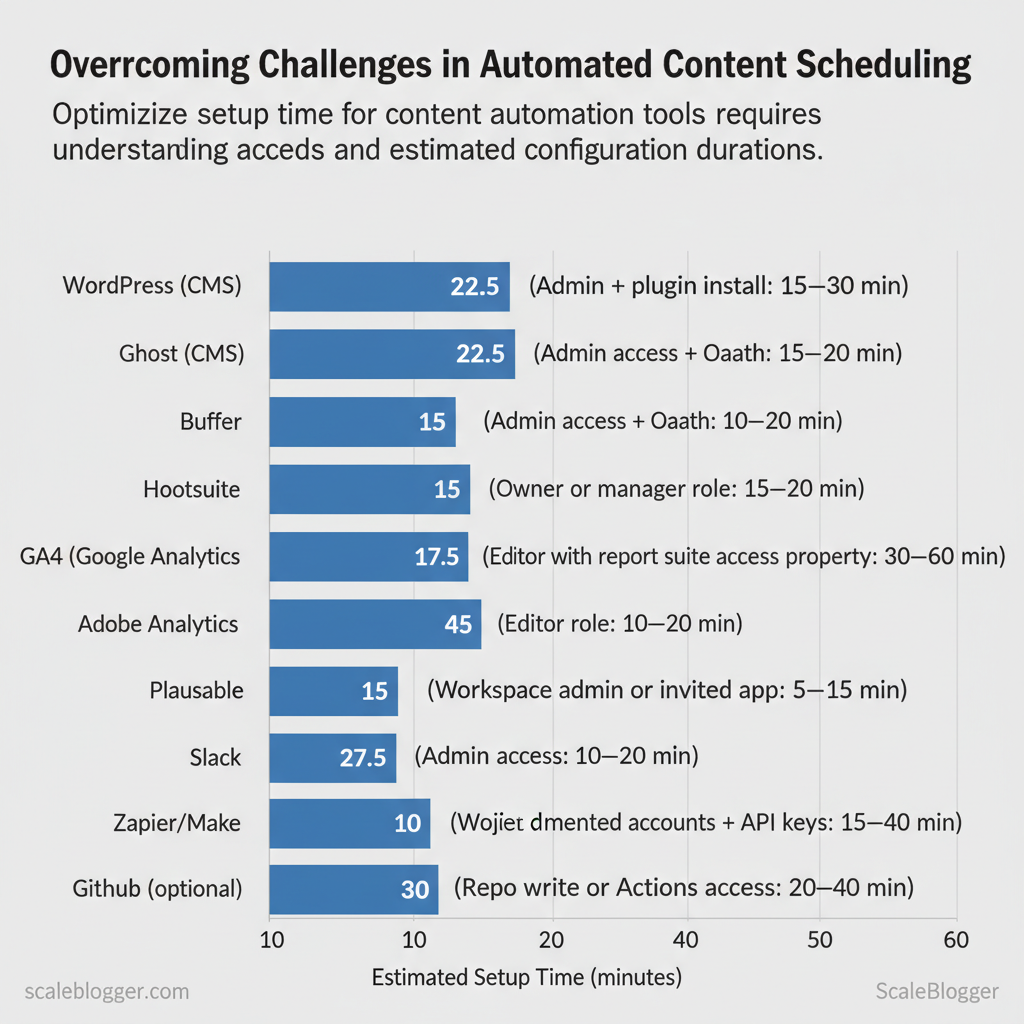
Begin with the accounts, permissions, and basic skills needed to ensure smooth implementation. Get these items ready before creating an automated content pipeline. This ensures handoffs, API calls, and scheduled publishing happen without delays. Core accounts and access Skills and time estimates CSV handling — export/import columns, encoding, and date formats (30–60 minutes). 3. Timezone awareness — scheduling across regions and DST handling (15–30 minutes). Quick checklist: Have admin credentials, a service account for automation, a staging site for test publishes, a social scheduler with RSS/publishing API, and a verified analytics property. Small setup delays usually come from permission requests and IT policy approvals — plan 1–3 business days for enterprise environments. Quick checklist mapping tools to required access and why each is needed (content scheduling prerequisites)
API keys and configure webhooks.
UTC vs local office time).
GET/POST, headers, and JSON (1–2 hours study). 2.
| Tool/Resource | Required Access/Permission | Why it’s needed | Estimated setup time |
|---|---|---|---|
| WordPress (CMS) | Admin + plugin install | Publish, SEO plugins, webhook endpoints | 15–30 min |
| Ghost (CMS) | Admin + API key | Server-side publishing, content API | 15–30 min |
| Buffer | Admin access + OAuth | Scheduled posts, RSS import, API | 10–20 min |
| Hootsuite | Owner or manager role | Multi-network publishing, team approvals | 15–30 min |
| Later | Editor role | Visual scheduling, Instagram support | 10–20 min |
| GA4 (Google Analytics) | Editor or Admin on property | Tracking, conversion events, UTM verification | 10–25 min |
| Adobe Analytics | User with report suite access | Enterprise tracking and segments | 30–60 min |
| Plausible | Admin access | Privacy-first analytics, simple events | 10–20 min |
| Slack | Workspace admin or invited app | Notifications, approvals, webhooks | 5–15 min |
| Asana | Project admin or member | Task flows, approvals, deadlines | 10–20 min |
| Zapier/Make (Integromat) | Connected accounts + API keys | Orchestration between CMS, scheduler, analytics | 15–40 min |
| GitHub (optional) | Repo write or Actions access | CI, content versioning, deployments | 20–40 min |
Understanding these prerequisites shortens deployment time and prevents last-minute permission holds. When configured correctly, the pipeline runs reliably and frees teams to iterate on content strategy rather than firefight integrations.
> Key Takeaway: ## Step 1 — Conduct a Scheduling Audit
Start by verifying what you think is scheduled matches what will actually publish. A scheduling audit reveals inconsistencies that slowly harm traffic, such as missed posts, time-zone shifts, duplicate…
Step 1 — Conduct a Scheduling Audit
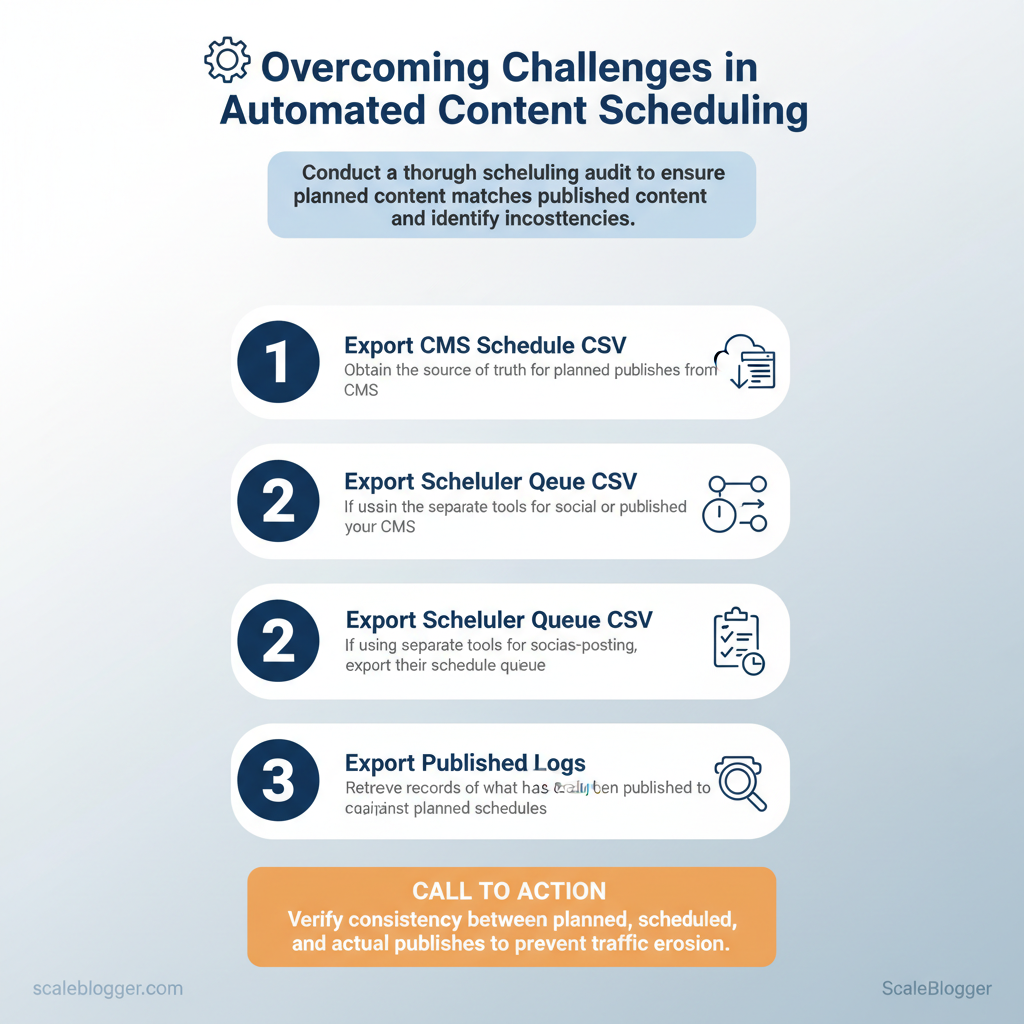
Start by verifying what you think is scheduled matches what will actually publish. A scheduling audit reveals inconsistencies that slowly harm traffic, such as missed posts, time-zone shifts, duplicate posts, and mismatches between the scheduler and CMS. The goal is a deterministic map from planned item → scheduled date/time → actual publish record.
What to export and why
- Export the CMS schedule CSV (or built-in schedule report). This is the source of truth for planned publishes.
- Export scheduler queue CSV (if different from CMS) — many teams use separate tools for social or cross-posting.
- Export published logs from the CMS activity log or analytics platform (filter by content type and date range).
- Pull webhook and publishing job logs if available (useful when background jobs fail silently).
What this looks like in practice:
- Planned schedule: columns include
post_id,slug,planned_publish_datetime,author. - Scheduler queue: columns include
job_id,target_platform,scheduled_time,status. - Published log: columns include
post_id,slug,actual_publish_datetime,status_code.
Run the comparison (step-by-step)
- Normalize timestamps to UTC: convert
planned_publish_datetimeandactual_publish_datetimeintoUTCusingISO 8601format. - Join datasets on
post_idorslug. UseLEFT JOINto surface missing published records. - Create mismatch flags:
time_diff = actual_publish_datetime - planned_publish_datetimemissing_published = actual_publish_datetime IS NULLduplicate_publish = count(actual_publish_datetime) > 1- Export a review CSV with
post_id, slug, planned, actual, time_diff_minutes, mismatch_reason.
sql
-- simple example: find planned vs actual drift SELECT s.post_id, s.slug, s.planned_publish_datetime AT TIME ZONE 'UTC' AS planned_utc, p.actual_publish_datetime AT TIME ZONE 'UTC' AS actual_utc, EXTRACT(EPOCH FROM (p.actual_publish_datetime - s.planned_publish_datetime))/60 AS time_diff_minutes FROM schedule s LEFT JOIN published_log p USING (post_id);
Common error patterns to log
- Time zone drift: scheduled in local time but published in UTC → consistent offset.
- Duplicates: retry logic creating multiple publishes.
- Missing posts: failed jobs or content approvals blocking publish.
Track recurring patterns for 30–90 days and prioritize fixes by frequency and traffic impact. When implemented correctly, this approach reduces manual checks and prevents predictable publishing failures. Understanding these mechanics helps teams keep cadence consistent and frees creators to focus on content quality.
> Key Takeaway: ## Step 2 — Identify Common Automation Pitfalls
Begin by checking logs and user experience patterns for recurring failures. The best diagnostics link a specific symptom to one clear, testable check.
Step 2 — Identify Common Automation Pitfalls
Begin by checking logs and user experience patterns for recurring failures. The best diagnostics link a specific symptom to one clear, testable check. Practical troubleshooting reduces mean time to repair and prevents recurring incidents by fixing root causes rather than symptoms.
Common pitfalls typically surface as timing errors, rate-limit responses, duplicate actions, webhook delivery failures, and metadata mismatches. Each has distinct signals in scheduler, API, and webhook dashboards that point to the corrective action. Below are the fastest checks to run when an automation behaves unexpectedly, plus short examples you can run immediately.
Quick checks to run first
- Server vs scheduler time: compare
dateon the server and the scheduler UI timestamps. HTTP 429 / 5xx errors: inspect API response codes and rate-limit headers. Repeated event IDs: examine webhook payloadevent_idor timestamp fields.
- Delivery logs: check webhook delivery success/failure counts and last failed payload. Content metadata: validate
slug,publishflag, and taxonomy fields in the content JSON.
- Reproduce the failure in a staging environment using the same timezone, API key, and payload.
- Capture the minimal failing payload and run it against vendor APIs to isolate HTTP responses.
- Apply a temporary workaround (retry/backoff or queueing) while you deploy a permanent fix.
Side-by-side listing of pitfall, symptoms, diagnostic check, and quick fix (automation pitfalls troubleshooting)
| Pitfall | Symptoms in logs/UX | Immediate Diagnostic | Quick Fix / Workaround |
|---|---|---|---|
| Time zone mismatch | Posts scheduled at odd hours; timestamps off | Compare server date vs scheduler UI; check DB created_at |
Set scheduler to UTC or align server TZ; migrate timestamps |
| API rate limits | HTTP 429 responses; delayed processing | Inspect API headers Retry-After; count 429s per minute |
Implement exponential backoff + queue; throttle clients |
| Duplicate triggers | Duplicate posts; repeated webhook deliveries | Check webhook event_id and delivery counts |
Deduplicate by event_id; add idempotency keys |
| Webhook failures | 500/timeout entries; missed actions | Review webhook delivery logs and last failed payload | Retry failed payloads; increase timeout; add retries |
| Metadata mismatches | Wrong slug/taxonomy; unpublished content | Validate content JSON fields (slug,publish_flag) |
Validate schema on ingest; reject malformed payloads |
If an integrated pipeline is needed to automate these checks and standardize diagnostics, consider an AI-enabled content pipeline to surface anomalies and suggest fixes—Scale your content workflow with tools designed for this exact problem at https://scaleblogger.com. Understanding these principles helps teams move faster without sacrificing quality.
Step 3 — Step-by-Step Fixes (Numbered Actions)
Start by treating the scheduling layer like a transactional system: make reversible changes, verify each step, and only widen the blast radius once validation passes. Below are precise, numbered actions to restore reliable scheduling after automation failures, with time estimates, expected outcomes, and troubleshooting notes so teams can act confidently.
Prerequisites
- Access: Admin API keys, CI/CD access, scheduler UI credentials.
- Tools:
curlor Postman for webhooks, log aggregator (ELK/Datadog), spreadsheet for reconciliation. - Time estimate: 60–180 minutes for triage and safe rollback; additional 2–6 hours for full reconciliation depending on scale.
- Pause or disable the problematic automation (10–20 minutes).
- Action: Disable the specific automation rule or job in the scheduler UI or feature flag.
- Expected outcome: New automated triggers stop; queued jobs remain intact.
- Tip: Use a maintenance flag so other systems detect the paused state; avoid disabling broad platform pipelines.
- Normalize timezones and re-calculate publish timestamps (20–40 minutes)
- Action: Convert all scheduled timestamps to
UTCand recalculate intended publish times using a canonicaltzfield (useISO 8601like2025-12-01T14:00:00Z). - Expected outcome: Consistent publish times across systems; reduces DST and locale drift.
- Tip: When you find mixed timezones, create a short script to convert and preview 10 sample items before mass update.
- Deduplicate and reconcile scheduled items (30–90 minutes)
- Action: Export scheduled entries, sort by
slug+publish_timestamp, mark duplicates, and decide keep/merge rules. - Expected outcome: Single source of truth for each content piece; avoids double publishes.
- Tip: Use content hashes or
content_idto reconcile near-duplicates; where ambiguity exists, queue for manual review.
- Rotate/reconfigure API keys and verify webhook deliveries (20–40 minutes)
- Action: Rotate compromised or old API keys; update consumers and regenerate webhook secrets. Send a
testpayload to each endpoint and confirm 2xx responses. - Expected outcome: Secured integrations and confirmed webhook delivery paths.
- Code sample:
bash
curl -X POST https://example.com/webhook -H "Authorization: Bearer NEW_KEY" -d '{"test":"ping"}'- Tip: Log the
X-Request-IDand response body to correlate failures.
- Perform a controlled re-deployment of schedules and validate outcomes (30–120 minutes)
- Action: Re-enable automation for a small subset (5–10 posts), monitor logs, delivery metrics, and UI scheduling state.
- Expected outcome: Verified safe behavior at scale; confidence to re-enable broader pipelines.
- Troubleshoot: If errors recur, rollback to paused state and inspect transport logs and rate limits.
- Post-mortem and hardening (variable)
- Action: Document root cause, add alerts for scheduling anomalies, and automate canary deployments for future changes.
- Expected outcome: Reduced recurrence risk and faster mitigation next time.
Suggested assets: reconciliation checklist, canary deployment playbook, webhook test script. For teams looking to automate this end-to-end, tools like AI content automation platforms can accelerate reconciliation while preserving controls. Understanding these principles helps teams restore reliable publishing quickly and prevents the same failure modes from repeating.
Step 4 — Re-run and Validate (Monitoring & QA)
Run a short, controlled re-run and validate every change before scaling. Start small, watch systems and content closely for 72 hours, and treat this window as the highest-sensitivity period for delivery, SEO impact, and user experience.
Prerequisites and tools
- Prerequisite: A reproducible test batch (5–20 posts or pages) that mirrors production metadata and media.
- Tools: log aggregation (e.g.,
ELK-style), uptime/alerting (PagerDuty or similar), synthetic monitoring (transaction checks), and a lightweight QA dashboard. - Optional: Use an AI content scoring tool or the Scaleblogger.com platform to benchmark content quality and SEO signals.
Step-by-step re-run and validation (time estimate: 1–4 hours setup, 72 hours monitoring)
- Prepare test batch: export a set of drafts that include varied templates, images, and canonical rules. 2.
Execute re-run: publish the batch through the pipeline to a staging or production-similar environment. 3. Verify immediate delivery: check publishing logs, CDN caches, and CMS status within the first 30–60 minutes.
- Validate content integrity:
- Images: confirm resolution and
srcsetdelivery. Links: run a link-check sweep for 200 responses.
- Metadata: confirm title, description, canonical, and structured data presence. 5. Enable temporary alerts: set short-lived thresholds for errors and anomalies (see example below).
- Observe behavioral metrics for 72 hours: organic impressions, crawl errors, page load times, and bounce rate changes.
Validation checklist (use for each batch)
- Test publish completed: logs show no retries and zero 5xx errors. CDN cache hit rate: acceptable range >70% within 24 hours. Structured data present: schema validates with no warnings.
- Internal links resolved: no broken internal breadcrumbs. Image assets served: correct
Content-Typeand sizing.
Example alert rules
yaml - name: PublishErrors
condition: errors > 0 for 5m notify: ops-team - name: CrawlAnomaly
condition: crawl_errors > 10% in 24h notify: seo-teamTroubleshooting tips
- If images fail, recheck origin path and CDN invalidation timing.
- If crawl errors spike, temporarily pause rate-heavy processes and review robots rules.
Monitor for at least 72 hours using the checklist and alerts above; refine thresholds after two successful runs. When implemented, this routine stops small regressions from becoming high-cost incidents and lets teams iterate confidently. Understanding these guardrails helps teams move faster without sacrificing quality.
Step 5 — Hardening Automation: Best Practices & Architecture
Reliable scheduling is built on predictable idempotency, resilient retries, clear environment separation, and rich observability. Start by treating scheduling events as first-class, immutable entities with event_ids and deterministic handlers; combine that with exponential backoff on transient failures, strict separation between staging and production schedules, and structured logs + tracing so SLAs are enforceable and measurable.
Design patterns and policies (prerequisites)
- Required: unique event IDs, durable message store, retries with jitter, role-based access controls, structured logging pipeline.
- Tools: job queue (e.g.,
RabbitMQ,SQS), distributed tracing (OpenTelemetry), central logging (ELK/Datadog), secrets manager. - Time estimate: 2–6 weeks for a basic hardened pipeline; 8–12 weeks for enterprise-grade RBAC and full observability.
- Implement idempotency and deduplication
- Generate a unique event ID per scheduling action (content publish, social push).
- Persist event record to a durable store before executing the job.
- Have consumer check
event_idand short-circuit if processed.
- Add retry and backoff policies
- Use exponential backoff with capped retries and randomized jitter.
- Classify errors: transient vs permanent; only retry transient.
- Move failures beyond the retry budget to a dead-letter queue for manual review.
- Separate staging and production schedules
- Maintain distinct schedules, credentials, and feature flags.
- Mirror cadence and traffic but enforce separate quota limits.
- Observability and SLA alerts
- Emit structured logs (
JSON) withevent_id,job_type,latency_ms. - Trace end-to-end with
trace_id; alert on missed SLAs or growing retry rates.
Code example — simple backoff policy (Python pseudocode)
python def retry_with_backoff(func, retries=5, base=0.5, cap=30): for attempt in range(retries): try: return func() except TransientError: wait = min(cap, base * (2 ** attempt)) (1 + random()) time.sleep(wait) raise PermanentFailure("Exceeded retries")Architectural patterns for reliability, effort to implement, and expected benefit
| Pattern | What it prevents | Implementation effort | Estimated benefit |
|---|---|---|---|
| Idempotency / unique IDs | Duplicate executions, double publishes | Low (write-once check + DB unique index) | Very high — prevents data duplication |
| Exponential backoff | Cascade failures from transient API errors | Low–Medium (lib + error classification) | High — reduces retries during outages |
| Staging/production separation | Accidental production changes from tests | Medium (envs, feature flags, separate creds) | High — safe testing and rollout |
| Observability & structured logs | Silent failures and long MTTR | Medium–High (tracing + log pipeline) | Very high — fast detection + SLA tracking |
| RBAC for automation | Unauthorized or runaway automation actions | High (policy, auditing, admin workflow) | High — prevents privilege escalation |
Troubleshooting tips
- If duplicate jobs still occur, check clock skew and ensure DB unique constraints.
- If retries spike, inspect upstream API circuit-breakers — reduce parallelism temporarily.
- If observability shows gaps, add
trace_idto every log line and instrument consumer libraries.
Consider integrating an automated content pipeline like Scaleblogger.com to offload scheduling orchestration and observability standardization for content teams. When implemented correctly, these controls let teams scale publishing cadence with low operational risk and predictable SLAs.
Step 6 — Troubleshooting Common Issues
When an automated publish fails or behaves unexpectedly, start by matching the visible symptom to a short diagnostic path and an immediate workaround, then collect evidence for a permanent fix or vendor escalation. Rapid, repeatable checks save hours: check the scheduler state, examine CMS activity logs, validate webhook deliveries, and confirm asset availability before changing configuration or code. Below are concrete workflows, log queries, and escalation criteria that teams use to restore service quickly and prevent recurrence.
Quick workflows and common fixes
- Run the scheduler status and job queue check; if jobs are stuck, restart the worker process, then monitor for re-queues. 2.
Query the CMS activity log for the publish event (grep or jq examples below) to confirm receipt and internal acceptance. 3. Inspect webhook delivery reports and response codes; resend failed webhooks where possible.
- Ensure media URLs resolve and permissions allow serving; repoint CDN entries if missing.
Log snippets and exact diagnostics
- Search for publish attempts:
grep "publish" /var/log/cms/activity.log | tail -n 50 - Filter by content ID:
jq 'select(.content_id=="12345")' /var/log/cms/activity.json - Webhook failures:
grep "webhook" /var/log/integration/webhooks.log | grep "timeout"
Example log snippet:
json {"timestamp":"2025-11-30T10:12:05Z","event":"publish_attempt","content_id":"12345","status":"failed","error":"504 gateway timeout"}When to escalate and what to provide
- Escalate after repeat failures: escalate to vendor if the same failure occurs for >30 minutes or after 3 automated retries.
- Required evidence for vendor support: include exact log snippets, scheduler job IDs, webhook delivery IDs, timestamps, and a brief reproduction path.
- Priority escalation: attach CSV of related events and the output of
systemctl status scheduler.serviceor equivalent.
Structured list of issue, likely root cause, quick diagnostic command, and escalation threshold
| Issue | Likely Root Cause | Quick Diagnostic | Escalation Threshold | |
|---|---|---|---|---|
| Post not publishing | Scheduler worker crashed | systemctl status scheduler.service |
>30 min or 3 retries | |
| Duplicate publishes | Retry logic misfire | `grep “publish” /var/log/cms/activity.log | wc -l` | >2 duplicates/user complaint |
| Wrong publish time (TZ) | Timezone config mismatch | date -u vs CMS timezone setting |
Any production mismatch >1 hour | |
| Missing media/assets | CDN purge or permission | curl -I https://cdn.example.com/media/123 |
Asset 404 for >10 minutes | |
| Webhook timeouts | Downstream endpoint slow | grep "504" /var/log/integration/webhooks.log |
>3 timeouts per hour |
When diagnosing, document each step and keep reproducible artifacts. For repeat or complex failures, consider enhancing observability and using automated rollbacks; tools that automate publishing and monitoring, such as services to Scale your content workflow (https://scaleblogger.com), reduce firefighting and let teams focus on content quality. Understanding these routines accelerates recovery and prevents the same incident from reappearing.
📥 Download: Automated Content Scheduling Checklist (PDF)
Step 7 — Tips for Success & Pro Tips
Start small and instrument everything: publish in controlled batches, track each action with a unique identifier, and run short audits frequently so problems are caught before they scale. These operational habits turn brittle content pipelines into predictable systems that teams can scale without firefights.
Prerequisites
- Access control: Ensure CI/CD and publishing credentials are stored in a secrets manager.
- Observability: Logging and a lightweight dashboard for scheduled posts must exist.
- Versioning: Templates and content schemas should be in source control.
, GitHub Actions, cron). Logging store: central logs with searchable fields. Runbook: a short incident playbook stored with your repo.
com can integrate this step as part of AI content automation).
Operational checklist (3–6 minutes each run)
- Stagger publishes: schedule smaller batches across hours/days to avoid traffic or API rate spikes — estimate: 10–30 items per window depending on endpoints. 2.
Use unique event IDs: attach a event_id to each publish request so retries are traceable. 3. Idempotent writes: design publish endpoints to accept event_id and treat duplicates as no-ops.
- Weekly sprint audits: run a 20–30 minute sweep for failed publishes, duplicate slugs, or unexpected redirects. 5.
Lightweight runbook: maintain a one-page runbook with rollback steps and how-to for the most common 3 incidents.
Practical examples and templates
- Example — stagger schedule: publish 25 posts at 09:00, 25 at 12:00, 25 at 15:00 to avoid rate-limiting windows.
- Example — idempotency header: include
Idempotency-Key:with each POST so the endpoint ignores repeat requests.
Runbook snippet text Incident: duplicate-slug detected
- Abort remaining batch. 2.
Search logs for event_id. 3. Reconcile slug source (template vs.
title). 4. Requeue corrected items with new event_id.
- Notify on #publishing with incident summary.
Troubleshooting tips
- If rate-limited: back off exponentially and widen publish windows.
- If partial failures occur: use
event_idto resume without duplication. - If content drift appears: snapshot rendered HTML and diff against previous publish.
Suggested assets to build: publish cadence table, one-page runbook, and a content scoring checklist that feeds back into scheduling decisions. Implementing these practices reduces manual firefighting and keeps the pipeline predictable—when teams adopt idempotent writes and regular audits, scaling becomes operationally safe and repeatable.
Appendix: Scripts, Checklists, and Templates
Templates that you can reuse and copy-paste make it easier to execute tasks and reduce decision-making friction during routine operations and incidents. Below are practical scripts and templates designed for scheduling automation, monitoring health checks, CSV diffing for content imports, incident management, and vendor escalation — each ready to drop into pipelines or adapt to internal tooling.
What’s included and why it matters
- Health check script — quick availability and dependency probe to run as a scheduled job. CSV diff template — exact column names to export from CMS or data feeds so imports remain consistent. Incident runbook — fields and a reproducible structure to triage and execute remediation.
- Vendor escalation email — timestamped template that captures logs and next steps for faster external resolution. Monitoring alert presets — suggested thresholds and messages to reduce alert fatigue.
Health-check script (pseudo-shell)
bash #!/bin/bash health-check.sh — checks key endpoints and DB connection
URLS=("https://example.com/health" "https://api.example.com/status") DB_CONN="user:pass@tcp(db.example.com:3306)/appdb" for u in "${URLS[@]}"; do status=$(curl -s -o /dev/null -w "%{http_code}" "$u") echo "$(date -u +%FT%TZ) CHECK $u -> $status" if [ "$status" -ne 200 ]; then echo "ALERT: $u returned $status" | mail -s "Health-check alert" [email protected] fi done simple DB check
mysqladmin ping -h "$(echo $DB_CONN | cut -d'@' -f2 | cut -d':' -f1)" >/dev/null 2>&1 || echo "ALERT: DB unreachable"CSV diff template (exact columns to export)
- Required columns:
id,slug,title,status,published_at,author_id,word_count,category,tags,canonical_url - Use case: Detect additions/updates before bulk import with
csvdiffor Python script - Implementation time: 1–2 hours to wire into exporter
Incident runbook fields (copy/paste)
- Owner: name, contact (
pager/email) - Impact: affected systems, user-visible symptoms
Detection time: timestamp UTC
- Mitigation steps: bulleted short-term fixes
- Rollback steps: explicit commands or playbook
Vendor escalation template (email with log snippet)
Subject: URGENT: Service outage impacting [service] — Escalation needed

Time (UTC): 2025-11-30T14:12:03Z Impact: Production API 5xx errors, 40% traffic fail rate Logs (snippet): [2025-11-30T14:11:59Z] ERROR api.request id=abc123 status=502 backend=svc-xyz latency=120ms Requested action: Please investigate backend load balancing between nodes A/B and provide ETA within 60 minutes. Contact: [email protected], +1-555-0100
Catalog of included templates/scripts and intended use
| Artifact | Format | Use Case | Estimated Time to Implement |
|---|---|---|---|
| Health-check script | bash |
Scheduled uptime and dependency checks | 1 hour |
| CSV diff template | CSV (columns listed) |
Pre-import validation / content sync | 1–2 hours |
| Incident runbook | Markdown |
Standardized incident response and ownership | 30–60 minutes |
| Vendor escalation email | Plain text |
Fast escalation with timestamps & logs | 15 minutes |
| Monitoring alert presets | YAML |
Alert rules for Prometheus/Datadog | 1–2 hours |
Understanding these patterns helps teams move faster without sacrificing quality. When implemented correctly, this approach reduces overhead and keeps decision-making close to the team.
Conclusion
Fixing a collapsing marketing calendar starts with three practical moves: audit the publishing rules, map every integration point, and automate the routing that causes the most missed windows. Teams that replace manual handoffs with rule-based workflows typically cut missed publishes and editorial churn within a single quarter — for example, a content team that automated asset approvals and scheduling eliminated late posts tied to calendar conflicts. Ask whether the effort will pay off: if your team spends more time reconciling calendars than creating headlines, prioritize automation of approval and scheduling steps first.
If the question is how to begin, run a two-week experiment that captures where delays occur, then codify those steps into a reusable playbook.
Move from insight to action by setting a 30–60 day plan: identify the three highest-friction processes, define the success metric (missed publishes per month), and deploy a lightweight automation or rule to resolve one choke point. For teams looking to scale this approach, tools and services that centralize scheduling and content rules save time and reduce errors — to evaluation, consider Explore Scaleblogger’s content automation services as one practical resource. Start with a short audit, automate the biggest bottleneck, and measure impact — that sequence turns calendar chaos into a predictable publishing engine.
