

Too much content fails if even one audience segment can’t access it. Organizations invest in videos, interactive graphics, and long articles but lose reach because they ignore real-world accessibility needs in design and distribution. This gap costs engagement, distorts measurement, and damages brand trust.
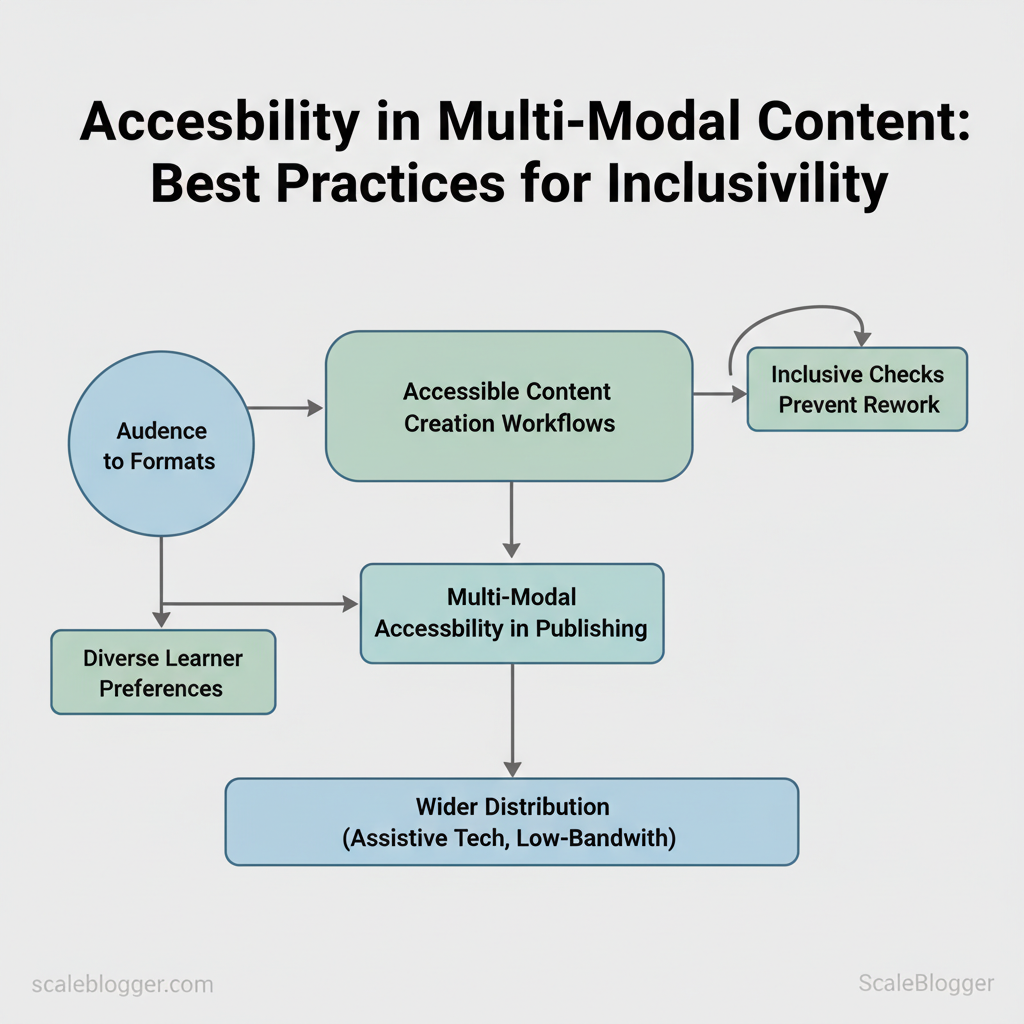
Early wins come from practical changes: prioritize accessible content creation workflows, map audiences to formats, and bake multi-modal accessibility into publishing pipelines. A clear set of inclusive checks prevents rework and unlocks wider distribution across assistive tech, low-bandwidth situations, and diverse learner preferences. Research shows that teams who see accessibility as a key part of publishing avoid last-minute fixes and achieve broader business goals more quickly.
Picture a marketing team that repurposes the same script into captioned video, a summarized article, and an interactive transcript — engagement climbs while production time drops. That kind of inclusive content strategies thinking scales when paired with automation.
- How to apply accessibility checkpoints across audio, video, and text
- Practical checks that reduce remediation time and legal exposure
- Workflow patterns that enable consistent multi-modal accessibility at scale
- Tools and metrics to measure inclusive reach and engagement
Learn how Scaleblogger automates accessible content workflows at https://scaleblogger.com. The next section lays out a step-by-step process for integrating accessibility into every content stage, with time estimates and troubleshooting tips.
> Key Takeaway: ## What You’ll Need / Prerequisites
Begin with a clear set of tools, skills, and permissions. This way, your content teams can produce accessible, search-optimized posts without any last-minute hurdles.
What You’ll Need / Prerequisites
Begin with a clear set of tools, skills, and permissions. This way, your content teams can produce accessible, search-optimized posts without any last-minute hurdles. For accessible content workflows, technical checks (captions, color contrast, screen-reader testing) and editorial skills (writing descriptive alt text, using semantic HTML) are both non-negotiable. Below are concrete prerequisites and how to get each one in place.
- Technical stack and software
- Content management system (CMS): Ability to install plugins or request IT deploys (WordPress, Contentful, Ghost).
- Captioning & transcription tools: Access to YouTube auto-captions, Otter.ai or Descript for fast transcripts.
- Accessibility testing tools: Browser extensions like
axe DevTools, color contrast utilities, and screen-reader installs (NVDA on Windows, VoiceOver on macOS). - Media editing tools: Basic image editor that preserves metadata and supports exporting
WebP/JPEG.
- Skills and editorial standards
- Writing alt text: Team members must know how to write concise, descriptive alt text (≤125 characters) and when to use
aria-hidden. - Semantic markup: Editors need familiarity with
h1–h6,figure/figcaption, andaria-labelpatterns. - Caption quality control: Reviewers should verify speaker attribution and timestamps in captions for SEO and usability.
- Color awareness: Writers and designers must check contrast ratios (WCAG AA minimum 4.5:1 for normal text).
- Organizational approvals and permissions
- Plugin installation sign-off: Request from IT or platform owner to add accessibility plugins.
- Budget approval: Typical paid tools require $8–$20/user/mo for transcription; include this in the quarterly budget request.
- Editorial policy update: Approve an accessibility checklist and include it in publishing SOPs.
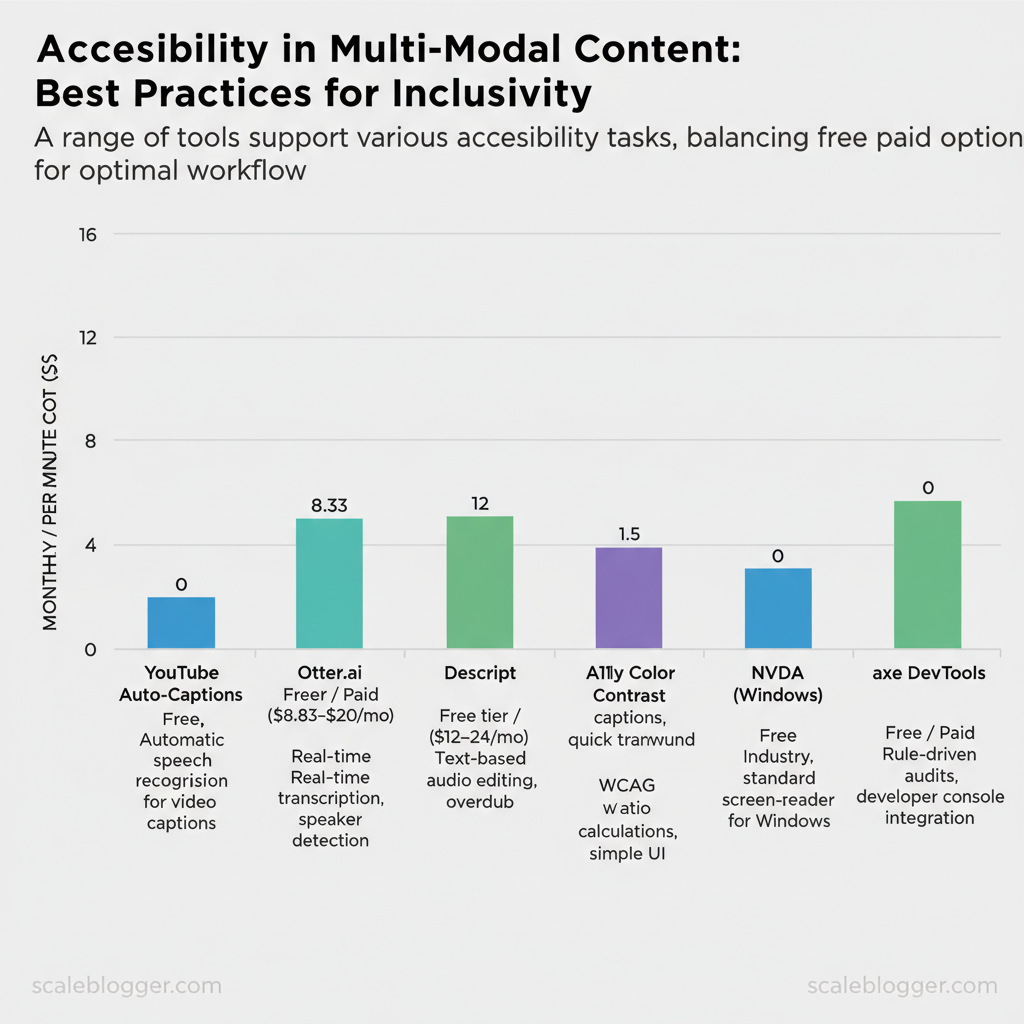
Recommended tools across the common accessibility tasks are summarized below.
Recommended tools across purpose (captions, transcripts, image alt text, color checking, screen-reader testing)
| Tool | Purpose | Free/Paid | Key feature |
|---|---|---|---|
| YouTube Auto-Captions | Auto-generate video captions | Free | Automatic speech recognition for uploaded videos |
| Otter.ai | Meeting/transcript generation | Free tier / Paid ($8.33–$20/mo) | Real-time transcription, speaker detection |
| Descript | Transcription + audio editing | Free tier / Paid ($12–$24/mo) | Text-based audio editing, overdub |
| Rev | Human transcription & captions | Paid ($1.50/min for captions) | 99% accuracy human captions, quick turnaround |
| A11y Color Contrast Checker | Color contrast testing | Free | WCAG ratio calculations, simple UI |
| Colour Contrast Analyser | Desktop contrast tool | Free / Donation | Pixel sampling and ratio reporting |
| NVDA (Windows) | Screen-reader testing | Free | Industry-standard screen-reader for Windows |
| VoiceOver (macOS/iOS) | Screen-reader testing | Free (built-in) | System-level screen reader, mobile testing |
| WP Accessibility | CMS accessibility fixes (WordPress) | Free / Premium | Adds alt text helpers, skip links, role support |
| axe DevTools | Automated accessibility audits | Free / Paid | Rule-driven audits, developer console integration |
Understanding and provisioning these items up front removes bottlenecks during production and makes accessibility a routine part of publishing rather than an afterthought. When the team has the right tools, permissions, and basic skills in place, content moves faster and reaches more users without extra rework — and platforms like Scaleblogger can integrate into that workflow to automate repetitive steps.
> Key Takeaway: ## Step-by-step Implementation: Planning Multi-Modal Accessible Content
Begin by treating accessibility as an important planning step, not an afterthought. Use automated scanning to find surface issues, then validate with hands-on checks (screen…
Step-by-step Implementation: Planning Multi-Modal Accessible Content
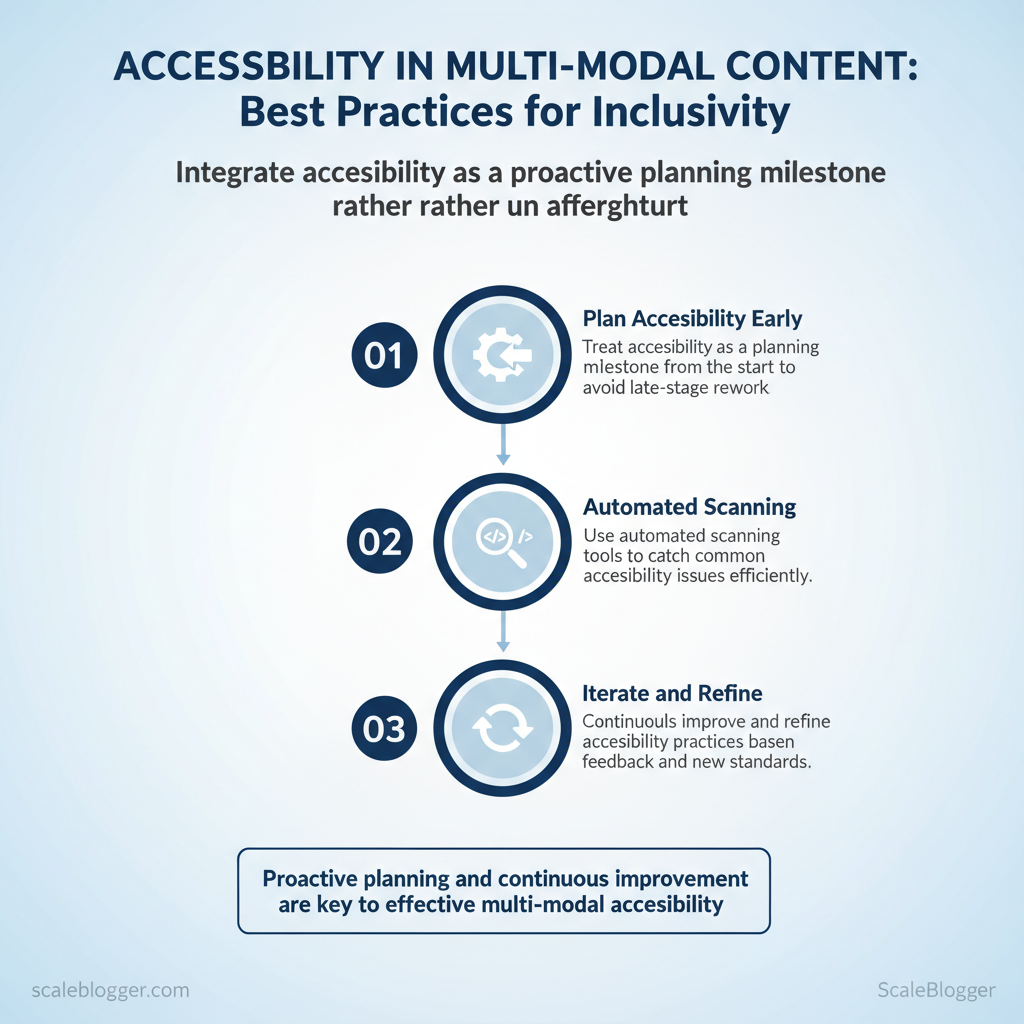
Begin by treating accessibility as an important planning step, not an afterthought. Use automated scanning to find surface issues, then validate with hands-on checks (screen readers, keyboard-only navigation). Prioritize content by traffic and conversion lift, assign owners, and build a repeatable pipeline so accessibility work moves predictably through production and post-production.
- Audit existing content and audience needs (30–60 minutes per page)
- Run automated scans with site crawlers to flag keyboard traps, missing alt text, and color-contrast failures.
- Manual verification using a screen reader (NVDA/VoiceOver) and keyboard-only navigation on prioritized pages.
- Prioritize by impact — sort pages by traffic, conversions, and legal risk.
- Document findings in a tracking sheet with columns for owner, severity, and deadline.
Expected outcome: A ranked backlog of accessibility fixes with clear owners and timelines.
- Define modality matrix and target personas (1–2 days)
- List content types and map which modalities each needs (text, captions, transcript, audio description).
- Map personas to accommodations (e.g., vision-impaired = transcripts + ARIA; cognitive needs = simplified summaries).
- Score by impact x effort to determine rollout order.
Expected outcome: A modality matrix that guides production priorities.
Which modalities to include per content type and common persona needs
| Content Type | Recommended Modalities | Persona Example | Priority (High/Med/Low) |
|---|---|---|---|
| Longform Article | Text, audio read-aloud, simplified summary | Older reader with low vision | High |
| Explainer Video | Captions (VTT), transcript, audio description | Deaf or hard-of-hearing learner | High |
| Podcast Episode | Transcript, chapter markers, show notes | Cognitive impairment, searchable text | Med |
| Infographic | Alt text, long description, downloadable PDF | Screen-reader user needing detail | Med |
| Social Short | Captions, image descriptions, plain-text post | Mobile users with captions off | Low |
- Create accessible assets during production (time varies)
- Use semantic HTML and
role/aria-only where needed. - Capture raw recordings with timecodes to ease captioning.
- Use templated fields for alt text and image long-descriptions.
- Post-production: captions, transcripts, and audio descriptions (30–90 minutes per asset)
- Start with automated transcription, then human-review for accuracy.
- Publish machine-readable transcripts and link them from the page.
- Provide audio descriptions for visually critical video segments.
Caption/transcript formats, pros/cons, and compatibility
| Format | Best for | Compatibility | Notes |
|---|---|---|---|
| SRT | Simple captions | Broad (YouTube, players) | Timecodes, no styling |
| VTT | Web captions with styling | HTML5 players, browsers | Supports WebVTT cues |
| TTML | Broadcast and DFXP workflows | Professional platforms | rich styling, complex |
| Plain HTML Transcript | SEO + accessibility | Any browser | Readable, searchable, linkable |
| Audio Description (separate file) | Detailed visual narration | Media players with AD support | Keeps core audio clean |
VTT for web-first video and attach plain HTML transcripts for discoverability and accessibility.
- Publish with accessible templates and metadata (15–45 minutes per template)
- Verify keyboard focus order,
skip to contentlinks, and semantic headings. - Attach transcripts and captions prominently; don’t hide them behind menus.
- Monitor, measure, and iterate (ongoing; monthly cadence recommended)
- Track accessibility engagement metrics and schedule recurring audits.
- Use user feedback to refine templates and production checklists.
Suggested metrics to track with definitions and tracking method
| Metric | Definition | How to Track | Target |
|---|---|---|---|
| Transcript Downloads | Number of transcript file clicks | GA4 event on link | +10% q/q |
| Caption Toggle Use | Times captions are enabled | Player events | Baseline & trend |
| Screen-reader Page Visits | Pages visited via screen-reader user agents | Custom dimension, server logs | Increase engagement |
| Form Completion Rate | Conversions on accessible forms | GA4 conversion | Match site avg |
| Time on Page (accessible content) | Average time on accessible pages | GA4, filtered view | +5–15% vs baseline |
This plan creates repeatable steps teams can follow: audit, decide, build with accessibility in mind, finish with reviewed captions and transcripts, publish on verified templates, and measure results. For teams looking to automate parts of this pipeline, consider pairing content automation tools — including AI content automation from Scaleblogger.com — with manual QA to scale reliably. When implemented as part of the production rhythm, accessible multi-modal content reduces rework and improves reach.
> Key Takeaway: ## Numbered Checklist: Quick Implementation Steps
Launch your first content automation pipeline using a sequence that you can complete in one day. These steps prioritize momentum: define scope, generate outlines with AI, set simple quality gates,…
Numbered Checklist: Quick Implementation Steps
Launch your first content automation pipeline using a sequence that you can complete in one day. These steps prioritize momentum: define scope, generate outlines with AI, set simple quality gates, and publish with automated scheduling. Follow each numbered task, mark time and difficulty, and tick them off as you go.
- Define scope and goals — 30–60 minutes — easy
- Action: Choose 3 target topics and a single KPI (traffic, leads, or MQLs).
- Success cue: Topic list + KPI in a shared doc.
- Map content templates — 45–90 minutes — medium
- Action: Create 2 templates:
long-form blog (1,200–1,800 words)andshort guide (600–900 words). Include headings, CTA slot, and meta description field. - Success cue: Two reusable templates saved in your CMS or a
templates/folder.
- Generate 6 outlines with AI — 30–60 minutes — easy
- Action: Use an AI model to produce 6 outlines (3 per template). Adjust for search intent and include primary/secondary keywords in the outline.
- Success cue: Outlines have clear H1/H2s and target intent labels (
informational,transactional).
- Assign writing + review workflow — 15–30 minutes — easy
- Action: Assign authors and reviewers; set review SLA to
48 hours. Document roles in the task management tool. - Success cue: Tasks exist with assignees and due dates.
- Draft + run automated checks — 2–6 hours per draft — medium
- Action: Authors write using templates; run
readability,keyword semantic coverage, andplagiarismchecks via automation. - Success cue: Drafts flagged with scores; only pass if readability and semantic coverage meet thresholds.
- Publish and schedule distribution — 30–45 minutes — easy
- Action: Publish to CMS, schedule social posts, and add to newsletter batch. Use
canonicaltags and set featured image. - Success cue: Post status =
publishedand social queue populated.
- Track performance and iterate weekly — 30 minutes/week — easy
- Action: Review CTR, time-on-page, and conversions for published posts; adjust templates or prompts based on outcomes.
- Success cue: Weekly notes with one tweak to templates or prompts.
Practical examples and templates
Example editorial calendar CSV snippet:
csv title,template,author,publish_date,kpi "How to Build Topic Clusters",long-form,Jamie,2025-06-10,organic traffic "Checklist: Quick Onboarding",short-guide,Ravi,2025-06-12,leadsTroubleshooting tips
- If outlines feel generic, increase prompt specificity and add competitor URLs for style reference.
- If automated checks fail repeatedly, loosen thresholds temporarily and fix systemic prompt or template issues.
- If publish cadence stalls, reduce batch size to 2 posts/week and automate the rest.
Tools and quick wins
- Scaleblogger.com provides AI-driven templates and scheduling that plug into this checklist if you want to accelerate setup.
- Consider building a simple dashboard to surface failing checks and weekly trends.
Understanding these steps helps teams move quickly from idea to measurable results while preserving quality. When implemented correctly, this checklist reduces bottlenecks and makes consistent publishing achievable.
Troubleshooting Common Issues
You’ll often encounter repeatable problems with accessibility, such as missing alt text, keyboard focus traps, or low color contrast. Each problem has quick checks and lasting fixes. Start by reproducing the symptom, run an automated scan (axe, Lighthouse) and a keyboard-only walkthrough, then apply the immediate patch before scheduling the systemic change.
- Reproduce and log the issue (time: 5–15 min)
- Run an automated scan with
npx @axe-core/cli https://example.comor Chrome DevTools > Lighthouse. - Manual check: navigate with
TabandShift+Tab, try screen reader basics (NVDAorVoiceOver). - Record an error message or screenshot and note the DOM element (e.g.,
imgwith noaltattribute). - Immediate fixes (time: 5–30 min)
- Add missing
alttext for decorative vs informative images (alt=""for decorative). - Remove keyboard traps by ensuring modals set
tabindexmanagement andfocusreturns on close. - Increase contrast by adjusting foreground or background colors to meet 4.5:1 for body text.
- Long-term prevention (time: 1–4 weeks to integrate)
- Integrate accessibility checks into CI with
axe-coreorPa11y. - Create content guidelines requiring alt text and accessible captions for media.
- Train authors and QA on keyboard testing and semantic HTML.
Common error messages and symptoms to look for:
"Image elements must have [alt] attribute"— immediate fix: addaltorrole="presentation"."Focusable elements are not visible"— immediate fix: ensure CSSoutlineorbox-shadowfor focus state."Color contrast ratio < 4.5:1"— immediate fix: use accessible palette ormix-blend-modechanges.
Accessibility troubleshooting — practical comparison
Symptom → likely cause → immediate fix → long-term fix
| Symptom | Likely Cause | Immediate Fix | Long-term Prevention |
|---|---|---|---|
| Captions out of sync | Transcoding or separate subtitle file timing | Re-sync.srt timestamps in editor | Use server-side timed-text pipeline |
| Images missing alt text | CMS allows empty alt fields | Add alt text immediately |
Enforce required alt field in CMS |
| Keyboard traps on modal dialogs | Focus not managed on open/close | Add focus() and return focus on close |
Use accessible modal component library |
| Low color contrast | Design palette with insufficient contrast | Adjust foreground/background colors | Adopt accessible design tokens |
| Embedded PDF inaccessible | PDFs lack tags/structure | Replace with HTML or provide tagged PDF | Convert source documents to tagged PDF workflow |
Scaleblogger’s AI content automation can help enforce alt-text and caption policies during content ingestion, accelerating remediation without adding manual overhead. Understanding these verification steps reduces rework and helps teams ship inclusive content faster.
Tips for Success / Pro Tips
View accessibility as an essential operational capability rather than just a checkbox to tick off. Implement automation for repeatable tasks, then layer human review where nuance matters. This approach cuts down on manual work while ensuring content stays compliant and usable for everyone.
- Institutionalize accessibility in the workflow (Time: 1–2 weeks to implement)
- Define measurable KPIs: track alt-text coverage, captioning rate, and contrast compliance.
- Embed checks in the pipeline: require accessibility pass/fail as a gating criterion before publish.
- Expected outcome: consistent visibility into accessibility trends and fewer ad-hoc remediations.
- Blend automation with human review (Time: ongoing; batch reviews 2–4 hours/week)
- Automate surface checks: use tools to flag missing
alttext, contrast issues, and missing captions. - Assign human reviewers for nuance: check descriptive
alttext, complex charts, and contextual audio transcripts. - Expected outcome: high throughput without sacrificing quality.
- Use batching and templates to scale (Time: 1–3 days to create templates)
- Batch media processing: convert multiple videos to generate captions and transcripts in a single job.
- Create templates: standardized
alttext formats, caption styles, and acontent-accessibilitychecklist. - Expected outcome: faster production and fewer errors from cognitive load.
Practical checklist (copy and adapt)
- Alt text present: Y/N - Alt text quality: descriptive/functional
- Captions present: Y/N
- Transcript attached: Y/N
- Color contrast: pass/fail
- ARIA roles validated: Y/N
- Bold lead-in: Prioritize content types. Focus first on high-traffic pages and evergreen posts.
- Bold lead-in: Train editors. Run quarterly workshops on writing useful
alttext and captioning standards. - Bold lead-in: Measure impact. Correlate accessibility KPIs with engagement and SEO performance.
Troubleshooting: if automation flags false positives, update rule sets or add a human triage step; if remediation backlog grows, increase batching frequency or offload tasks to contractors trained in accessibility.
Market leaders recognize accessibility reduces friction and expands reach. com` explain how to build topic clusters and automate publishing. Understanding these principles helps teams move faster without sacrificing quality.
When implemented correctly, this approach reduces overhead by making accessibility a repeatable, measurable part of content production.
Measuring Impact and Reporting
Begin by linking measurable outcomes to stakeholder goals so that reporting becomes a useful decision-making tool instead of just a routine task. Focus on three classes of metrics: business outcomes (traffic, conversions), content health (engagement, organic visibility), and process efficiency (time-to-publish, automation uptime). Reporting should answer: did the content move a business metric, and which parts of the pipeline caused the result?
- Build the dashboard framework
- Define stakeholder goals: CEO/CRO want revenue lift, Head of Marketing wants organic growth, Product teams care about usage signals.
- Select core metrics: Map each goal to 2–4 KPIs (e.g., Organic Sessions, Assisted Conversions, Time-on-Page, Content Velocity).
- Design views: Executive snapshot (top-line), Channel performance (SEO, email), Content funnel (awareness→consideration→conversion), and Operational health (publishing cadence, error rates).
Dashboard field and filter recommendations
- Primary date range: Rolling 90 days for trend detection. Traffic dimension: Source/medium, device, landing page. Content taxonomy: Topic cluster, author, format.
- Conversion filters: Goal type, campaign, landing page.
Practical report formats and cadence
- Weekly (1–2 pages): Operational KPIs, anomalies, fast actions.
- Monthly (10–15 slides): Performance trends, top/bottom content, A/B results.
- Quarterly (1 pager + appendix): Strategic outcomes, ROI, roadmap alignment.
Example of a reporting rhythm:
- Every Monday: automated weekly dashboard emailed to stakeholders. 2.
Month-end: narrative report with 3 recommended actions. 3. Quarterly review: tie content performance to revenue and resource allocation.
A 90-day rollout and measurement timeline with milestones
A 90-day rollout and measurement timeline with milestones (accessibility implementation timeline)
| Week/Month | Milestone | Owner | Success Indicator |
|---|---|---|---|
| Week 1-2 | Accessibility audit (WCAG checklist) | Product Accessibility Lead | Audit report completed; top 10 issues identified |
| Week 3-4 | Fix top accessibility issues (keyboard, contrast) | Engineering Sprints | 70% of critical issues resolved |
| Month 2 | Implement content templates with accessible patterns | Content Ops Manager | Templates used in 80% new posts |
| Month 3 (weeks 9-10) | User testing with assistive tech | UX Researcher | 8-10 users tested; usability score ≥75% |
| Month 3 (week 12) | Reporting and handoff to ops | Head of Content | Accessibility metrics added to dashboard; monthly reporting live |
Troubleshooting tips: if dashboards show noise, tighten filters to page-level signals; if stakeholders ignore reports, reduce friction—send one highlighted action per report. Consider integrating GA4 event exports and a content scoring framework from tools like Scaleblogger.com to automate scorecards and accelerate decisions. When reporting maps cleanly to goals, teams move faster and focus on the content that actually drives outcomes.
📥 Download: Multi-Modal Accessibility Checklist (PDF)
Advanced Topics: Legal, Internationalization, and Future-Proofing
Consider legal, internationalization, and future-proofing as integrated design elements from the very beginning, not just afterthoughts. That means building workflows that enforce jurisdictional checks, localization pipelines, and modular content architecture from day one. Expect initial setup to take 2–6 weeks depending on content volume; ongoing maintenance becomes a small percentage of monthly operations once automated checks and human QA are in place.
- Legal: jurisdictional compliance and IP controls
- First, map where content will be published and which laws apply (consumer protection, advertising, copyright, data residency).
- Second, build a
compliancechecklist into each content brief with fields for required disclosures, copyright ownership, and data handling. - Third, schedule legal review gates for high-risk categories (health, finance, regulated products).
- Actionable step: Add a
legal_review_requiredflag in CMS metadata and route flagged items to counsel; time estimate 1–3 business days per item for review. - Expected outcome: Reduced takedown risk and cleaner audit trails.
- Internationalization: localization plus human QA
- Prioritize languages and regions using traffic forecasts and buyer persona mapping.
- Create an i18n pipeline: source content → string extraction → machine translation → human QA → SEO localization.
- Use
localetags likeen-US,fr-FRand store localized metadata (titles, meta descriptions) separately.
- Actionable step: Maintain a bilingual glossary and approved tone documents for translators; expected QA time 2–5 hours per long-form piece.
- Troubleshooting: If translations read literal, add example sentences in the glossary and require in-context screenshots for translators.
- Accessibility and emerging modalities
- Design for accessibility early: include alt text, semantic HTML, captions, and keyboard navigation checklists in briefs.
- Prepare for audio/voice and AR/VR: export structured content as
JSON-LDand include short summaries for voice outputs.
Practical example — i18n config snippet:
json { "slug": "how-to-scale-content", "locales": ["en-US","es-ES"], "seo": {"title_en-US":"Scale content", "title_es-ES":"Escalar contenido"} }- Future-proofing: modular content and monitoring
- Modularize: separate facts, evergreen pillars, and date-stamped commentary so updates are surgical.
- Instrument: add performance and compliance webhooks to detect dips or legal flags automatically.
- Scale automation: tie
content_scoringoutputs to publishing rules so only high-scoring drafts auto-publish.
Tools and integration note: combine human legal review with automation tools and AI QA. For teams looking to accelerate that mix, consider solutions that centralize automation, editorial workflows, and performance benchmarking—Scale your content workflow with Scaleblogger (https://scaleblogger.com) to integrate these elements without rebuilding pipelines from scratch.
Understanding these principles reduces reactive work and keeps teams focused on creating valuable content while staying legally and culturally fit for global audiences. When implemented correctly, this approach reduces overhead by making compliance and localization routine parts of the content lifecycle.
Conclusion
Making accessibility a priority in content workflows turns wasted effort into increased reach. After auditing assets, standardizing templates, and adding automated captioning and semantic markup, teams see clearer distribution paths and fewer compliance surprises. For example, teams that layered automated captions and short-form transcripts onto long videos extended view time and organic reach; editorial teams that introduced structured templates halved production rework.
Expect an initial setup phase of 2–6 weeks, then steady time savings.
Questions about scale or integration are normal — it’s reasonable to ask whether this will disrupt existing pipelines or require new headcount. In practice, automation handles repetitive tasks while small process changes (a template and an approval gate) prevent bottlenecks. To this process, platforms like Scaleblogger can orchestrate conversions, captioning, and CMS pushes so teams keep publishing velocity without losing accessibility.
com) is a practical next step that demonstrates configuration options and expected outcomes.
