

Marketing teams waste precious reach when they collect great community content but leave it siloed or stale. Turning raw posts into a steady stream of effective assets creates ongoing visibility. This approach fosters genuine conversations and drives measurable growth. Industry teams report better retention and lower acquisition costs when they treat user-generated content as a strategic asset rather than an afterthought.
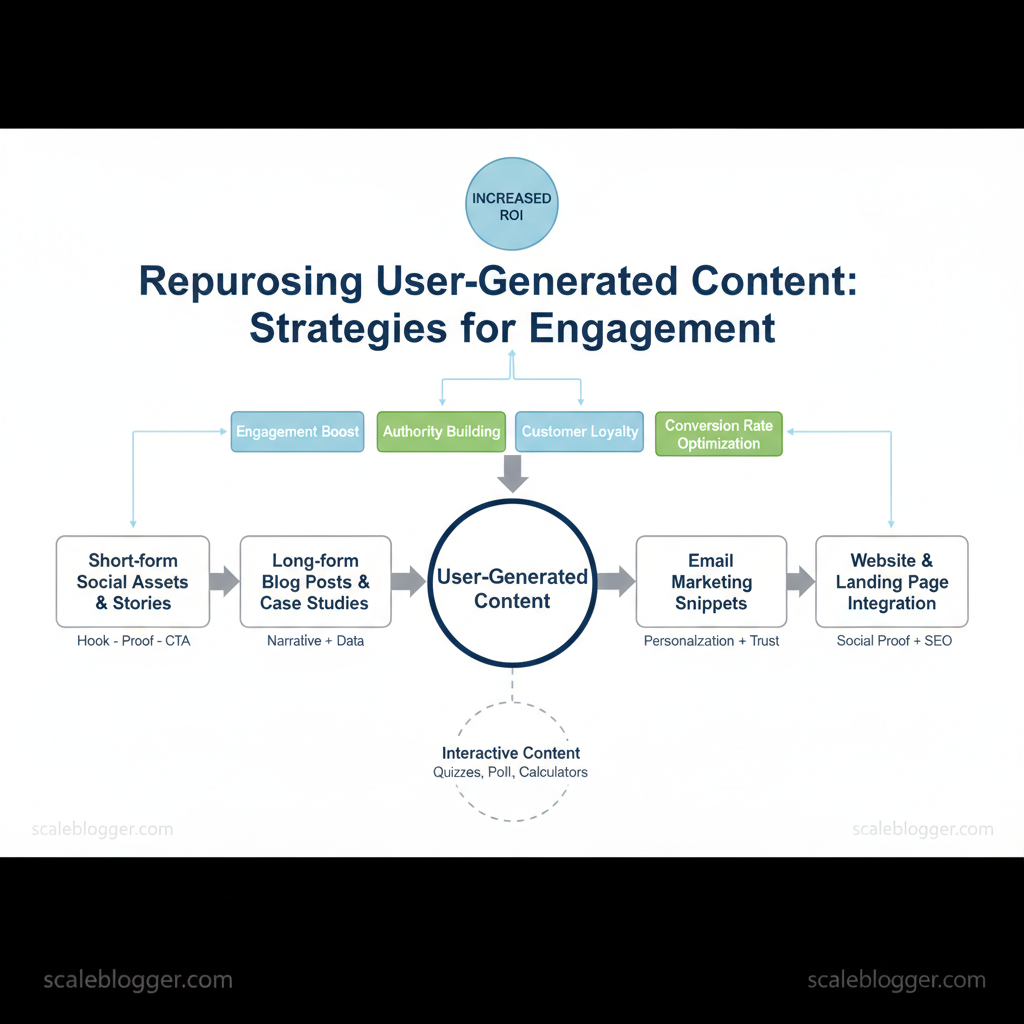
Repurposing UGC demands practical engagement strategies that scale: crafting formats that fit each channel, creating simple permissions processes, and automating repetitive tasks so creators stay motivated. Picture a brand turning short video clips into carousel posts, testimonial quotes, and targeted ads, each tailored to audience intent. That approach boosts reach and keeps community-driven content relevant across the funnel.
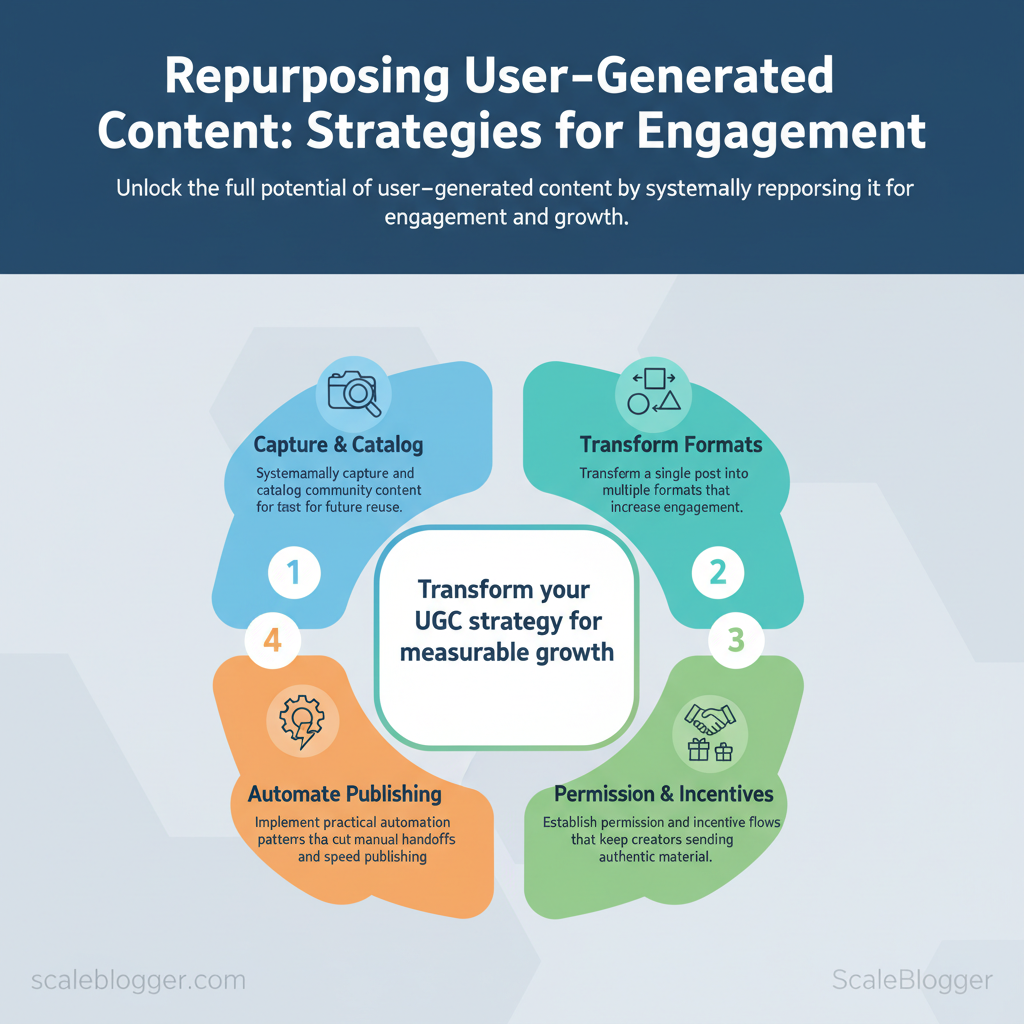
A few things readers will learn:
- How to systematically capture and catalog community content for future reuse
- Ways to transform a single post into multiple formats that increase engagement
- Permission and incentive flows that keep creators sending authentic material
- Practical automation patterns that cut manual handoffs and speed publishing
This introduction sets up tactical, step-by-step strategies that follow. Automate your UGC repurposing with Scaleblogger: https://scaleblogger.com
> Key Takeaway: ## Why Repurpose User-Generated Content (UGC)
Repurposing user-generated content accelerates reach and trust while lowering cost and time-to-publish. Transform genuine customer photos, reviews, short videos, and comments into blog case studies,…
Why Repurpose User-Generated Content (UGC)
Repurposing user-generated content accelerates reach and trust while lowering cost and time-to-publish. Transform genuine customer photos, reviews, short videos, and comments into blog case studies, social posts, or SEO-friendly landing page sections to capture social proof and search intent. This approach requires much less production effort than creating content internally. The result: a content pipeline that feeds multiple channels, increases conversion velocity, and uncovers long-tail keyword opportunities with real-world language your prospects already use.
How repurposing drives engagement and performance
- Authenticity and trust: Using customer language and real experiences makes content more credible. This boosts its shareability and influence on conversions. Social proof for conversions: Snippets from reviews, before/after images, and video clips raise perceived value and reduce hesitation. Faster cycles, lower cost: Reworking existing assets typically takes a fraction of the time and budget of full production.
- SEO and long-tail wins: UGC contains niche phrases and queries; repurposing allows scaling content that answers specific intent and ranks for long-tail terms.
When to repurpose — a practical prioritization framework
- Map impact vs. Plot each UGC asset by potential audience reach, conversion lift, and time to adapt.
- Prioritize high-impact, low-effort items (short testimonial clips, customer quotes, high-performing comments). 3.
Reserve resources for high-impact, high-effort pieces (long-form case studies, hero videos from aggregated UGC). 4. Use low-impact/high-learning pieces to test formats, CTAs, and distribution channels.
Examples that work in practice
- High-impact, low-effort: Pull a 30–60 second customer clip, add captions and logo, and publish across Stories and Reels.
- High-impact, high-effort: Convert a multi-customer success thread into a gated case study with data visuals and SEO-optimized long-form content.
- Low-impact, high-learning: A/B test different captions for UGC posts to learn tone and CTA effectiveness.
Suggested tools and assets to support workflow include simple repackaging templates, a tagging system for UGC rights/consent, and AI content automation to generate SEO-first drafts quickly (consider Scale your content workflow with AI content automation at Scaleblogger.com for automating pipelines). Understanding these principles helps teams move faster without sacrificing quality. When implemented correctly, repurposing UGC becomes a repeatable engine that amplifies credibility and scales content production.
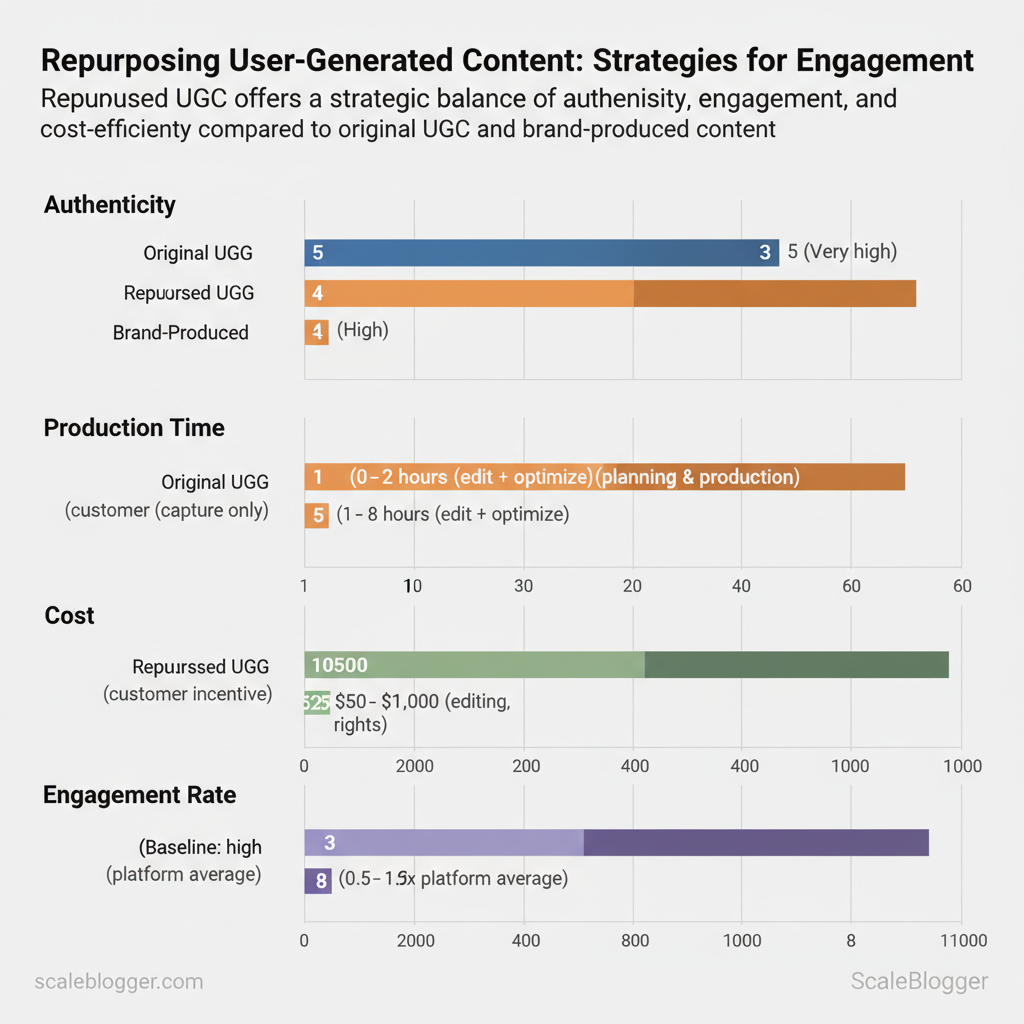
Engagement outcomes and resource costs between original UGC, repurposed UGC, and brand-produced content**
| Metric/Dimension | Original UGC | Repurposed UGC | Brand-Produced Content |
|---|---|---|---|
| Authenticity (perceived) | Very high | High (maintains voice) | Moderate |
| Production Time | 0–2 hours (capture only) | 1–8 hours (edit + ) | 20–120+ hours (planning & production) |
| Cost | $0–$200 (customer incentive) | $50–$1,000 (editing, rights) | $1,000–$20,000+ (creative, studio) |
| Engagement Rate | Baseline: high (often > platform average) | 1.5–4x platform average | 0.5–1.5x platform average |
| SEO Longevity | Low–moderate (short-lived social) | Moderate–high (optimized for search) | High (if well-optimized, but costlier) |
> Key Takeaway: ## Practical Formats to Repurpose UGC
Repurposing user-generated content into formats that fit platform behavior multiplies reach without extra content creation time. Start by selecting the most authentic moment, such as a brief testimonial clip or…
Practical Formats to Repurpose UGC
Repurposing user-generated content into formats that fit platform behavior multiplies reach without extra content creation time. Start by selecting the most authentic moment, such as a brief testimonial clip or an unboxing reaction. Then match it to a format that enhances that moment: use short-form for attention and long-form for trust and SEO. Focus on a reproducible template for short pieces and a clear structural outline for long-form assets to scale quickly.
Short-form Social Assets & Stories
- Template:
Hook - Proof - CTA— hook in the first 1–3 seconds, proof (clip/quote) next, then a micro-CTA (poll, reply, swipe). Platform sizing: adapt length to platform norms and attention windows; prioritize vertical video and captions. Micro-CTAs: Polls for Stories, Reply-to-win for Instagram Feed, Duet/React prompts on TikTok, and comment prompts on Facebook to boost algorithmic distribution.
- First, audit UGC clips for a 3–15s usable moment. 2.
Then, write three variants: 9–15s (hook-heavy), 30s (narrative), 60s (context). 3. Finally, schedule with platform-appropriate captions and 1–2 micro-CTAs.
Long-form and Evergreen Assets (Blog Posts, Case Studies)
- Outline: Intro with outcome; curated quotes/media; problem context and process; measurable results and visuals; next steps CTA. , “customer review”, “user demo”) with product/solution terms for intent matching. Republish cadence & canonicalization: publish primary case study on the blog, repurpose trimmed narratives into social-first posts, and use
rel="canonical"when the same content appears on partner sites or syndication platforms.
- Collect UGC transcripts and media, tag by theme and outcome. 2.
Build a canonical blog post with embedded short clips and quotes. 3. Reuse sections as standalone social posts or guest articles, always linking back to the canonical post.
Short-form social formats across platforms for repurposing user-generated content, short-form social UGC
| Platform | Ideal Length/Duration | Best UGC Type | Engagement Hook |
|---|---|---|---|
| Instagram Feed (Reels) | 9–30s (up to 90s) | Quick demos, reactions | Prompt comments / duet-style replies |
| Instagram Stories | 5–15s per card | Behind-the-scenes, polls | Swipe-up / poll / emoji slider |
| TikTok | 9–60s (sweet spot 9–15s) | Authentic reactions, challenges | Duet/React / hashtag challenge |
| Facebook Feed | 30–90s | Testimonial clips, product use | Ask a question + share CTA |
| X/Twitter (short video) | 15–60s (max ~2m20s) | Snappy clips, GIFable moments | Reply-to-enter / quote tweet prompt |
Practical examples and templates like Hook - Proof - CTA make scaling simple; using an AI pipeline for transcription, clipping, and scheduling (for example, an AI-powered content automation workflow) turns one piece of UGC into dozens of channel-ready assets. Understanding these formats helps teams move faster without sacrificing authenticity or SEO value.
> Key Takeaway: ## Workflows & Tools for Scaling Repurposing
Scaling effectively begins with a repeatable pipeline: capture content reliably, vet and clear rights quickly, and automate the rendering and publishing process. Build submission channels that remove…
Workflows & Tools for Scaling Repurposing
Scaling effectively begins with a repeatable pipeline: capture content reliably, vet and clear rights quickly, and automate the rendering and publishing process. Build submission channels that remove friction, apply consistent moderation and brand rules, and push approved assets into an automated rendering + scheduling flow so creators and marketers only make high-level decisions.
Collection, moderation, and rights management
- Create clear submission channels: set up form-based intake (Airtable, Google Forms) and social listening feeds (Sprout Social, Brandwatch) to centralize assets. 2.
Define moderation criteria and branding rules: require resolution, file type, usage context, and a short caption; reject or flag items that fail brand safety or quality thresholds. 3. Capture release and rights metadata at intake: require a signed release (DocuSign, Rightsline) or a checkbox with timestamped consent stored in the asset record.
- Record-keeping: store originals and two metadata states —
raw_submissionandlicensed_asset— in DAM or cloud storage with immutable audit trails.
Automation and publishing pipelines
- Tagging and metadata: use a controlled taxonomy (content_type, campaign, rights_expiry, language, sentiment) and enforce via templates in Airtable or DAM. 2.
Automated rendering: build templates for vertical video, short clip, blog excerpt, and carousel; use Cloudinary or Bynder to auto-transcode and watermark based on tags. 3.
Practical examples and templates
- Submission form: require name, handle, consent (checkbox), asset link, short caption.
- Metadata template:
content_type:video; campaign:summer_launch; rights_expiry:2026-06-01; license_type:exclusive - Automation snippet:
bash example: CLI to tag and upload to Cloudinary
cloudinary upload --file asset.mp4 --tags "campaign:summer_launch,rights_expiry:2026-06-01"Tools and platforms for UGC collection and rights management with core features
Table: Section Content — Tool/Platform, Primary Use, Key Feature & more
| Tool/Platform | Primary Use | Key Feature | Ideal For |
|---|---|---|---|
| Brandwatch | Social listening | Real-time social capture | Enterprise social monitoring |
| Sprout Social | Social management | Inbox + UGC tracking | Teams coordinating social assets |
| TINT | UGC aggregation & licensing | In-platform licensing workflow | Campaign UGC curation |
| CrowdRiff | Visual UGC platform | Media library + rights capture | Travel & hospitality brands |
| Olapic | UGC commerce display | Shoppable UGC | eCommerce product pages |
| Yotpo | Reviews & UGC | Review-to-marketing flow | Retailers with reviews emphasis |
| Cloudinary | Asset management + CDN | Automated transforms | Automated rendering & delivery |
| Bynder | Digital Asset Management | Brand portals and controls | Centralized DAM for teams |
| Airtable | Intake & metadata | Custom schemas & automations | Lightweight orchestration |
| Amazon S3 | Storage/archive | Immutable storage + lifecycle rules | Cost-effective archive |
| DocuSign | Rights release signatures | Legally binding e-signatures | Consent capture at scale |
| OneTrust Rightsline | Rights management | Rights ledger + audit | Complex licensing environments |
Understanding these principles helps teams move faster without sacrificing quality. When pipelines are modeled around clear rights and metadata, repurposing becomes an asset, not a bottleneck. Scaleblogger’s AI-powered content pipeline can slot into these workflows to automate rendering and performance benchmarking where needed.
Creative Repurposing Techniques to Boost Interaction
Remixing user-generated content (UGC) multiplies social proof and keeps formats fresh—do it strategically and each asset becomes a multi-platform engagement driver. Concentrate on three repeatable strategies: lightweight overlays that transform a single clip into multiple social posts, montage-driven highlight reels that boost watch time, and reaction or remix content that encourages creator participation and sharing. Below are concrete tactics, specs, templates, and measurement steps to make remixing scalable and measurable.
Remixing UGC: Overlays, Montages, and Reaction Content
Start with reusable templates and platform-aware specs so production is fast and consistent.- Quote overlay template: Pull a 6–10 word pull-quote, place centered in a semi-opaque bar; include
@originalcreatorand a small logo. - Montage template: 3–6 clips (2–6s each), beat-cut to a 15–30s hook, end card with CTA and tag.
- Reaction template: Split-screen: top 60% original clip, bottom 40% reaction; add timecode markers and caption prompts to guide responses.
Technical specs per platform:
- TikTok / Reels: Use
1080x1920, 9:16; max 60s (shorter preferred), captions burned in for sound-off viewing. - YouTube Shorts:
1920x1080vertical; 15–60s; include timestamps in the description. - Instagram Feed / Facebook:
1080x1350for portrait posts; longer montages perform better as carousels.
Tagging and rights callouts:
- Always tag the original creator in both caption and on-screen overlay.
- Credit line: “Clip courtesy of @creatorname” or use platform-native remix/shares to preserve attribution.
- Permission checklist: confirm license for commercial use and keep DM records.
Interactive UGC — Polls, Quizzes, and Community Challenges
Design with scale and measurement in mind.- Define the viral loop: challenge prompt, easy mechanic (duet, stitch, hashtag), and share trigger (tag 3 friends).
- Incentives: brand credit (feature in highlight reel), micro-rewards (discount codes), or UGC leaderboard visibility.
- Rules: clear entry window, allowed content types, and judging criteria.
Measuring participation and downstream impact:
- Participation: count unique hashtag uses and uploads; track duet/stitch metrics.
- Engagement: measure likes/comments/shares per entrant.
- Business impact: monitor referral traffic, promo code redemptions, and new followers from challenge week.
Practical examples:
- Template snippet for a 15s quote overlay
html [VIDEO CLIP] Overlay: "This changed my workflow" — @creator End card: Tag + hashtag + CTA to submit- Designing a scalable challenge: Launch with a 7-day window, seed 10 micro-influencers, and compile a weekly highlight reel for top entries.
Remixing and interactive UGC are low-cost levers that compound: templates and clear rules make large-scale participation predictable and measurable. Understanding these principles helps teams move faster without sacrificing creator relationships.
Measurement: Metrics That Prove UGC Value
UGC delivers measurable impact when tracked against targeted KPIs and folded into a tight optimization loop. For awareness-stage campaigns using repurposed UGC, start by looking at engagement and view behavior. Then add traffic attribution and micro-conversions. Use platform analytics plus UTM tagging to tie social lift back to owned channels, and run simple A/B tests that compare repurposed UGC creative variants against brand-controlled creative for signal on creative effectiveness.
Primary KPIs and Tracking Methods
Table: Section Content — KPI, Definition, Sample Target (Awareness Stage) & more
| KPI | Definition | Sample Target (Awareness Stage) | Tracking Method |
|---|---|---|---|
| Engagement Rate | Interactions (likes/comments/saves)/impressions | According to industry data, 3–8% is typical for UGC-driven posts. | Platform analytics (Instagram Insights, TikTok Analytics); compare to historical posts |
| Share Rate | Shares or forwards divided by impressions | Recent research indicates that 0.3–1.0% is indicative of viral potential. | Platform analytics + qualitative content tagging |
| Click-Through Rate (CTR) | Clicks on CTA / impressions | A 2023 study found that 0.8–3.0% is typical for organic UGC in feed/stories. | UTM parameters → Google Analytics 4 (GA4) for channel attribution |
| Conversion Rate (micro-conversions) | Lightweight actions (signup, content download) per click | Industry data suggests that 0.5–2.0% is typical for awareness-led CTAs. | GA4 events, conversion funnels, cohort-based tracking |
| View Completion Rate | Percentage of viewers who watch to end | Research from platform video analytics shows that 40–70% is the completion rate for short-form UGC (<=30s). | Platform video analytics; compare first 3 seconds vs completion curve |
UTM-tagged landing pages to convert awareness signals into measurable micro-conversions.
Practical tracking tips and examples
- Use consistent UTMs:
?utm_source=instagram&utm_medium=ugc&utm_campaign=fall_launch_v1 - Segment by creator: tag campaigns with
utm_content=creator_jane_doeto identify top-performing contributors - A/B test structure: run
repurposed UGC vs. brand creativefor 2 weeks with equal spend and measure lift in CTR and micro-conversions
Reporting cadence and optimization loops
- Daily — monitor glaring failures: ad disapprovals, 24-hour CTR dips >30%, or view-rate collapse.
- Weekly — review engagement rate, CTR, and top creators; iterate creative cut, caption, and CTA.
- Bi-weekly to monthly — evaluate micro-conversions, lift over baseline, and scale decisions.
Optimization loop steps
- Collect: aggregate UTMs, platform metrics, and GA4 events. 2.
Diagnose: compare to benchmarks and creator cohorts. 3. Iterate: update creative, caption, or audience; run a 7–14 day test.
- Scale or pause: apply decision thresholds.
Decision thresholds for scale vs pause
- Scale when CTR or engagement rate improves ≥20% vs baseline and micro-conversions increase or CPC falls.
- Pause or rework when engagement drops into the bottom 25th percentile of historical campaigns or CTR declines >30% without recoverable fixes.
For teams automating reporting and scheduling, integrate KPI pipelines into an automated dashboard and use the results to prioritize creators and creative formats. This approach reduces manual overhead while giving clear signals for where to invest creative energy. Understanding these measurement rules lets teams prove UGC value and act quickly on what actually moves the needle.
📥 Download: User-Generated Content Repurposing Checklist (PDF)
Governance, Ethics, and Community Relationships
Consent, attribution, and legal clarity are foundational — not optional — when using creator content. Treat permissions as project artifacts: capture who granted rights, exactly which assets and uses are allowed, duration, territory, and any compensation terms. Store signed release form PDFs and metadata (creator handle, date, campaign ID) in the same content asset record so legal status is discoverable before publishing.
Practical steps to capture and enforce permission:
- Create a single
consent recordtemplate and require it for every UGC asset before scheduling. - Use a shared cloud folder or DAM field for
signed_release.pdfand a short text field forattribution_line. - Automate reminders: 30/7/1 days before content re-use or renewal to re-confirm permissions.
Consent, attribution, and legal best practices
- Record permissions: keep signed releases, timestamps, and scope in the content asset metadata.
- Visible attribution templates: provide a short
attribution_line(e.g., “Photo by @handle — used with permission”) and a longer credit in captions when needed. - When to pay vs request permission: offer clear options — attribution-only for micro-contributions, non-exclusive fees for recurring use, and paid/exclusive licensing for commercial campaigns.
- Audit trail: log changes to usage rights and compensation to reduce disputes.
Example attribution template (copy-paste):
Attribution: Photo by @creator_handle (used with permission). License: Non-exclusive, digital use only, 12 months.Building long-term community relationships
- Recognition and reciprocity: highlight creators in newsletters, create public leaderboards, or feature creator stories to convert one-off contributors into advocates.
- Creator incentive programs: tiered perks (badges, early access, product discounts, revenue share) encourage repeat collaboration and higher-quality submissions.
- Co-creation opportunities: invite top contributors to co-author pieces, appear in webinars, or join paid pilot projects — that deepens trust and creates proprietary content.
- Governance loop: feedback from creators should inform policy updates; run quarterly reviews and publish simplified policy changes.
Outline sample compensation models and licensing approaches for creators (non-monetary vs. monetary)
| Model | When to Use | Typical Compensation | Pros/Cons |
|---|---|---|---|
| Attribution + Exposure | Low-effort UGC, one-off reposts | Free; credit + tag | Pro: scalable; Con: limited control, low goodwill |
| Gift or Discount | Small creators, product-awareness campaigns | $10–$200 value in product/discount | Pro: cost-effective; Con: not always perceived as fair |
| Flat Fee per Asset | Branded campaigns, defined deliverables | $50–$2,000 per asset (tiered by reach/quality) | Pro: predictable; Con: upfront budget required |
| Revenue Share / Affiliate | Ongoing partnerships, performance-based work | 5–30% or $0.05–$0.50 per action | Pro: aligns incentives; Con: requires tracking |
| Exclusive License | High-value assets, ads, merchandising | $500–$50,000+ depending on exclusivity | Pro: full control; Con: costly, limits creator use |
Understanding and operationalizing these governance and community practices reduces legal friction and makes collaboration repeatable. When creators feel respected and fairly treated, content pipelines become both richer and more reliable.
Conclusion
Marketing teams that centralize UGC and treat it as an ongoing content pipeline reclaim reach and reduce wasted creative energy. When teams capture the best posts, tag them with performance signals, and automate templated edits, they convert sporadic community moments into predictable distribution. That pattern shows up in practice: a DTC apparel brand turned weekly customer videos into a month-long paid funnel, and a B2C SaaS team reused short testimonials across email, social, and ads to lift click rates.
These steps — capture, tag, edit, and measure — form a repeatable workflow that preserves authenticity while scaling output.
For the next steps, run a quick audit of the last 30 UGC items, prioritize five high-engagement pieces for repurposing, and set up one automation to publish trimmed clips to social each week. Start small, measure lift, and expand the templates that work. To this process, platforms like Automate your UGC repurposing with Scaleblogger can handle ingestion, templating, and distribution so teams spend less time on logistics and more on creative strategy. For teams that want to move from siloed posts to a consistent content engine, this is the practical path forward.
