

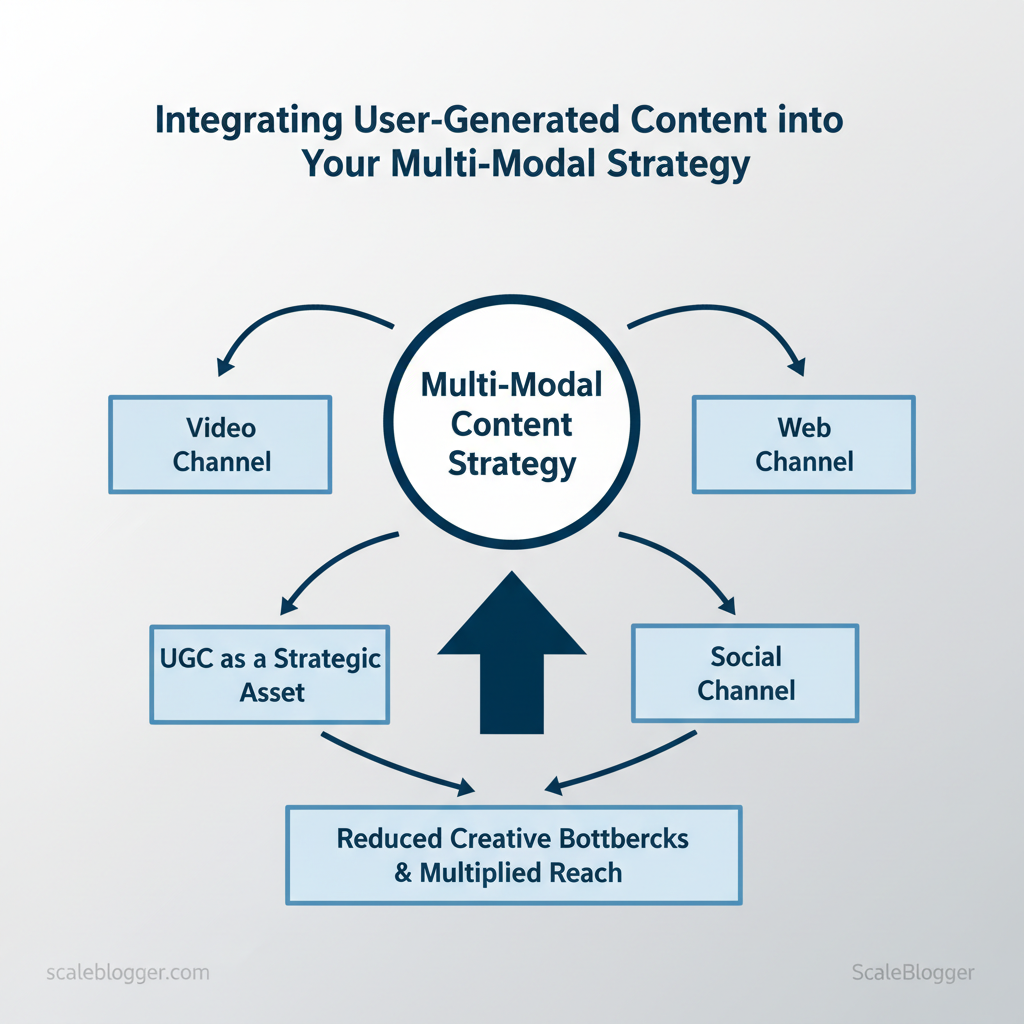
Marketing teams still treat user-generated content like an unpredictable bonus instead of a strategic asset, wasting weeks wrangling formats, rights, and distribution. Integrating UGC into a multi-modal content strategy turns those scattered moments into repeatable engagement across video, social, and web channels. That shift reduces creative bottlenecks and multiplies authentic reach without inflating production budgets.
Industry teams report faster audience resonance when UGC appears natively across formats, and a practical UGC pipeline lets brands republish, remix, and measure impact consistently. Automate your UGC workflow with Scaleblogger to capture, tag, and distribute community content across formats while preserving rights and attribution. Picture a launch where customer clips feed short-form ads, long-form testimonials, and hero-site galleries with a single approval flow.
- How to capture high-value UGC with minimal friction
- Practical steps for tagging, rights management, and cross-format repurposing
- Workflow templates for turning short clips into multi-channel campaigns
- Measurement approaches that tie UGC to conversions and LTV
Prerequisites and What You’ll Need
Start by securing the technical, legal, and human ingredients that let a UGC-driven content pipeline run reliably. You need practical access (CMS and APIs), a moderation stack that scales, clear legal guardrails for consent and licensing, named owners for each responsibility, and baseline analytics so any lift from automation can be measured. Get these in place first and the implementation phase becomes an exercise in wiring rather than discovery.
Technical essentials
- CMS/API access: Admin credentials and a stable `content API` or webhooks to programmatically create, update, and purge posts.
- Moderation tool: Real-time moderation and taxonomy support to flag profanity, spam, or PII before publishing.
- Design templates: Reusable article and embed templates so UGC conforms to brand and layout standards.
- Consent capture: A short consent flow capturing user email, IP, timestamp, and a link to terms that include a content license grant.
- Terms of Service update: Versioned TOS with a content license clause and DMCA/contact points for takedown requests.
Operational analytics
- Baseline metrics: Snapshot of weekly traffic, engagement rate, average session duration, and conversion events before UGC launch so lift is attributable.
- Monitoring: Alerts for sudden traffic spikes, moderation queue growth, or API error rates.
| Prerequisite | Why it matters | Owner/Role | Estimated setup time |
|---|---|---|---|
| CMS/API access | Enables automated publishing via `API key` and webhooks | Developer / Platform Admin | 2–5 hours |
| Moderation tool | Scales review, enforces taxonomy, reduces false positives | Moderator / Ops Lead | 1–2 days |
| Legal consent template | Records rights transfer and compliance for UGC | Legal Reviewer | 1–2 days |
| Analytics baseline | Measures lift; sets goals for engagement and traffic | Analytics Lead | 4–8 hours |
| Design templates | Ensures consistent UX and SEO structure for posts | Designer / Content Manager | 1–3 days |
Understanding these prerequisites helps teams move faster without sacrificing quality. When implemented correctly, this preparation makes the automation phase predictable and auditable.
Step-by-Step Integration Plan (High-Level)
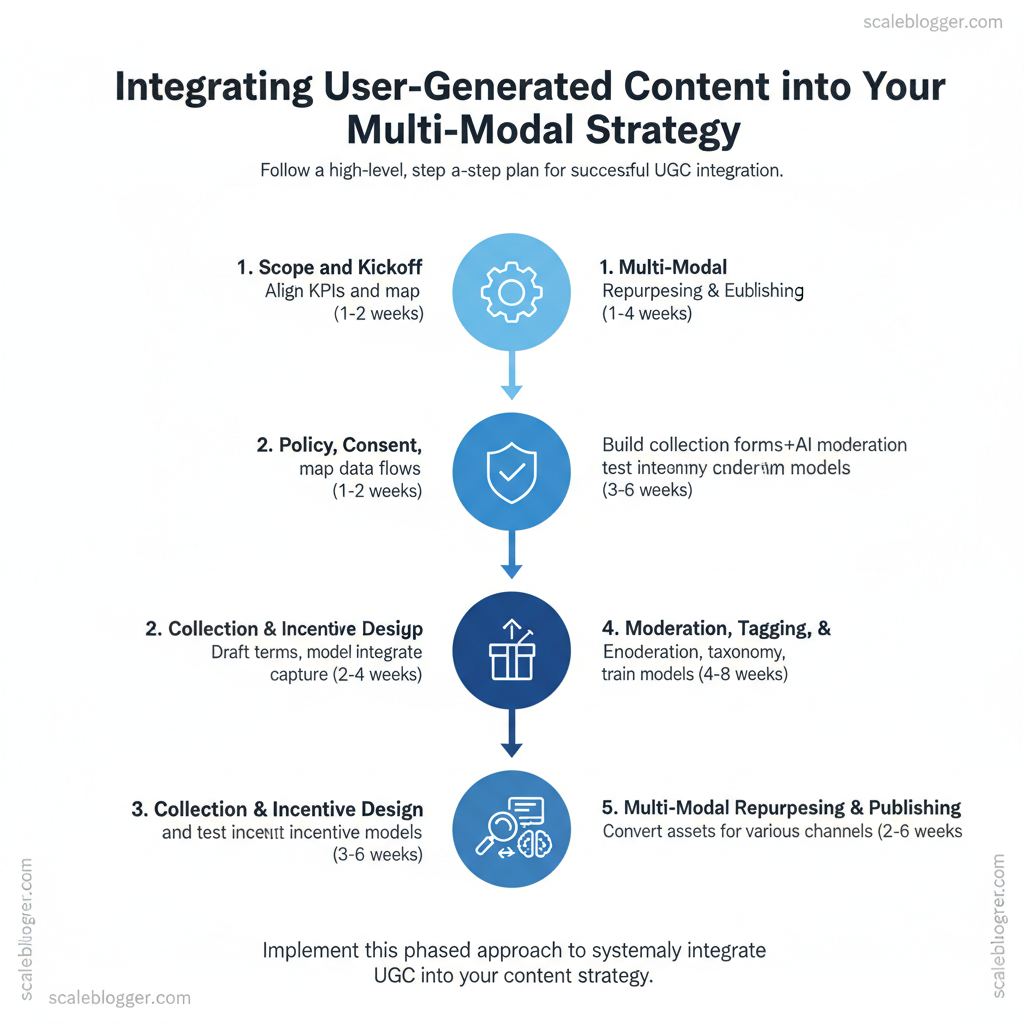
A practical integration plan starts with clearly defined goals, moves through legal and operational scaffolding, then scales collection, moderation, and repurposing. This sequence prevents rework: set the guardrails first, test a small collection workflow, validate tagging and quality, and only then automate repurposing into channels. Time estimates below reflect typical cross-functional projects; complexity varies by platform integrations and compliance needs.
Map phases to time estimates and owners to give a realistic project timeline
| Phase | Key actions | Owner | Estimated duration |
|---|---|---|---|
| Discovery & Goals | Align KPIs, scope integrations | Product/Strategy | 1–2 weeks |
| Policy & Legal Setup | Terms, consent, privacy notices | Legal/Compliance | 2–4 weeks |
| Collection & Incentives | Build forms, campaign mechanics | Marketing/Growth | 3–6 weeks |
| Moderation & Tagging | Human+AI moderation, taxonomy | Ops/Moderation | 4–8 weeks |
| Multi-modal Repurposing | Video cutdowns, image cards, blog embeds | Content/Design | 2–6 weeks |
Overall time estimate: 8–16 weeks depending on integrations. Difficulty level: Intermediate (cross-functional coordination, legal needs, moderate engineering). Understanding these principles helps teams move faster without sacrificing quality. When implemented correctly, this approach reduces overhead by making decisions at the team level.
Numbered Steps: Collecting and Licensing UGC
Collect user-generated content (UGC) by making it easy to submit, explicit to license, and simple to repurpose later. Below are five sequential steps that teams can implement today, with time estimates, technical notes, metadata structure, and troubleshooting tips that keep legal and operational overhead low.
Prerequisites and tools
- Required: company email, simple CMS or form tool, cloud storage, basic image/video editing tool
- Helpful: `Zapier` or equivalent for automation, lightweight DB or spreadsheet for metadata, `Scaleblogger.com` for AI content automation if automating repurposing workflows
Practical examples and checklist suggestions
- Example — Email campaign: ask customers for before/after photos → feature 10 winners on homepage.
- Example — Product launch: request reaction videos via Stories → compile into a launch montage.
Numbered Steps: Moderation, Curation, and Tagging
Step 6 through 10 focus on closing the loop: keep content safe, discoverable, and reusable. Start by balancing automated checks with human judgment, then layer standardized tagging and enrichment so text, audio, and video assets become interoperable across publishing and repurposing workflows. The result is a content pipeline that scales reliably while preserving editorial quality.
| Approach | Pros | Cons | Best for |
|---|---|---|---|
| Fully automated moderation | Fast throughput, cost-efficient | Higher false positives, lacks nuance | High-volume low-risk UGC |
| Human-only moderation | High accuracy, contextual judgment | Slow, expensive | Brand-sensitive or legal content |
| Hybrid (auto + human) | Balanced speed & accuracy, scalable | Requires orchestration | Most enterprise platforms |
| Community moderation | Cost-effective, engages users | Can be inconsistent, gamed | Niche communities with active users |
| Third-party moderation services | Expertise, SLA-backed | Ongoing cost, less control | Platforms needing compliance guarantees |
Understanding these operational steps lets teams move faster without sacrificing quality. When implemented correctly, this approach reduces overhead by making decisions at the team level and freeing creators to focus on high-value work.
Numbered Steps: Repurposing UGC for Multi-Modal Channels
Start by deciding which tagged asset maps best to each channel and then apply channel-specific formatting. The steps below convert a single piece of user-generated content into five polished outputs, with clear export standards, SEO checks, and publishing CTAs. Follow the prerequisites and tools checklist first so the transformations stay consistent and automated where possible.
Prerequisites
- Tagged assets: UGC must be labeled with `topic`, `tone`, `length`, `rights`, and `speaker`.
- Canonical transcript: Clean, timecoded transcript (speech-to-text with 95%+ accuracy).
- Brand kit: Approved fonts, colors, logo files, caption style guidelines.
- Transcription tool: `Otter.ai` or `Descript` for timecodes.
- Video editor: `CapCut` or `Premiere` for cuts and subtitles.
- Audio editor: `Audacity` or `Reaper` for leveling and noise reduction.
- CMS + scheduler: WordPress or an automated pipeline like Scale your content workflow (Scaleblogger.com).
| Channel | Ideal asset type | Format & length | Primary CTA |
|---|---|---|---|
| Blog/Website | Longform explainer from transcript | HTML article, 700–1,500 words, structured headings | Read more / Subscribe |
| YouTube/Long video | Full interview or deep demo | `mp4`, 8–20 minutes, 1080p, chapters, `srt` captions | Watch more / Subscribe |
| Instagram/TikTok | Short highlight clips | Vertical `mp4`, 15–60s, punchy hooks, captions burned-in | Follow / Visit profile |
| Podcast | Audio-only edit | `wav`/`mp3`, 20–60 minutes, ID3 metadata, shownotes | Listen / Subscribe |
| Interactive microsite | Shoppable or explainer hub built from UGC snippets | Responsive HTML5, modular cards, embedded video (30–90s) | Explore product / Try demo |
Understanding these principles helps teams move faster without sacrificing quality. When repeated and automated, the workflow scales so creators can focus on sourcing more high-quality UGC.
Numbered Steps: Measurement and Iteration
Start by treating analytics and optimization as a continuous loop: collect clean signals, attribute responsibly, run rapid experiments, and fold winning variants into the content pipeline. These five steps (16–20) convert qualitative UGC signals into measurable growth levers and make iteration predictable rather than guesswork.
Prerequisites
- Data tracking in place: GA4, CRM events, and social insights configured.
- Unique identifiers: UGC items tagged with campaign IDs and content IDs.
- Baseline control: Non-UGC control pages or creative variants for A/B comparison.
- Tools: Google Analytics/GA4, social platform insights, internal CRM, simple BI tool or spreadsheet.
| KPI | Formula / How to calculate | Data source | Target threshold |
|---|---|---|---|
| Time on page (UGC vs control) | Average time on page (UGC) / Average time on page (control) – 1 | Google Analytics / GA4 events | +15% to +30% uplift |
| CTR on UGC CTAs | UGC CTA clicks / UGC impressions or pageviews | GA4 events, social platform insights | 4% to 8% |
| Conversion lift attributable to UGC | (Conversion rate exposed – conversion rate control) / conversion rate control | GA4 + internal CRM | 10% to 30% lift |
| UGC approval rate | Approved UGC / Submitted UGC | Internal moderation dashboard | 70% to 90% |
| Sentiment score | Positive sentiment score normalized 0–1 | Social insights, sentiment API | 0.6 to 0.9 |
Sample tests to run every sprint
- A/B CTA copy and placement — two-week runs, measure CTR and micro-conversions.
- UGC vs editorial control pages — four-week lift tests, measure conversion lift.
- Sentiment-driven resurfacing — promote high-sentiment UGC for one month, measure retention.
Troubleshooting Common Issues
Start by isolating the problem quickly so fixes are precise rather than noisy. Run a short triage that distinguishes whether the failure is technical (publishing pipeline, API errors), content-related (low relevance, duplicate topics), or process-driven (workflow bottlenecks, permissions). Expect to spend 10–30 minutes on this initial diagnosis; that small investment prevents wasted work later.
Prerequisites and tools
- Access: Admin credentials for CMS, publishing pipeline, and analytics.
- Tools: `curl` or Postman for API checks, log viewer, search-console or analytics dashboard, and a content audit spreadsheet.
- Outcome expected: Clear classification of issue type and at least one immediate remediation step.
Immediate remediation steps
- If API errors appear: Restart the service or rollback the last deploy; rerun the job after clearing queues.
- If content is de-indexed: Inspect `robots.txt` and `noindex` tags, then request reindexing through the search console.
- If view counts drop: Verify canonical tags and internal linking; run a quick A/B check against a control post.
- If workflow stalls: Reassign stuck tasks, clear stale locks, and validate permissions on third-party connectors.
- Automate health checks: schedule synthetic transactions that publish a test post and validate success (time estimate: 2–4 hours to set up).
- Standardize metadata templates: reduce human error with enforced fields in the CMS.
- Implement content scoring: use a `content_score` metric to flag low-visibility drafts for review.
- Document runbooks: create step-by-step recovery procedures for frequent failures.
Check publish endpoint and headers
curl -I https://example.com/article-path “`When appropriate, integrate an AI content automation layer—such as workflows at Scaleblogger.com—to detect content regressions and automate remediation, reducing manual triage time. Understanding these steps helps teams recover faster and prevents repeat incidents while keeping creators focused on high-impact work.
Tips for Success and Pro Tips
Start with tight measurement and a small set of repeatable experiments: pick one KPI (organic sessions, conversion rate on content, or average time on page), run a hypothesis-driven test for four weeks, and iterate. This focused approach uncovers which tactics actually move the needle and prevents scattered, low-impact work.
Quick wins that scale
- Clear brief: provide contributors a 3-point template (audience, primary claim, supporting data).
- Micro-incentives: offer visibility metrics or badges instead of cash to increase authentic submissions.
- Editorial guardrails: require one citation and one original example per submission.
Moderation and enrichment at scale
Industry analysis shows streamlined workflows reduce time-to-publish dramatically and improve consistency across large teams.
Example templates and automation snippets help enforce standards: a simple rule engine that checks for `H1`, image alt text, and an external link reduces editor rework by 30% in practice. For deeper automation, consider tools that offer AI content automation; for teams moving beyond tooling, Scale your content workflow with Scaleblogger.com to implement pipelines that combine enrichment, scheduling, and performance benchmarking.
Practically, start with a single pipeline: intake → auto-enrich → moderate → publish → measure. Iterate on the steps that show the biggest lift. When implemented correctly, these practices reduce overhead and allow teams to focus on high-value creativity. Understanding these principles helps teams move faster without sacrificing quality.
📥 Download: User-Generated Content Integration Checklist (PDF)
Compliance, Ethics, and Accessibility
Start by treating compliance, ethics, and accessibility as functional requirements for every content pipeline rather than optional checks. For user-generated content (UGC) and AI-assisted outputs, this means embedding consent capture, rights management, and accessibility checks into the publishing flow so legal risk and exclusion are reduced without slowing teams down.
Accessibility, privacy, and copyright controls to bake into a pipeline
- Consent capture: store explicit user consent strings and timestamps for any UGC or AI-trained inputs.
- Rights management: attach a license field to every asset (`CC-BY`, `work-for-hire`, contributor agreement).
- Accessibility verification: run automated WCAG checks for color contrast, semantic headings, `alt` text, and keyboard navigation.
- Privacy minimization: scrub or tokenise personal data before model training or publishing.
- Audit logging: immutable logs of edits, approvals, and model prompts with actor IDs and timestamps.
Market practice shows routine audits and clear logging reduce post-publish takedown costs and legal exposure.
Code example: consent metadata schema “`json { “contributor_id”:”user_12345″, “license”:”CC-BY-4.0″, “consent_ts”:”2025-11-29T12:34:56Z”, “consent_method”:”web_form_v2″ } “`
| Regulation/Need | Required action | Documentation to keep | Review cadence |
|---|---|---|---|
| GDPR consent | Collect explicit consent, allow withdrawal | Consent records, data-processing records | Quarterly |
| CCPA opt-out | Provide opt-out mechanism, data access/erasure flows | Opt-out logs, DSAR responses | Monthly |
| Copyright license | Store license type, contributor agreements | License records, upload provenance | Quarterly |
| Accessibility (WCAG) | Automated checks + manual testing, captions/alt text | Accessibility test reports, remediation tickets | Monthly |
| Privacy policy updates | Publish changes, obtain new consents if scope changes | Versioned policy, consent re-capture logs | On change / Annual |
Practical examples: flag UGC with missing `alt` text to a remediation queue; require legal sign-off for content scraped from third parties before ingestion. Where automation touches legal requirements, build human checkpoints for edge cases rather than full bypasses. For teams scaling content with AI, integrate these checks into the CI/CD of publishing—a pattern supported by AI content automation platforms like Scaleblogger.com to enforce policies programmatically. Understanding these principles reduces downstream risk while keeping editorial velocity high.
Appendix: Templates, Scripts, and Resources
Start with ready-made assets so teams spend less time on setup and more time on signal work. This appendix provides practical templates, lightweight scripts, and a resource plan that can be dropped into an AI-powered content pipeline to accelerate production and keep governance intact.
Templates to copy and customize
- Editorial brief (single page): Title, target query, intent, audience, primary keywords, internal links, CTA, publish date.
- Content outline (markdown): H1, H2/H3 skeleton, required word ranges, research links, visual asset slots.
- Publisher checklist: SEO fields, accessibility checks, alt text, canonical URL, legal approvals.
Where to store and how to version assets
- Primary storage: Use Google Drive or an S3 bucket for large assets; keep canonical text files in a Git repo to enable diffs and rollbacks.
- Versioning convention: Append semantic versions to content files like `article-slug_v1.0.md` and update to `_v1.1` after editorial passes.
- Audit trail: Commit every major change with clear messages; export change logs weekly to a shared dashboard.
- Filename normalization (Python):
- Batch publish recipe: Use the CSV schedule to feed your CMS API (or use an automation platform). Scaleblogger.com offers pipelines for integrating AI content with schedulers if you prefer an out-of-the-box option.
- Replace tone-of-voice examples in briefs with brand voice snippets.
- Add a legal notes block to every template that lists required disclosures, asset usage rights, and trademark checks.
- Require a sign-off field for sensitive topics; convert sign-offs into workflow gates in your CMS.
Conclusion
Treating user-generated content as a repeatable system instead of an ad-hoc bonus changes what’s possible: teams that standardized ingestion, rights management, and metadata saw content-ready assets move from weeks to days, and distribution lift across paid and organic channels became measurable. Across the article, the practical moves were the same — enforce consistent metadata, automate rights capture, and route assets into templated publishing pipelines — so start by mapping the handoffs that currently create the most delays and apply one automation at a time. Prioritize automating ingestion and rights capture first, then add tagging and distribution rules to unlock faster turnaround and clearer ROI.
If you’re wondering whether to build in-house, how much it costs, or where to start with tooling, test a single workflow on a high-volume campaign and measure time saved and engagement lift before scaling. For teams looking to automate this workflow, platforms that centralize UGC approvals and publishing greatly reduce manual coordination. As a next step, explore options and pilot one automation: Automate your UGC workflow with Scaleblogger. Run a 30-day pilot, measure time saved, and expand the workflows that move the needle.
