Trends Shaping the Future of Multi-Modal Content: What to Watch For
November 20, 2025
by Editorial
21 min readUpdated Aug 9, 2026
Marketing teams still spend too much time stitching together formats, platforms, and measurement systems while audiences expect richer, faster experiences.
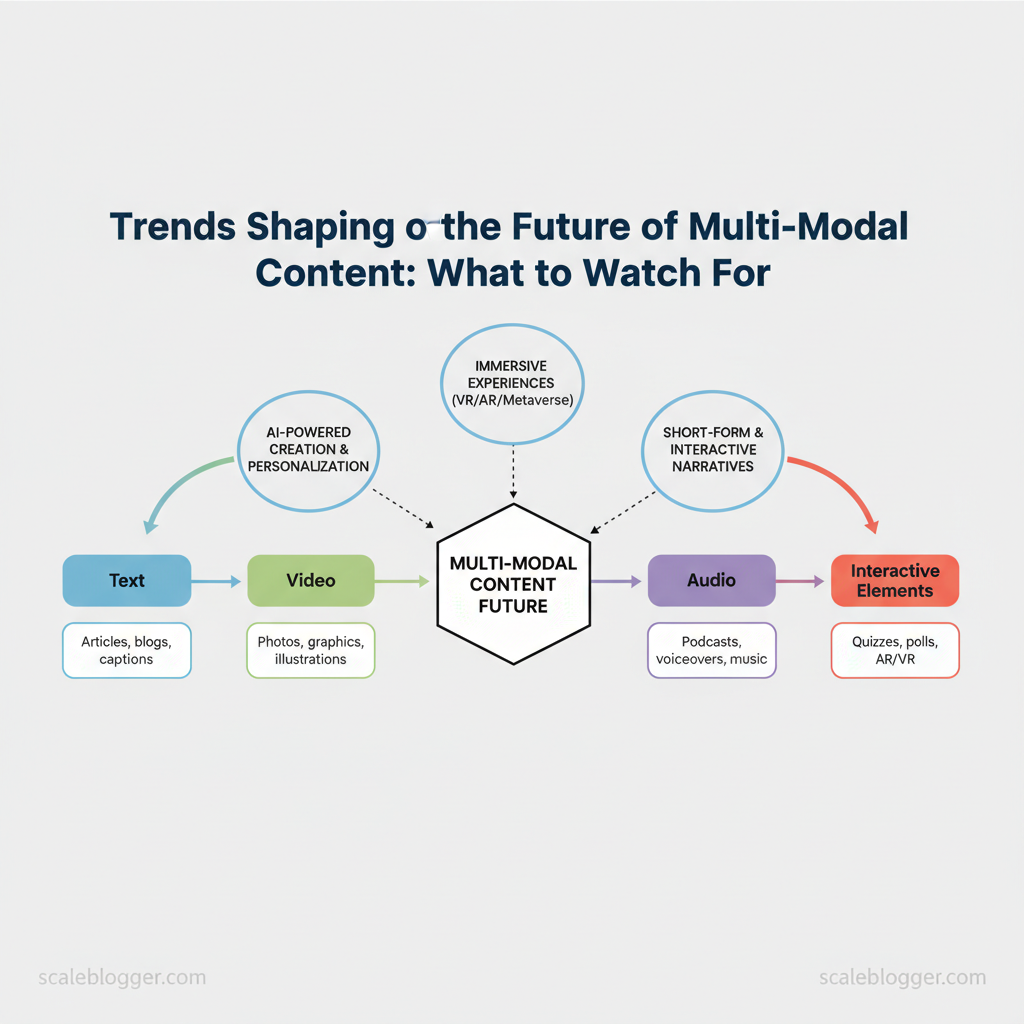
Successful teams stop treating text, audio, video, and interactive elements as separate parts. They design for multi-modal content from the start.
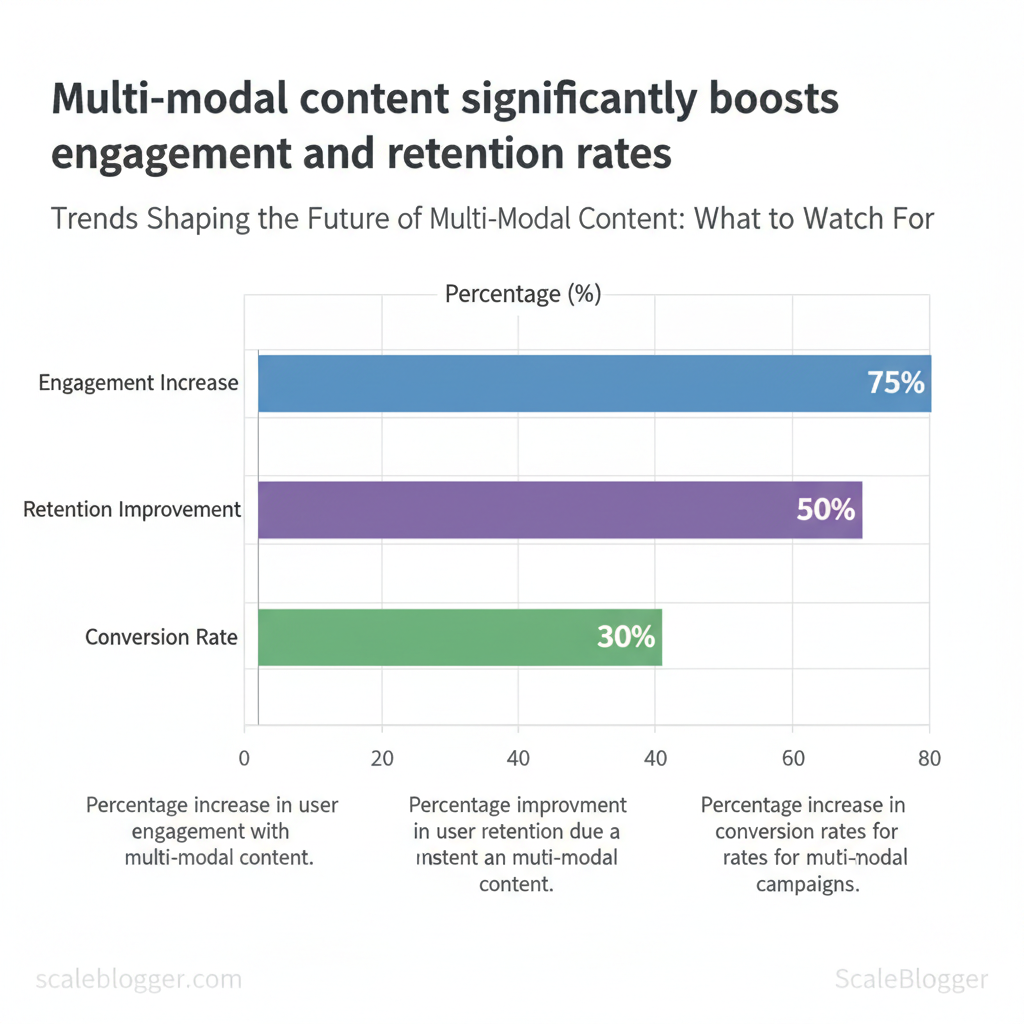
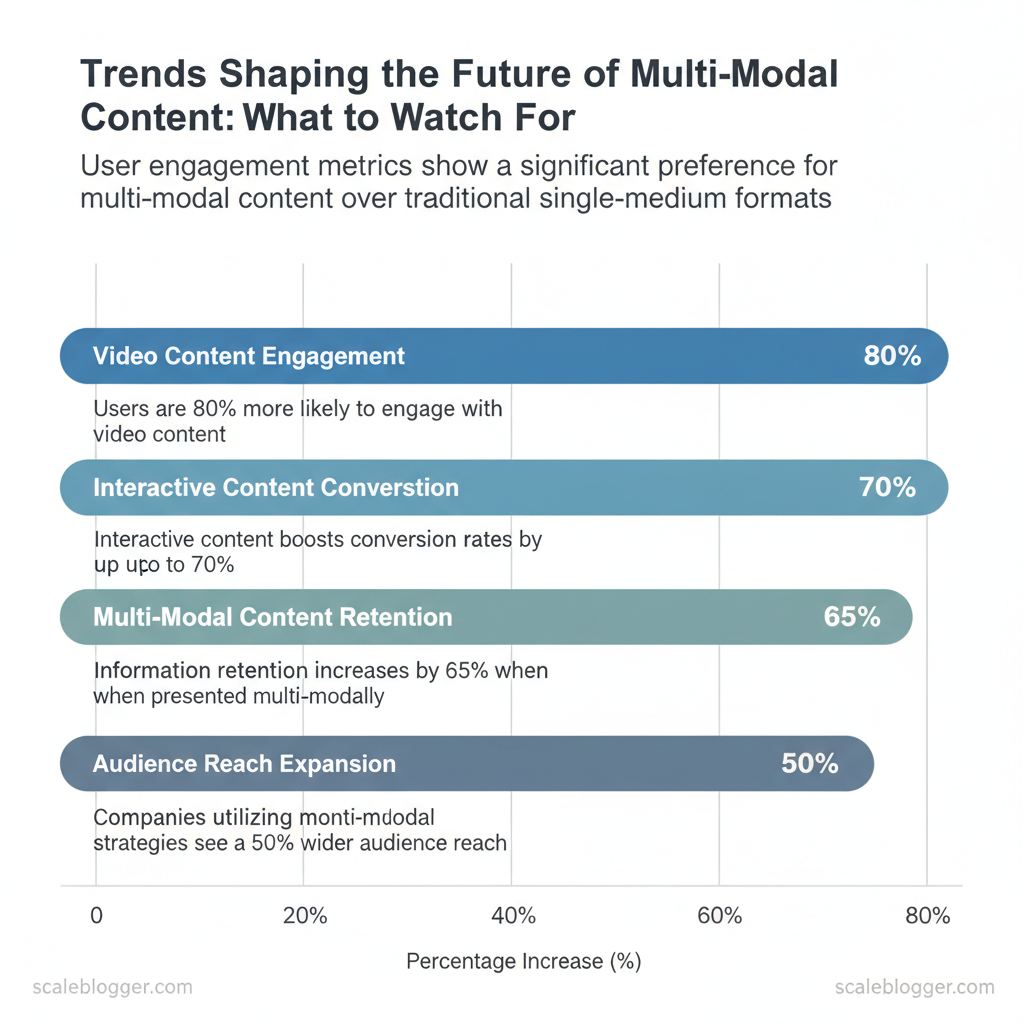
Industry research shows that shorter formats are becoming more effective due to shrinking attention spans.
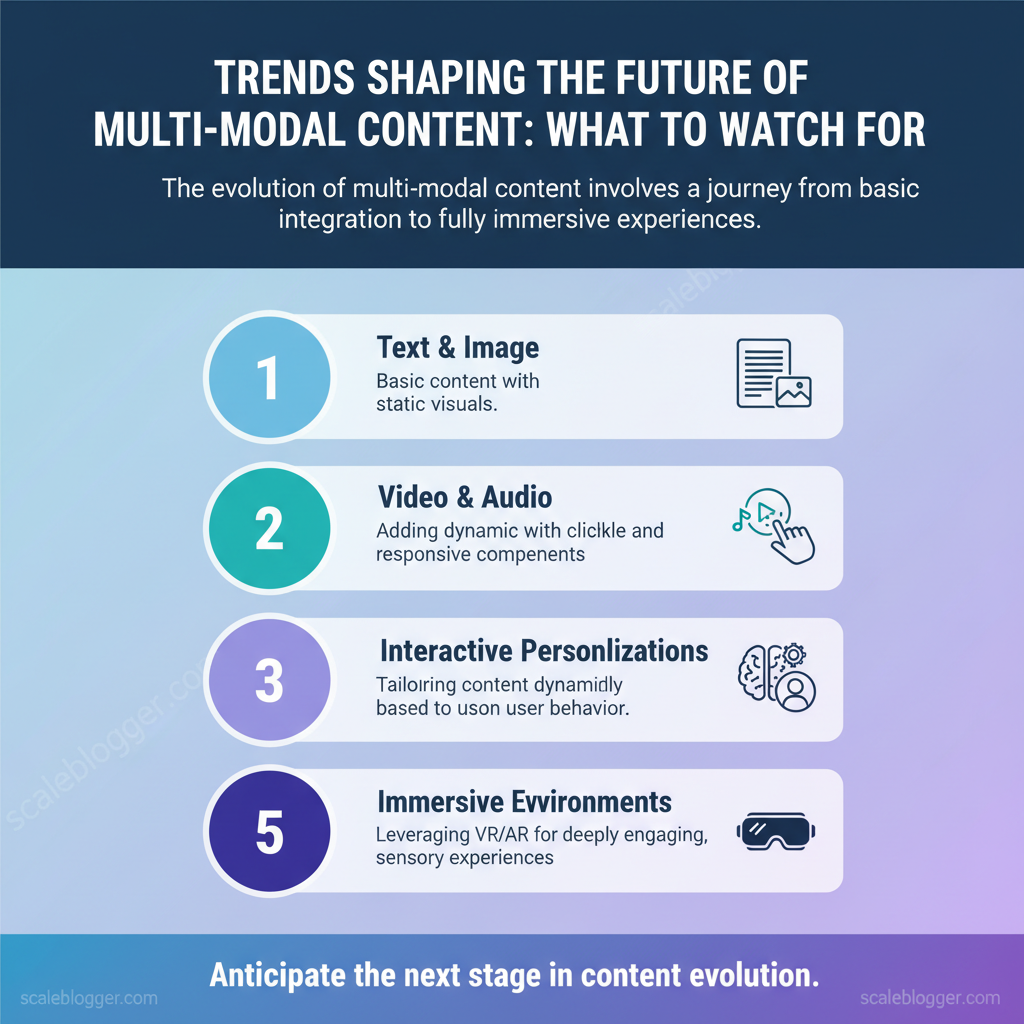
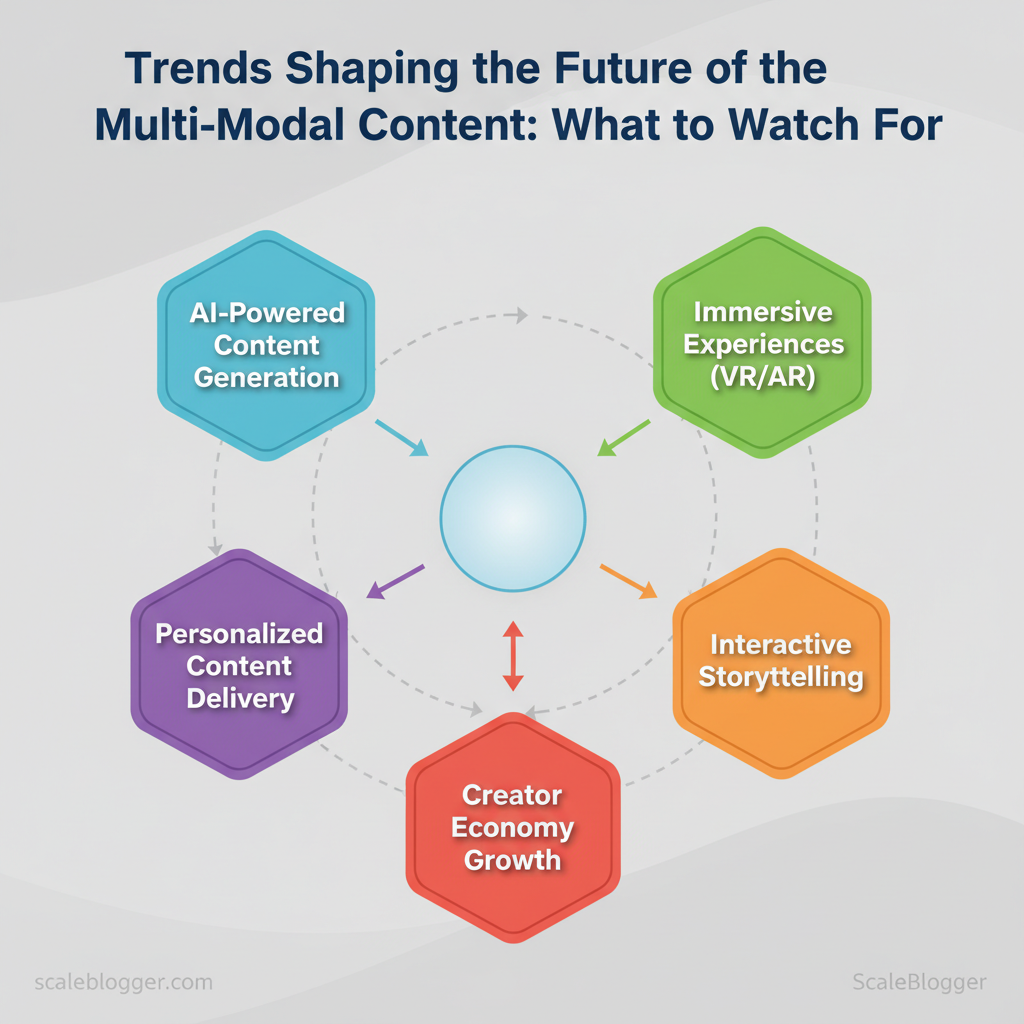
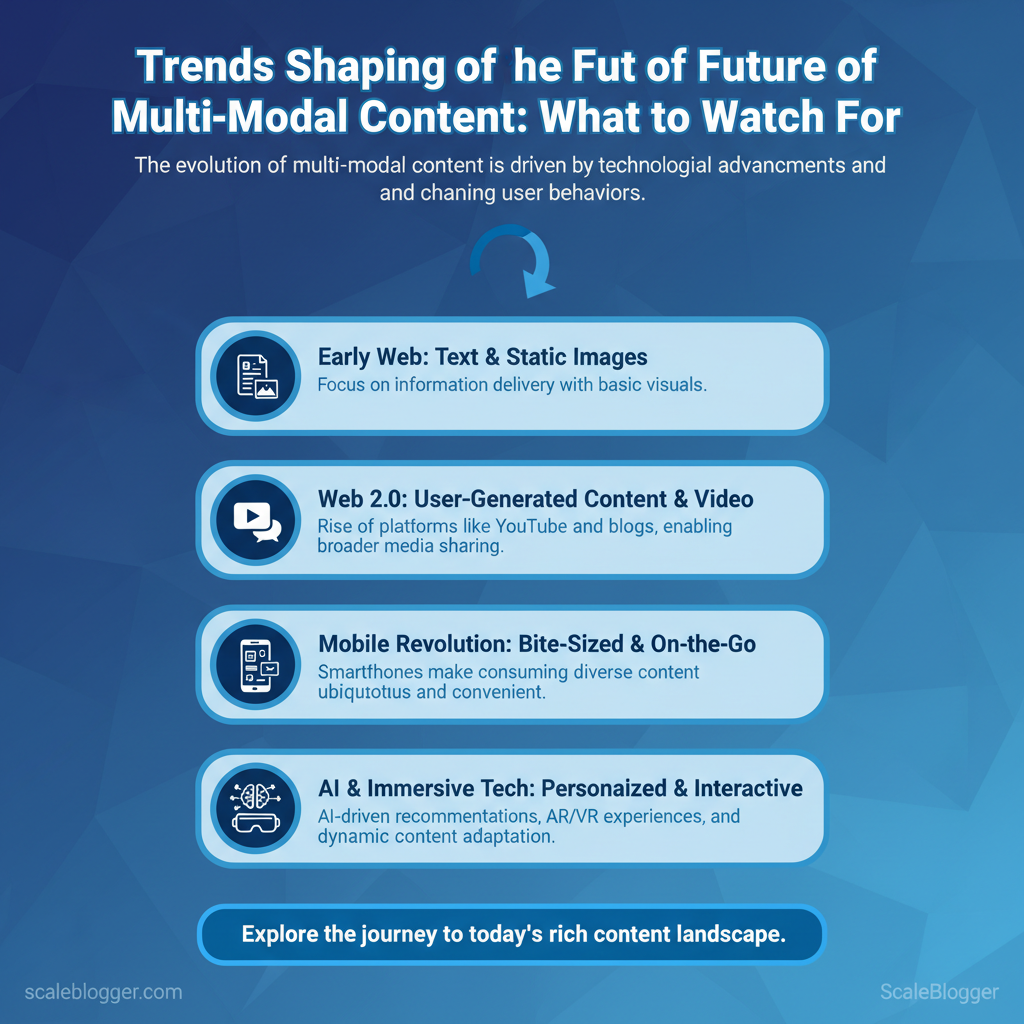
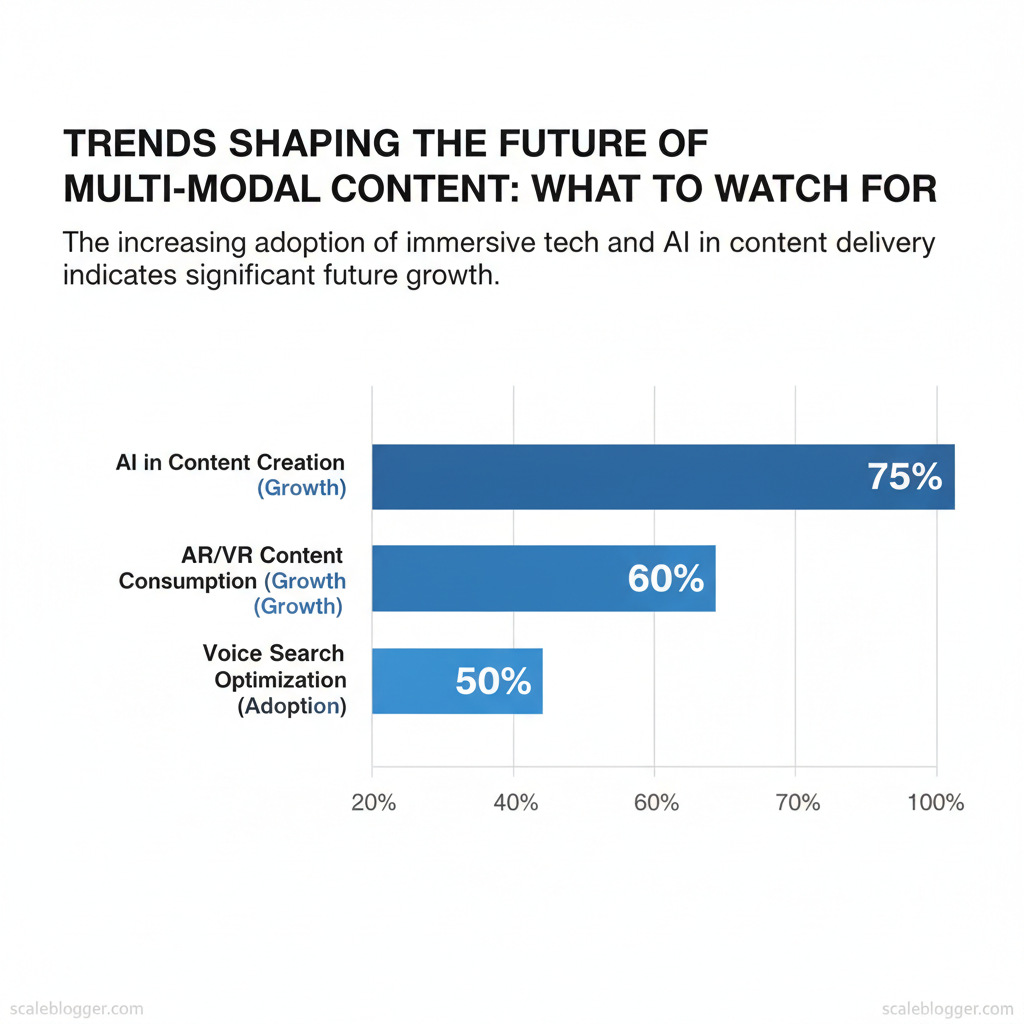
Trends in multi-modal content are changing future content strategies. They now focus on easy repurposing, personalized content based on context, and measuring across formats.
Imagine a product launch. A main article, short video clips, and an interactive demo reuse the same content. They automatically adapt for social media, email, and voice channels.
That approach reduces production time, increases reach, and improves attribution clarity.
Combining formats early boosts ROI and audience relevance more than retrofitting single-format assets.
You’ll get practical signals to watch, implementation patterns that scale, and tools that automate repackaging and distribution.
This introduction draws on common industry observations and real-world practices to prepare teams for emerging content formats and orchestration challenges.
Generative models now tie text, image, audio, and video into a single creative pipeline, letting teams produce cohesive campaigns from one prompt.
Modern systems use shared embeddings and cross-modal transformers so a brief creative direction can spawn an image, a short video, a voiceover, and an SEO-ready article that all align on tone, keywords, and visual style.
This reduces handoffs and preserves context across formats, which speeds production and keeps brand voice consistent at scale.
How modalities get stitched together
Shared embeddings: Models convert text, image, and audio into vector space so content pieces map to the same semantic intent.
Cross-modal transformers: Architectures that accept mixed inputs (text+image) generate outputs across modalities while preserving context.
Prompt chaining: One prompt produces a base asset (e.g., hero image), then follow-up prompts reuse that asset metadata for derivative formats.
Template orchestration: Systems combine prompts with deterministic templates to ensure brand guidelines are applied automatically.
Human-in-the-loop checkpoints: Automated drafts feed reviewers at set gates to catch brand-safety and factual errors.
OpenAI’s ChatGPT launched in November 2022, accelerating adoption of unified prompt workflows across teams.
Practical adoption checklist
Governance and brand safety
Define guardrails: Create allowed/disallowed content lists and a moderation workflow.
Asset provenance: Log model versions, prompts, and dataset sources for every asset.
Prompt engineering and version control
Prompt library: Store canonical prompts with tagged outcomes and performance notes.
Version prompts: Use a simple naming scheme (hero_v1, hero_v2) and diff prompts when changing tone.
Quality metrics and human review
Define KPIs: Use metrics like engagement lift, time-to-publish, and revision rate.
Sampling audits: Routinely sample outputs for factual accuracy and brand fit.
If you want to operationalize this quickly, consider workflows that combine automated generation with scheduled manual reviews—solutions like AI content automation can plug into editorial calendars and reduce repetitive work while retaining human oversight (learn more at Scaleblogger: https://scaleblogger.com).
Popular generative approaches and what modality pairs they support (e.g., text→image, image→text, text→audio, text→video)
Approach / Tool
Supported Modality Pairs
Strengths
Typical Use Cases
DALL·E (OpenAI)
text→image
High-concept image synthesis, style control
Marketing hero images, social posts
Midjourney
text→image
Artistically stylized outputs, community prompts
Creative campaigns, concept art
Stable Diffusion
text→image, image→image
Open-source, locally deployable, fine-tuning
Branded imagery, batch generation
OpenAI Embeddings
text↔image↔audio via embeddings
Unified semantic search, similarity scoring
Content recommendation, repurposing
CLIP (OpenAI)
image↔text
Strong image-text alignment, zero-shot tasks
Tagging, image search
Google Cloud TTS
text→audio
Multi-voice, neural pipelines, SSML
Product explainers, podcasts
Amazon Polly
text→audio
Low-latency, many languages
IVR, localized voiceovers
ElevenLabs
text→audio
Natural prosody, voice cloning
Narration, long-form…
Trend 1 — AI-Generated Multi-Modal Creative
AI is making multi-modal creation feel like one workflow: teams define a single creative direction, then generate coordinated assets across text, images, audio, and video—while keeping tone and intent consistent.
In the next section, we’ll go deeper into how these systems align modalities (and how to keep production safe and reliable at scale). But before you adopt tooling, start with this practical first step:
Pick one campaign asset to standardize (e.g., a hero concept or product message), then define what must stay consistent across every format (brand voice, keywords, and factual claims).
Set guardrails upfront (allowed themes, review gates, and provenance logging) so scaling doesn’t increase risk.
Next: Continue in Section 6 for the detailed workflow, adoption checklist, and tool/modality comparison.
To scale multi-modal production without losing brand voice or increasing risk, teams need more than extra generation—they need a repeatable workflow that keeps formats aligned.
In Trend 1, you’ll see how modern systems can convert a single creative direction into consistent text, visuals, audio, and video while preserving semantic intent and tone.
What you’ll learn
How unified model capabilities can keep multi-format output coordinated (not stitched together after the fact).
How to add guardrails (governance, versioning, and review checkpoints) so quality and brand safety scale with volume.
How to choose the right tooling based on the modality conversions you actually need.
Next: Continue in Section 6 for the detailed explanation, checklist, and examples.
> **Key Takeaway:**
Trend 1 — AI-Generated Multi-Modal Creative
Generative models now connect text, images, audio, and video into one creative process. This allows teams to create unified campaigns…
Trend 1 — AI-Generated Multi-Modal Creative
Generative models now connect text, images, audio, and video into one creative process. This allows teams to create unified campaigns from a single prompt.
Modern systems use shared embeddings and cross-modal transformers. This way, a simple creative idea can create an image, a short video, a voiceover, and an SEO-friendly article. All of these will match in tone, keywords, and visual style.
This cuts down on handoffs and maintains context across formats, speeding up production and keeping brand voice consistent.
How modalities get stitched together
Shared embeddings: Models convert text, image, and audio into vector space so content pieces map to the same semantic intent.
Cross-modal transformers: Architectures that accept mixed inputs (text+image) generate outputs across modalities while preserving context.
Prompt chaining: One prompt produces a base asset (e.g., hero image), then follow-up prompts reuse that asset metadata for derivative formats.
Template orchestration: Systems combine prompts with deterministic templates to ensure brand guidelines are applied automatically.
Human-in-the-loop checkpoints: Automated drafts feed reviewers at set gates to catch brand-safety and factual errors.
OpenAI’s ChatGPT launched in November 2022, accelerating adoption of unified prompt workflows across teams.
Practical adoption checklist
Governance and brand safety
Define guardrails: Create allowed/disallowed content lists and a moderation workflow.
Asset provenance: Log model versions, prompts, and dataset sources for every asset.
Prompt engineering and version control
Prompt library: Store canonical prompts with tagged outcomes and performance notes.
Version prompts: Use a simple naming scheme (hero_v1, hero_v2) and diff prompts when changing tone.
Quality metrics and human review
Define KPIs: Use metrics like engagement lift, time-to-publish, and revision rate.
Sampling audits: Routinely sample outputs for factual accuracy and brand fit.
If you want to operationalize this quickly, consider workflows that combine automated generation with scheduled manual reviews—solutions like AI content automation can plug into editorial calendars and reduce repetitive work while retaining human oversight (learn more at Scaleblogger: https://scaleblogger.com).
Popular generative approaches and what modality pairs they support (e.g., text→image, image→text, text→audio, text→video)
Approach / Tool
Supported Modality Pairs
Strengths
Typical Use Cases
DALL·E (OpenAI)
text→image
High-concept image synthesis, style control
Marketing hero images, social posts
Midjourney
text→image
Artistically stylized outputs, community prompts
Creative campaigns, concept art
Stable Diffusion
text→image, image→image
Open-source, locally deployable, fine-tuning
Branded imagery, batch generation
OpenAI Embeddings
text↔image↔audio via embeddings
Unified semantic search, similarity scoring
Content recommendation, repurposing
CLIP (OpenAI)
image↔text
Strong image-text alignment, zero-shot tasks
Tagging, image search
Google Cloud TTS
text→audio
Multi-voice, neural pipelines, SSML
Product explainers, podcasts
Amazon Polly
text→audio
Low-latency, many languages
IVR, localized voiceovers
ElevenLabs
text→audio
Natural prosody, voice cloning
Narration, long-form audio
Synthesia
text→video
Avatar-driven video from scripts
Training videos, product demos
Runway
text→video, image→video
Fast iteration, in-browser editing
Short-form ads, social reels
Pika Labs
text→video
Rapid storyboarding, simple UI
Concept reels, prototypes
Custom pipelines (Airflow + PyTorch)
any pair via orchestration
Fully controlled, audit trails
Enterprise-grade campaigns
Key insight: The landscape mixes turnkey SaaS for speed (Synthesia, ElevenLabs) with open-source and custom options for control (Stable Diffusion, CLIP, custom pipelines). Teams balancing speed and brand safety will often combine a hosted TTS/video tool with in-house embeddings and review gates to scale reliably.
Understanding these principles helps teams move faster without sacrificing quality.
When implemented correctly, multi-modal pipelines turn a single idea into coordinated assets across channels.
Section Content
> **Key Takeaway:**
Trend 2 — Personalization at Modality-Level
Personalization at the modality level means choosing not just the topic or tone, but the delivery format—text, audio, video,…
Trend 2 — Personalization at Modality-Level
Personalization at the modality level means choosing not just the topic or tone, but the delivery format—text, audio, video, interactive, or summaries—based on signals about who’s consuming content and how.
Teams that analyze modalities consider session behavior, device type, time of day, accessibility needs, and user history. This helps them create recommended mixes, like a five-minute audio+summary for commuters or long text with links for desktop users.
This lets you serve the right format at the right moment, lift engagement, and reduce friction across audience segments.
Modality profiling and audience signals
Start with signals you already collect, then infer modality preferences and test hypotheses.
Session behavior: short sessions → prefer concise formats like summaries or audio snippets.
Device: mobile → vertical video and short audio; desktop → long-form articles, interactive tools.
Time of day: commuting hours → audio or single-screen summaries; work hours → in-depth text and data visualizations.
Accessibility needs: screen readers, captions, transcripts → provide semantic HTML, aria labels, and text-first alternatives.
Industry analysis shows audiences increasingly expect format flexibility rather than a one-size-fits-all experience.
Practical persona examples: a commuter wants 5–8 minute audio with clear timestamps; a desktop researcher wants citations, charts, and downloadable CSVs. Privacy and consent matter—surface personalization only after clear opt-in and respect Do Not Track/cookie preferences.
Implementing modality-level tests
Define experiment mixes: name tests like MIX-A_text+image vs MIX-B_audio+summary.
Use UTM tags and content IDs.
Pick KPIs:engagement (time on page, completion rate), CTR for CTAs, conversion (newsletter signups, trial starts).
Run segmented A/B tests: split by inferred signal (mobile vs desktop, commuting vs evening).
Analyze and iterate: prioritize mixes that lift engagement by meaningful thresholds (e.g., +15% completion).
Scale winners: automate content generation pipelines to produce the selected modality mixes at scale.
Example test snippet:
Test: MIX-A_text+image vs MIX-B_audio+summary
Segment: Mobile commuters (6–9 AM)
Primary KPI: Audio completion rate
Duration: 2 weeks
Audience Signal
Inferred Preference
Recommended Modalities
Measurement KPI
Mobile, short sessions
Quick consumables
Audio bites, summaries, vertical video
Completion rate, CTR
Desktop, long sessions
Deep reading
Long-form text, data visualizations, downloadable assets
Time on page, scroll depth
Commuting behavior
Hands-free formats
Podcast-style audio, short summaries with timestamps
Completion rate, repeat listens
Accessibility needs
Text-first, navigable
Transcripts, captions, semantic HTML, aria support
Screen-reader usage, accessibility audits
Repeat readers/subscribers
Multi-format bundles
Email summaries + full article + audio
Retention, LTV
Key insight: mapping signals to modalities turns raw analytics into actionable content formats—measure completion and conversion to validate which mixes scale.
Understanding these principles helps teams move faster without sacrificing quality.
When implemented thoughtfully, modality-level personalization frees creators to focus on depth while automation handles format delivery.
Section Content
> **Key Takeaway:**
Trend 3 — Immersive and Spatial Formats (AR/VR/3D)
Immersive formats are shifting from novelty to practical channels for commerce, training, and storytelling.
Businesses…
Trend 3 — Immersive and Spatial Formats (AR/VR/3D)
Immersive formats are shifting from novelty to practical channels for commerce, training, and storytelling.
Businesses use AR for virtual try-ons and configurators that speed up purchases. They use VR for realistic simulations and employee training. Lightweight 3D viewers enhance product pages and boost conversions.
These formats demand different trade-offs: WebAR and 3D viewers are fastest to deploy and scale, while full VR or mixed-reality installations require more engineering and infrastructure but deliver deeper engagement.
How teams are using immersive content today
Product try-ons & configurators: virtual furniture placement, eyewear try-ons, and modular product builders that reduce returns.
Interactive brand experiences: location-based AR scavenger hunts, branded WebAR campaigns, and experiential storytelling that extend dwell time.
Training & simulations: VR safety drills, procedural simulations for healthcare or manufacturing, and scenario-based soft-skill practice.
3D product viewers: embedded models with zoom/rotate, GLTF/USDZ support, and annotated hotspots for feature education.
Mixed-reality installations: retail pop-ups and event activations that combine physical props with spatial overlays.
Budgeting and tooling roadmap (practical path from pilot to scale)
Pilot (low cost): start with WebAR platforms and 3D viewers from marketplaces — low integration, quick launch.
Prototype (moderate cost): build interactive demos in Unity or Unreal using lightweight SDKs for mobile; procure optimized models from 3D marketplaces.
Scale (higher cost): invest in hosting/CDN for 3D assets, analytics pipelines, and platform-specific optimizations (iOS USDZ, Android GLTF).
Maintain: set budget for ongoing model optimization, accessibility testing, and performance monitoring.
Practical tooling examples
WebAR platforms: quick URL-based AR experiences, fast launch and broad reach.
3D marketplaces: off-the-shelf models, reduces modeling time.
Unity/Unreal: full-featured prototypes and VR builds, high fidelity.
Lightweight SDKs:three.js, Babylon.js for web viewers, lower overhead.
Hosting & analytics: CDN for large assets, event-based analytics to measure engagement.
Immersive format types (AR, WebAR, VR, 3D) against business fit and technical complexity
Format
Best Use Cases
Technical Complexity
Typical Time-to-Launch
Mobile AR (WebAR)
Try-ons, product placement
Low – browser-based, GLTF/USDZ
2–6 weeks
App-based AR
Persistent AR, higher fidelity
Medium – native SDKs, ARKit/ARCore
2–4 months
VR experiences
Training simulations, immersive storytelling
High – headset dev, platform certs
3–9 months
3D product viewers
E-commerce product pages, configurators
Low–Medium – model optimization
1–4 weeks
Mixed reality installations
Retail activations, events
Very High – hardware + spatial mapping
4–12 months
Key insight: WebAR and 3D viewers are the fastest way to prove ROI; Unity/Unreal and MR installations are strategic investments for deep engagement or enterprise training. Start with pilots that validate metrics (engagement, conversion lift, reduction in returns) before committing to heavier VR or mixed-reality builds. When planning, account for model optimization, hosting costs, and analytics to measure impact—this lets teams scale immersive work without getting stuck on upfront complexity.
Understanding these principles helps teams move faster without sacrificing quality.
When implemented thoughtfully, immersive formats turn passive content into measurable experiences that lift both engagement and revenue.
Section Content
Trend 4 — Contextual Distribution and Device Fragmentation
Content no longer travels one uniform path; it fragments across contexts and devices, so distribution must be contextual-first.
Short vertical video, long-form audio, email, in-app microcopy and voice answers each demand different length, format, and metadata strategies.
Optimizing for each context—and measuring across them—lets teams reuse assets efficiently while preserving discoverability and conversion signal integrity.
Why distribution context matters now
Match format to attention patterns: mobile feeds favor 15–60s vertical clips, living-room viewers accept 8–20+ minute videos, commuters listen to 20–60 minute podcasts, and voice assistants require concise, answerable snippets.
Metadata and structured markup make content discoverable beyond the UI (transcripts, schema, Open Graph), while progressive enhancement ensures rich experiences degrade gracefully on limited devices or networks.
Understanding and instrumenting these flows reduces blind spots and lets you formats based on real cross-device behavior.
When implemented well, teams can scale distribution choices without fragmenting measurement or losing conversion context.
This approach lets creators spend less time juggling formats and more time on ideas that actually move the needle.


Section Content


Trend 5 — Accessibility and Inclusive Design as Competitive Advantage

Accessibility and inclusive design extend your audience and make content perform better in search: adding captions, transcripts, semantic HTML, and descriptive alt text increases discoverability, reduces legal risk, and improves user engagement across devices and assistive technologies.
When teams treat accessibility as a growth lever rather than a compliance checkbox, content becomes easier to index, more shareable, and more likely to convert for underserved audiences.
The practical payoff includes higher organic reach (search engines favor well-structured content), lower support costs, and stronger brand trust among users who value inclusivity.
What follows are concrete actions and checklist items you can apply across modalities, plus examples and implementation guidance that work in real editorial workflows.
Content discoverability: Use transcripts and captions so video/audio content becomes text-searchable and indexable.
Technical SEO wins: Proper heading hierarchy, semantic tags, and structured data improve crawling and featured snippet potential.
Brand equity: Inclusive content lowers friction for users with disabilities and signals organizational maturity to partners and customers.
Practical examples and tactics
Article example: Add a clear reading-level indicator and aria-describedby for complex diagrams to help screen readers parse long-form guides.
Image example: Use alt text that conveys purpose (not just “image”) and provide long descriptions for charts with key data callouts.
Video example: Publish both searchable transcripts and timed captions; include a short text summary for quick indexing.
Actionable checklist mapping modality to accessibility action and quick implementation time estimate
Modality-specific accessibility checklist for future content strategies
Modality
Accessibility Action
Implementation Time (estimate)
Priority (High/Medium/Low)
Text / Articles
Use semantic headings, readable fonts, 4.5:1 contrast, skip links
2–6 hours per article
High
Images / Graphics
Add alt text, long descriptions for charts, caption for context
15–45 minutes per image
High
Video
Add captions, searchable transcript, audio descriptions for visuals
2–8 hours per video
High
Audio / Podcasts
Provide full transcripts, chapter markers, show notes with links
1–3 hours per episode
Medium
AR/VR experiences
Ensure navigable controls, alternative non-visual interfaces, captioning for audio prompts
1–3 weeks per experience
Low/Medium
Key insight: Investing small amounts of time (minutes to hours) on text, images, and audio unlocks outsized gains in SEO and reach, while immersive experiences need longer planning. Prioritizing captions, transcripts, and semantic structure yields immediate discoverability improvements and reduces future remediation costs.
If you want to bake accessibility into the content production pipeline, automation helps: automated captioning/transcription, image alt suggestions, and accessibility checks in CI catch issues before publishing.
For teams scaling content operations, tools that integrate accessibility checks into the editorial workflow—like solutions to Scale your content workflow—speed adoption and keep quality consistent.
Understanding and applying these principles makes content both more discoverable and more valuable to a wider audience.
When done right, accessibility becomes a growth strategy rather than an afterthought.
Section Content
Trend 6 — Measurement and Monetization of Multi-Modal Experiences
Multi-modal campaigns require measurement that sees formats as connected channels instead of separate assets.
Start by measuring all costs (production, distribution, personalization), then track engagement-weighted outcomes like engaged_minutes, leads generated, and revenue per engaged user.
Tie those engagement signals back to revenue or lifetime value (LTV) to quantify uplift by modality, and use incremental tests to isolate impact — not every view should be counted equally.
How to measure and where to monetize
Start with a cost map: list production hours, tool subscriptions, licensing, and hosting for each modality.
Use engagement-weighted metrics:engaged_minutes, meaningful scrolls, and micro-conversion events instead of raw impressions.
Attribute incrementally: run A/B or holdout tests where a cohort sees multi-modal content and a control sees single-modality; measure incremental revenue per user.
Link to LTV: estimate how engagement uplifts change retention and average order value to convert engagement into revenue forecasts.
Monetization matching: match formats to monetization — long-form audio/video for subscriptions or sponsorships, snippets and microcontent for lead gen and retargeting funnels.
Practical monetization strategies to explore
Ad-supported video/audio: test CPMs and premium sponsors for episodic formats.
Subscription tiers: offer early access or bonus multi-modal packs for paid subscribers.
Microtransactions: charge for downloadable resources tied to a video or interactive asset.
Lead funnels: use multi-modal touchpoints to warm leads, then convert via webinars or consults.
Content-as-product: package serialized multi-modal content into courses or paid toolkits.
Licensing & syndication: license original video/audio to platforms or partners for upfront fees.
Map costs and baseline KPIs per modality.
Run a 4–6 week holdout test to measure incremental conversions.
Calculate incremental revenue and compare to marginal cost.
Pilot the lowest-friction monetization (affiliate links, sponsorship) while scaling winners.
Industry analysis shows engagement-weighted metrics correlate more closely with revenue outcomes than raw impressions alone.
Illustrate a worked ROI example with sample numbers for production, distribution, engagement, and revenue uplift
Multi-modal content trends — ROI worked example
Line Item
Assumed Value
Notes
Impact on ROI
Content production (multi-modal)
$8,000
Video + podcast + transcript + editing
Major upfront cost
Distribution & hosting
$2,000
CDN, audio hosting, paid placements
Recurring monthly cost
Engagement uplift
35%
engaged_minutes up 35% vs text-only
Drives deeper funnels
Conversion uplift
+3.0 percentage points
From 1.0% → 4.0% for exposed cohort
Direct revenue driver
Revenue uplift (6 months)
$25,000
Extra sales and higher AOV estimated
Positive top-line impact
Net ROI
150%
(25,000 - 10,000) / 10,000
Compelling payback within 6 months
Key insight: this example shows that when engagement lifts are converted into even modest conversion gains, multi-modal investments can pay back quickly — but those gains depend on accurate attribution and well-run holdout experiments.
Net ROI = (IncrementalRevenue - TotalCosts) / TotalCosts
Tip: Pilot low-friction monetization first (sponsorships, affiliates) to validate revenue before building subscription layers.
Tip: Use engaged_minutes and micro-conversions as early signals to prioritize modalities for monetization.
If you want, I can build a tailored cost-and-revenue template for your next multi-modal pilot or walk through a mock A/B holdout you can replicate.
Understanding these principles helps teams move faster without sacrificing measurement rigor.
Section Content
Conclusion
You’ve seen how streamlining formats, automating repetitive tasks, and tying measurement to creative experiments can free teams to publish faster and with more impact — and how teams that combine template-driven workflows with data-backed topic selection often boost engagement and production velocity.
Consider the marketing team that cut content turnaround in half by templating briefs and another that boosted organic traffic by aligning content with search intent. those patterns show this approach scales.
If you’re wondering whether to start with tooling, governance, or measurement first, start with the smallest repeatable workflow you can automate and measure, then expand.
To move forward, pick one workflow to automate this month, define the success metric you’ll track, and run two experiments in 60 days.
For teams looking to accelerate implementation, platforms that combine AI-driven planning with publish automation can save weeks of setup; for hands-on help, consider bringing an implementation partner on board.
ScaleBlogger is an AI-powered content intelligence platform built to make content performance predictable.
Our articles are generated and refined through ScaleBlogger’s own research and AI systems — combining real-world SEO data, language modeling, and editorial oversight to ensure accuracy and depth.
We publish insights, frameworks, and experiments designed to help marketers and creators understand how content earns visibility across search, social, and emerging AI platforms.