

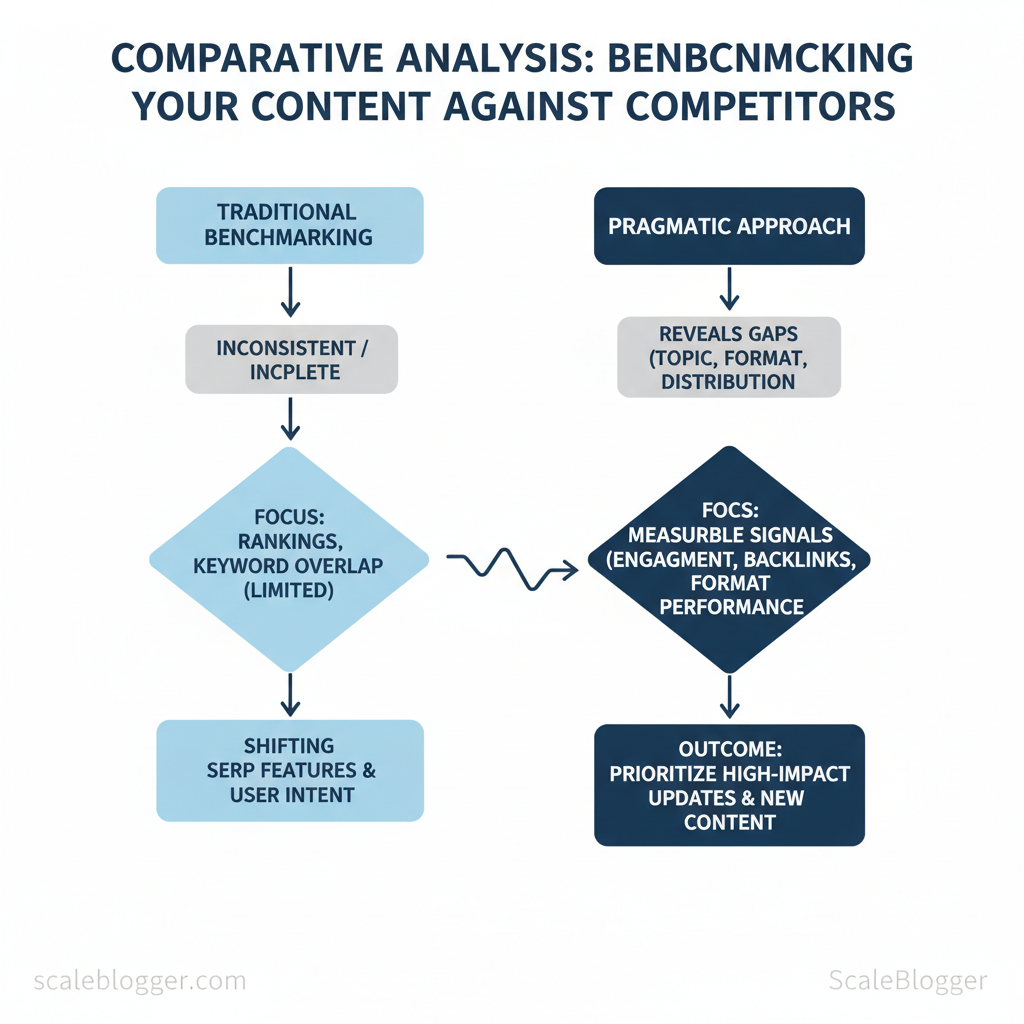
Marketing teams pour hours into content that never outperforms competitors because benchmarking is inconsistent or incomplete. Rapidly shifting SERP features and changing user intent mean merely tracking rankings no longer explains who wins and why.
A pragmatic approach to competitive analysis reveals gaps in topic coverage, format, and distribution — not just keyword overlap. When content benchmarking focuses on measurable signals like engagement, backlinks, and format performance, teams can prioritize high-impact updates and new content with confidence. Picture a product marketing group that used engagement-based benchmarking to shift three cornerstone pages from long-form posts to interactive guides, increasing qualified traffic within two months.
This introduction previews practical benchmarking techniques that remove guesswork and tie outcomes to business metrics. Expect stepwise methods, common pitfalls, and tools that automate data collection while preserving strategic judgment. The emphasis is on content benchmarking that scales, not on vanity metrics.
- What to measure beyond rankings and why it matters for conversions
- How to map competitor content formats to opportunity space
- Simple `data` checks that reveal high-impact update targets
- Benchmarking techniques for prioritizing content roadmaps
- Ways to automate competitor data collection without losing context
Define Your Benchmarking Goals and Scope
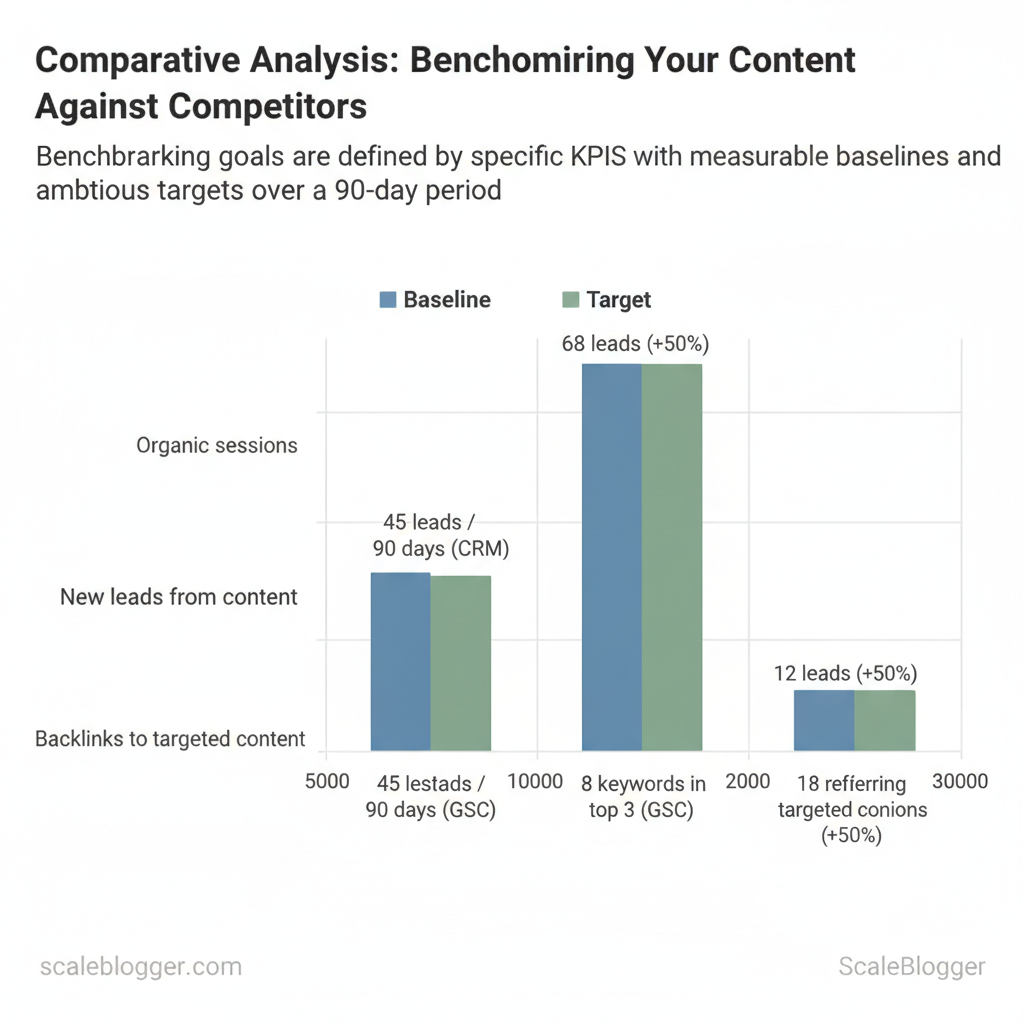
Begin by tying benchmarking to a clear business outcome: choose one primary KPI that maps directly to revenue or growth (traffic for top-of-funnel, leads for demand gen, rankings for discoverability). Set a realistic timeframe and a target magnitude based on current baselines from your analytics and search console. This prevents chasing vanity metrics and gives teams a measurable win to optimize toward.
Prerequisites
- Access to analytics: Google Analytics (GA4) and Google Search Console credentials.
- Lead data: CRM access for content-sourced lead attribution.
- Competitive list: URLs for direct and aspirational competitors.
- Topic inventory: Existing content grouped into 3–5 topic clusters.
How to choose measurable goals (step-by-step)
Define scope: topics, competitors, time range
- Topic clusters (3–5): Prioritize clusters aligned with product-market fit and revenue influence.
- Competitor set: Include 3 direct competitors (same audience & offering) and 2 aspirational competitors (higher traffic or domain authority).
- Time range: Use 90 days for iterative tests, 180–360 days to evaluate seasonality and compound SEO effects.
| KPI | Baseline (example) | Target (90 days) | Measurement tool |
|---|---|---|---|
| Organic sessions | 12,000 sessions / 90 days (GA4) | 14,400 (+20%) | Google Analytics (GA4) |
| New leads from content | 45 leads / 90 days (CRM) | 68 leads (+50%) | Internal CRM (UTM attribution) |
| Top-3 keyword rankings | 8 keywords in top 3 (GSC) | 12 keywords (+50%) | Google Search Console |
| Average time on page | 1:45 (mm:ss) | 2:10 (+25%) | Google Analytics (engagement) |
| Backlinks to targeted content | 18 referring domains | 27 referring domains (+50%) | Ahrefs / Majestic / GSC links |
Expected outcomes and time estimates
- 90-day sprint: Quick on-page wins, internal process changes — visible traffic and ranking movement.
- 180–360 days: Compounded authority gains, consistent lead growth, and stable rankings.
- If baselines are noisy, extend the baseline window to 180 days.
- If leads don’t move despite traffic growth, audit intent alignment in your topic clusters and CTAs.
- If competitor selection feels arbitrary, filter by shared keywords and overlap in audience intent.
Collect Competitor Data Efficiently
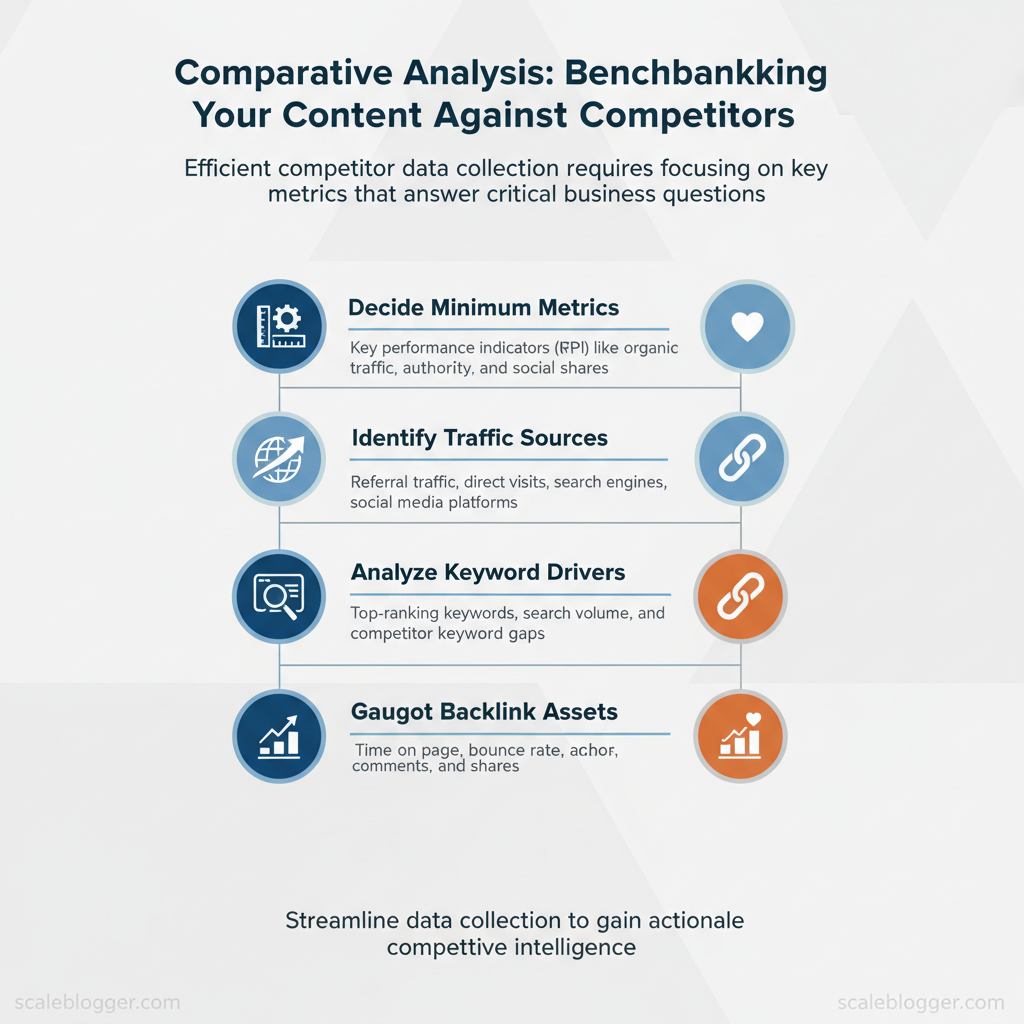
Start by deciding the minimum set of metrics that answer business questions: where competitors get traffic, which keywords drive that traffic, which assets attract backlinks, and how audiences engage with content. These metrics form a concise benchmarking backbone that teams can automate and iterate on without drowning in noise.
Prerequisites
- Access: Accounts for Google Analytics/GA4 and Search Console, and trial/paid access to one SEO platform.
- Tools: Spreadsheet (Google Sheets), API keys for chosen SEO tools, dashboarding tool (Looker Studio, Grafana, or internal BI).
- Time: 2–4 hours to wire initial automation; ongoing maintenance 30–60 minutes/week.
- Traffic (sessions): Use GA4 for site-level sessions, normalize to sessions per article and per month. For competitors, estimate with tools that provide domain traffic.
- Keyword rankings: Track top 50 keywords per competitor, capture SERP position and search volume; export weekly for trend analysis.
- Backlinks: Record new referring domains, anchor text, and domain authority proxies; prefer referring-domain counts over raw link counts.
- Engagement (time on page, bounce): Use time-on-page and event metrics; compute rolling 30-day averages to reduce volatility.
- Content depth / word count: Collect word counts and structural signals (H-tags, media count); normalize engagement per 100 words.
Sample automation flow (conceptual)
“`python
sample: pull keyword list and write to Google Sheets (pseudo)
import requests from googleapiclient.discovery import buildresp = requests.get(“https://api.example-seo.com/top_keywords?domain=competitor.com&key=API_KEY”) keywords = resp.json()[“keywords”] sheets = build(‘sheets’,’v4′,credentials=CREDS).spreadsheets() sheets.values().append(spreadsheetId=ID, range=”Sheet1!A1″, valueInputOption=”RAW”, body={“values”:keywords}).execute() “`
| Metric | Recommended Tool | Cost level | Best for |
|---|---|---|---|
| Traffic (sessions) | Google Analytics (site) / SimilarWeb (estimates) / Semrush Traffic Analytics | GA: Free; SimilarWeb: $199+/mo; Semrush: $119.95+/mo | GA: precise site analytics; SimilarWeb/Semrush: competitor estimates |
| Keyword rankings | Semrush / Ahrefs / Moz / Serpstat | Semrush/Ahrefs: $120–$179+/mo; Moz: $99+/mo; Serpstat: $69+/mo | Rank tracking, SERP features visibility |
| Backlinks | Ahrefs / Majestic / Moz Link Explorer | Ahrefs: $99+/mo; Majestic: $49+/mo; Moz: $99+/mo | Fresh backlink indexes and referring-domain analysis |
| Engagement (time on page, bounce) | Google Analytics (GA4) / Hotjar (session replay) | GA4: Free; Hotjar: $39+/mo | GA4 for metrics; Hotjar for qualitative behavior |
| Content depth / word count | Screaming Frog / Sitebulb / Custom scraper | Screaming Frog: Free up to 500 URLs; paid $229/yr | Structural audit, word counts, H-tag extraction |
Analyze Content Performance and Gaps
Start by mapping content into a practical quadrant: volume (search/impression potential) on the X-axis and quality (engagement/conversion performance) on the Y-axis. Plot each URL or topic by combining objective measures: search volume or impressions for volume; bounce rate, time on page, and conversion rate for quality. Use a composite score per axis so comparisons stay consistent.
Prerequisites
- Access: Search Console, Google Analytics (or GA4), Ahrefs/SEMrush export, competitor site crawl
- Tools: Spreadsheet, basic BI tool (Data Studio/Looker), Scaleblogger content pipeline where automation speeds scoring
- Time estimate: 4–8 hours for a mid-size domain (100–300 pages)
Gap score components and weighting suggestions
- Search demand gap (40%): how much traffic competitors capture vs. you
- Content depth gap (30%): topic breadth and subtopic coverage
- Recency/authority gap (20%): freshness and backlink profile
- Engagement gap (10%): how well competitor pages convert or retain users
Topic overlap matrix and content cluster gap table
| Topic/Subtopic | Your Coverage (Y/N & depth) | Competitor A Coverage | Competitor B Coverage | Gap Score |
|---|---|---|---|---|
| Core Topic 1 | Y — Comprehensive pillar (4,200 words) | ✓ — Comprehensive pillar | ✓ — Brief overview | 72 |
| Subtopic A | Y — Brief guide (900 words) | ✓ — Deep how-to | ✗ — — | 81 |
| Subtopic B | N — not covered | ✓ — Long-form case study | ✓ — FAQ + examples | 88 |
| Core Topic 2 | Y — FAQ + checklist (1,100 words) | ✗ — — | ✓ — Medium guide | 60 |
| Subtopic C | Y — Short blog (700 words) | ✗ — — | ✗ — — | 45 |
Execution steps
When implemented this way, teams reduce churn on low-impact updates and focus effort where measurable opportunity exists. This approach makes editorial roadmaps predictable and performance-driven.
Craft a Competitive Content Plan
Start by treating content decisions as triage: decide whether to update, create, or promote based on measurable signals (traffic, ranking, conversion potential). A tight decision framework prevents wasted production hours and focuses resources where impact is highest. Use simple triggers — declining traffic with steady impressions → update; no coverage + strategic keyword → create long-form; strong-performing pages with low conversion → promote — and apply consistent KPI targets so outcomes are reproducible.
Prioritization matrix: update vs create vs promote
| Action | Typical Effort | Time to Impact | Best Tactics |
|---|---|---|---|
| Update existing post | Medium (2–6 hours) | Short (2–8 weeks) | Technical SEO fixes, add new sections, refresh stats, internal links |
| Create new long-form article | High (10–30+ hours) | Medium (8–16 weeks) | Deep keyword research, expert interviews, comprehensive structure |
| Create short-form or social asset | Low (1–3 hours) | Immediate (0–4 weeks) | Repurpose snippets, micro-content, platform-optimized creatives |
| Promotion / PR push | Medium–High (5–20 hours) | Short–Medium (1–8 weeks) | Outreach, sponsored placements, press releases, influencer amplification |
| Repurpose into other formats | Low–Medium (2–8 hours) | Short (2–6 weeks) | Turn posts into videos, podcasts, slide decks, gated resources |
Editorial brief and KPI targets
Example KPI targets by content type:
- Long-form pillar: `10k organic views/mo` within 6 months, `15 backlinks` first 6 months, lead rate `0.5%`
- Update: traffic uplift `+20%` in 8 weeks, maintain top-10 ranking for target keyword
- Short-form: social reach `5k impressions` and `2% engagement rate` first month
Process steps for repeatability
Understanding these rules lets teams act quickly and measure results consistently. When implemented, this approach funnels effort to the highest-impact content without adding coordination overhead.
Measure, Report, and Iterate
Start measuring from day one and make reporting the operational heartbeat of the content program. Track short-window signals weekly to catch execution issues and leading indicators, then use monthly and quarterly views to validate SEO traction and strategic direction. Dashboards should be actionable: every widget exists to answer a single question and to trigger one of three responses — fix, iterate, or scale.
What to monitor and when
- Weekly — execution signals: publishes, index status, crawl errors, impressions by page, CTR, and content QA flags.
- Monthly — performance trends: organic sessions, keyword rankings (tracked set), conversion rate by content type, backlinks acquired.
- Quarterly — strategic health: topical authority growth, content velocity vs. competitors, funnel influence (assisted conversions).
- Publish cadence widget: shows planned vs. shipped content; triggers resource reallocation when behind schedule.
- Top-10 keyword movers: identifies pages gaining/losing rankings; triggers prioritization for refreshes.
- Engagement funnel: sessions → time-on-page → scroll depth → conversion; exposes UX or intent mismatch.
- Technical health score: crawlability, index coverage, Core Web Vitals aggregated; flags urgent dev work.
- Experiment tracker: active tests, status, primary metric, and next decision date.
Experiment templates and measurement windows
- Design: hypothesis → variant → primary metric (`organic sessions`, `rankings`, or `CTR`) → sample size target.
- Measurement window: allow 4–8 weeks for on-page tests (indexing lag), 8–12 weeks for experiments targeting rankings.
- Capture: store test briefs, raw results, and a one-paragraph learning in a living playbook.
| Week | Activity | Metric to Measure | Decision Point |
|---|---|---|---|
| Weeks 1-2 | Publish test variant; submit sitemap; monitor index status | Indexing, impressions, initial CTR | Continue if indexed; pause if not indexed after 2w |
| Weeks 3-4 | Monitor user signals; fix technical issues; collect early CTR data | CTR, bounce rate, avg. time on page | If CTR +10% continue; if CTR -10% revert |
| Weeks 5-8 | Observe ranking movement; assess backlink pickup | Keyword rank, organic sessions, backlinks | If rank improving → expand test; if flat → iterate content |
| Weeks 9-12 | Final measurement window; A/B analysis for lift | 90-day sessions, conversions, assisted conversions | Scale if sustained lift; otherwise document learnings |
| Review & Plan | Consolidate results; update playbook; plan next cycle | Net traffic lift, ROI, effort hours | Escalate to strategy if >20% topical lift or repeat failures |
Capture learnings as structured entries in a shared playbook, and convert repeated wins into templates or automated rules (the client’s AI-powered pipeline fits naturally here). When patterns persist across tests, elevate them to strategy-level changes rather than one-off tweaks. Understanding these measurement rhythms helps teams make faster, lower-risk decisions while preserving long-term SEO momentum.
📥 Download: Content Benchmarking Checklist (PDF)
Scale Benchmarking with Automation and Teams
Scale benchmarking succeeds when governance and automation are designed to push decisions down to teams while keeping measurement accurate and repeatable. Start by assigning clear ownership for the benchmark lifecycle, set SLAs for data freshness and validation, and deploy a minimal, battle-tested automation playbook that ties alerts to human handoffs. The result: teams iterate faster because they trust the underlying metric system and receive signals only when action is needed.
Map roles to responsibilities and expected outputs to clarify governance
| Role | Primary Responsibility | Deliverables | Cadence |
|---|---|---|---|
| Benchmark Owner | Define benchmark scope, targets, and success criteria | Benchmark charter, SLA doc, KPI definitions | Quarterly strategy + monthly review |
| Data Analyst | Ingest, validate, and model data for benchmarks | Clean datasets, dashboards, anomaly reports | Daily pipelines + weekly reports |
| Content Editor | Translate benchmark insights into editorial tasks | Content briefs, optimization tickets, A/B test plan | Weekly planning + per-campaign updates |
| Growth / Performance Lead | Tie benchmarks to revenue/traffic outcomes and prioritize experiments | Experiment backlog, ROI calculations, prioritization framework | Bi-weekly sprint reviews |
| Agency / Contractor | Execute scaled content ops and short-term experiments | Drafts, briefs, campaign analytics | Deliverable-based (sprints) |
Automation playbook and toolchain — minimum viable components
- Data ingestion: connector to analytics (GA4), CMS exports, and SERP trackers.
- Warehouse + modeling: central table with canonical content IDs and normalized metrics.
- Orchestration: job scheduler (Airflow or managed alternatives) for ETL.
- Alerting: rule engine that posts to Slack or webhook when thresholds breach.
- Dashboarding: read-only dashboards for teams with links to source queries.
- Traffic drop >20% week-over-week for top 10 landing pages.
- CTR decline >15% from SERP impressions baseline for pages ranking position 1–5.
- New content failing to reach baseline engagement within 30 days.
- Start lean: use managed connectors and existing BI tools to validate use cases before investing.
- Custom tooling justified when automation saves >10 hrs/week across teams or improves content velocity such that revenue lift exceeds tooling TCO within 6–12 months.
- Measure ROI by tracking time-to-action, experiment throughput, and conversion lift pre/post-automation.
Example SLA snippet for data freshness
data_sources: ga4: refresh: daily paid_ads: refresh: hourly serptool: refresh: daily alert_ack: 24h remediation_window: 72h “`Warnings and tips blend into operations: avoid over-alerting by tuning thresholds and grouping related signals; maintain a one-page playbook so new team members can join the feedback loop quickly. Understanding these principles helps teams move faster without sacrificing quality. When implemented correctly, this approach reduces overhead by making decisions at the team level.
Conclusion
Across the examples and tactics explored, the pragmatic path forward is clear: stop treating benchmarking as an occasional audit and make it a continuous, automated part of your content workflow. Teams that shift to routine competitor data collection and gap analysis reclaim hours and surface actionable opportunities faster—often revealing overlooked queries, thin pages, and high-opportunity topics that manual checks miss. From the methods discussed, three outcomes matter most: – Automate competitor data collection to free analyst time and ensure consistent comparisons. – Prioritize pages by opportunity and intent so effort targets measurable traffic gains. – Run monthly benchmarks to track shifts in SERP features and evolving user intent before they erode traffic.
If the next question is how to get started or how long before improvements appear: set up the automation and a 30–60 day testing window for the first optimization cycle; expect clearer prioritization immediately and measurable traffic movement within two to three cycles. For a practical first step, export one content cohort (top 50 pages), automate competitor pulls, and run a baseline report to identify the top five pages to rework.
For teams ready to skip manual collection and accelerate that cycle, Automate your content benchmarking with Scaleblogger — use it to schedule competitor scans, generate benchmarking reports, and convert the patterns highlighted above into repeatable wins.
