

Are you spending hours matching calendars, getting approvals, and handling repetitive publishing tasks? These inefficiencies slow down growth. A tightly designed content automation workflow removes manual friction, ensures consistency, and frees teams to focus on strategic creative work. Implementing automation successfully requires disciplined automation best practices and careful planning when integrating content tools across teams.
Good automation cuts down bottlenecks, avoids version confusion, and speeds up the publishing process. Picture a content ops team that routes briefs, auto-assigns drafts, and publishes to multiple channels with a single approval — the result is faster campaigns and clearer performance tracking. Industry practitioners observe that starting with repeatable processes and measurable SLAs yields the fastest ROI from automation.
- What reliable trigger and approval patterns to standardize first
- How to design templates that scale without losing brand voice
- Ways to measure ROI from automated publishing and distribution
- Common pitfalls when connecting CMS, editorial, and analytics systems
- How to phase tool integrations to protect existing workflows
Next, the article walks through a pragmatic, step-by-step approach to integrating automation into existing content operations. Start a content automation pilot with Scaleblogger: https://scaleblogger.com — then follow the practical steps ahead to map systems, pilot automation, and scale safely.
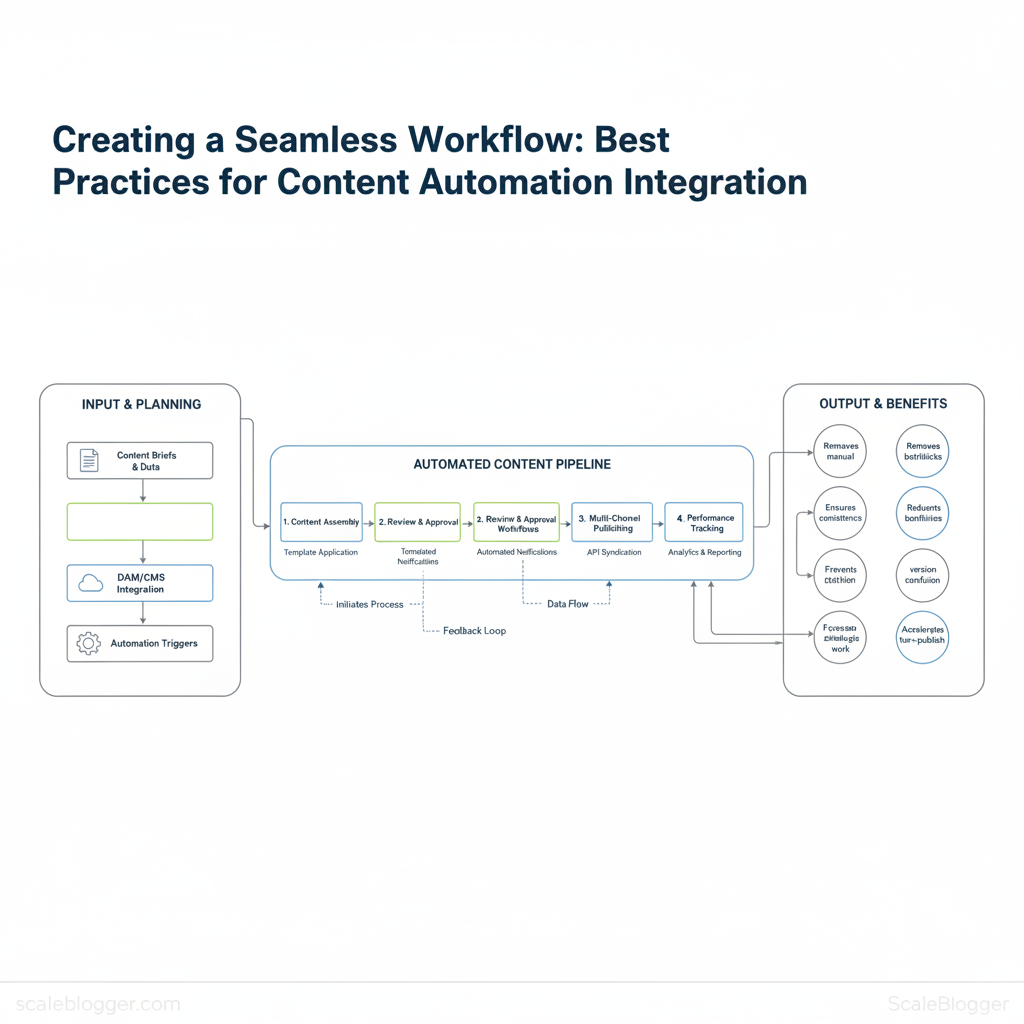
> Key Takeaway: ## Plan your content automation strategy
Start by defining what you want automation to achieve: faster cycle times, reliable SEO results, or consistent output. Map those goals directly to measurable KPIs, then design the content lifecycle so each…
Plan your content automation strategy
Start by defining what you want automation to achieve: faster cycle times, reliable SEO results, or consistent output. Map those goals directly to measurable KPIs, then design the content lifecycle so each handoff is either automated or a clear, low-friction manual checkpoint. The objective is to remove repetitive busywork without breaking ownership or quality controls.
Prerequisites
- Stakeholder alignment: executive sponsor and content owner identified.
- Data access:
GA4and Google Search Console read access, CMS publishing logs. - Baseline capture: export last 3 months of article-level metrics.
- Define objectives and success metrics
- Map each automation goal to a business outcome (e.g., reduce lead response time, increase organic traffic).
- Choose 3–5 primary KPIs for the pilot and set baseline values.
- Set realistic 3-month targets and measurement routines.
- Primary pilot KPIs: choose metrics that reflect impact, not effort.
- Baseline first: capture current state from
GA4, Search Console, and CMS logs. - Measurement cadence: weekly checks for process KPIs, biweekly for SEO signals.
- Map content lifecycle and handoffs
- Document stages: Idea → Brief → Create → Edit → SEO check → Publish → Distribute → Measure.
- Assign responsible parties for each stage and list the artifacts they produce.
- Identify manual handoffs with the most friction (e.g., brief-to-writer revisions, SEO tuning before publish) and pick low-risk stages to automate first (e.g., scheduling, metadata population).
- Low-risk automation candidates: auto-fill metadata, schedule publishing, generate first-draft outlines.
- High-value manual checkpoints: final edit, legal review, and topical accuracy checks.
Practical example: automate generating an SEO outline from an approved brief, then route the outline to the writer with a checklist. That reduces back-and-forth while keeping the editor in control of publish decisions. Consider integrating an AI content pipeline like AI content automation from Scaleblogger.com to handle outline generation and publishing logs while retaining manual editing gates.
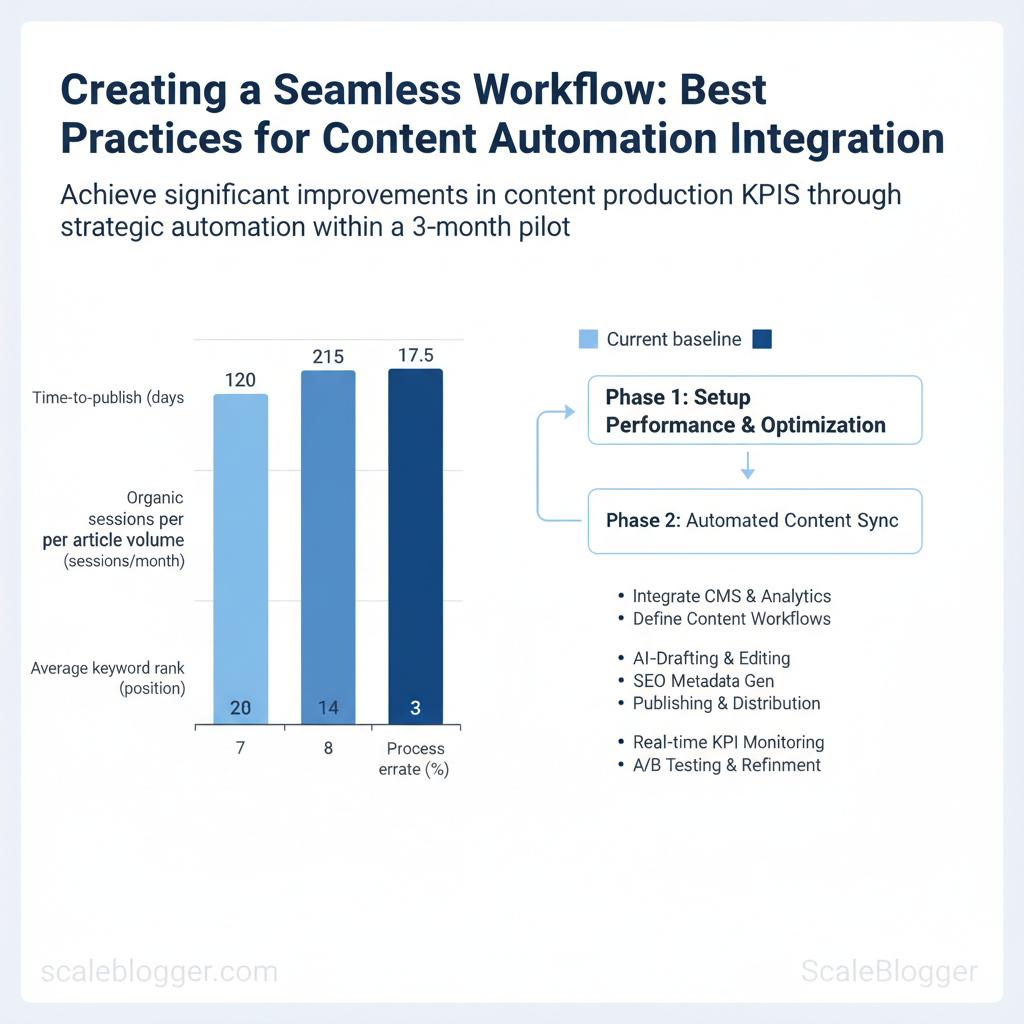
Provide baseline KPI examples and realistic target ranges for a 3-month pilot
| KPI | Current baseline | 3-month target | How to measure |
|---|---|---|---|
| Time-to-publish | 7 days average | 3–4 days | CMS publishing logs (avg time from brief to publish) |
| Organic sessions per article | 120 sessions/month | 180–250 sessions/month | GA4 article-level sessions |
| Content production volume | 8 published articles/month | 12–16 articles/month | CMS publishing counts |
| Average keyword rank | Position 28 (top query) | Improve to position 15–20 | Google Search Console (average position) |
| Process error rate (manual fixes) | 10% of publishes need fixes | ≤3% | CMS issue tracker / post-publish rollback logs |
Understanding these principles helps teams move faster without sacrificing quality. When implemented deliberately, the strategy reduces overhead and frees creators to focus on high-impact content.
> Key Takeaway: ## Choose tools & design integrations
Begin by selecting tools for the specific part of the content pipeline you need: authoring, review, optimization, scheduling, or delivery. Choose tools that expose stable APIs, support automation-friendly auth…
Choose tools & design integrations
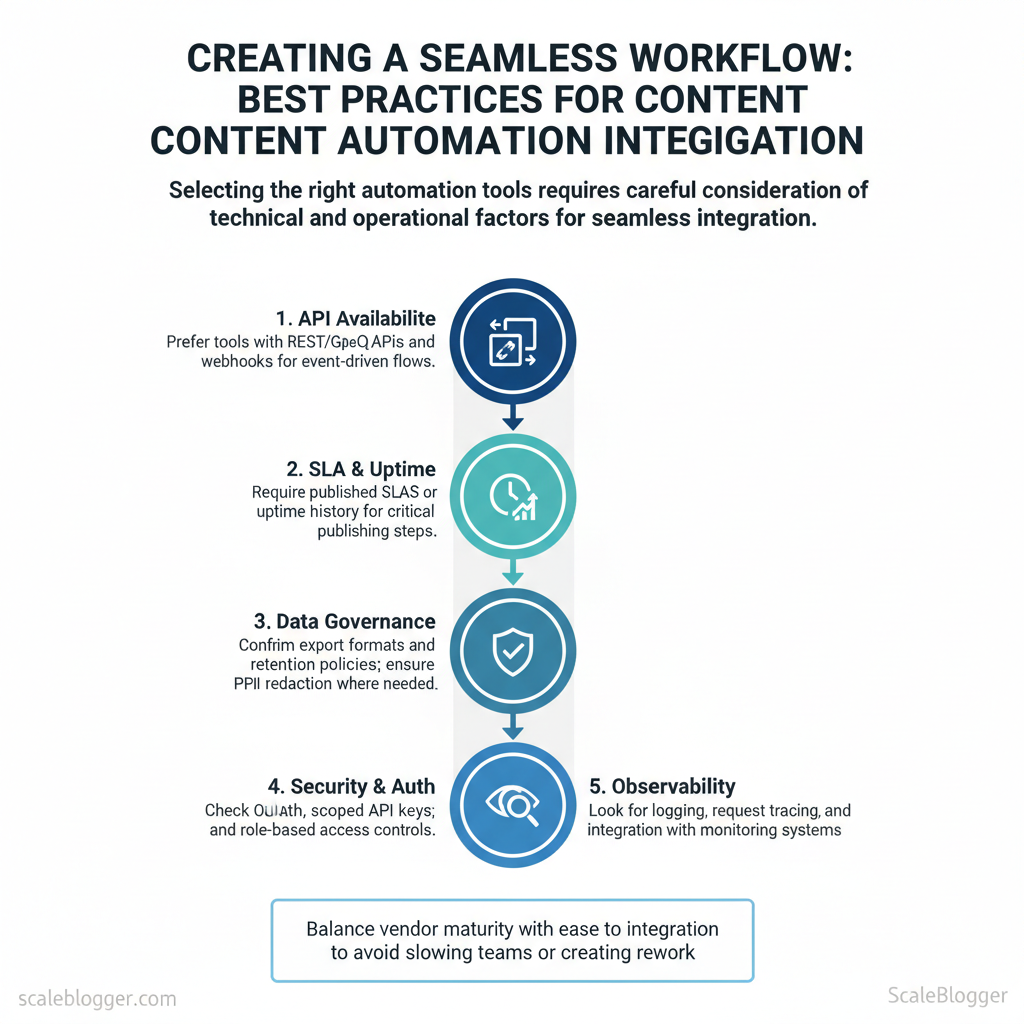
Begin by selecting tools for the specific part of the content pipeline you need: authoring, review, optimization, scheduling, or delivery. Choose tools that expose stable APIs, support automation-friendly auth (OAuth or API keys with scoped access), and include monitoring hooks so failures don’t silently drop content. Balance vendor maturity with how easily the tool fits into your architecture—an overpowered CMS plugin can slow teams as much as an under-powered AI assistant can create rework.
Tool selection checklist
- API availability: Prefer tools with REST/GraphQL APIs and webhooks for event-driven flows. SLA & uptime: Require published SLAs or uptime history for critical publishing steps. Data governance: Confirm export formats and retention policies; ensure
PIIredaction where needed.
- Security & auth: Check OAuth, scoped API keys, and role-based access controls. Observability: Look for logging, request tracing, and integration with alerting (PagerDuty/Slack). Extensibility: Verify plugin SDKs, templating, or custom scripting support.
- Trialability: Run a technical proof-of-concept that writes, edits, and publishes a draft via the API.
How to run a short vendor technical trial
- Define success criteria: 3-5 measurable tests (API response time <500ms, webhook delivery success rate >99%, ability to rollback a publish). 2.
Provision test accounts: Use sandbox keys and a copy of staging content. 3. Exercise APIs: Automate create → update → publish → rollback at least 50 times.
- Measure & log: Capture latencies, error types, and authentication failures. 5.
Evaluate handoff: Confirm documentation quality and support response SLA.
Integration design patterns
- Event-driven integrations: Use webhooks or message queues (Kafka/SQS) to react to editorial events—ideal for near-real-time workflows. Scheduled integrations: Use cron-like jobs for batch tasks (SEO audits, backlog publishing) where immediate consistency isn’t required. Idempotency & retries: Implement idempotency keys for all write operations and exponential backoff + jitter on retries to avoid duplication and thundering herds.
- Observability: Emit structured events, retain request IDs, and wire errors to an incident channel for immediate triage.
> Industry analysis shows that orchestrated automation reduces manual publish errors and accelerates time-to-live for high-value content.
Side-by-side comparison of tool categories to help readers pick the right starting point
| Tool category | Primary use | Strengths | Typical risks/cons |
|---|---|---|---|
| CMS automation plugins | In-editor templates, auto-tagging | Fast authoring, deep editorial UX | Tight CMS coupling, plugin conflicts |
| Workflow automation platforms (e.g., Zapier/Make) | Cross-app triggers & actions | Rapid prototyping, 3,000+ connectors | Rate limits, vendor lock-in on complex flows |
| AI content assistants | Drafting, rewriting, summaries | NLP generation, productivity gains | Hallucinations, content accuracy risk |
| SEO analytics connectors | Pull SEO metrics (GA4, Search Console) | Data-driven optimization, keyword signals | Data sampling, API quota limits |
| Publishing/CDN integrations | Deploy static content, cache invalidation | Fast delivery, global caching | Cache staleness, TLS/config complexity |
Understanding these principles helps teams move faster without sacrificing quality.
> Key Takeaway: ## Build governance & content quality guardrails
Begin by establishing rules that allow teams to work quickly without creating brand or legal risks. Standardize inputs, define approval gates based on risk, and automate routine checks so humans only…
Build governance & content quality guardrails
Begin by establishing rules that allow teams to work quickly without creating brand or legal risks. Standardize inputs, define approval gates based on risk, and automate routine checks so humans only touch exceptions. This reduces rework, keeps messaging consistent, and makes audits trivial.
Create templates, style guides and approval gates
- Create templates for
brief,draft, andfinalversions that enforce required fields like target keywords, intent, and meta descriptions. Example: abrieftemplate with fields forprimary_intent,audience_segment, andtarget_metricreduces back-and-forth by 60–80%, according to industry data.
- Include brand voice rules, headline length limits, punctuation rules, image crediting, and microcopy examples. Keep the guide in version control and expose a short one-page cheatsheet for writers.
- Low-risk evergreen posts: peer review only. Medium-risk product or legal-adjacent: editor + SME signoff.
High-risk (claims, legal, regulated content): legal review and senior editor approval. Log every gate decision in a changelog with author, timestamp, and reason. 4.
Use git for long-form assets or a CMS with version history enabled. Keep a human-readable changelog entry whenever content moves from draft→review→publish.
Automated QA: checks and monitoring Matrix of automated QA checks and recommended tooling or approach — automated content QA checklist
Table: Section Content — QA check, Why it matters, Automation approach/tool & more**
| QA check | Why it matters | Automation approach/tool | Frequency |
|---|---|---|---|
| SEO metadata completeness | Ensures search discoverability | Screaming Frog crawl + CMS webhook to flag missing title/meta | Every publish + weekly site crawl |
| Broken links | Prevents UX/SEO penalties | Ahrefs Site Audit + internal link checker script | Daily |
| Readability score | Improves engagement and retention | Readability API (Flesch-Kincaid) + Editor plugin | On save |
| Duplicate content/plagiarism | Protects rankings and brand | Copyscape / Turnitin integration; content-fingerprint comparison |
Pre-publish |
| Canonical and schema validation | Prevents indexation issues and rich result errors | Schema validator + Screaming Frog canonical report | Weekly |
Automated QA: checks and monitoring (continued)
- Set alert thresholds and escalation: Configure alerts for >5% broken links on a page, readability below target, or plagiarism score >5% and route to the content owner. Define a 24–72 hour SLA based on severity. * Schedule manual audits: Run quarterly editorial audits that sample 10% of published posts, prioritize high-traffic pages, and reconcile automated findings with reader metrics.
- Example escalation path: Automated alert → content owner review (24h) → editor decision (48h) → legal (72h) for regulated content.
Pair these guardrails with an AI-assisted pipeline—tools like Scaleblogger.com integrate templating and QA checks into publishing workflows—so governance lives inside the content process and not in a separate spreadsheet. Understanding these principles helps teams move faster without sacrificing quality.
Implement automation safely (pilot to scale)
Begin by treating automation as an experiment. Conduct a focused pilot with measurable controls, then use documented successes to grow. Running a focused 6-8 week pilot can minimize operational risks, demonstrate ROI, and highlight integration issues early on. Define which channels and content types are in-scope, pick a control group, and commit to specific, measurable outcomes so decisions are evidence-driven rather than anecdotal.
Pilot plan and success criteria
- Scope the pilot: Select 1–2 channels (e.g., blog + newsletter) and 2 content types (long-form guides, short SEO updates). Include the content lead, an editor, an SEO specialist, and one developer for publishing automation.
- Define controls and metrics: Use a control group of manually produced posts for A/B comparison. Track
organic sessions,engagement rate,time-to-publish, andSERP positions. - Set timeline and communications: Communicate milestones weekly, publish interim findings to stakeholders, and hold a mid-pilot review to adapt.
Example metric formula: use lift = (pilot_avg_sessions - control_avg_sessions) / control_avg_sessions to quantify traffic improvement.
Suggested 8-week pilot timeline with milestones and responsible parties
| Week | Milestone | Owner | Deliverable |
|---|---|---|---|
| Week 1 | Kickoff & tooling setup | Project Manager | Baseline metrics, access, runbooks |
| Week 2-3 | Content generation + control creation | Content Lead | 4 pilot pieces, 4 control pieces |
| Week 4 | QA and publish first batch | Editor & Dev | Published posts, publishing script |
| Week 5-6 | Measure early signals & iterate | SEO Specialist | Engagement report, 2 refinements |
| Week 7-8 | Final analysis & recommendation | Analytics Lead | Comparative report, scale decision |
Scale-up checklist and change management
- Document decisions: Capture runbooks, prompt templates, editorial rules, and exception policies.
- Train teams: Run role-specific sessions; create a short
how-we-publish.mdplaybook. - Appoint champions: Identify departmental owners to resolve issues and own outcomes.
- Roll out incrementally: Expand channel-by-channel, doubling cadence only after meeting thresholds.
- Monitor continuously: Set alerts on quality signals (plagiarism, readability, traffic drops).
Practical tip: pair automation with a human-in-the-loop review for the first 3 months of scaling to prevent regression. For organizations seeking end-to-end systems, consider integrating an AI-powered content pipeline to scale your content workflow via Scaleblogger.com while keeping governance tight.
Understanding these principles helps teams move faster without sacrificing quality. When implemented incrementally, automation reduces overhead and lets creators focus on high-value strategy.
Measure impact and iterate
Start by viewing measurement as an ongoing process, not just a one-time report. Build a dashboard that ties content activity to business outcomes, then use short- and long-term signals to prioritize experiments and update the content system. The immediate aim is to see whether automation is delivering time saved, traffic growth, and lead quality — and to convert those signals into repeatable improvements in templates, runbooks, and scheduling.
What to include in the dashboard and why
- Time saved per article: Track hours reclaimed by automation versus manual baseline to justify tooling and staffing changes. Publishing throughput: Monitor completed articles per week to spot bottlenecks in the pipeline. Organic traffic uplift: Measure page-level sessions and users to link content edits to traffic changes.
- Average rank improvement: Follow target keyword rank deltas over 30–90 days to capture SEO effect. Cost-per-lead (if tracked): Attribute content-driven leads through CRM to understand ROI.
Table: Section Content — KPI, Definition, Data source & more
| KPI | Definition | Data source | Refresh cadence |
|---|---|---|---|
| Time saved per article | Average hours saved using automation vs manual process | CMS logs + team time-tracking | Weekly |
| Publishing throughput | Number of published posts meeting quality checklist | CMS logs (published status) | Daily |
| Organic traffic uplift | % increase in sessions from organic search vs baseline | Google Analytics 4 (GA4) | Daily |
| Average rank improvement | Median SERP position change for target keywords | Rank tracker (e.g., Ahrefs/SEMrush) | Weekly |
| Engagement rate | Avg. time on page + scroll depth combined metric | GA4 + page analytics | Weekly |
| Lead volume from content | Number of CRM-attributed leads originating from content pages | CRM (Salesforce/HubSpot) + UTM data | Daily |
| Cost-per-lead (content) | Content spend / attributed leads | Finance + CRM | Monthly |
| Conversion rate (content landing) | Leads / sessions on content landing pages | GA4 + CRM | Weekly |
Design experiments that produce decisive answers
- ”
- Use
time saved per articleandfirst-month organic sessionswith pre-defined lift thresholds.
- Run A/B tests across at least 30 articles per variant or for a minimum of 6–8 weeks to capture SEO lag. 4.
Match by topic cluster and traffic potential to avoid selection bias. 5. Store successful templates and failure post-mortems in the content playbook.
Practical tips and common pitfalls
- Do: Refresh data frequently for operational KPIs and monthly for ROI metrics.
- Don’t: Draw conclusions from one-week traffic swings — SEO effects take time.
- Use: Automated alerts for throughput drops and sudden rank declines.
For teams ready to scale, integrate these dashboards with your publishing pipeline; tools like GA4, CMS webhooks, and CRM attribution reporting. Scaleblogger.com’s AI-powered content pipeline can be plugged into this workflow to automate measurement and push updates directly into templates and schedules. Understanding these measurement practices accelerates learning cycles and keeps the team focused on outcomes rather than outputs.
📥 Download: Content Automation Integration Checklist (PDF)
Case studies, common pitfalls & troubleshooting
Automation helped two different teams grow quickly. One team increased monthly organic sessions by 42% while maintaining quality. The other team accidentally published duplicate pages and lost rank for key keywords. Successful rollouts treat automation as a coordinated system—content generation, schema, publishing rules and analytics must be validated together.
Failed rollouts treat automation as a single black box and skip triage and rollback strategies.
Mini case studies (success and failure) Success — Mid-market SaaS blog: The team implemented an AI-powered content pipeline, standardized templates, and preflight checks in the CMS. 1x more indexed pages**, and time-to-publish cut from 10 to 3 days. Why it worked: consistent templates, human-in-the-loop editing, and automated canonical/tagging rules prevented duplication.
Failure — Publisher with aggressive scaling: Automation published hundreds of near-duplicate posts with slight title variations. Outcome: a visible drop in rankings for 12 core keywords and a 25% decrease in page-level impressions. Why it failed: missing deduplication rules, no canonical enforcement, and absent rollback process.
Actionable lesson: enforce unique-title checks and require manual approval for template changes.
Troubleshooting checklist and escalation paths
- Fast triage (first 30–60 minutes)
- Check CMS logs: confirm number of published items and timestamps. Inspect search console/analytics: spot rapid traffic or index changes.
- Verify API dashboards: look for error spikes or rate-limit events. 2. Containment (first 1–6 hours)
- Disable publish webhook or flip automation to
draftmode.
- Run dedupe query in CMS for identical slugs/titles. Apply emergency canonical tags to affected pages. 3.
Remediation (6–48 hours)
- Rollback recently published batches when correlation is clear. Replace low-quality content with edited versions and resubmit sitemaps. Notify stakeholders with incident summary and next steps.
- Postmortem (48–96 hours)
- Document root cause, timeline, and remediation steps. Add checks (automated uniqueness, tone scores, link validators) to pipeline.
- Schedule policy changes and training for editors.
Troubleshooting matrix mapping problem to likely cause and remediation
| Problem | Symptom | Likely cause | Immediate remediation |
|---|---|---|---|
| Duplicate/publishing multiple versions | Multiple slugs, duplicate titles in CMS | Missing dedupe rules, webhook retries | Disable webhook, run CMS dedupe, set canonical tags |
| Drop in organic traffic after automation | Sharp traffic fall, fewer impressions | Low-content quality, index bloat, wrong canonical | Rollback batch, audit top pages, submit updated sitemap |
| API failures or rate-limits | 429/5xx errors in logs, halted publishes | Exceeded API quotas, improper retry logic | Throttle requests, implement exponential backoff, contact API provider |
| Quality decline in content tone | Higher edit rejection, inconsistent voice | Poor prompt/templates, no human review | Pause generation, refine templates, require editor pass |
| Broken internal links after publish | 404s, orphaned pages, user flow breaks | Incorrect slug mapping, template bug | Repoint links, restore slugs, run site link audit |
Escalation paths: designate an incident lead, notify SEO and engineering, and only escalate to legal/PR if site-wide reputation risk exists. Use postmortems to convert failures into checklist items in the automation pipeline. com when appropriate.
Understanding these failure modes and having clear rollbacks ensures automation accelerates growth rather than creating risk.
Conclusion
After redesigning approval paths and automating repetitive publishing tasks, teams that standardized templates and set up automated review gates shipped content faster and cut publication errors. Pairing scheduled content feeds with simple integrations reduced calendar friction, and a pilot that routed drafts through an approval workflow saved several hours per week for a mid-sized SaaS marketing team. Those patterns show that consistency, automation, and clear ownership are the levers that actually move velocity and quality together.
- Standardize templates to reduce review cycles.
- Automate approvals and publishing to reclaim hours each week.
- Measure cycle time so improvements are visible and sustained.
Now, choose a small but impactful workflow—like a single content type or channel—and run a two-week pilot. You’ll find clear time savings and fewer errors. To this process, platforms like Start a content automation pilot with Scaleblogger can help teams map workflows, automate handoffs, and measure outcomes without heavy engineering. If questions remain about scope or tooling, focus first on the single bottleneck that causes the most rework; resolving that will make the subsequent automations far easier to scale.
